How to Pass an Argument That Contains Spaces with Double Quotes in bash and zsh

The shell splits every command into words at its spaces, and each word becomes a separate argument. So mkdir My Notes doesn't make a folder called My Notes: it makes two, My and Notes. Put the value in double quotes, and it stays one argument.
Syntax
<command> "<value with spaces>"
| Part | What it does |
|---|---|
"<value with spaces>" | One argument, spaces and all. The quotes themselves aren't passed on |
$name inside the quotes | Still replaced by the variable's value |
bash's manual page, man bash, defines the space as a word separator: a metacharacter is A character that, when unquoted, separates words. Its list of them ends with space tab. And for double quotes: Enclosing characters in double quotes preserves the literal value of all characters within the quotes, apart from a few, such as $, which still replaces variables. A space inside double quotes is a plain character, so it no longer separates anything.
Prerequisites
- zsh or bash. This guide uses zsh 5.9, the default shell on macOS, and checks every command in bash 3.2 too.
Step 1: Make a Folder Without and with Quotes
In an empty folder, make a folder called My Notes without quotes, list what's there, then do the same with quotes:
mkdir My Notes
ls -1
mkdir "My Notes"
ls -1
ls -1 lists one name per line, so names with spaces are easy to read.
My
Notes
My
My Notes
Notes
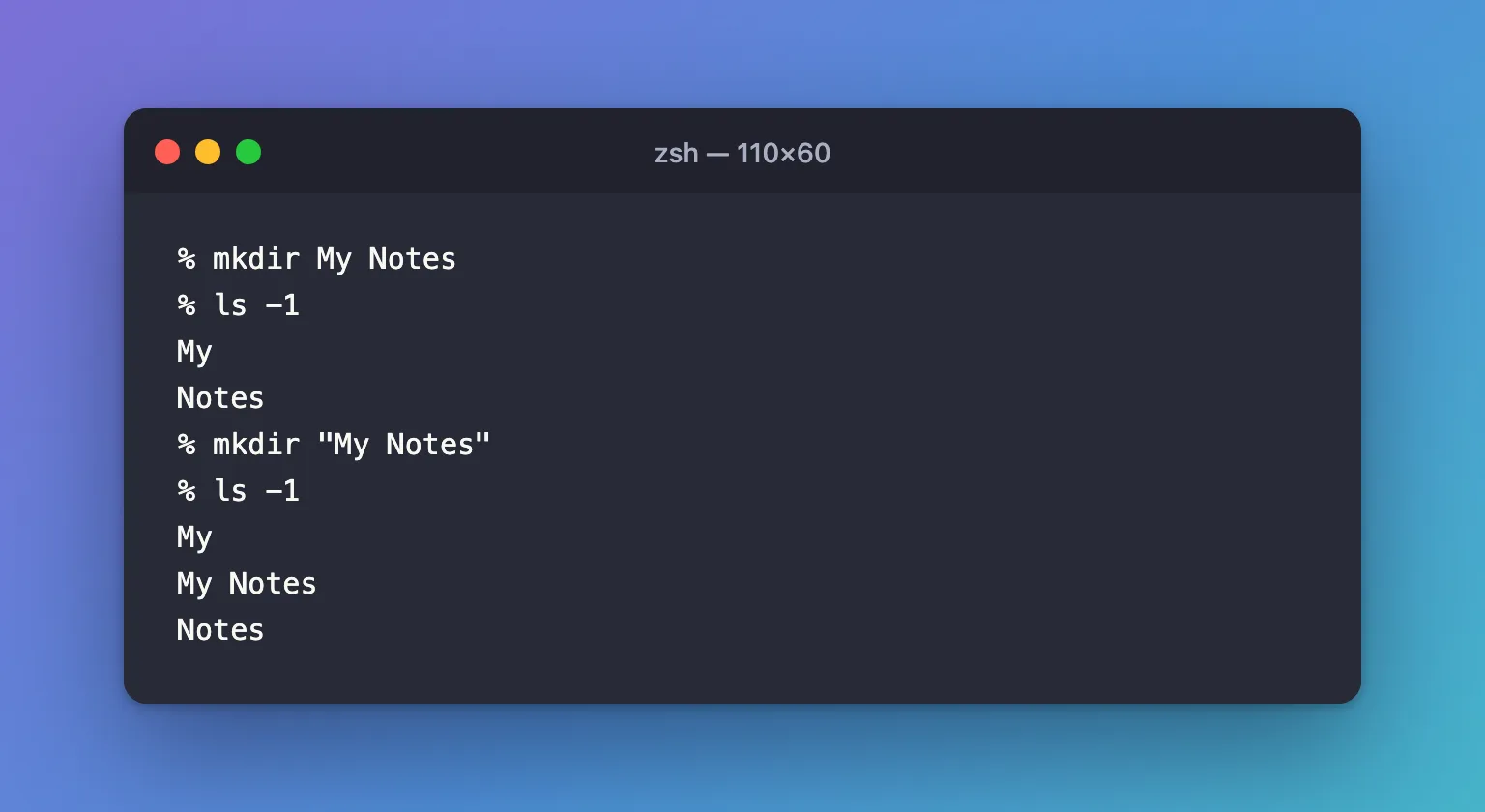
- Without quotes,
mkdirgot two arguments,MyandNotes, and made a folder for each. - With quotes, it got one,
My Notes, and made one folder with a space in its name.
bash printed the same lines. The same goes for any command: --name "Treat Poll" passes the name Treat Poll to an option, where --name Treat Poll would pass Treat and leave Poll as a stray argument.
To remove the three folders again, quote the one with the space here too: rm -r My Notes "My Notes" removed all three.
Variables That Hold Spaces
A value with spaces in a variable is where zsh and bash differ. Here the variable is used without quotes:
name="My Notes"
mkdir $name
ls -1
My
Notes
My
Notes
zsh kept the value as one argument, and bash split it at the space. zsh only splits a variable like that when its SH_WORD_SPLIT option is on, which its manual describes as: Causes field splitting to be performed on unquoted parameter expansions. It's off by default in zsh.
With quotes around the variable, mkdir "$name" made the one folder My Notes in both shells. Quote variables, and your command works the same everywhere.
Common Mistakes
| Mistake | What happens | Do this instead |
|---|---|---|
mkdir My Notes | Two folders, My and Notes | mkdir "My Notes" |
| A variable that holds spaces, unquoted, in bash | It's split into several arguments | Write "$name" |
| Testing in zsh only | zsh doesn't split $name, so the bug only shows up in bash scripts | Quote variables anyway |
Troubleshooting
| Symptom | Likely cause | Fix |
|---|---|---|
| A command made or found two things instead of one | A value with a space wasn't quoted | Put it in double quotes |
cd Old Notes fails: zsh says cd: string not in pwd: Old, bash says cd: Old: No such file or directory | The command got Old and Notes as two arguments | cd "Old Notes" |
FAQ
Do single quotes work too?
Yes, for plain text: mkdir 'Old Notes' made one folder. The difference is that single quotes don't replace $name, so use double quotes when the value includes a variable.
Can I write a backslash instead of quotes?
Yes: mkdir Draft\ Notes made one folder called Draft Notes. The backslash makes the space after it a plain character. Quotes are easier to read when there are several spaces.
Conclusion
The shell splits arguments at spaces, so put any value that contains one in double quotes: mkdir "My Notes" makes one folder, mkdir My Notes makes two. Quote variables as well, "$name", because bash splits them at spaces where zsh doesn't.
Additional Resources
man bash, in its QUOTING section: what double quotes keep and what they still replace.- zsh options: SH_WORD_SPLIT, in the zsh manual.
