How to Pass a Value to an Office Script from Power Automate

An Office Script gets values from a flow through its main function: every parameter after workbook becomes a field in Power Automate's Run script action. Type a value there, or fill it with dynamic content, and the script uses it.
Syntax
function main(workbook: ExcelScript.Workbook, <parameter>: <type>) {
    // Use <parameter> here.
}
From Microsoft's Get user input for scripts:
workbook: ExcelScript.Workbook: always first. Its parameter name doesn't matter.<parameter>: the input's name. The Run script action shows a field for it.<type>: what the value is:stringfor text,number,booleanfor true or false, an array of those, or an object made of them.- More inputs: add more parameters after the first, separated by commas.
- Optional input:
<parameter>?: <type>. Default value:<parameter>: <type> = <value>, which fills the field for you.
Prerequisites
- A business Microsoft 365 licence. Microsoft's Run Office Scripts with Power Automate says you need one to use Office Scripts in Power Automate.
The Example
Greet a Person writes a greeting for one person in cell A2 of the Flow sheet of Office Scripts Example.xlsx, a workbook in my OneDrive. The flow passes the name Ann.
Step 1: Add a Parameter to the Script
Create the script in the workbook (How to Create and Run an Office Script in Excel) with a name parameter:
/**
 * Writes a greeting for one person in cell A2 of the sheet named "Flow".
 * @param name The person's first name.
 */
function main(workbook: ExcelScript.Workbook, name: string) {
    const sheet = workbook.getWorksheet("Flow");
    sheet.getRange("A2").setValue(`Hello, ${name}!`);
}
name: stringis the input: a piece of text.`Hello, ${name}!`is a template string: the text between the backticks, with the value ofnamewhere${name}is.- The comment above
maindescribes the script and its parameter, in the JSDoc form Microsoft's article recommends, so whoever uses the script knows what to give it.
Step 2: Add Run script and Fill the Parameter
In a flow with the trigger Manually trigger a flow, add Run script from Excel Online (Business) and choose the workbook and the script (How to Run an Office Script from Power Automate). Once Greet a Person is chosen, a field appears for its parameter, labelled ScriptParameters/name in my designer. Type Ann:
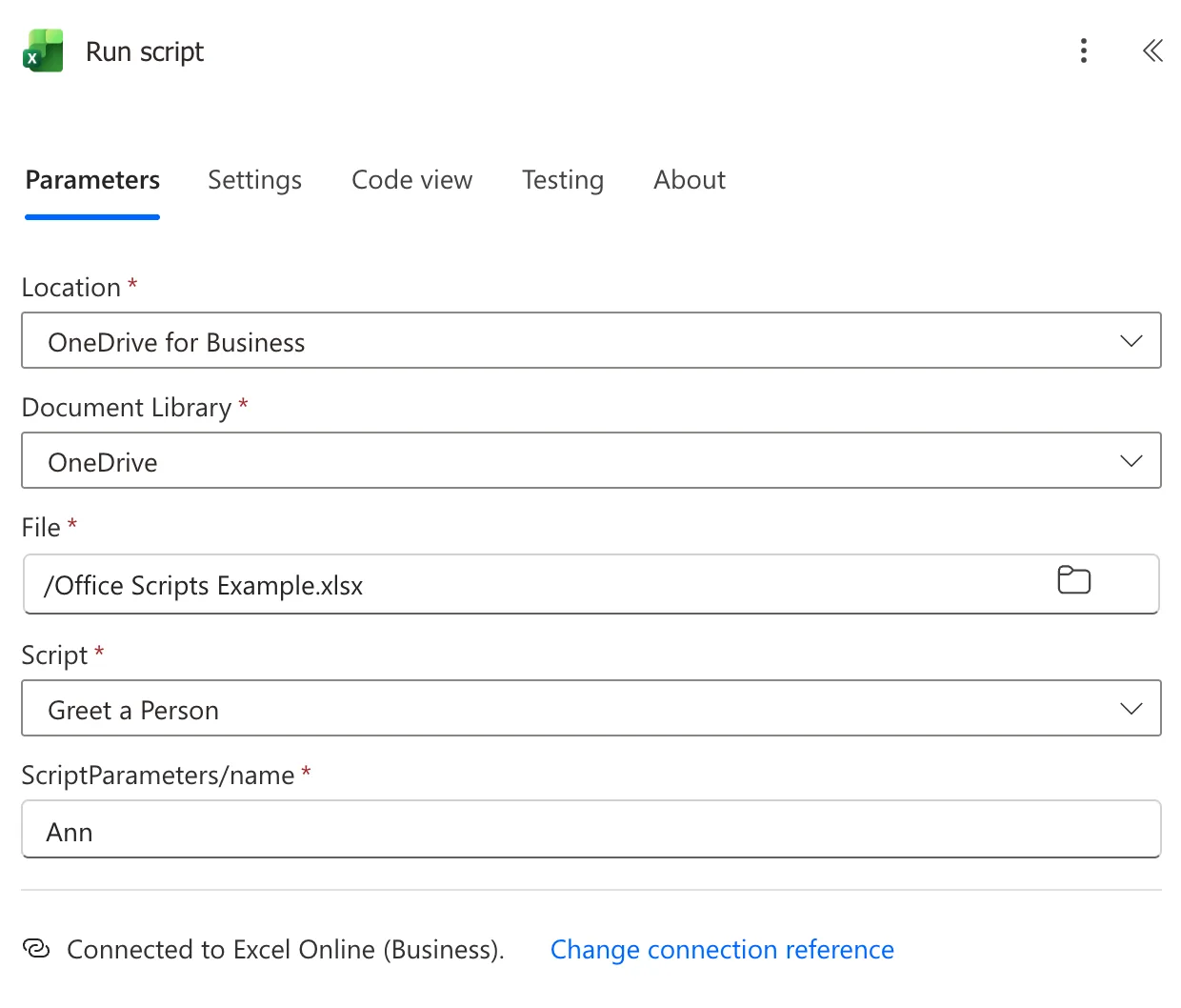
In a real flow, the value usually comes from an earlier step: put the cursor in the field and pick dynamic content, or add an expression (How to Add an Expression in Power Automate).
Step 3: Run the Flow
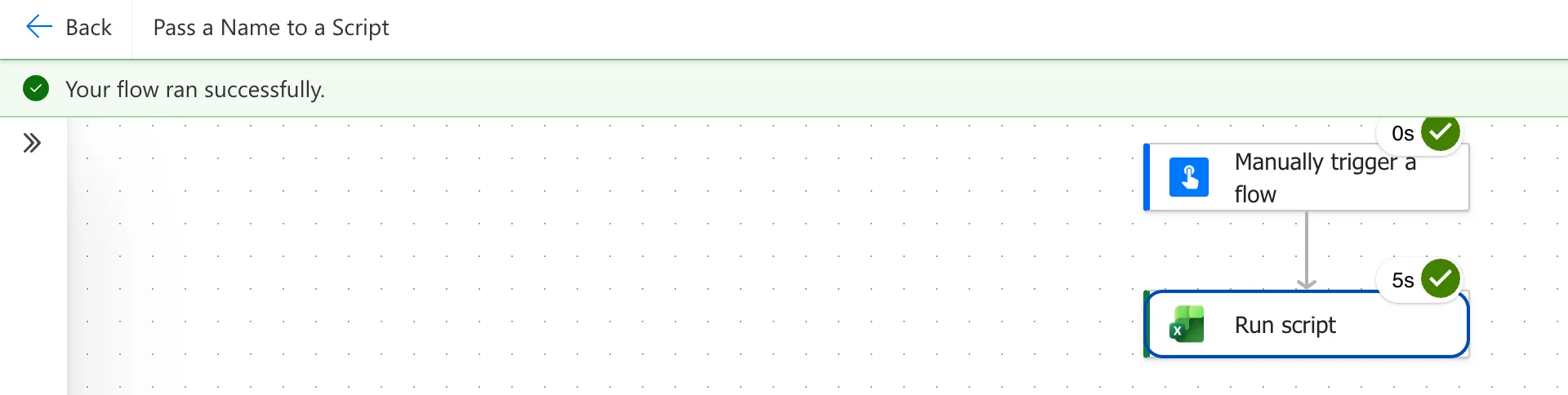
Save the flow and test it (How to Test a Cloud Flow Manually in Power Automate). Run script took 5 seconds:
The Result
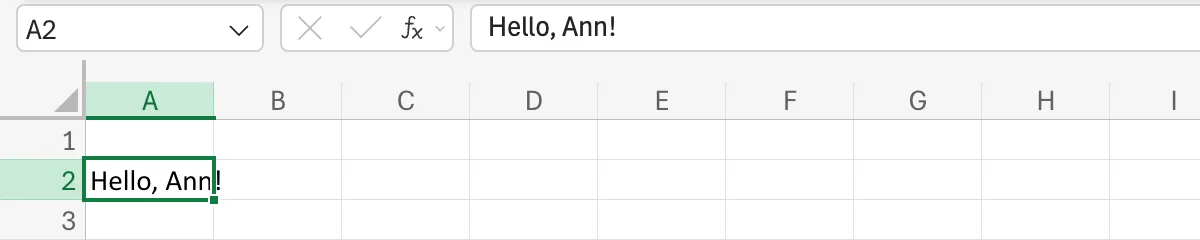
A2 on the Flow sheet says Hello, Ann!:
Common Mistakes
| Mistake | What happens | Do this instead |
|---|---|---|
| Adding a parameter after the flow's action was set up | Microsoft says the action keeps the script's parameters from when it was added | Delete the Run script action and add it again |
A parameter of a type scripts can't take, such as a Date | Microsoft says fields for unsupported types don't show correctly | Pass the date as text and convert it in the script |
getActiveWorksheet() in the script | In a flow, it means the first sheet | getWorksheet("<name>") |
Troubleshooting
| Symptom | Likely cause | Fix |
|---|---|---|
| No field for the parameter | The action was added before the parameter was | Delete the action and add it again |
| The field is filled already | The parameter has a default value | Keep it, or type another value |
| The flow fails at Run script with a script error | The script fails on the value it got | Run the script in Excel with the same value to see the error |
FAQ
Can I pass several values?
Yes. Add a parameter for each, function main(workbook: ExcelScript.Workbook, name: string, age: number), and the action shows a field for each one.
Can the field be a drop-down?
Yes. Microsoft's article: a parameter whose type is a list of literal values, such as location: "Seattle" | "Redmond", gives a drop-down with those choices.
How do I pass a whole list of records?
As an array of objects, with Switch to input entire array in the action: How to Pass a List of Records to an Office Script from Power Automate.
Conclusion
Add a parameter after workbook in main, and Run script shows a field for it. Fill it with a typed value, dynamic content or an expression, and the script uses whatever the flow sends.
