How to Pass a Connection String with an Environment Variable in .NET C#

An ASP.NET Core app reads ConnectionStrings:Inventory from wherever it's set, with no code changes. In production, that's usually an environment variable, named with a double underscore. I set one over the top of user-secrets, to see which value wins.
What You Need
An ASP.NET Core app that reads a connection string with GetConnectionString. The example has a connection string called Inventory, and it logs its settings when it starts.
The Name
Configuration keys use : for levels, and a colon doesn't work in every environment variable. Microsoft's documentation: "A double underscore ( __ ) is supported by all platforms and is automatically converted into a colon ( : ) when the configuration is read by the app."
In appsettings.json | As a configuration key | As an environment variable |
|---|---|---|
"ConnectionStrings": { "Inventory": "…" } | ConnectionStrings:Inventory | ConnectionStrings__Inventory |
Step 1: Set It for One Run
This reads the password from a .env file, so that it stays out of your shell history:
- macOS / Linux
- Windows (PowerShell)
ConnectionStrings__Inventory="Server=127.0.0.1;Port=3306;Database=inventory;User ID=inventory_app;Password=$(grep '^MYSQL_PASSWORD=' .env | cut -d= -f2-);SslMode=Required;Maximum Pool Size=25" dotnet run --project src/Dewiride.Inventory.Api
$password = (Get-Content .env | Where-Object { $_ -like 'MYSQL_PASSWORD=*' }).Substring('MYSQL_PASSWORD='.Length)
$env:ConnectionStrings__Inventory = "Server=127.0.0.1;Port=3306;Database=inventory;User ID=inventory_app;Password=$password;SslMode=Required;Maximum Pool Size=25"
dotnet run --project src/Dewiride.Inventory.Api
Remove-Item Env:ConnectionStrings__Inventory
In bash and zsh, a variable in front of a command lasts for that command. In PowerShell, it lasts until you remove it, which is what the last line does.
Step 2: See Which Value Wins
This project also has a connection string in user-secrets, with no Maximum Pool Size:
dotnet user-secrets list --project src/Dewiride.Inventory.Api
ConnectionStrings:Inventory = Server=127.0.0.1;Port=3306;Database=inventory;User ID=inventory_app;Password=…;SslMode=Required
The app's first log line, on its own:
MySQL connection: server 127.0.0.1, database inventory, user inventory_app, SslMode Required, pool up to 100, connect timeout 15 s
And with the environment variable above:
MySQL connection: server 127.0.0.1, database inventory, user inventory_app, SslMode Required, pool up to 25, connect timeout 15 s
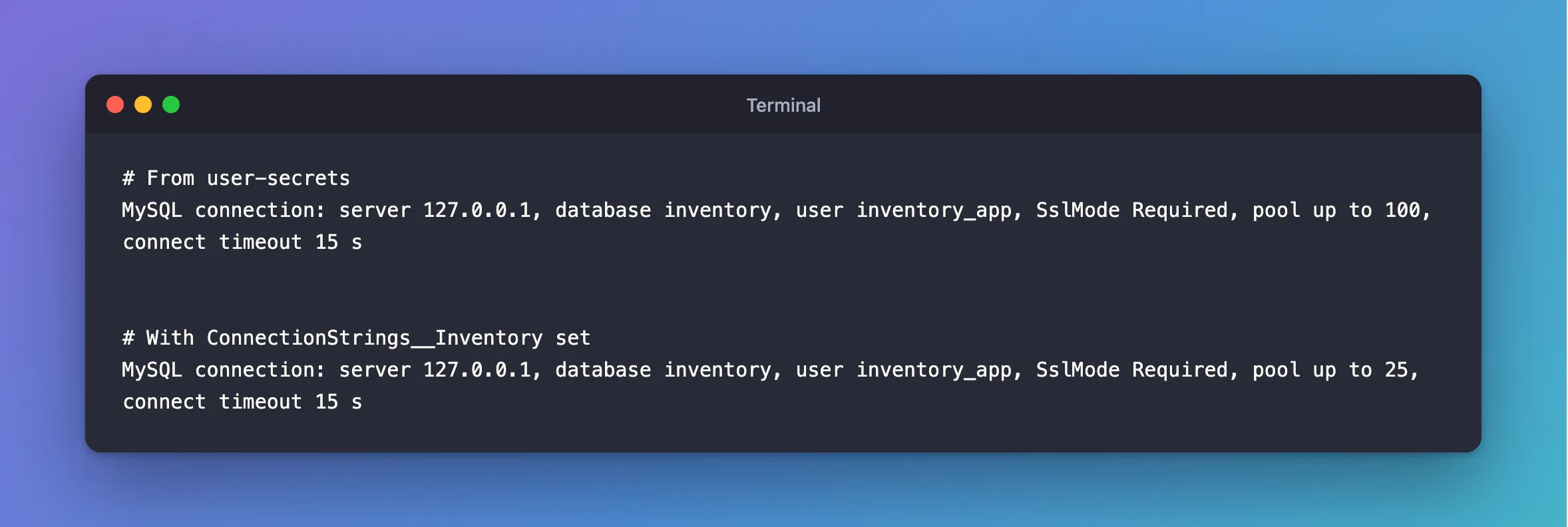
The pool went from 100 to 25, so the environment variable won. In the default setup, sources are read in this order, and a later one overrides an earlier one:
appsettings.jsonappsettings.{Environment}.json- User-secrets, in Development only
- Environment variables
- Command-line arguments
On a Server
Set the variable wherever your platform keeps secrets: a Kubernetes secret, your host's application settings, or a systemd EnvironmentFile that only the service can read. You don't need appsettings.json to mention it at all.
If it's missing, fail at startup with a clear message, rather than at the first request. How to Run an ASP.NET Core App as Production on Your Machine shows that.
Keys with a dot in them are a special case: export refuses them.
Common Mistakes
| Mistake | What happens | Do this instead |
|---|---|---|
| A single underscore | It's a different key, and nothing reads it | Use two |
Using : in the name on Linux | Shells won't accept it | Use __ |
| Typing the password on the command line | It stays in your shell's history | Read it from a file |
| Leaving it set in a PowerShell session | Later commands use it too | Remove-Item Env:… |
A ; in the password, unquoted | Option not supported | Quote it |
Troubleshooting
| Symptom | Likely cause | Fix |
|---|---|---|
| The variable seems ignored | A typo, or a launch profile that sets the same name | Check the name, and launchSettings.json |
| It works in a terminal, and not in the service | Services don't read your shell's variables | Set it in the service's own settings |
| A container gets the wrong value | Your shell beat .env | Check env |
Conclusion
ConnectionStrings__Inventory in the environment overrides what's in appsettings.json and user-secrets, with no code change. Read the password from a file, and on a server use your platform's secret store.
Additional Resources
- Configuration in ASP.NET Core — the sources and the double underscore.
- Safe storage of app secrets in development — user-secrets.
