How to Page Results in MySQL with LIMIT and OFFSET

LIMIT says how many rows to return, and OFFSET says how many to skip, which is all you need to page through results. There's one catch that's easy to miss: without ORDER BY, you don't know which rows you'll get. This guide pages through a real table, and shows that happening.
Prerequisites
- MySQL, and a way to run SQL. The examples use MySQL 9.7.4 in Docker, and the
mysqlclient from How to Connect to MySQL in a Docker Container. - A table with a few rows. The examples use
products, with eight rows.
Step 1: Get the First Page
For a page size of 3:
SELECT Sku, Name FROM products ORDER BY Name, Id LIMIT 3 OFFSET 0;
+--------------+----------------------+
| Sku          | Name                 |
+--------------+----------------------+
| CBL-HDMI-2M  | HDMI cable, 2 m      |
| ADP-HDMI-VGA | HDMI to VGA adapter  |
| CBL-LTNG-1M  | Lightning cable, 1 m |
+--------------+----------------------+
3 rows in set (0.000 sec)
Step 2: Get the Next Pages
The offset for any page is (page - 1) * size, so page 2 skips 3, and page 3 skips 6:
SELECT Sku, Name FROM products ORDER BY Name, Id LIMIT 3 OFFSET 3;
+--------------+---------------------+
| Sku          | Name                |
+--------------+---------------------+
| CBL-USBC-1M  | USB-C cable, 1 m    |
| CBL-USBC-2M  | USB-C cable, 2 m    |
| CHG-USBC-20W | USB-C charger, 20 W |
+--------------+---------------------+
3 rows in set (0.000 sec)
SELECT Sku, Name FROM products ORDER BY Name, Id LIMIT 3 OFFSET 6;
+---------------+------------------------+
| Sku           | Name                   |
+---------------+------------------------+
| CHG-USBC-65W  | USB-C charger, 65 W    |
| ADP-USBC-USBA | USB-C to USB-A adapter |
+---------------+------------------------+
2 rows in set (0.000 sec)
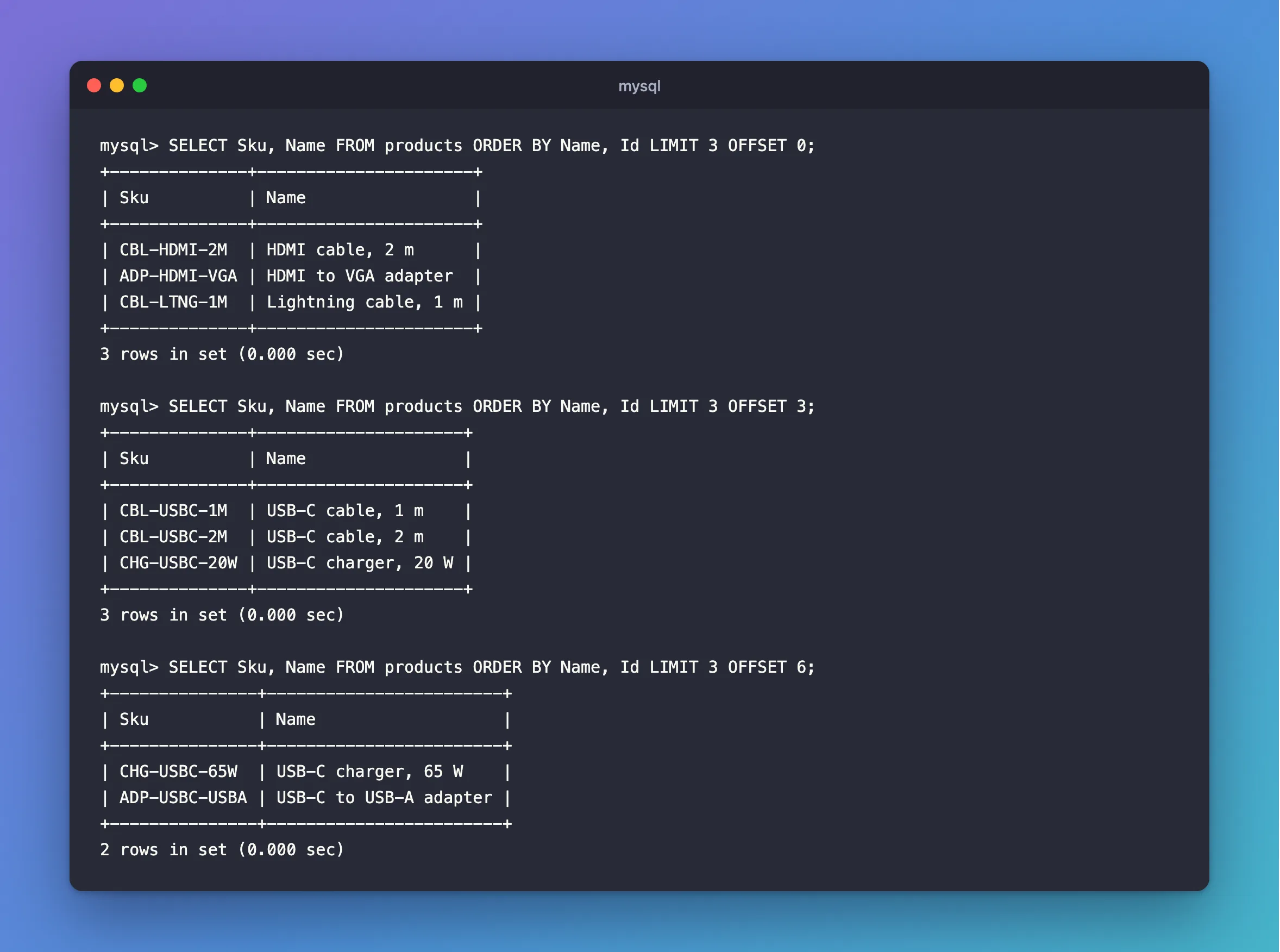
Eight rows over three pages, each exactly once. A page past the end is an empty result, not an error:
SELECT Sku, Name FROM products ORDER BY Name, Id LIMIT 3 OFFSET 9;
Empty set (0.000 sec)
Why ORDER BY Isn't Optional
Here's the table without a sort. Asking for one more column changed which three rows came back:
SELECT Sku FROM products LIMIT 3;
+---------------+
| Sku           |
+---------------+
| ADP-HDMI-VGA  |
| ADP-USBC-USBA |
| CBL-HDMI-2M   |
+---------------+
3 rows in set (0.000 sec)
SELECT Sku, Name FROM products LIMIT 3;
+-------------+------------------+
| Sku         | Name             |
+-------------+------------------+
| CBL-USBC-2M | USB-C cable, 2 m |
| CBL-USBC-1M | USB-C cable, 1 m |
| CBL-HDMI-2M | HDMI cable, 2 m  |
+-------------+------------------+
3 rows in set (0.000 sec)
EXPLAIN shows why, here on the same table with about 5,000 rows in it. The first reads the index on Sku, which has everything it needs, and the second reads the table:
EXPLAIN: -> Limit: 3 row(s)  (cost=497 rows=3)
    -> Covering index scan on products using IX_products_Sku  (cost=497 rows=4894)

EXPLAIN: -> Limit: 3 row(s)  (cost=497 rows=3)
    -> Table scan on products  (cost=497 rows=4894)
Each is a perfectly good way to read 3 rows, and no order was requested. How to Check if a MySQL Query Uses an Index explains that output.
End the sort with a unique column as well, such as Id. If two rows have the same Name, the Id decides between them, so they can't swap places between pages.
The Other Way to Write It
LIMIT 6, 3 means the same as LIMIT 3 OFFSET 6. MySQL's SELECT page says: "With two arguments, the first argument specifies the offset of the first row to return, and the second specifies the maximum number of rows to return. The offset of the initial row is 0 (not 1)". I use OFFSET because the numbers can't be read the wrong way round.
Common Mistakes
| Mistake | What happens | Do this instead |
|---|---|---|
LIMIT with no ORDER BY | The rows can change, as above | Sort first |
| Sorting only by a column with repeats | Tied rows can move between pages | Add a unique column last |
OFFSET page * size with pages from 1 | Page 1 skips the first page | (page - 1) * size |
LIMIT 3, 6 when you mean 3 rows | It reads as skip 3, take 6 | Use LIMIT 3 OFFSET 6 |
FAQ
How do I get the total for "page 2 of 3"?
Run a COUNT(*) with the same WHERE.
Does a large OFFSET get slow?
MySQL still has to step over the rows it skips, so it does cost more with depth. For very long lists, filter on the last value seen instead, such as WHERE Id > 1000 ORDER BY Id LIMIT 20.
Conclusion
ORDER BY a sort that ends with a unique column, then LIMIT size OFFSET (page - 1) * size. Every row appears exactly once across the pages. Without the ORDER BY, MySQL can return any rows it finds convenient.
Additional Resources
- SELECT Statement —
LIMIT.
