How to Override a Virtual Method with override in C#

A base class marks a method virtual, and a derived class writes its own version with override. From then on the object decides which version runs, even when the variable's type is the base class.
Microsoft's reference: Use the override modifier to extend or modify the abstract or virtual implementation of an inherited method, property, indexer, or event. The base class has to allow it with virtual: Use the virtual keyword to modify a method, property, indexer, or event declaration and allow a derived class to override it.
Syntax
class <BaseClass>
{
    public virtual <type> <Method>(<parameters>) => <base version>;
}

class <DerivedClass> : <BaseClass>
{
    public override <type> <Method>(<parameters>) => <new version>;
}
| Part | What it is |
|---|---|
virtual | In the base class: allows derived classes to override the method |
override | In the derived class: this method replaces the base class's version |
<type> <Method>(<parameters>) | The return type, name and parameters, the same in both classes |
public | The access modifier, the same in both classes |
The reference: An override method must have the same signature as the overridden base method. And: Both the override method and the virtual method must have the same access level modifier.
The Example
A console app called OverrideMethod has a Greeter class with a virtual Greet method and two classes that override it: PirateGreeter replaces the greeting, and PoliteGreeter adds a sentence to it.
Prerequisites
- The .NET 10 SDK.
dotnet --versionprints a version that starts with10.0.
Step 1: Create a Console App
dotnet new console -n OverrideMethod
cd OverrideMethod
The template "Console App" was created successfully.

Processing post-creation actions...
Restoring /Users/you/source/OverrideMethod/OverrideMethod.csproj:
  Determining projects to restore...
  Restored /Users/you/source/OverrideMethod/OverrideMethod.csproj (in 42 ms).
Restore succeeded.
dotnet new console -n OverrideMethod creates a folder named OverrideMethod with a project file and a Program.cs, and cd moves into it. Everything this example uses is part of .NET, so there's no package to add. Open the folder in VS Code, or OverrideMethod.csproj in Visual Studio.
Step 2: Write the Code
Replace everything in Program.cs. First the calls:
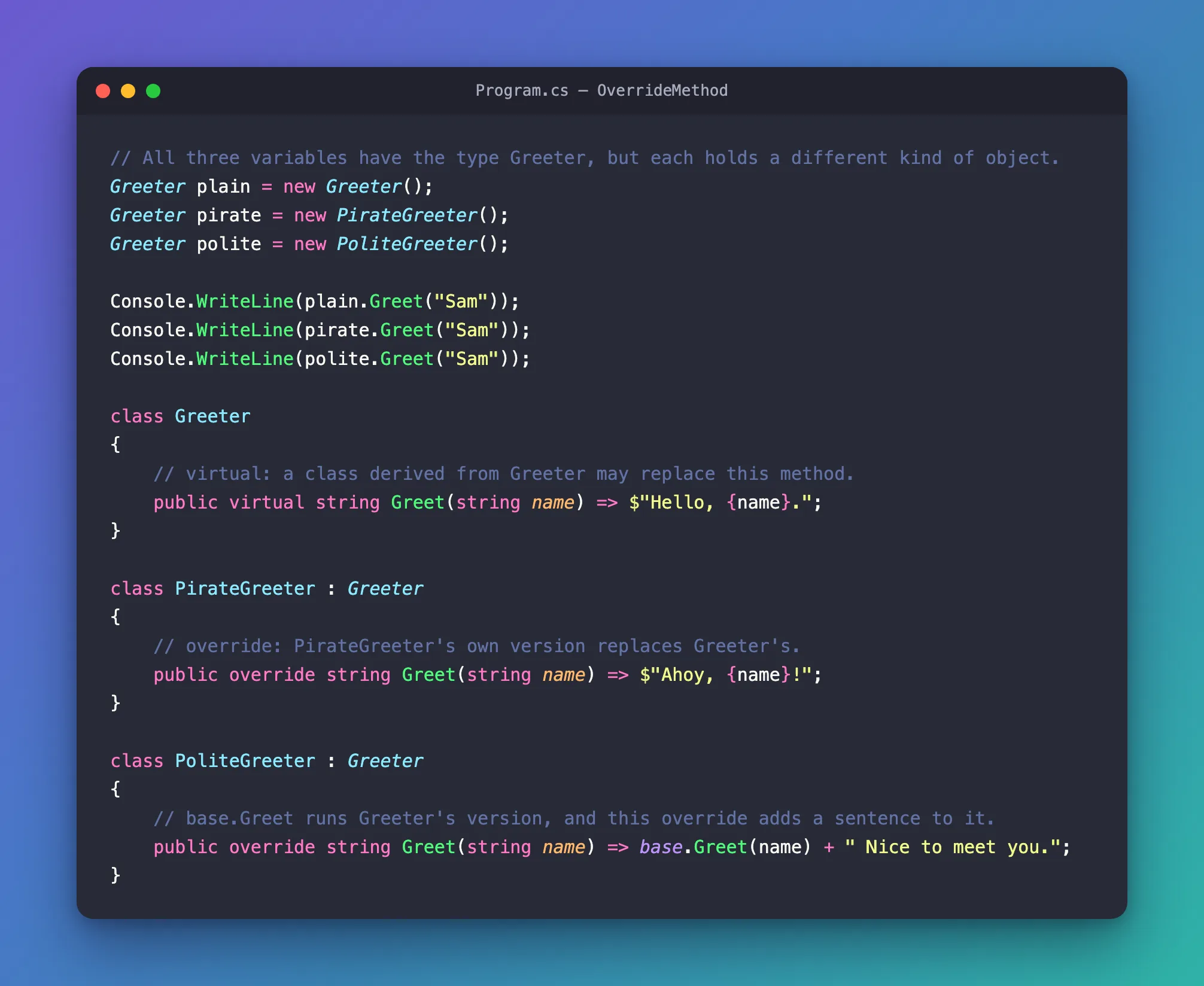
// All three variables have the type Greeter, but each holds a different kind of object.
Greeter plain = new Greeter();
Greeter pirate = new PirateGreeter();
Greeter polite = new PoliteGreeter();

Console.WriteLine(plain.Greet("Sam"));
Console.WriteLine(pirate.Greet("Sam"));
Console.WriteLine(polite.Greet("Sam"));
All three variables are declared as Greeter, but pirate and polite hold objects of the derived classes. The reference explains which Greet runs: When you invoke a virtual method, the runtime checks the type of the object for an overriding member. It calls the overriding member in the most derived class. If no derived class overrides the member, the original member is called.
Then the base class:
class Greeter
{
    // virtual: a class derived from Greeter may replace this method.
    public virtual string Greet(string name) => $"Hello, {name}.";
}
virtual is what allows the override. Without it: By default, methods are non-virtual. You can't override a non-virtual method.
Then the two derived classes, at the end of the file:
class PirateGreeter : Greeter
{
    // override: PirateGreeter's own version replaces Greeter's.
    public override string Greet(string name) => $"Ahoy, {name}!";
}

class PoliteGreeter : Greeter
{
    // base.Greet runs Greeter's version, and this override adds a sentence to it.
    public override string Greet(string name) => base.Greet(name) + " Nice to meet you.";
}
PirateGreeterreplaces the greeting completely.PoliteGreetercallsbase.Greet(name), which runsGreeter's version, and adds a sentence to the text it returns.
Step 3: Run It
Run it in VS Code's terminal, or press Ctrl+F5 in Visual Studio:
dotnet run
Hello, Sam.
Ahoy, Sam!
Hello, Sam. Nice to meet you.
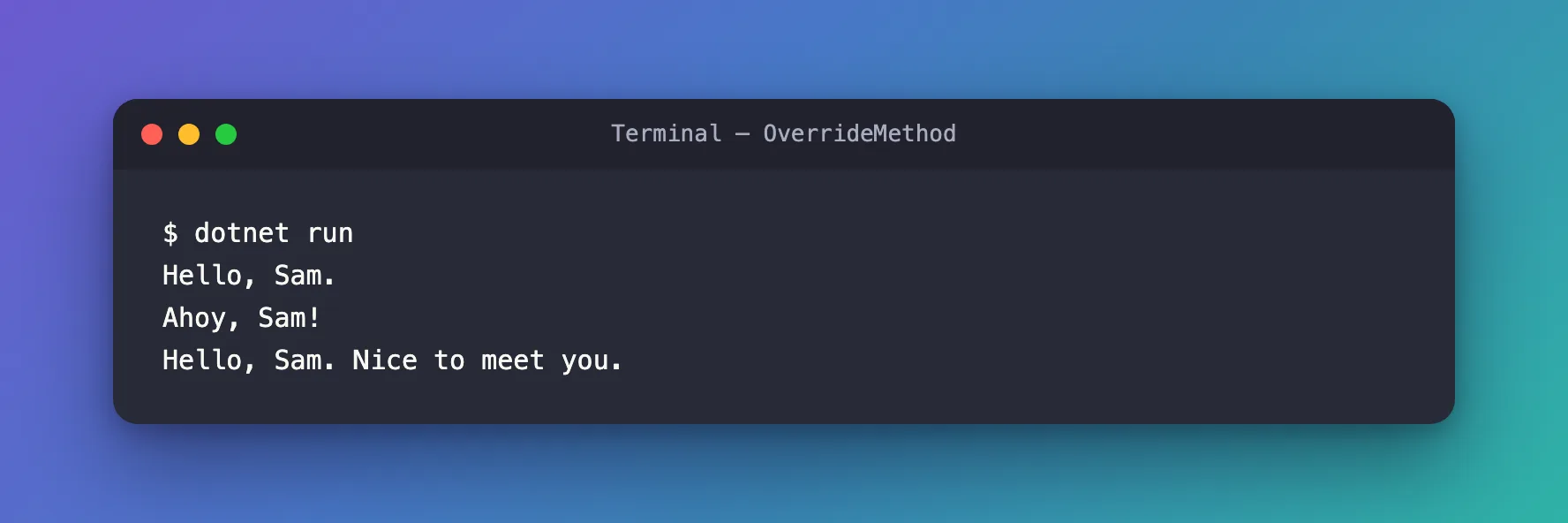
Three variables of the same type gave three greetings: Greeter's own Hello, Sam., the pirate's replacement Ahoy, Sam!, and the polite version, which kept Hello, Sam. from the base class and added Nice to meet you.
The Complete File
// All three variables have the type Greeter, but each holds a different kind of object.
Greeter plain = new Greeter();
Greeter pirate = new PirateGreeter();
Greeter polite = new PoliteGreeter();

Console.WriteLine(plain.Greet("Sam"));
Console.WriteLine(pirate.Greet("Sam"));
Console.WriteLine(polite.Greet("Sam"));

class Greeter
{
    // virtual: a class derived from Greeter may replace this method.
    public virtual string Greet(string name) => $"Hello, {name}.";
}

class PirateGreeter : Greeter
{
    // override: PirateGreeter's own version replaces Greeter's.
    public override string Greet(string name) => $"Ahoy, {name}!";
}

class PoliteGreeter : Greeter
{
    // base.Greet runs Greeter's version, and this override adds a sentence to it.
    public override string Greet(string name) => base.Greet(name) + " Nice to meet you.";
}
Common Mistakes
| Mistake | What happens | Do this instead |
|---|---|---|
override on a method that isn't virtual | error CS0506: 'PirateGreeter.Greet(string)': cannot override inherited member 'Greeter.Greet(string)' because it is not marked virtual, abstract, or override | Mark the base method virtual |
Leaving out override | It builds with warning CS0114: 'PirateGreeter.Greet(string)' hides inherited member 'Greeter.Greet(string)'. To make the current member override that implementation, add the override keyword. Otherwise add the new keyword., and a Greeter variable holding a PirateGreeter printed Hello, Sam.: the base version ran | Write override. Microsoft's guide: If the method in the derived class is not preceded by new or override keywords, the compiler will issue a warning and the method will behave as if the new keyword were present. |
| Different parameters in the override | error CS0115: 'PirateGreeter.Greet(string, int)': no suitable method found to override | Copy the base method's return type, name and parameters exactly |
| A different access modifier | error CS0507: 'PirateGreeter.Greet(string)': cannot change access modifiers when overriding 'public' inherited member 'Greeter.Greet(string)' | Use the base method's access modifier, here public |
FAQ
Can I override a property?
Yes, the same way. With public virtual string Language => "English"; in Greeter and public override string Language => "Pirate"; in PirateGreeter, a Greeter variable holding a PirateGreeter printed Pirate.
What's the difference between override and new?
new also gives a derived class a method with the base method's name, but as a separate method that hides the base one. With public new string Greet(string name) in PirateGreeter, the build had no warning, a Greeter variable printed Hello, Sam. and a PirateGreeter variable printed Ahoy, Sam!: the variable's type decided. Microsoft's guide: If the method in the derived class is preceded with the new keyword, the method is defined as being independent of the method in the base class. With override, the object decides: objects of the derived class will call that method instead of the base class method.
Conclusion
Mark the base method virtual and write the derived class's version with override, keeping the same return type, name, parameters and access modifier. Each object then runs its own version whatever the variable's type, and base.Greet(...) still reaches the original when you want to build on it.
Additional Resources
- override (C# reference) — the rules an override follows.
- virtual (C# reference) — making a member overridable.
- Versioning with the override and new keywords — overriding compared with hiding.
