How to Override a Transitive Dependency Version in Maven

A library you depend on brings its own dependencies, at the versions it chose. When one of them is older than you want, often because a newer release fixes a security problem, you can tell Maven which version to use without touching the library. The place for it is dependencyManagement in your pom.xml.
Syntax
<dependencyManagement>
  <dependencies>
    <dependency>
      <groupId><group></groupId>
      <artifactId><name></artifactId>
      <version><version></version>
    </dependency>
  </dependencies>
</dependencyManagement>
| Part | What it does |
|---|---|
<dependencyManagement> | Sets versions for libraries wherever they appear in the project's dependency tree. It doesn't add any library by itself. |
<groupId> and <artifactId> | Which library the rule is for. |
<version> | The version Maven uses for it, instead of the one a dependency asks for. |
Maven's documentation describes it like this: "Dependency management - this allows project authors to directly specify the versions of artifacts to be used when they are encountered in transitive dependencies or in dependencies where no version has been specified."
The Example
The project depends on Apache Commons Text 1.15.0, which brings Apache Commons Lang 3.20.0 with it. The newest Commons Lang is 3.22.0, and the example makes Maven use it.
Prerequisites
- A Java 25 JDK and Maven. This guide uses Maven 3.10.2.
Step 1: See Which Version Maven Uses Now
Start with a project whose only dependency is Commons Text, the same one as in How to See a Maven Project's Dependency Tree, and print its tree:
mvn -ntp dependency:tree
[INFO] com.example:text-demo:jar:1.0.0
[INFO] \- org.apache.commons:commons-text:jar:1.15.0:compile
[INFO]    \- org.apache.commons:commons-lang3:jar:3.20.0:compile
Commons Text asks for Commons Lang 3.20.0, and that's what the project gets.
Step 2: Add the Override
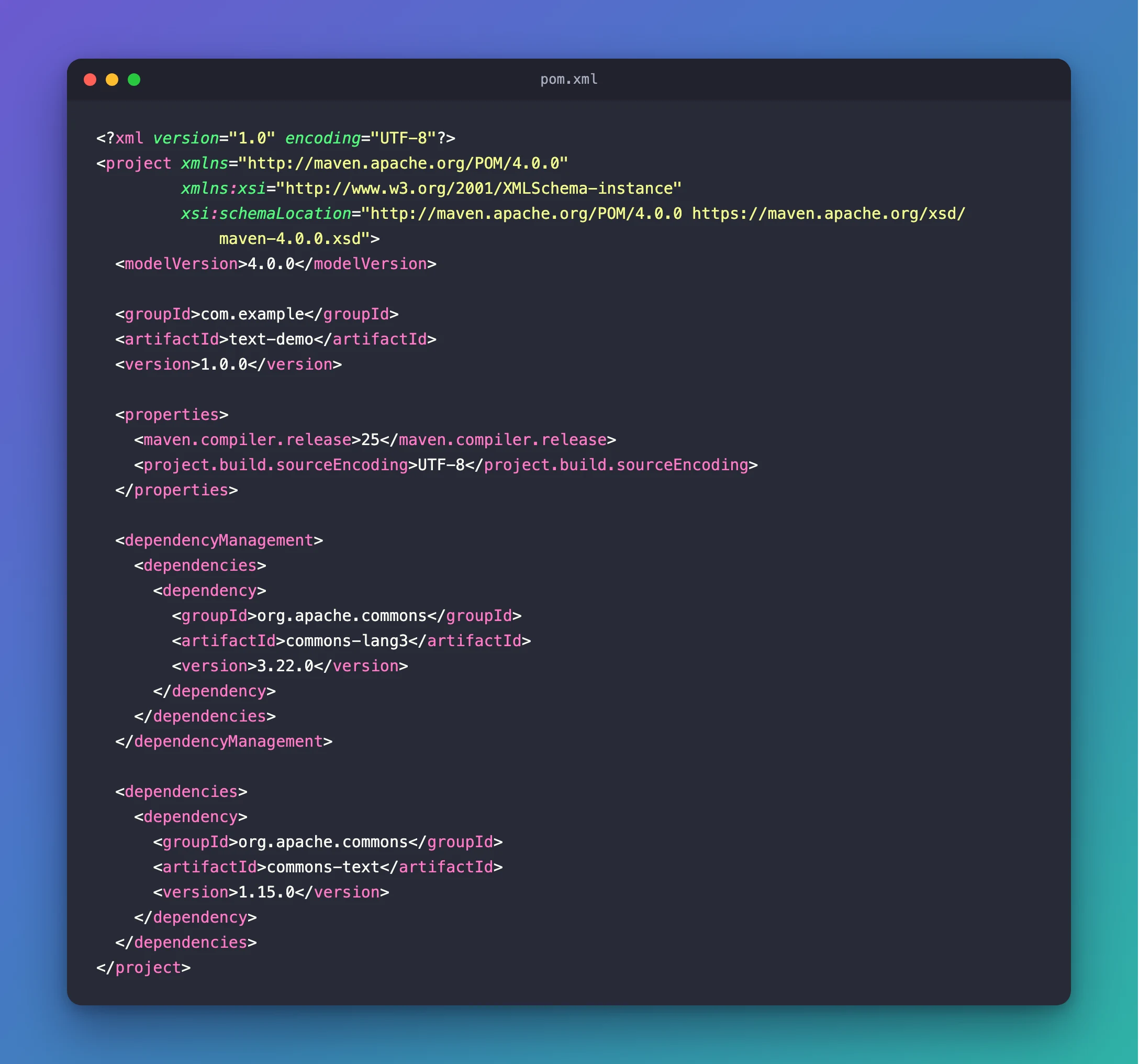
Add a dependencyManagement section to pom.xml, between properties and dependencies:
<?xml version="1.0" encoding="UTF-8"?>
<project xmlns="http://maven.apache.org/POM/4.0.0"
         xmlns:xsi="http://www.w3.org/2001/XMLSchema-instance"
         xsi:schemaLocation="http://maven.apache.org/POM/4.0.0 https://maven.apache.org/xsd/maven-4.0.0.xsd">
  <modelVersion>4.0.0</modelVersion>

  <groupId>com.example</groupId>
  <artifactId>text-demo</artifactId>
  <version>1.0.0</version>

  <properties>
    <maven.compiler.release>25</maven.compiler.release>
    <project.build.sourceEncoding>UTF-8</project.build.sourceEncoding>
  </properties>

  <dependencyManagement>
    <dependencies>
      <dependency>
        <groupId>org.apache.commons</groupId>
        <artifactId>commons-lang3</artifactId>
        <version>3.22.0</version>
      </dependency>
    </dependencies>
  </dependencyManagement>

  <dependencies>
    <dependency>
      <groupId>org.apache.commons</groupId>
      <artifactId>commons-text</artifactId>
      <version>1.15.0</version>
    </dependency>
  </dependencies>
</project>
The project still lists only Commons Text as a dependency. The new section only says which Commons Lang to use when one turns up.
Step 3: Check That Maven Uses It
mvn -ntp dependency:tree
[INFO] com.example:text-demo:jar:1.0.0
[INFO] \- org.apache.commons:commons-text:jar:1.15.0:compile
[INFO]    \- org.apache.commons:commons-lang3:jar:3.22.0:compile
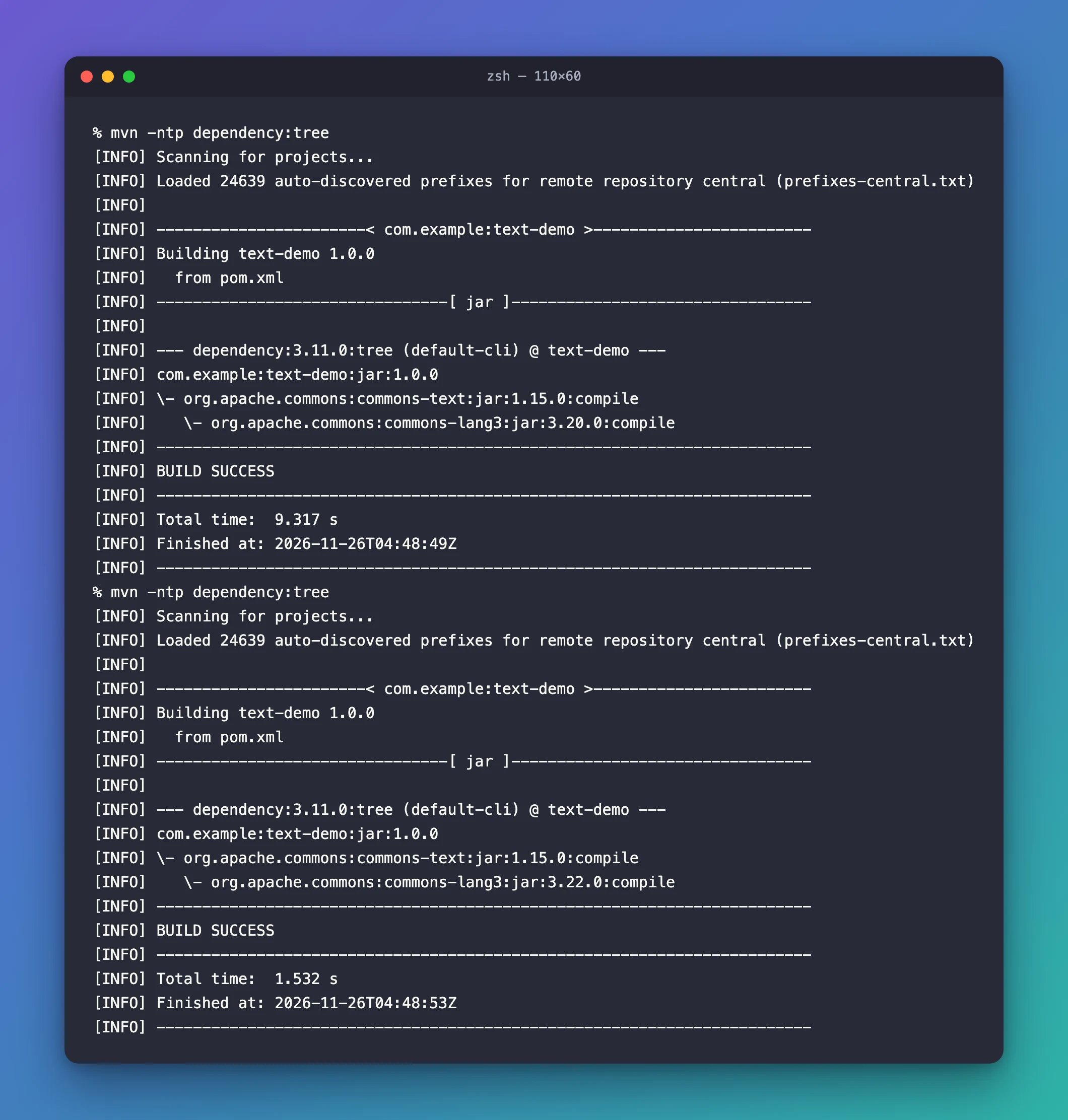
Commons Lang is now 3.22.0, in the same place in the tree. The commands are the same in zsh, bash and PowerShell.
For a Family of Libraries: Import a BOM
Some projects publish a BOM, short for "bill of materials": a pom that lists matching versions for all their modules. Importing it in dependencyManagement sets every module's version at once:
<dependencyManagement>
  <dependencies>
    <dependency>
      <groupId>com.fasterxml.jackson</groupId>
      <artifactId>jackson-bom</artifactId>
      <version>2.23.0</version>
      <type>pom</type>
      <scope>import</scope>
    </dependency>
  </dependencies>
</dependencyManagement>
<type>pom</type> and <scope>import</scope> tell Maven to read the BOM's own dependencyManagement into yours. Create and Verify a JWT in Code uses exactly this to move the Jackson that a JWT library brings in to the newest release.
Common Mistakes
| Mistake | What happens | Do this instead |
|---|---|---|
Putting the override in <dependencies> instead of <dependencyManagement> | It works, but the project now declares a library its code doesn't use | Use dependencyManagement for versions you only want to control |
| Jumping to a new major version, such as 4.0 from 3.x | The library that asked for 3.x may break | Stay within the major version the library was built for, unless its documentation says otherwise |
| Not checking the result | A typo in groupId or artifactId silently changes nothing | Run mvn -ntp dependency:tree again |
Troubleshooting
| Symptom | Likely cause | Fix |
|---|---|---|
| The tree still shows the old version | groupId or artifactId in the override doesn't match the library | Copy both from the tree's line |
NoSuchMethodError or ClassNotFoundException when the program runs | The new version removed something the library relies on | Pick a version closer to the one the library asked for |
FAQ
Why not just list the library under dependencies?
That works too. Maven uses the version of the library nearest to your project in the tree, and one you list yourself is nearest of all. dependencyManagement does it without making the library one of your project's own dependencies.
How do I know a version is safe to use?
Read the library's release notes for the versions in between, and run the project's checks after the change.
Conclusion
To override the version of a library that a dependency brings in, set it in dependencyManagement, and confirm with mvn -ntp dependency:tree that the tree shows the new version. For a family of libraries, import the project's BOM instead.
Additional Resources
- Introduction to the dependency mechanism, on dependency management, mediation and importing BOMs.
- dependency:tree, the goal used to check the result.
