How to Open Markdown Links in a New Tab with react-markdown

In a chat or a comment thread, a click on a link inside a Markdown answer shouldn't take people away from the page. react-markdown lets you replace how any element is drawn through its components option, so one small function makes every link open in a new tab. This guide shows the function, the HTML it produces, and one detail that's easy to miss: the node prop.
How components Works
react-markdown turns each piece of Markdown into a React element: a heading into <h2>, a link into <a>. The components option maps an element name to your own component. For a, your component receives the props the link would have had — href and children — plus node, the link's place in the Markdown syntax tree.
Prerequisites
- A React app with
react-markdown. The examples use react-markdown 10.1.0 in a Next.js 16.4.6 app (How to Render Markdown Safely in React with react-markdown).
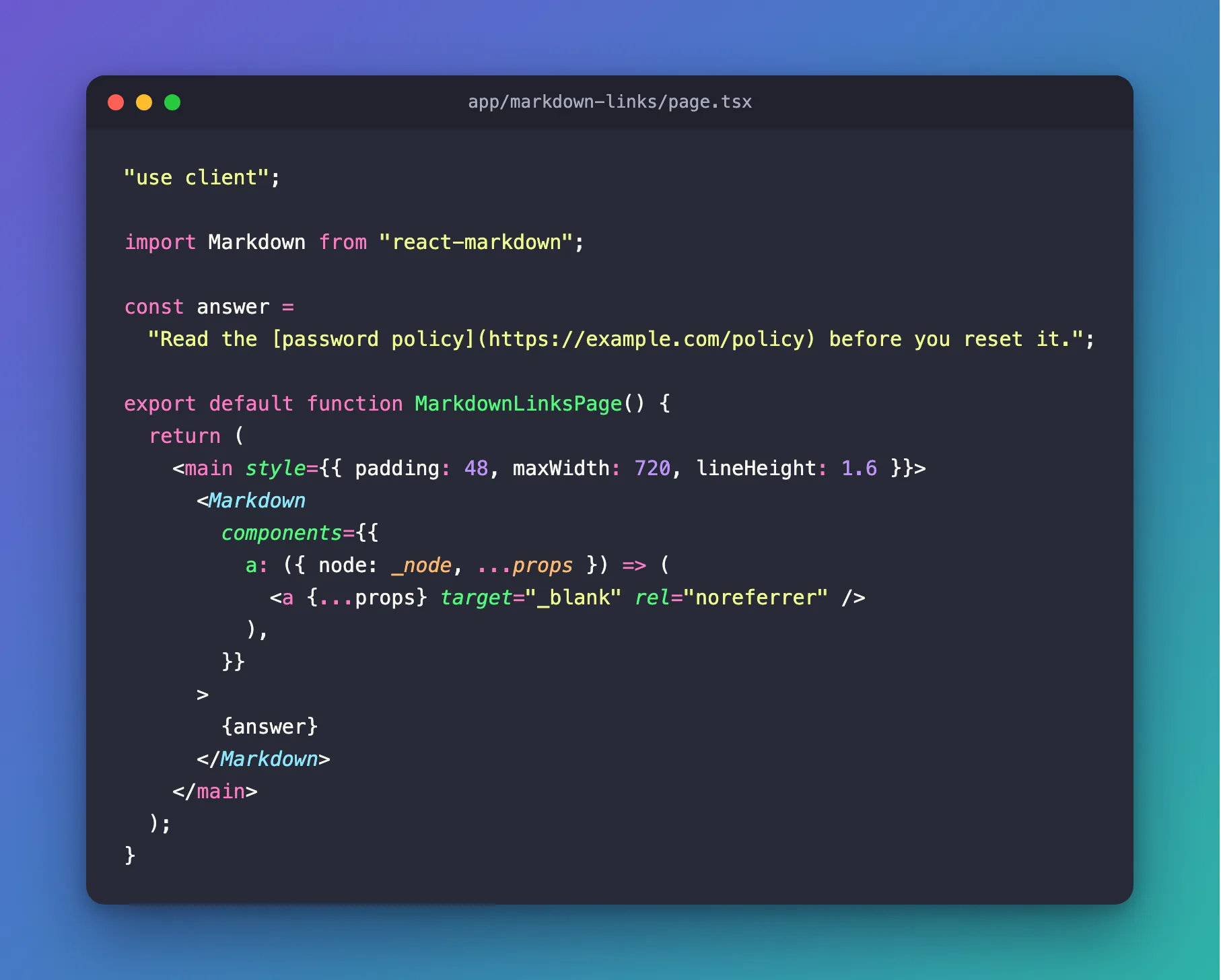
Step 1: Replace the Link Element
"use client";

import Markdown from "react-markdown";

const answer =
  "Read the [password policy](https://example.com/policy) before you reset it.";

export default function MarkdownLinksPage() {
  return (
    <main style={{ padding: 48, maxWidth: 720, lineHeight: 1.6 }}>
      <Markdown
        components={{
          a: ({ node: _node, ...props }) => (
            <a {...props} target="_blank" rel="noreferrer" />
          ),
        }}
      >
        {answer}
      </Markdown>
    </main>
  );
}
| Code | What it does |
|---|---|
({ node: _node, ...props }) | Takes node out of the props and keeps the rest — href and the link text — in props. The underscore tells linters the name is unused on purpose |
<a {...props} …/> | Draws a normal link with the original address and text |
target="_blank" | Opens the link in a new tab |
rel="noreferrer" | The new page can't reach back into yours, and isn't told which page sent the visitor |
Step 2: Check the Result
The page looks like any other paragraph with a link:

The HTML behind the link, read from the browser:
<a href="https://example.com/policy" target="_blank" rel="noreferrer">password policy</a>
Clicking it opened a new tab with https://example.com/policy. In that tab, window.opener was null and document.referrer was empty: noreferrer did both jobs.
Why Leave Out node
The tempting short version passes every prop on:
a: (props) => <a {...props} target="_blank" rel="noreferrer" />,
It works, but the link's HTML then carries an attribute nobody asked for:
<a href="https://example.com/policy" node="[object Object]" target="_blank" rel="noreferrer">password policy</a>
node is an object meant for your code, not for the browser; spread onto <a>, React writes it as text. Taking it out, as in Step 1, keeps the HTML clean.
Common Mistakes
| Mistake | What happens | Do this instead |
|---|---|---|
Spreading all props, node included | The HTML gets node="[object Object]" | Destructure node out first |
target="_blank" without rel | The new page can read window.opener in older browsers, and learns your address | Add rel="noreferrer" |
Building your own href from the text | You lose react-markdown's check that removes javascript: addresses | Use the href you receive in props |
Troubleshooting
| Symptom | Likely cause | Fix |
|---|---|---|
| Links still open in the same tab | The components option isn't on the Markdown that renders them | Pass it to that Markdown element |
node="[object Object]" in the HTML | node is spread onto <a> | Take it out of the props |
A linter warns that _node is unused | The linter doesn't skip underscore names | Configure it to ignore names that start with _ |
FAQ
Should internal links open in a new tab too?
That's your choice. Check props.href in the component and leave out target for addresses on your own site.
Isn't noopener needed too?
Browsers treat noreferrer as including noopener; the new tab's window.opener was null here with noreferrer alone. You can still write both if you prefer.
Conclusion
components={{ a: ({ node: _node, ...props }) => <a {...props} target="_blank" rel="noreferrer" /> }} makes every link in react-markdown's output open in a new tab, safely. Leave node out of what you spread, and the HTML stays exactly what the Markdown asked for.
Additional Resources
- react-markdown: components — replacing elements.
- MDN: rel="noreferrer" — what it hides, and that it implies
noopener.
