How to Negate a Condition with the ! Operator in C#

Many checks are easier to write the other way round: if the name is not in the list, if the text is not empty. In C#, ! in front of a condition turns true into false and false into true.
Syntax
bool <opposite> = !<condition>;

if (!<condition>)
{
    <code that runs when the condition is false>
}
| Part | What it does |
|---|---|
! | Placed right before a bool value or condition, it gives the opposite |
<condition> | Anything that is true or false: a bool variable, a method that returns bool, or a comparison in brackets |
Microsoft's Boolean logical operators reference: "The unary prefix ! operator computes the logical negation of its operand. It produces true if the operand evaluates to false, and false if the operand evaluates to true".
The Example
The program flips a bool and the literal false, checks that a name isn't in a list of admins, and checks that a piece of text isn't empty.
Prerequisites
- The .NET 10 SDK or newer, which runs a single
.csfile withdotnet run. This guide uses .NET SDK 10.0.404.
Step 1: Write the Code
Create a file named main.cs in an empty folder:
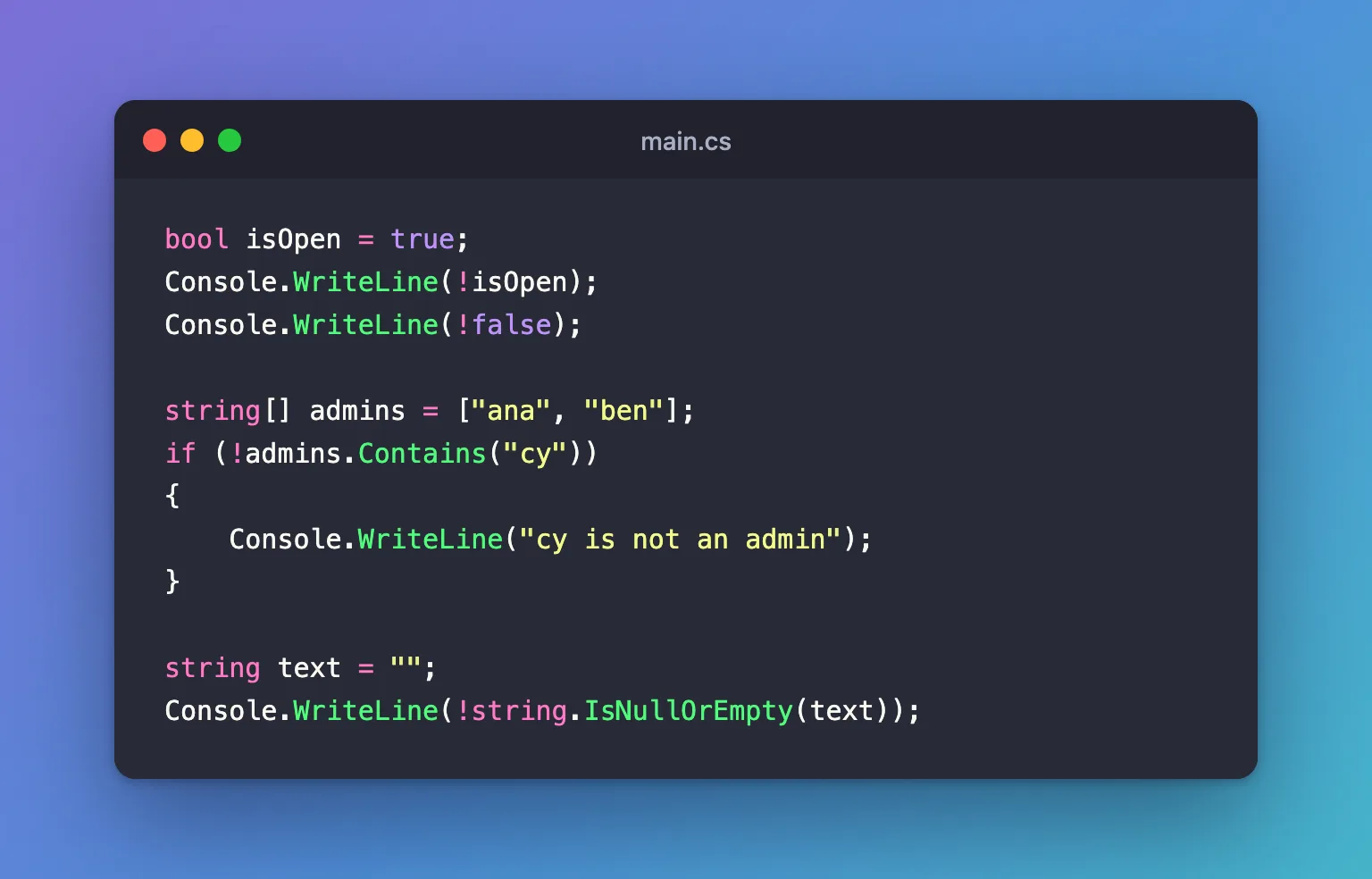
bool isOpen = true;
Console.WriteLine(!isOpen);
Console.WriteLine(!false);

string[] admins = ["ana", "ben"];
if (!admins.Contains("cy"))
{
    Console.WriteLine("cy is not an admin");
}

string text = "";
Console.WriteLine(!string.IsNullOrEmpty(text));
Step 2: Run It
dotnet run main.cs
False
True
cy is not an admin
False
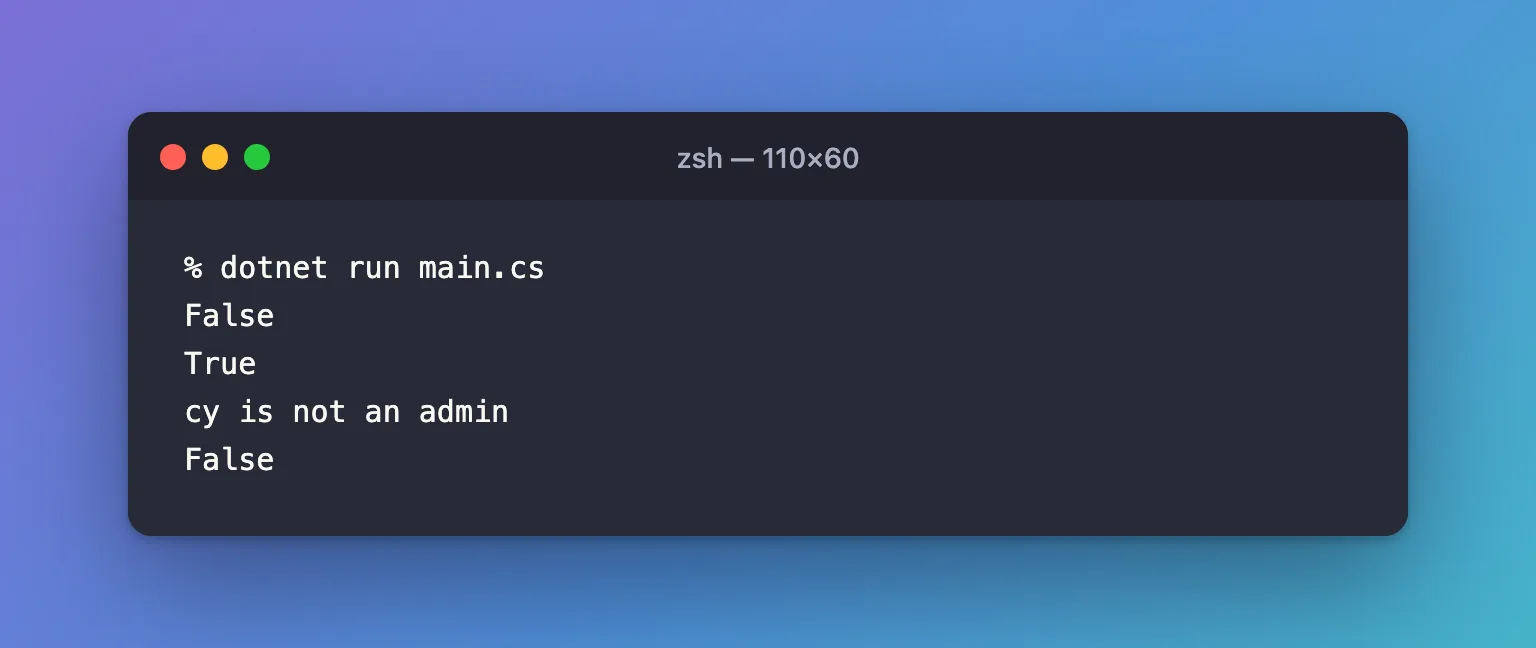
isOpenistrue, so!isOpenisFalse, and!falseisTrue.admins.Contains("cy")isfalse, so!made theifconditiontrue, and the line printed.- The text is empty, so
string.IsNullOrEmpty(text)istrue, and!made itFalse: "the text has something in it" isn't true.
The command is the same in zsh, bash and PowerShell.
! Applies to What Comes Right After It
! binds tighter than ==. So !count == 0 means (!count) == 0, and ! can't be applied to a number:
int count = 0;
if (!count == 0)
{
    Console.WriteLine("Not zero");
}
/Users/you/demo/main.cs(2,5): error CS0023: Operator '!' cannot be applied to operand of type 'int'

The build failed. Fix the build errors and run again.
Put the comparison in brackets, or use !=, which says "not equal" in one operator:
int count = 0;
Console.WriteLine(!(count == 0));
Console.WriteLine(count != 0);
False
False
Both give the same answer. count != 0 is the one most people find easier to read.
Common Mistakes
| Mistake | What happens | Do this instead |
|---|---|---|
!count == 0 | error CS0023: Operator '!' cannot be applied to operand of type 'int' | count != 0, or !(count == 0) |
Stacking negations, as in !(!isOpen) | It works, but says isOpen in a hard way | Write the condition directly |
Confusing !value with value! | value! after a name is a different operator, the null-forgiving operator, and doesn't negate anything | Put ! before the condition to negate it |
Troubleshooting
| Symptom | Likely cause | Fix |
|---|---|---|
CS0023: Operator '!' cannot be applied to operand of type 'int' | ! ended up in front of a number | Bracket the comparison, or use != |
An if with ! runs when it shouldn't | The condition inside was already the opposite | Read it aloud with "not" in front |
FAQ
What's the difference between ! and !=?
! turns one true or false around. != compares two values and is true when they differ. !(count == 0) and count != 0 gave the same result above.
Can I negate a method call?
Yes, when the method returns bool: !admins.Contains("cy") and !string.IsNullOrEmpty(text) in Step 1 are both method calls.
Conclusion
!condition is true when the condition is false, and the other way round. It applies to what comes right after it, so negate a comparison with brackets, !(count == 0), or with !=.
Additional Resources
- Logical negation operator !, on Microsoft Learn.
- Equality operators, on Microsoft Learn.
