How to Move into a Folder in the Terminal with cd

A terminal always works inside one folder, and most commands act on that folder. cd moves you to another one, and pwd tells you where you are. Four forms of cd cover almost every move you'll make.
Syntax
The same commands work in zsh, bash and PowerShell:
cd <folder>
cd ..
cd ~
cd -
pwd
| Part | What it does |
|---|---|
cd | Short for "change directory". Moves you to another folder. |
<folder> | The folder to move into: a name inside the folder you're in, or a full path such as /Users/you/notes. |
.. | The folder that contains the one you're in, one level up. |
~ | Your home folder. |
- | The folder you were in before the last move. |
pwd | Short for "print working directory". Prints the folder you're in. |
In PowerShell, cd is another name for Set-Location and pwd for Get-Location. cd - has worked there since PowerShell 6.2, which keeps a history of your last 20 locations.
The Example
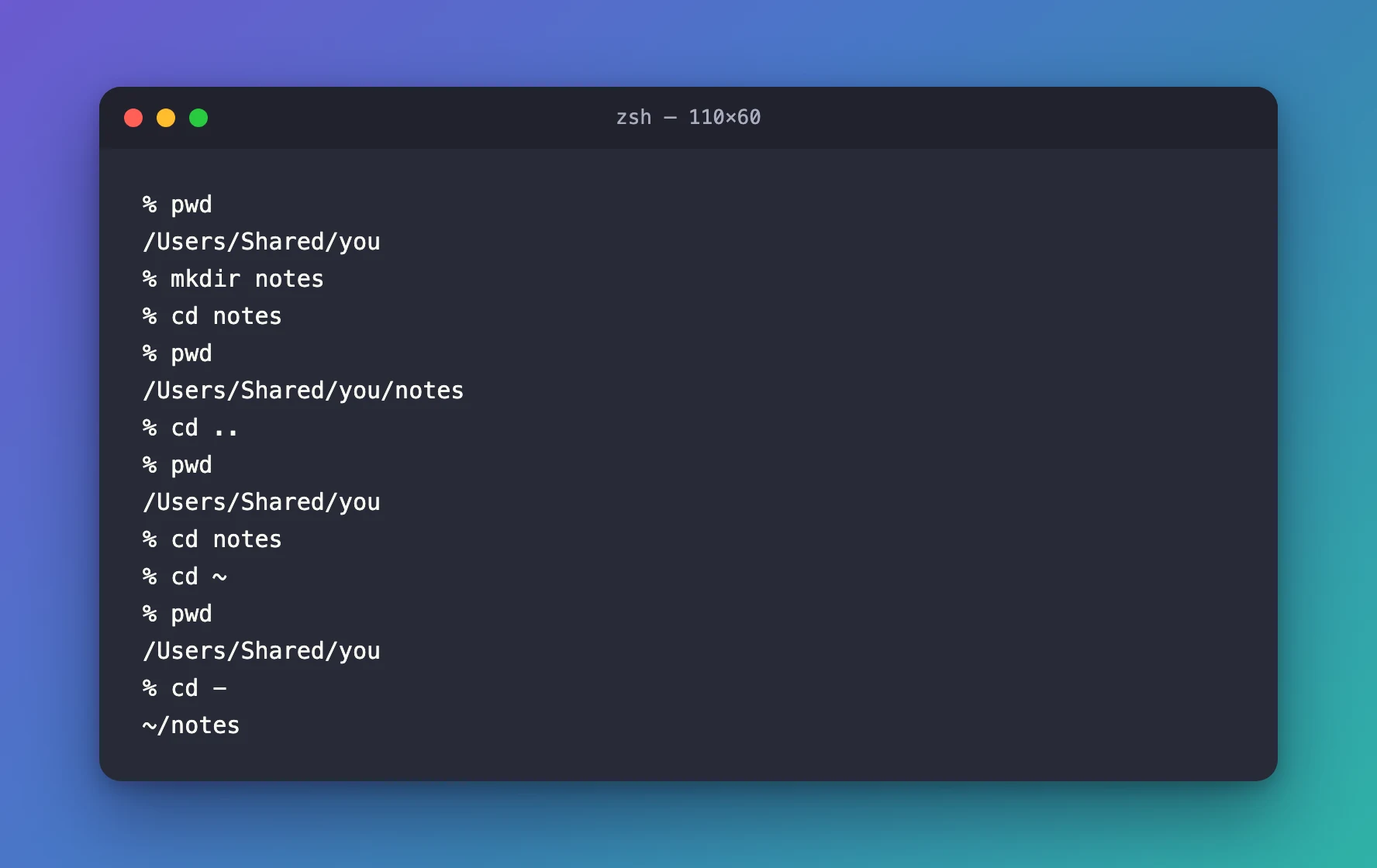
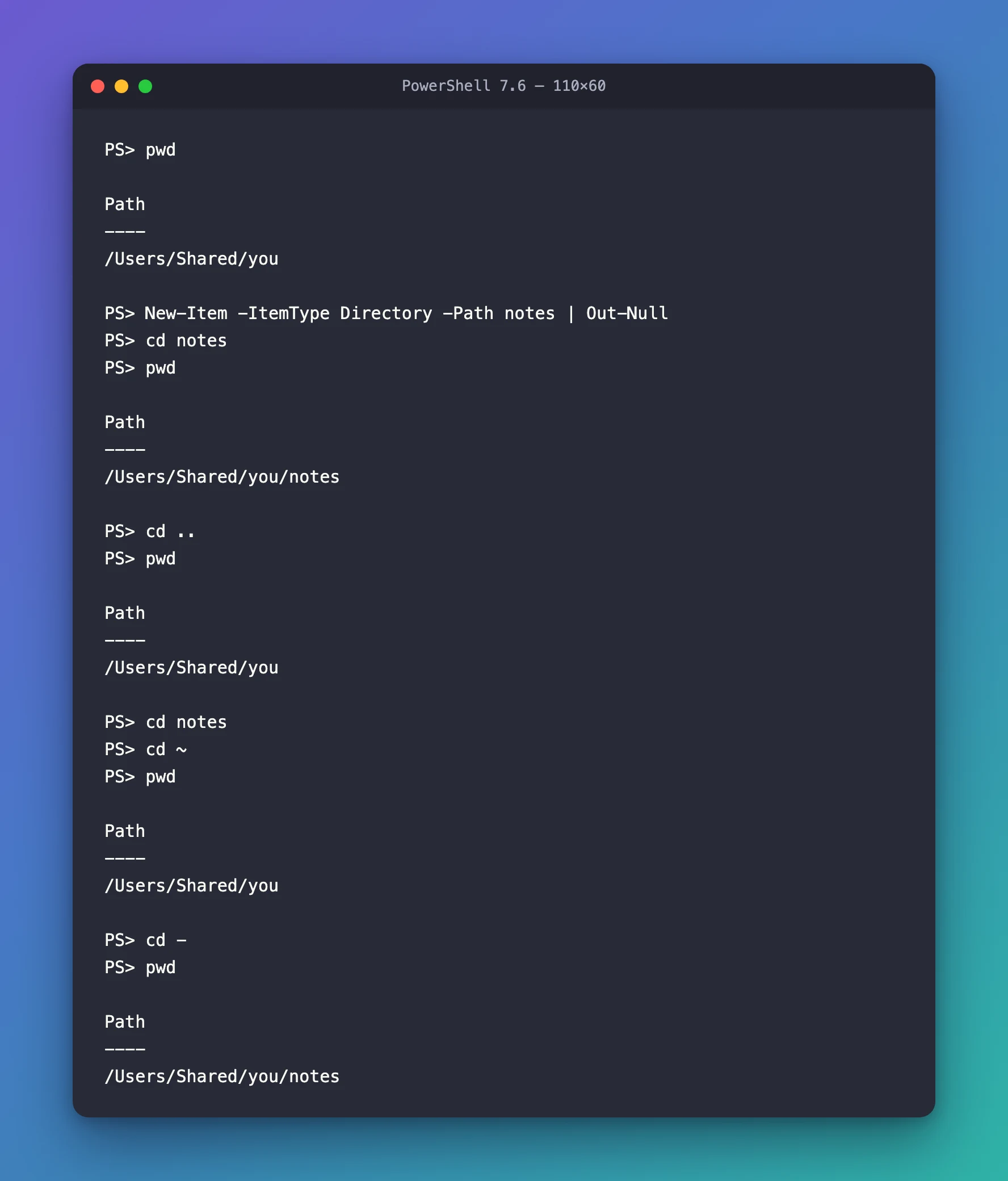
The terminal starts in the home folder. The example creates a notes folder, moves into it, moves back up, jumps home from inside it, and then returns to it with cd -.
Step 1: See Where You Are
- macOS / Linux
- Windows (PowerShell)
pwd
/Users/Shared/you
pwd
Path
----
/Users/Shared/you
PowerShell prints the location as a small table with a Path heading.
This home folder is /Users/Shared/you. Yours is your own, usually /Users/<your name> on a Mac, /home/<your name> on Linux and C:\Users\<your name> on Windows.
Step 2: Move into a Folder
Create a folder to move into, then move into it:
- macOS / Linux
- Windows (PowerShell)
mkdir notes
cd notes
pwd
/Users/Shared/you/notes
New-Item -ItemType Directory -Path notes | Out-Null
cd notes
pwd
Path
----
/Users/Shared/you/notes
| Out-Null hides the folder details New-Item would print.
How to Create a Folder in the Terminal with mkdir explains the first command. cd prints nothing when it works: the next pwd shows the move.
Step 3: Move Back Up
- macOS / Linux
- Windows (PowerShell)
cd ..
pwd
/Users/Shared/you
cd ..
pwd
Path
----
/Users/Shared/you
Step 4: Jump Home, Then Back
cd ~ goes home from anywhere, and cd - returns to the folder you just left:
- macOS / Linux
- Windows (PowerShell)
cd notes
cd ~
pwd
cd -
/Users/Shared/you
~/notes
cd - prints the folder it moved to, with ~ standing for the home folder.
cd notes
cd ~
pwd
cd -
pwd
Path
----
/Users/Shared/you

Path
----
/Users/Shared/you/notes
PowerShell's cd - moves without printing, so the second pwd shows it.
Common Mistakes
| Mistake | What happens | Do this instead |
|---|---|---|
A folder name with a space and no quotes: cd my notes | The shell sees two names and doesn't go there | Quote it: cd "my notes" |
| Assuming a new terminal opens where the last one was | A new terminal window usually starts in your home folder | cd into the folder again |
| Running a project's commands from the wrong folder | They can't find the project's files | Check with pwd, then cd into the project |
Troubleshooting
| Symptom | Likely cause | Fix |
|---|---|---|
cd: no such file or directory: notes in zsh, or cd: notes: No such file or directory in bash | There's no notes in the folder you're in | Check where you are with pwd, or use the full path |
cd - goes somewhere unexpected | It returns to the last folder you were in, not one level up | Use cd .. to go up |
FAQ
Is there a shortcut for the home folder?
Yes: cd on its own goes home in zsh and bash, the same as cd ~.
Do the same commands work on Windows?
In PowerShell, yes: cd, cd .., cd ~, cd - and pwd all work.
Conclusion
cd <folder> moves into a folder, cd .. moves up one level, cd ~ goes home and cd - returns to the last folder. pwd shows where you are, and it's worth running whenever a command can't find a file.
Additional Resources
- cd, in the POSIX standard, including
cd -. - Set-Location, the PowerShell command behind
cd, with its location history.
