How to Measure How Many Input Tokens an Agent's Tools Add in C#

Every tool you give a Microsoft Agent Framework agent costs input tokens on every request, whether the model calls it or not: its name, its description and its parameters go to the model each time. To find out how many, send the same request with and without the tool and compare response.Usage.InputTokenCount.
Knowing the number tells you what a tool costs over a day of requests, and whether trimming a long description or leaving out a tool the agent doesn't need is worth it. The tools don't have to run for this: the cost is in what the model reads before it decides anything.
Syntax
AIAgent <without> = <project>.AsAIAgent(model: "<model>", instructions: "<instructions>");
AIAgent <with> = <project>.AsAIAgent(model: "<model>", instructions: "<instructions>", tools: [<tools>]);

long? <before> = (await <without>.RunAsync("<request>")).Usage?.InputTokenCount;
long? <after> = (await <with>.RunAsync("<request>")).Usage?.InputTokenCount;
long? <cost> = <after> - <before>;
| Part | What it is |
|---|---|
<project> | The AIProjectClient of your Microsoft Foundry project, or another chat client |
<model> | The model deployment. Token counts depend on the model, so measure with the one you use |
<instructions> | The same instructions for both agents, so that only the tools differ |
<tools> | The tools to measure, such as AIFunctions from AIFunctionFactory.Create |
<request> | The same request for both, one the model answers without a tool |
Usage.InputTokenCount | The input tokens the service reported for the run. The reference: Gets or sets the number of tokens in the input. |
<cost> | What the tools add to every request |
The request mustn't make the model call a tool. A call adds the tool's result and a second trip to the model, and the count would include both. The example below tells the model never to call a tool, and counts the calls to make sure.
The Example
A console app called ToolCost has two function tools: get_utc_time, which returns the current date and time in UTC, and add_days, which adds a number of days to a date. It sends Say OK. three times, to an agent told to reply OK and never call a tool: with no tools, with get_utc_time, and with both.
Prerequisites
- A model deployment in a Microsoft Foundry project, and the Foundry User role on the Foundry resource for your account. The app calls the model as you.
- The .NET 10 SDK (
dotnet --versionprints a version that starts with10.0) and the Azure CLI, signed in withaz login.
Step 1: Create a Console App
dotnet new console -n ToolCost
cd ToolCost
dotnet add package Microsoft.Agents.AI.Foundry --version 1.28.0-preview.261106.1
dotnet add package Azure.Identity --version 1.21.0
Microsoft.Agents.AI.Foundry turns a model in a Foundry project into an agent and brings in Agent Framework. It's a preview package: it's the one that ships with Agent Framework 1.28, whose core is generally available. Azure.Identity signs the app in with your Azure CLI sign-in.
Step 2: Write Two Tools
Replace everything in Program.cs, starting with the project and the two tools:
using System.ComponentModel;
using Azure.AI.Projects;
using Azure.Identity;
using Microsoft.Agents.AI;
using Microsoft.Extensions.AI;

AIProjectClient project = new(
    new Uri("https://foundry-devblogs-exp.services.ai.azure.com/api/projects/proj-devblogs-exp"),
    new AzureCliCredential());

// Two tools: the current date and time in UTC, and a date some days later.
AIFunction timeTool = AIFunctionFactory.Create(GetUtcTime, name: "get_utc_time");
AIFunction addDaysTool = AIFunctionFactory.Create(AddDays, name: "add_days");
The two methods they come from go at the end of the file:
[Description("Gets the current date and time in UTC.")]
static string GetUtcTime() => DateTime.UtcNow.ToString("u");

[Description("Adds a number of days to a date and returns the new date.")]
static string AddDays(
    [Description("The date, in the format yyyy-MM-dd.")] string date,
    [Description("The number of days to add. Use a negative number to go back.")] int days) =>
    DateOnly.ParseExact(date, "yyyy-MM-dd").AddDays(days).ToString("yyyy-MM-dd");
AIFunctionFactory.Createturns a C# method into a tool, andnameis the tool's name for the model.- The
Descriptionattributes are what the model reads to decide when to call a tool and what to pass. They're part of what every request carries. add_dayshas a longer description and two parameters, each with its own description.get_utc_timehas no parameters.
Step 3: Measure the Same Request
Between the tools and the two methods, add the measurement:
// The same request, with no tools, one tool and both tools.
long? none = await MeasureAsync("No tools", []);
long? one = await MeasureAsync("get_utc_time", [timeTool]);
long? both = await MeasureAsync("get_utc_time and add_days", [timeTool, addDaysTool]);

Console.WriteLine();
Console.WriteLine($"get_utc_time adds {one - none} input tokens to every request.");
Console.WriteLine($"add_days adds {both - one} more.");

async Task<long?> MeasureAsync(string label, IList<AITool> tools)
{
    AIAgent agent = project.AsAIAgent(
        model: "gpt-5.6-luna",
        instructions: "Reply with the single word OK. Never call a tool.",
        name: "ToolCost",
        tools: tools);

    AgentResponse response = await agent.RunAsync("Say OK.");
    int calls = response.Messages.SelectMany(message => message.Contents).OfType<FunctionCallContent>().Count();
    Console.WriteLine($"{label}: {response.Usage?.InputTokenCount} input tokens, {calls} tool calls ({response.Text})");
    return response.Usage?.InputTokenCount;
}
MeasureAsynccreates an agent with the given tools and the same instructions every time, and sends the same request.callscounts the tool calls in the run. It must be 0, or the number includes a call and its result.one - noneandboth - oneare what each tool adds.
Step 4: Run It
dotnet run
No tools: 25 input tokens, 0 tool calls (OK)
get_utc_time: 60 input tokens, 0 tool calls (OK)
get_utc_time and add_days: 118 input tokens, 0 tool calls (OK)

get_utc_time adds 35 input tokens to every request.
add_days adds 58 more.
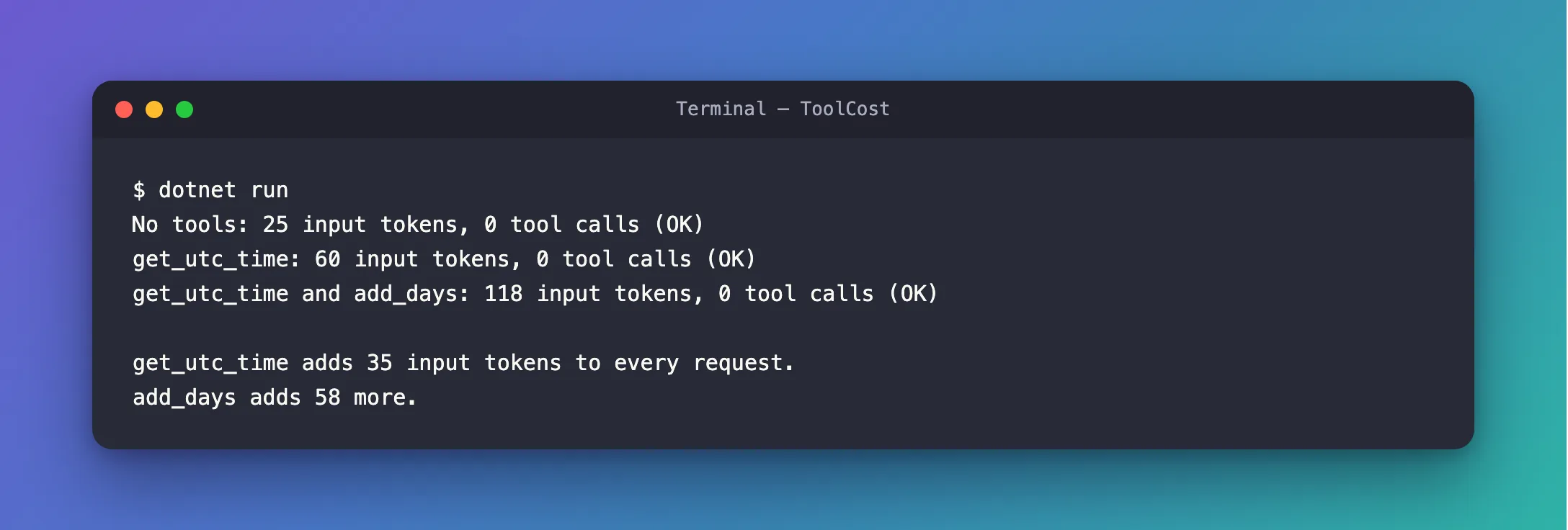
- 25 tokens without tools: the instructions and the request.
get_utc_timeadds 35: its name, its one-sentence description and an empty parameter list.add_daysadds 58: a longer description and two described parameters cost more than a tool without parameters.- 0 tool calls every time, so the numbers are the tools' definitions and nothing else. A second run gave the same three numbers.
The Complete File
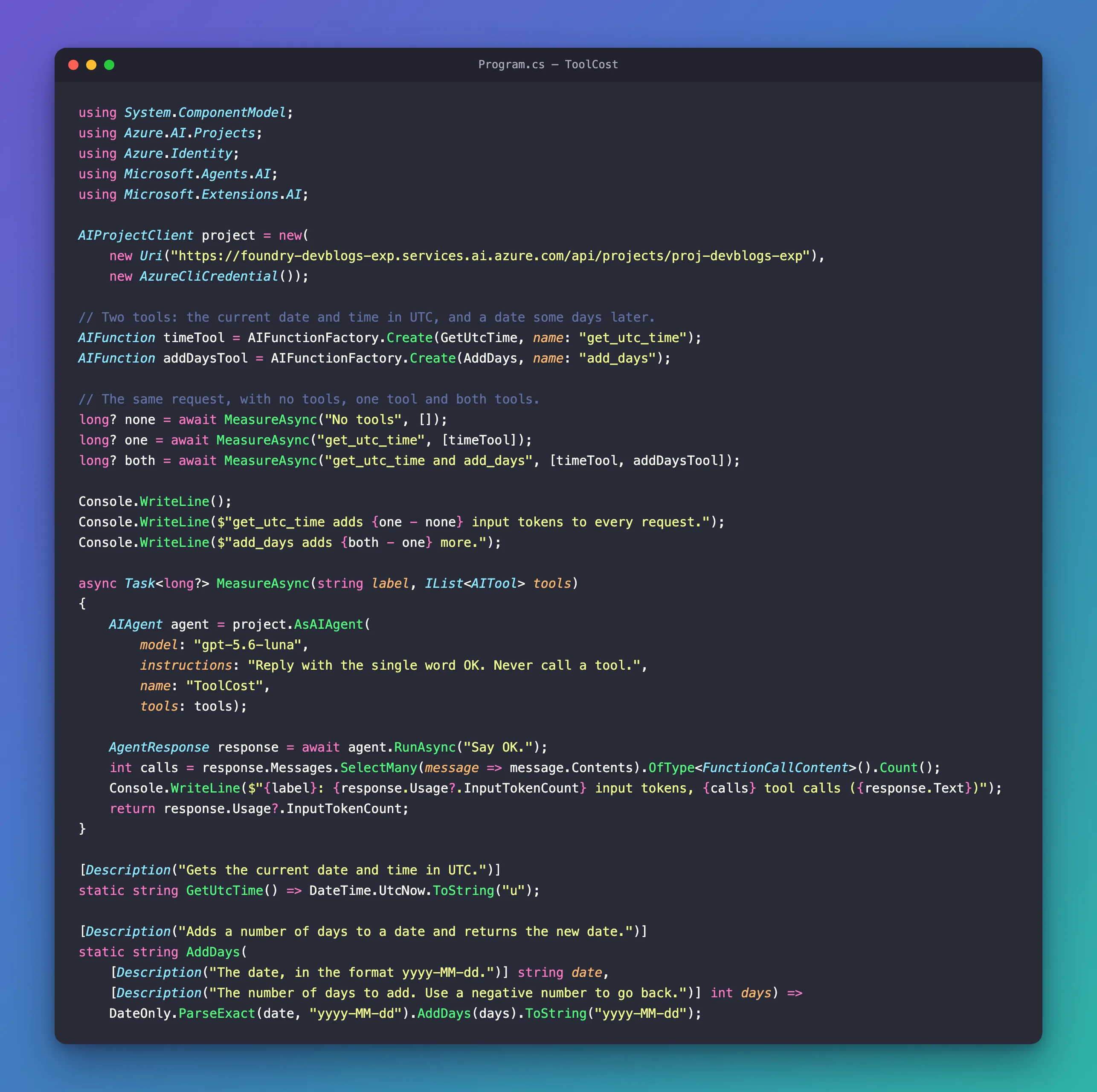
using System.ComponentModel;
using Azure.AI.Projects;
using Azure.Identity;
using Microsoft.Agents.AI;
using Microsoft.Extensions.AI;

AIProjectClient project = new(
    new Uri("https://foundry-devblogs-exp.services.ai.azure.com/api/projects/proj-devblogs-exp"),
    new AzureCliCredential());

// Two tools: the current date and time in UTC, and a date some days later.
AIFunction timeTool = AIFunctionFactory.Create(GetUtcTime, name: "get_utc_time");
AIFunction addDaysTool = AIFunctionFactory.Create(AddDays, name: "add_days");

// The same request, with no tools, one tool and both tools.
long? none = await MeasureAsync("No tools", []);
long? one = await MeasureAsync("get_utc_time", [timeTool]);
long? both = await MeasureAsync("get_utc_time and add_days", [timeTool, addDaysTool]);

Console.WriteLine();
Console.WriteLine($"get_utc_time adds {one - none} input tokens to every request.");
Console.WriteLine($"add_days adds {both - one} more.");

async Task<long?> MeasureAsync(string label, IList<AITool> tools)
{
    AIAgent agent = project.AsAIAgent(
        model: "gpt-5.6-luna",
        instructions: "Reply with the single word OK. Never call a tool.",
        name: "ToolCost",
        tools: tools);

    AgentResponse response = await agent.RunAsync("Say OK.");
    int calls = response.Messages.SelectMany(message => message.Contents).OfType<FunctionCallContent>().Count();
    Console.WriteLine($"{label}: {response.Usage?.InputTokenCount} input tokens, {calls} tool calls ({response.Text})");
    return response.Usage?.InputTokenCount;
}

[Description("Gets the current date and time in UTC.")]
static string GetUtcTime() => DateTime.UtcNow.ToString("u");

[Description("Adds a number of days to a date and returns the new date.")]
static string AddDays(
    [Description("The date, in the format yyyy-MM-dd.")] string date,
    [Description("The number of days to add. Use a negative number to go back.")] int days) =>
    DateOnly.ParseExact(date, "yyyy-MM-dd").AddDays(days).ToString("yyyy-MM-dd");
Common Mistakes
| Mistake | What happens | Do this instead |
|---|---|---|
| Measuring with a request that makes the model call a tool | The count includes the call, its result and a second trip to the model | Use a request the model answers directly, and check that the tool calls are 0 |
| Giving the two agents different instructions | The difference includes the instructions, not only the tools | Give both agents the same instructions |
| Measuring with one model and running another | Token counts depend on the model | Measure with the model deployment you use |
FAQ
Does a tool cost tokens when the model doesn't call it?
Yes. None of the tools here was called, and each still added input tokens to the request.
Does this work for MCP tools?
Yes. An MCP tool is an AIFunction too, and MCP Tools in C# with Microsoft Agent Framework measured a server's tools this way: one tool added 232 tokens to every request, and all six added 2,326.
Conclusion
To see what an agent's tools cost, send the same request that needs no tool with and without them, and subtract the two InputTokenCounts. Here get_utc_time added 35 input tokens to every request and add_days 58 more. That number is paid on every request, so it's worth measuring before you hand an agent every tool you have.
Additional Resources
- UsageDetails.InputTokenCount — the property in the API reference.
- Function tools — creating tools from C# methods.
