How to Make DefaultAzureCredential Use Only the Azure CLI with AZURE_TOKEN_CREDENTIALS

DefaultAzureCredential tries one way of signing in after another until one works, which is convenient and slow, and hard to predict. The AZURE_TOKEN_CREDENTIALS environment variable narrows it to exactly one: the Azure CLI on your machine, a managed identity in Azure. This guide sets it and shows the difference.
Syntax
DefaultAzureCredential <credential> = new(DefaultAzureCredential.DefaultEnvironmentVariableName);
AZURE_TOKEN_CREDENTIALS=<credential name>
| Part | What it is |
|---|---|
DefaultEnvironmentVariableName | The default environment variable name used for token credential configuration: AZURE_TOKEN_CREDENTIALS |
| The constructor | Creates an instance of the DefaultAzureCredential class that reads credential configuration from a specified environment variable. It throws InvalidOperationException when the specified environment variable is not set or contains an invalid value |
<credential name> | One credential, such as AzureCliCredential or ManagedIdentityCredential, or a whole group: dev for the developer tools, prod for the deployed-service credentials |
Microsoft's guide lists the names you can use: AzureCliCredential, AzureDeveloperCliCredential, AzurePowerShellCredential, BrokerCredential, EnvironmentCredential, InteractiveBrowserCredential, ManagedIdentityCredential, VisualStudioCredential, VisualStudioCodeCredential and WorkloadIdentityCredential. The comparison ignores case.
Why Narrow It
Microsoft's guidance gives three reasons not to leave DefaultAzureCredential trying everything: Debugging challenges, Performance overhead and Unpredictable behavior. The second one shows on any developer machine: when running on a local development machine, managed identity is unavailable. Consequently, ManagedIdentityCredential always fails in the local development environment, and on some networks that failed attempt takes minutes before the chain moves on.
With the variable, the same code uses AzureCliCredential on your machine and ManagedIdentityCredential in Azure, and nothing else. The constructor that reads it also refuses to start when the variable is missing, so a forgotten setting fails at once instead of quietly picking another credential.
The Example
A console app called TokenCheck creates DefaultAzureCredential from the variable, asks for a token for Microsoft Foundry, and prints how long that took and when the token expires. It never prints the token itself. It runs twice: without the variable, and with it set to AzureCliCredential.
Prerequisites
- The .NET 10 SDK (
dotnet --versionprints a version that starts with10.0) and the Azure CLI, signed in withaz login.
Step 1: Create a Console App
dotnet new console -n TokenCheck
cd TokenCheck
dotnet add package Azure.Identity --version 1.21.0
Azure.Identity is Microsoft's library of credentials, DefaultAzureCredential among them. Microsoft's guide notes that AZURE_TOKEN_CREDENTIALS supports individual credential names in Azure.Identity package versions 1.15.0 and later. Open the TokenCheck folder in VS Code, or TokenCheck.csproj in Visual Studio.
Step 2: Create the Credential from the Variable
Replace everything in Program.cs with:
using System.Diagnostics;
using Azure.Core;
using Azure.Identity;

// Reads AZURE_TOKEN_CREDENTIALS to decide which credential to use, and stops if it's missing.
DefaultAzureCredential credential = new(DefaultAzureCredential.DefaultEnvironmentVariableName);

// Ask for a token for Microsoft Foundry, and time it.
Stopwatch clock = Stopwatch.StartNew();
AccessToken token = await credential.GetTokenAsync(new TokenRequestContext(["https://ai.azure.com/.default"]));
Console.WriteLine($"Got a token in {clock.Elapsed.TotalSeconds:0.0} s. It expires at {token.ExpiresOn.UtcDateTime:HH:mm} UTC.");
DefaultAzureCredential.DefaultEnvironmentVariableNametells the constructor to readAZURE_TOKEN_CREDENTIALS.GetTokenAsyncasks for a token. An SDK client, such as anAIProjectClient, does this for you; here it's called directly to time it.https://ai.azure.com/.defaultis the scope for Microsoft Foundry: the token is valid for Foundry only.
Step 3: Run It Without the Variable
- VS Code
- Visual Studio
In the terminal, in the TokenCheck folder, run:
dotnet run
Press Ctrl+F5 (Debug > Start Without Debugging). The output appears in a console window.
Unhandled exception. System.InvalidOperationException: Environment variable 'AZURE_TOKEN_CREDENTIALS' is not set or is empty. See the troubleshooting guide for more information. https://aka.ms/azsdk/net/identity/defaultazurecredential/troubleshoot
   at Azure.Identity.DefaultAzureCredentialFactory.ValidateAndGetCustomEnvironmentVariable(String environmentVariableName)
   at Azure.Identity.DefaultAzureCredentialFactory.CreateCredentialChain()
   at Azure.Identity.DefaultAzureCredential..ctor(DefaultAzureCredentialFactory factory)
   at Azure.Identity.DefaultAzureCredential..ctor(String configurationEnvironmentVariableName, DefaultAzureCredentialOptions options)
   at Program.<Main>$(String[] args) in /Users/you/source/TokenCheck/Program.cs:line 6
   at Program.<Main>(String[] args)
The constructor refused to start: line 6 is new(DefaultAzureCredential.DefaultEnvironmentVariableName). That's the point of this constructor: a missing setting stops the app at the first line, before any request is sent.
Step 4: Run It with the Variable
Set AZURE_TOKEN_CREDENTIALS to AzureCliCredential for this run:
- bash/zsh
- PowerShell
AZURE_TOKEN_CREDENTIALS=AzureCliCredential dotnet run
$env:AZURE_TOKEN_CREDENTIALS = "AzureCliCredential"
dotnet run
Got a token in 0.7 s. It expires at 08:12 UTC.
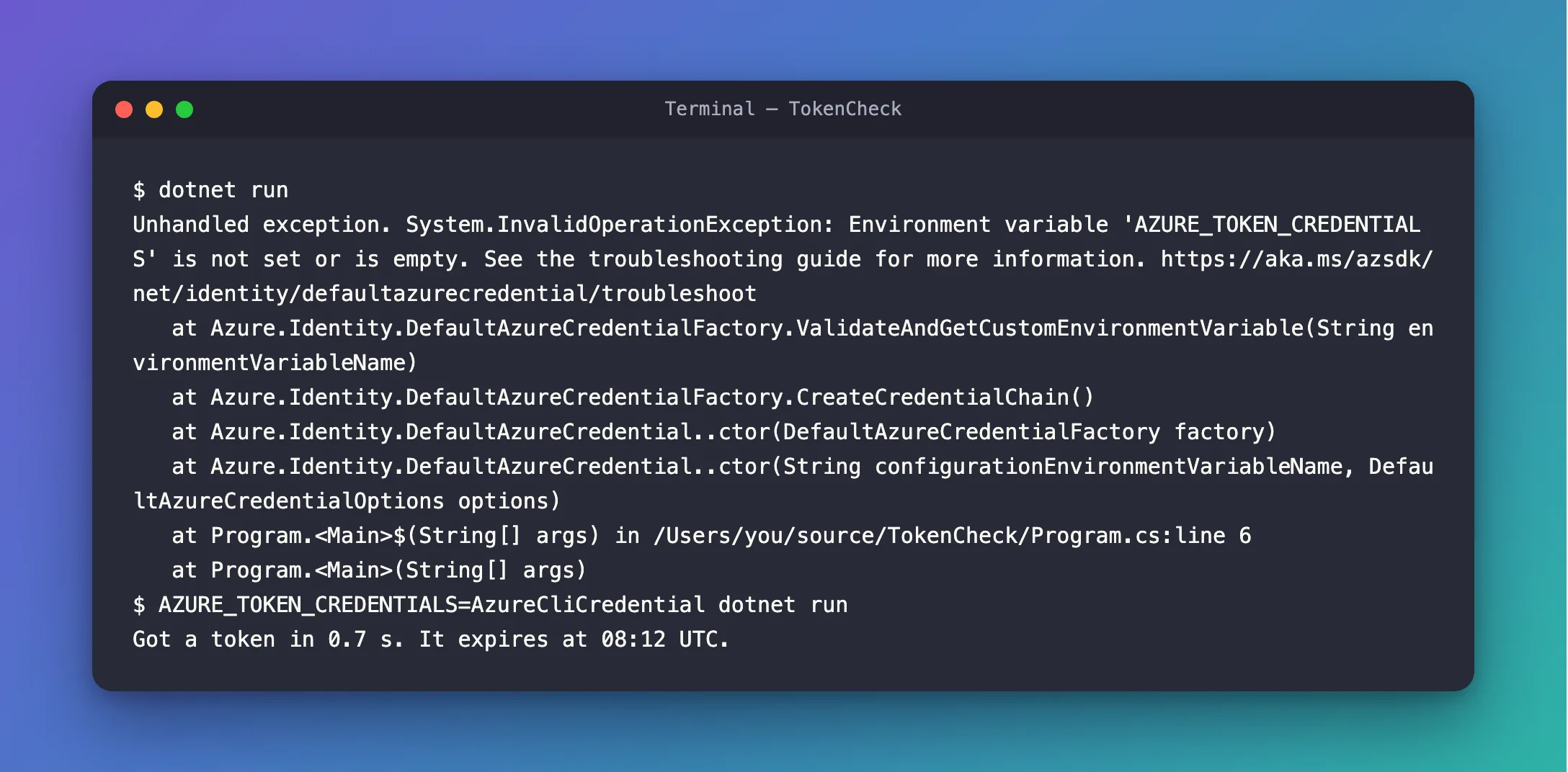
DefaultAzureCredential went straight to the Azure CLI and got a token in 0.7 seconds, with no other credential tried. In bash, the variable before the command applies to that command only; in PowerShell, $env: sets it for the rest of the session.
Step 5: Set It Where the App Runs
An environment variable belongs where the app runs, not in the code:
- On your machine, put it in the project's
Properties/launchSettings.json, underenvironmentVariablesof the profile you run. VS Code'sdotnet runand Visual Studio both read that file:
"environmentVariables": {
  "AZURE_TOKEN_CREDENTIALS": "AzureCliCredential"
}
- In Azure, set it to
ManagedIdentityCredentialin the app's settings, so the same code uses the app's managed identity there. For a user-assigned identity, the app also needsAZURE_CLIENT_ID, the identity's client ID.
The Complete File
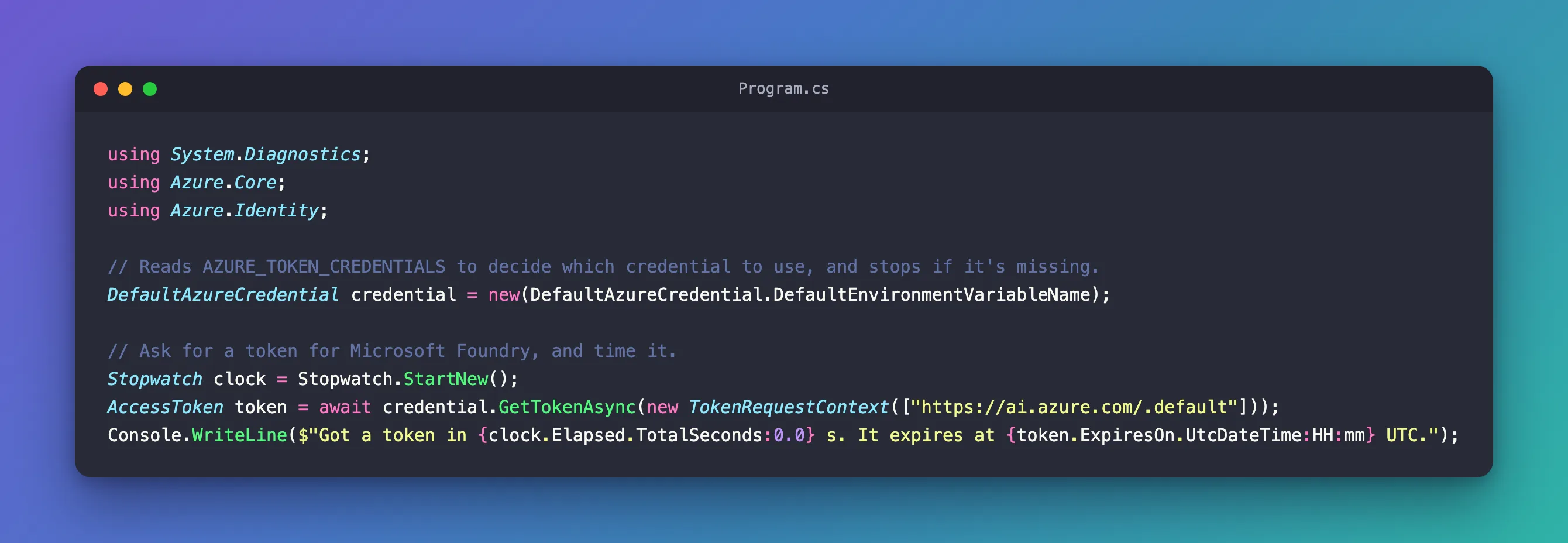
The file from Step 2 is the whole program.
Common Mistakes
| Mistake | What happens | Do this instead |
|---|---|---|
new DefaultAzureCredential() with the variable set | It works, but nothing stops the app when the variable is missing on another machine | Use the constructor with DefaultEnvironmentVariableName |
A typo in the value, such as AzureCLICredentials | The constructor throws InvalidOperationException: the value is invalid | Use a name from Microsoft's list; case doesn't matter, spelling does |
| Printing the token to check it | Anyone who sees the log can use it until it expires | Print only when it expires, as here |
Putting the variable in appsettings.json | DefaultAzureCredential reads environment variables, not app settings | Use launchSettings.json locally and app settings in Azure |
FAQ
What's the difference between AzureCliCredential and dev?
AzureCliCredential uses the Azure CLI only. dev keeps every developer-tool credential, so Visual Studio, VS Code, the Azure CLI, Azure PowerShell and the Azure Developer CLI are tried in turn. A team where everyone uses the Azure CLI can use the first; a team that mixes tools, the second.
Why not just write new AzureCliCredential()?
On your machine that's equivalent, and simpler. The variable earns its place in code that also runs in Azure: one line of code, and the environment decides.
Conclusion
Create DefaultAzureCredential with DefaultAzureCredential.DefaultEnvironmentVariableName, and set AZURE_TOKEN_CREDENTIALS to the one credential each environment should use: AzureCliCredential on your machine, ManagedIdentityCredential in Azure. The app stops at the first line when the variable is missing, and otherwise uses exactly that credential: a token in 0.7 seconds here, with nothing else tried.
Additional Resources
- Credential chains in the Azure Identity library for .NET —
AZURE_TOKEN_CREDENTIALS,dev,prodand the names it accepts. - DefaultAzureCredential constructors — the constructor that reads the variable.
- Authenticate .NET apps during local development with developer accounts — the local development side.
