How to Make an MLflow Dataset Digest Cover Every Row

An MLflow dataset's digest is meant to tell you when data changes, but for a pandas DataFrame it only looks at part of it: the first 10,000 rows, and only the columns that hold text or numbers. Change a value further down, or a date anywhere, and the digest stays the same. This guide shows both gaps happening, finds the reason in MLflow's code, and passes a digest of every row and column instead, with real output from MLflow 3.18.0.
Syntax
dataset = mlflow.data.from_pandas(<dataframe>, name="<name>", digest=<your fingerprint>)
| Part | What it means |
|---|---|
digest= | "The dataset digest (hash). If unspecified, a digest is computed automatically." Pass your own text and MLflow records it instead |
<your fingerprint> | Any short text that changes whenever the data changes, such as a hash of every row. The function below makes one |
Everything else about the dataset stays as usual: log_input records it, and the UI shows your digest wherever it would show MLflow's.
Step 1: See What MLflow's Digest Misses
The example is a table of 20,000 numbers, compared after a few kinds of change. Create digest_check.py:
import mlflow
import numpy as np
import pandas as pd


def digest(frame: pd.DataFrame) -> str:
    return mlflow.data.from_pandas(frame).digest


original = pd.DataFrame({"value": np.arange(20_000, dtype="float64")})

row_5_changed = original.copy()
row_5_changed.loc[5, "value"] = -1.0

row_15000_changed = original.copy()
row_15000_changed.loc[15_000, "value"] = -1.0

print("original:             ", digest(original))
print("a copy of it:         ", digest(original.copy()))
print("row 5 changed:        ", digest(row_5_changed))
print("row 15,000 changed:   ", digest(row_15000_changed))
print("one row added:        ", digest(pd.concat([original, original.tail(1)])))
print("rows in reverse order:", digest(original[::-1]))
print("column renamed:       ", digest(original.rename(columns={"value": "amount"})))
uv run python digest_check.py
original:              c901fa1c
a copy of it:          c901fa1c
row 5 changed:         a6c4809d
row 15,000 changed:    c901fa1c
one row added:         7191480b
rows in reverse order: f4b07966
column renamed:        225a0cf8
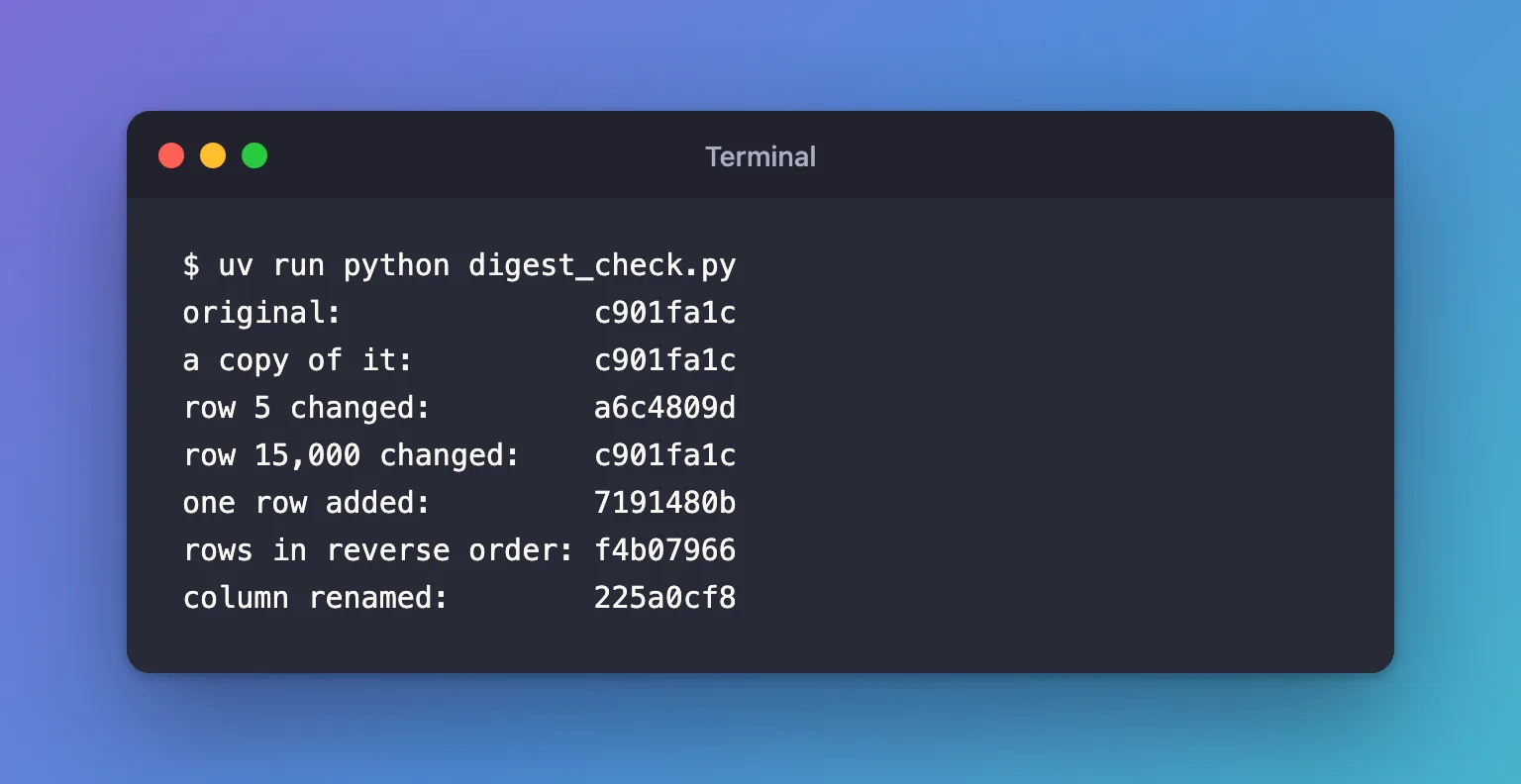
Every change gave a new digest except one: the value in row 15,000 changed from 15000 to -1, and the digest stayed c901fa1c.
Step 2: Find the Reason in MLflow's Code
A pandas dataset's digest comes from compute_pandas_digest() in mlflow/data/digest_utils.py:
MAX_ROWS = 10000


def compute_pandas_digest(df) -> str:
    # trim to max rows
    trimmed_df = df.head(MAX_ROWS)

    # keep string and number columns, drop other column types
    ...
    return get_normalized_md5_digest(
        [
            pd.util.hash_pandas_object(trimmed_df).values,
            np.int64(len(df)),
        ]
        + [str(x).encode() for x in df.columns]
    )
df.head(MAX_ROWS)keeps the first 10,000 rows. Values after them never reach the hash.- "keep string and number columns, drop other column types": true/false and date columns are left out too.
np.int64(len(df))adds the full row count, which is why adding a row changed the digest.df.columnsadds the column names, which is why renaming one did.hash_pandas_objecthashes each row with its label, so the order and the row labels count.
The result is the first 8 characters of an MD5 hash. Hashing only part of a table keeps logging fast for large data; the cost is that the digest can miss changes.
Step 3: Pass a Digest of Every Row and Column
hash_pandas_object works on any DataFrame, so the same idea applied to the whole table, every column included, covers everything. The script below builds that digest, compares it with MLflow's for the row change and for changes in a true/false and a date column, and logs a dataset with it. Create full_digest.py:
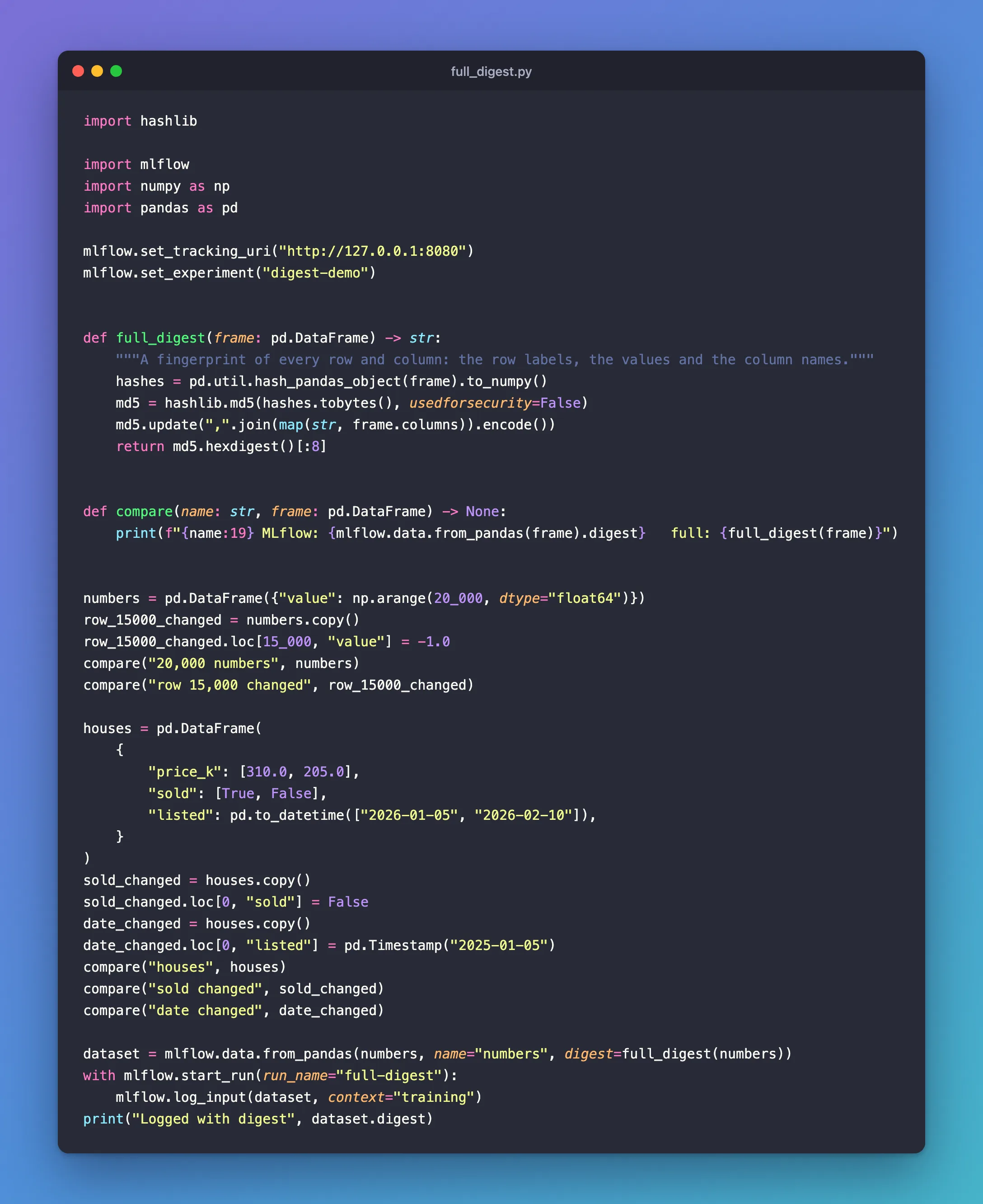
import hashlib

import mlflow
import numpy as np
import pandas as pd

mlflow.set_tracking_uri("http://127.0.0.1:8080")
mlflow.set_experiment("digest-demo")


def full_digest(frame: pd.DataFrame) -> str:
    """A fingerprint of every row and column: the row labels, the values and the column names."""
    hashes = pd.util.hash_pandas_object(frame).to_numpy()
    md5 = hashlib.md5(hashes.tobytes(), usedforsecurity=False)
    md5.update(",".join(map(str, frame.columns)).encode())
    return md5.hexdigest()[:8]


def compare(name: str, frame: pd.DataFrame) -> None:
    print(f"{name:19} MLflow: {mlflow.data.from_pandas(frame).digest}   full: {full_digest(frame)}")


numbers = pd.DataFrame({"value": np.arange(20_000, dtype="float64")})
row_15000_changed = numbers.copy()
row_15000_changed.loc[15_000, "value"] = -1.0
compare("20,000 numbers", numbers)
compare("row 15,000 changed", row_15000_changed)

houses = pd.DataFrame(
    {
        "price_k": [310.0, 205.0],
        "sold": [True, False],
        "listed": pd.to_datetime(["2026-01-05", "2026-02-10"]),
    }
)
sold_changed = houses.copy()
sold_changed.loc[0, "sold"] = False
date_changed = houses.copy()
date_changed.loc[0, "listed"] = pd.Timestamp("2025-01-05")
compare("houses", houses)
compare("sold changed", sold_changed)
compare("date changed", date_changed)

dataset = mlflow.data.from_pandas(numbers, name="numbers", digest=full_digest(numbers))
with mlflow.start_run(run_name="full-digest"):
    mlflow.log_input(dataset, context="training")
print("Logged with digest", dataset.digest)
| Line | What it does |
|---|---|
pd.util.hash_pandas_object(frame) | One 64-bit hash per row, from the row's label and every value in it |
hashlib.md5(..., usedforsecurity=False) | Combines them into one hash. usedforsecurity=False tells Python it's a fingerprint, not a security measure |
md5.update(...) | Adds the column names, as MLflow does |
hexdigest()[:8] | Keeps 8 characters, the same length as MLflow's own digests |
digest=full_digest(numbers) | Gives the dataset this digest instead of MLflow's |
uv run python full_digest.py
2026/11/19 17:02:27 INFO mlflow.tracking.fluent: Experiment with name 'digest-demo' does not exist. Creating a new experiment.
20,000 numbers      MLflow: c901fa1c   full: dbf73aee
row 15,000 changed  MLflow: c901fa1c   full: 5dbd1e54
houses              MLflow: f71b445b   full: 16355fbe
sold changed        MLflow: f71b445b   full: 45677576
date changed        MLflow: f71b445b   full: 7e7e09c3
🏃 View run full-digest at: http://127.0.0.1:8080/#/experiments/11/runs/b69fe07517394b22b75463810326be29
🧪 View experiment at: http://127.0.0.1:8080/#/experiments/11
Logged with digest dbf73aee
- Row 15,000: MLflow's digest stays
c901fa1c; the full one changes fromdbf73aeeto5dbd1e54. - The
soldandlistedcolumns: MLflow's digest staysf71b445bwhen either changes; the full one changes each time. - The logged dataset carries
dbf73aee, the full digest, into the run, where the UI shows it asnumbers (dbf73aee):

Common Mistakes
| Mistake | What happens | Do this instead |
|---|---|---|
Using Python's hash() for the digest | Text hashes change from one Python process to the next, so identical data gets different digests | Use hashlib, which gives the same result every time |
| Hashing the file's path or its modified time | The digest changes when nothing in the data did, or stays when it did | Hash the data itself |
| Mixing runs with MLflow's digest and runs with yours | The same data shows two different digests | Use one way of computing digests for a whole experiment |
Troubleshooting
| Symptom | Likely cause | Fix |
|---|---|---|
| The full digest differs for data that looks identical | The rows have different labels, or a column has another type | Compare frame.index and frame.dtypes |
TypeError: unhashable type: 'list' from hash_pandas_object | A column holds lists | Convert those values to text first, or leave the column out |
FAQ
Should I always use a full digest?
When the table has more than 10,000 rows, or has date or true/false columns whose changes matter, yes. For smaller tables of text and numbers, MLflow's digest already covers everything.
Is it slow on a big table?
It reads every row once, which takes longer than MLflow's 10,000-row sample but happens once per run. On my Mac, full_digest on a table of a million rows and three columns took 0.035 seconds.
Can two different tables get the same digest?
Yes, by chance, because 8 characters allow about 4.3 billion different values. For a handful of datasets that chance is tiny. Keep more of hexdigest() if you compare very many.
Conclusion
MLflow's pandas digest fingerprints the text and number columns of the first 10,000 rows, plus the row count and the column names, so a change in row 15,000 or in a date column left it at c901fa1c and f71b445b. Hashing every row with pd.util.hash_pandas_object and passing the result as digest= to mlflow.data.from_pandas gives a digest that notices every change.
Additional Resources
- mlflow.data.from_pandas — the function's reference, including
digest. - pandas.util.hash_pandas_object — pandas' reference for row hashing.
- hashlib — Python's hash functions, including
usedforsecurity.
