How to Make a Python Script Exit with an Error Code

A script that checks something, such as tests, data or a model's scores, should tell the shell whether the check passed, so that a CI job or another script can stop when it didn't. That's what an exit code is for: 0 for success, anything else for failure. This guide makes a script exit with 1 when a check fails, and reads the code back in bash, zsh and PowerShell, with real output from Python 3.15.2.
Syntax
import sys


def main() -> int:
    ...
    return exit_code


if __name__ == "__main__":
    sys.exit(main())
| Part | What it means |
|---|---|
main() | Does the script's work and returns a whole number: 0 when everything went well, 1 when it didn't |
sys.exit(code) | Ends the script with that exit code |
if __name__ == "__main__": | Runs main only when the file is run as a script, not when it's imported |
Python's reference for sys.exit: "If it is an integer, zero is considered “successful termination” and any nonzero value is considered “abnormal termination” by shells and the like." It adds that "Unix programs generally use 2 for command line syntax errors and 1 for all other kinds of errors."
Step 1: Return a Code from main
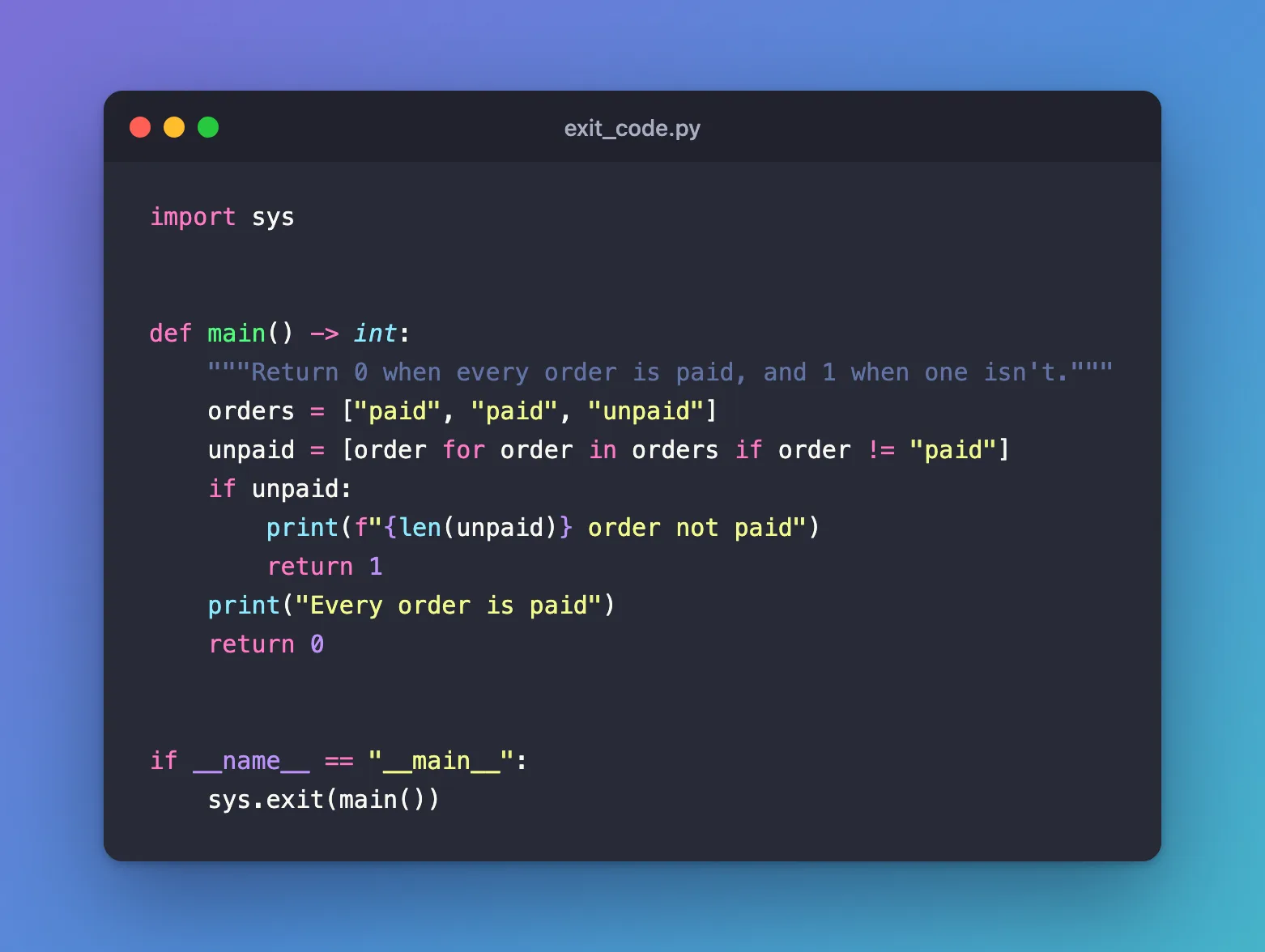
The example checks a list of orders and fails when one isn't paid:
import sys


def main() -> int:
    """Return 0 when every order is paid, and 1 when one isn't."""
    orders = ["paid", "paid", "unpaid"]
    unpaid = [order for order in orders if order != "paid"]
    if unpaid:
        print(f"{len(unpaid)} order not paid")
        return 1
    print("Every order is paid")
    return 0


if __name__ == "__main__":
    sys.exit(main())
Returning the code from main, instead of calling sys.exit deep inside it, keeps main easy to call from other code: the exit happens in one place, at the bottom.
Step 2: Read the Exit Code
Run the script, then ask the shell for the code of the last command:
- macOS / Linux
- Windows (PowerShell)
uv run python exit_code.py
echo $?
uv run python exit_code.py
$LASTEXITCODE
1 order not paid
1
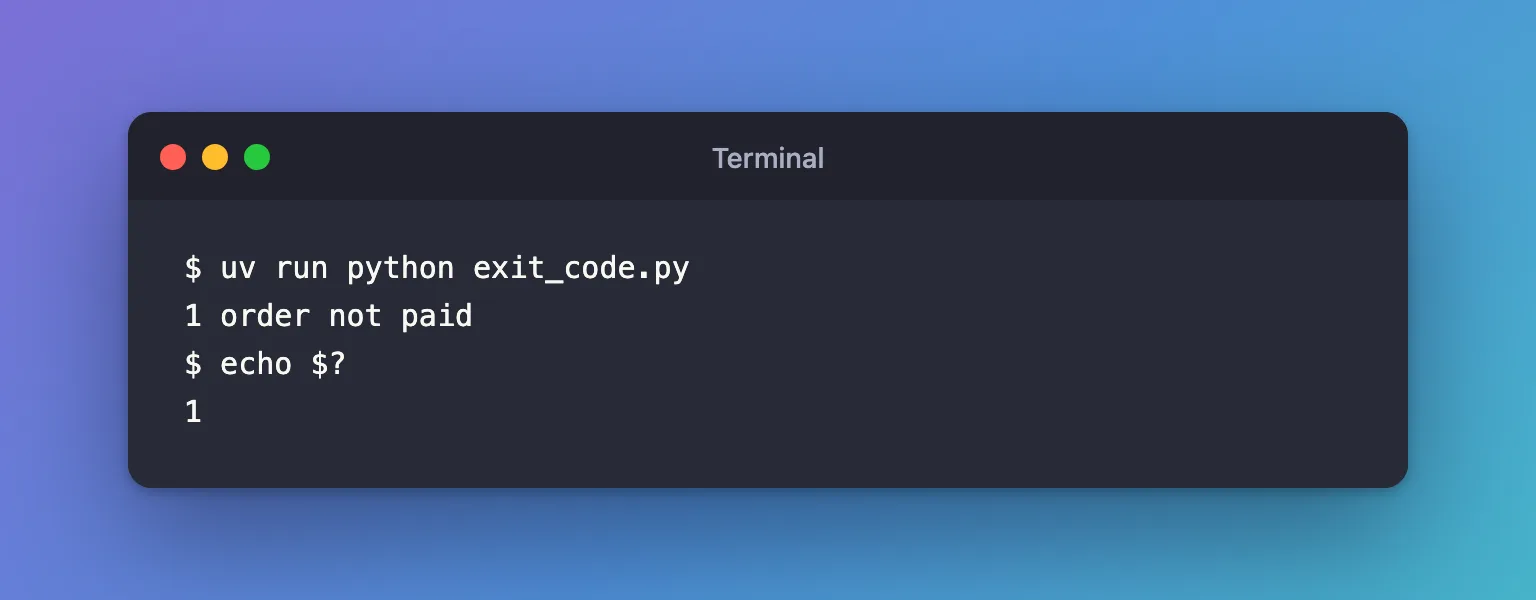
The script printed its message, and the shell reported the exit code, 1. The output was the same in zsh and in PowerShell 7.6.6. uv run passes the script's exit code on, so the shell sees Python's code.
Common Mistakes
| Mistake | What happens | Do this instead |
|---|---|---|
| Printing "failed" and ending normally | The exit code is 0, so a CI job carries on | Return 1 and pass it to sys.exit |
| Exit codes above 127 | Python's reference says most systems "produce undefined results" | Keep to 0 and small numbers such as 1 and 2 |
Troubleshooting
| Symptom | Likely cause | Fix |
|---|---|---|
echo $? prints 0 after a failure | main's return value never reached sys.exit | End the file with sys.exit(main()) |
$LASTEXITCODE is empty | No program has run yet in this PowerShell window | Run the script first |
FAQ
What exit code does an uncaught exception give?
1: Python prints the traceback and exits with 1, so a crash counts as a failure too.
How does a CI job use the exit code?
A step whose command exits with anything but 0 fails, and by default the steps after it don't run.
Conclusion
main() returned 1 when an order wasn't paid, sys.exit(main()) handed that to the shell, and echo $? and $LASTEXITCODE both read 1 back: a script that can stop a pipeline.
Additional Resources
- sys.exit — exit codes and what shells make of them.
