How to Make a MySQL Text Comparison Case-Sensitive

In MySQL, 'usb' = 'USB' is true, and so is 'cafe' = 'café'. That comes from the collation, the rule that decides how text compares. Add COLLATE to a comparison to change the rule for that one query. This guide shows the default on MySQL 9.7, and three other rules you can ask for.
Prerequisites
- MySQL, and a way to run SQL. The examples use MySQL 9.7.4 in Docker, and the
mysqlclient from How to Connect to MySQL in a Docker Container. To type accents in that client, you may need this fix.
Step 1: See the Default
SELECT 'usb' = 'USB', 'cafe' = 'café', 'résumé' = 'resume';
+---------------+------------------+-----------------------+
| 'usb' = 'USB' | 'cafe' = 'café'  | 'résumé' = 'resume'   |
+---------------+------------------+-----------------------+
|             1 |                1 |                     1 |
+---------------+------------------+-----------------------+
1 row in set (0.000 sec)
All three are true, so case and accents are both ignored. Look at a column's collation with SHOW FULL COLUMNS:
SHOW FULL COLUMNS FROM products LIKE 'Name';
+-------+--------------+--------------------+------+-----+---------+-------+---------------------------------+---------+
| Field | Type         | Collation          | Null | Key | Default | Extra | Privileges                      | Comment |
+-------+--------------+--------------------+------+-----+---------+-------+---------------------------------+---------+
| Name  | varchar(200) | utf8mb4_0900_ai_ci | NO   |     | NULL    |       | select,insert,update,references |         |
+-------+--------------+--------------------+------+-----+---------+-------+---------------------------------+---------+
1 row in set (0.002 sec)
The name tells you the rule:
Part of utf8mb4_0900_ai_ci | Means |
|---|---|
utf8mb4 | The character set |
0900 | The Unicode version the sorting follows: 9.0.0 |
ai | Accent-insensitive: e matches é |
ci | Case-insensitive: a matches A |
Step 2: Choose a Rule for One Comparison
COLLATE after a value applies that collation to the comparison:
SELECT 'usb' COLLATE utf8mb4_bin = 'USB', 'cafe' COLLATE utf8mb4_0900_as_cs = 'café', 'usb' COLLATE utf8mb4_0900_as_ci = 'USB';
+-----------------------------------+---------------------------------------------+------------------------------------------+
| 'usb' COLLATE utf8mb4_bin = 'USB' | 'cafe' COLLATE utf8mb4_0900_as_cs = 'café'  | 'usb' COLLATE utf8mb4_0900_as_ci = 'USB' |
+-----------------------------------+---------------------------------------------+------------------------------------------+
|                                 0 |                                           0 |                                        1 |
+-----------------------------------+---------------------------------------------+------------------------------------------+
1 row in set (0.000 sec)
| Collation | Case | Accents | The result above |
|---|---|---|---|
utf8mb4_bin | Matters | Matter | usb and USB differ: 0 |
utf8mb4_0900_as_cs | Matters | Matter | cafe and café differ: 0 |
utf8mb4_0900_as_ci | Ignored | Matter | usb and USB match: 1 |
MySQL's case sensitivity page gives the same advice: "you can use the COLLATE operator to cause either operand to have the utf8mb4_0900_as_cs or utf8mb4_bin collation".
Step 3: Use It in a Query
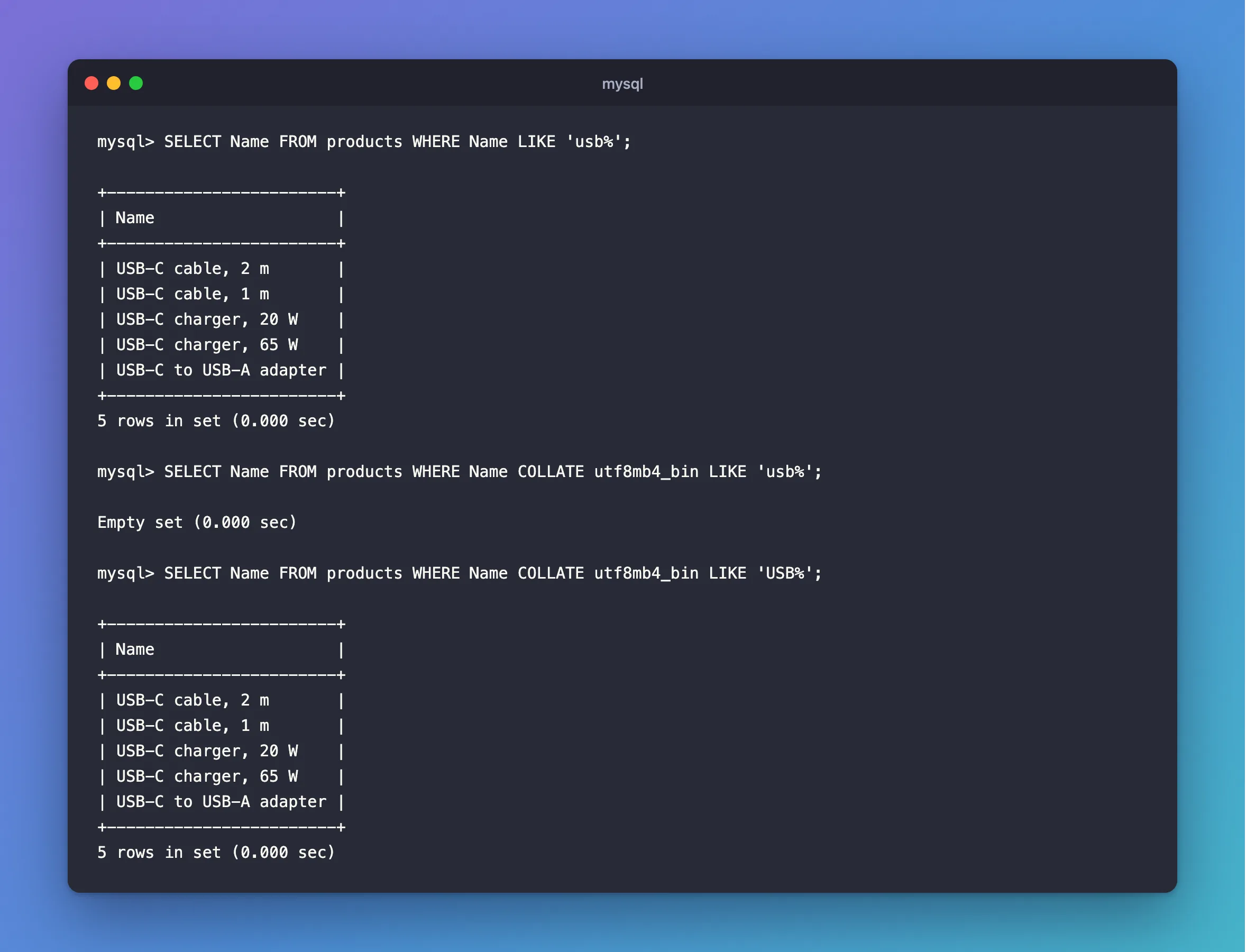
The default finds uppercase names from a lowercase search:
SELECT Name FROM products WHERE Name LIKE 'usb%';
+------------------------+
| Name                   |
+------------------------+
| USB-C cable, 2 m       |
| USB-C cable, 1 m       |
| USB-C charger, 20 W    |
| USB-C charger, 65 W    |
| USB-C to USB-A adapter |
+------------------------+
5 rows in set (0.000 sec)
With COLLATE, the same search finds nothing:
SELECT Name FROM products WHERE Name COLLATE utf8mb4_bin LIKE 'usb%';
Empty set (0.000 sec)
And the right case finds them:
SELECT Name FROM products WHERE Name COLLATE utf8mb4_bin LIKE 'USB%';
+------------------------+
| Name                   |
+------------------------+
| USB-C cable, 2 m       |
| USB-C cable, 1 m       |
| USB-C charger, 20 W    |
| USB-C charger, 65 W    |
| USB-C to USB-A adapter |
+------------------------+
5 rows in set (0.000 sec)
This is what EF Core's StartsWith does on Oracle's provider, which is why it finds nothing for lowercase text.
For One Query or for the Column?
COLLATE in a query changes the rule for that comparison. If a column should always compare exactly, for example a code where a1 and A1 are different things, set the column's collation instead, with ALTER TABLE or through your migrations. A column's unique index follows its collation as well, which is why Cables and cables count as the same name here.
Common Mistakes
| Mistake | What happens | Do this instead |
|---|---|---|
Expecting = to be exact | usb matches USB by default | Use COLLATE, or change the column |
COLLATE on a column in WHERE, on a big table | An index with a different collation can't be used | Change the column's collation if it's common |
| Mixing collations in one comparison | MySQL reports an illegal mix of collations | Name one with COLLATE |
| Forgetting accents | cafe also matches café under _ai_ | Use _as_ |
FAQ
Which should I pick, utf8mb4_bin or utf8mb4_0900_as_cs?
Both tell usb from USB. utf8mb4_bin compares raw values, and the _as_cs collation follows Unicode's rules, so it sorts more naturally. For a plain exact match, either works.
Does this change how the text is stored?
No. Stored text keeps its case and accents. The collation only decides how it compares and sorts.
Conclusion
A column's collation decides how its text compares, and the default utf8mb4_0900_ai_ci ignores case and accents. Add COLLATE utf8mb4_bin or COLLATE utf8mb4_0900_as_cs to compare exactly in one query, or change the column if it should always work that way.
Additional Resources
- Case Sensitivity in String Searches —
COLLATE. - Character Sets and Collations — how they're named.
