How to Make a C# Regex Ignore Case

Regular expressions are case-sensitive: ^password: doesn't match Password:. Pass RegexOptions.IgnoreCase and the pattern matches whatever the case.
Microsoft's reference describes the option as Specifies case-insensitive matching, and adds an important detail: By default, the casing conventions of the current culture are used. For text that isn't shown to people, such as keys, codes or field names, pair it with RegexOptions.CultureInvariant.
Syntax
Regex.IsMatch(<text>, <pattern>, RegexOptions.IgnoreCase)
Regex.IsMatch(<text>, <pattern>, RegexOptions.IgnoreCase | RegexOptions.CultureInvariant)
Regex.IsMatch(<text>, "(?i)<pattern>")
| Part | What it is |
|---|---|
RegexOptions.IgnoreCase | Matches upper and lower case alike |
RegexOptions.CultureInvariant | Uses the same casing rules on every computer instead of the current culture's |
(?i) at the start of the pattern | Turns on case-insensitive matching from inside the pattern |
The second line combines both options with the | operator.
The Example
A console app called IgnoreCase checks four lines for password: at their start, once with exact case and once with any case.
Prerequisites
- The .NET 10 SDK.
dotnet --versionprints a version that starts with10.0.
Step 1: Create a Console App
dotnet new console -n IgnoreCase
cd IgnoreCase
The template "Console App" was created successfully.

Processing post-creation actions...
Restoring /Users/you/source/IgnoreCase/IgnoreCase.csproj:
  Determining projects to restore...
  Restored /Users/you/source/IgnoreCase/IgnoreCase.csproj (in 47 ms).
Restore succeeded.
dotnet new console -n IgnoreCase creates a folder named IgnoreCase with a project file and a Program.cs, and cd moves into it. Everything this example uses is part of .NET, so there's no package to add. Open the folder in VS Code, or IgnoreCase.csproj in Visual Studio.
Step 2: Write the Code
Replace everything in Program.cs. First the lines:
using System.Text.RegularExpressions;

string[] lines = ["Password: x", "PASSWORD: y", "password: z", "Passcode: w"];
Then the two checks:
foreach (string line in lines)
{
    bool exactCase = Regex.IsMatch(line, "^password:");
    bool anyCase = Regex.IsMatch(line, "^password:", RegexOptions.IgnoreCase);
    Console.WriteLine($"{line,-12} exact case: {exactCase,-5}  any case: {anyCase}");
}
Regex.IsMatch(line, "^password:")needs the exact case:^is the start of the line.RegexOptions.IgnoreCaseas the third argument makes the same pattern match any case.
Step 3: Run It
Run it in VS Code's terminal, or press Ctrl+F5 in Visual Studio:
dotnet run
Password: x  exact case: False  any case: True
PASSWORD: y  exact case: False  any case: True
password: z  exact case: True   any case: True
Passcode: w  exact case: False  any case: False
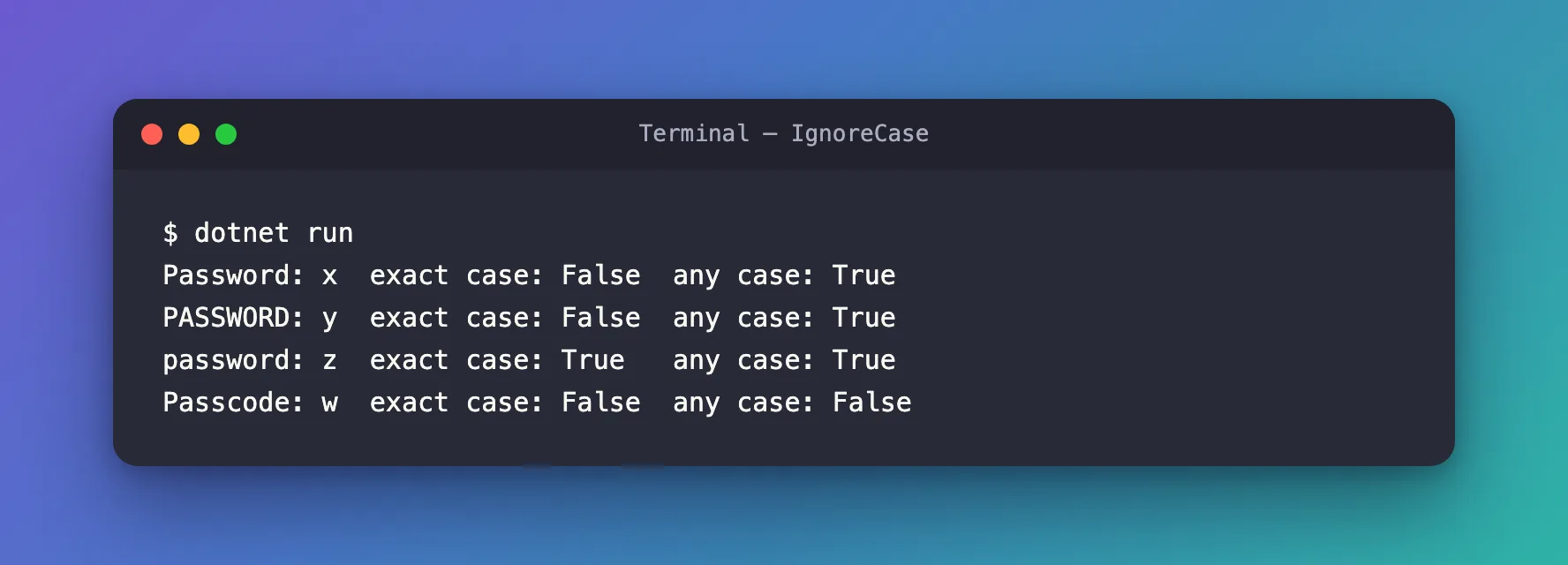
With exact case, only password: z matched. With IgnoreCase, so did Password: x and PASSWORD: y. Passcode: w is a different word, so it matched neither way.
The Complete File
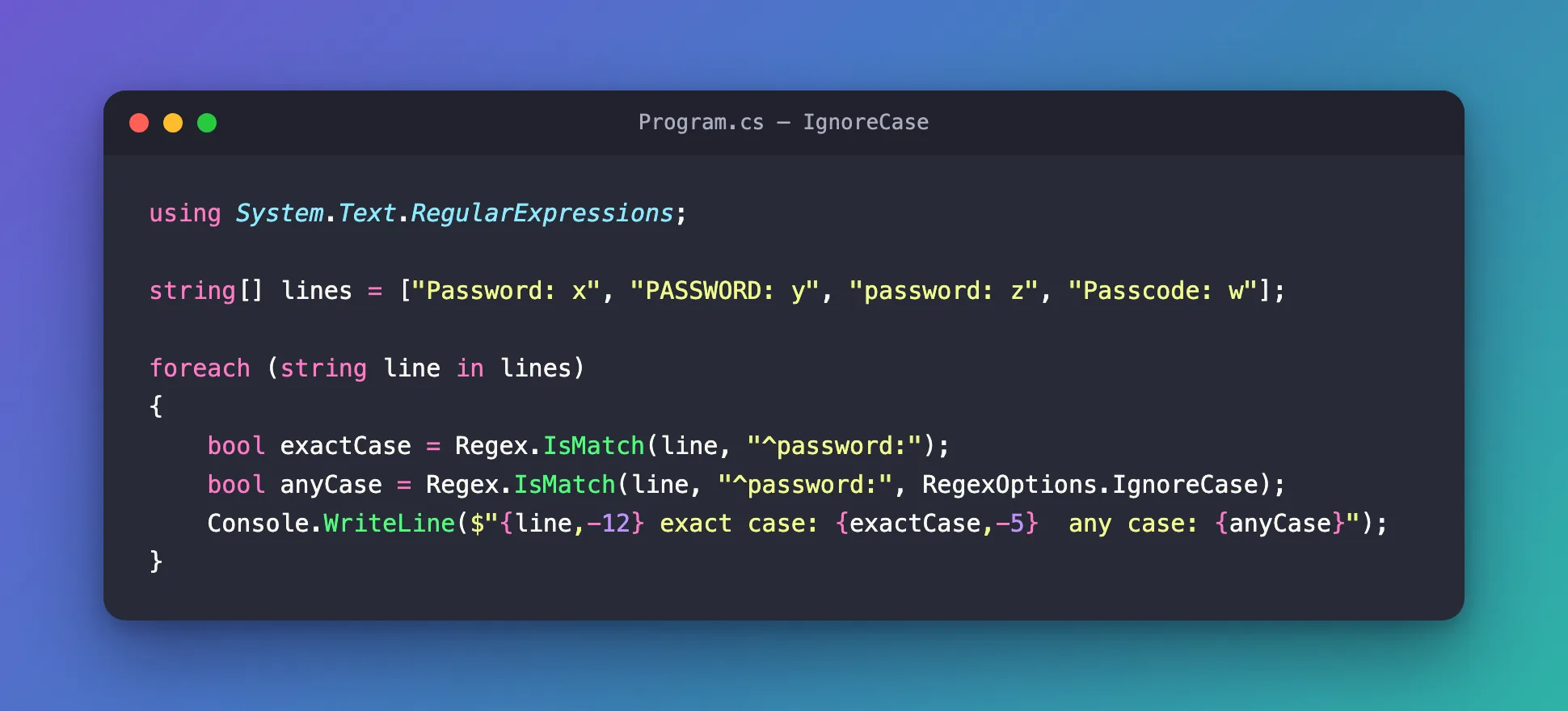
using System.Text.RegularExpressions;

string[] lines = ["Password: x", "PASSWORD: y", "password: z", "Passcode: w"];

foreach (string line in lines)
{
    bool exactCase = Regex.IsMatch(line, "^password:");
    bool anyCase = Regex.IsMatch(line, "^password:", RegexOptions.IgnoreCase);
    Console.WriteLine($"{line,-12} exact case: {exactCase,-5}  any case: {anyCase}");
}
Common Mistakes
| Mistake | What happens | Do this instead |
|---|---|---|
Relying on IgnoreCase alone for text that isn't shown to people | It follows the current culture. With the culture set to Turkish, Regex.IsMatch("I", "i", RegexOptions.IgnoreCase) returned False | Add RegexOptions.CultureInvariant: the same check then returned True |
Expecting [a-z] to stay lowercase-only | With IgnoreCase, ^[a-z]+$ matched ABC | Leave IgnoreCase off where the case matters |
FAQ
Can I turn it on inside the pattern?
Yes: (?i)^password: matched PASSWORD: y. CultureInvariant can't be set that way. The options reference: It is not available as an inline option.
How do I combine options?
With |. RegexOptions.IgnoreCase | RegexOptions.CultureInvariant printed as IgnoreCase, CultureInvariant: the reference says the enumeration supports a bitwise combination of its member values.
Conclusion
RegexOptions.IgnoreCase makes a regular expression ignore case, using the current culture's rules unless you add RegexOptions.CultureInvariant. Use both together for anything that has to behave the same on every computer.
Additional Resources
- RegexOptions — every option.
- Regular expression options — case-insensitive matching and the invariant culture.
