How to Loop Through Every Value of a JsonElement in C#

When you don't know a JSON document's shape in advance, you can't write a class for it. You can still visit every value in it: read it as a JsonElement, ask what kind of value each element is, and go into objects and arrays until only plain values are left.
JsonDocument reads JSON into a tree of JsonElements without creating your own objects. Microsoft's reference describes it as a mechanism for examining the structural content of a JSON value without automatically instantiating data values. Every element knows its kind, an object, an array or a plain value, and a function that calls itself for objects and arrays reaches every level, however deep.
Syntax
using System.Text.Json;

using JsonDocument <document> = JsonDocument.Parse(<json>);
Walk(<document>.RootElement);

static void Walk(JsonElement <element>)
{
    switch (<element>.ValueKind)
    {
        case JsonValueKind.Object:
            foreach (JsonProperty <property> in <element>.EnumerateObject())
            {
                Walk(<property>.Value);
            }
            break;

        case JsonValueKind.Array:
            foreach (JsonElement <item> in <element>.EnumerateArray())
            {
                Walk(<item>);
            }
            break;

        default:
            // A string, a number, true, false or null.
            break;
    }
}
| Part | What it is |
|---|---|
JsonDocument.Parse(<json>) | Reads the JSON text. using disposes the document when you're done with it |
<document>.RootElement | The outermost value |
<element>.ValueKind | What kind of value the element is: Object, Array, String, Number, True, False or Null |
EnumerateObject() | An object's properties. Each JsonProperty has a Name and a Value |
EnumerateArray() | An array's items |
Walk(...) inside Walk | The function calls itself for each property's value and each item, so it reaches every level |
The Example
A console app called JsonWalk reads a person with a name, an age and a list of pets, and prints every plain value with its path: $ is the whole document, .name a property and [0] the first item of an array.
Prerequisites
- The .NET 10 SDK.
dotnet --versionprints a version that starts with10.0.
Step 1: Create a Console App
dotnet new console -n JsonWalk
cd JsonWalk
The template "Console App" was created successfully.

Processing post-creation actions...
Restoring /Users/you/source/JsonWalk/JsonWalk.csproj:
  Determining projects to restore...
  Restored /Users/you/source/JsonWalk/JsonWalk.csproj (in 48 ms).
Restore succeeded.
dotnet new console -n JsonWalk creates a folder named JsonWalk with a project file and a Program.cs, and cd moves into it. System.Text.Json is part of .NET, so there's no package to add.
Step 2: Write the Code
Replace everything in Program.cs. First the JSON and the first call:
using System.Text.Json;

string json = """{"name": "Asha", "pets": [{"name": "Milo", "kind": "cat"}], "age": 34}""";

using JsonDocument document = JsonDocument.Parse(json);
Walk(document.RootElement, "$");
"""..."""is a raw string literal: everything between the triple quotes is taken as written, so the JSON's own quotes need no escaping.JsonDocument.Parse(json)reads it.usingdisposes the document at the end of the program.Walk(document.RootElement, "$")starts at the outermost value, with the path$.
Then the function that visits every value:
// Visits every value, however deep, and prints where it is.
static void Walk(JsonElement element, string path)
{
    switch (element.ValueKind)
    {
        case JsonValueKind.Object:
            foreach (JsonProperty property in element.EnumerateObject())
            {
                Walk(property.Value, $"{path}.{property.Name}");
            }
            break;

        case JsonValueKind.Array:
            int index = 0;
            foreach (JsonElement item in element.EnumerateArray())
            {
                Walk(item, $"{path}[{index}]");
                index++;
            }
            break;

        default:
            Console.WriteLine($"{path} = {element}");
            break;
    }
}
switch (element.ValueKind)picks what to do from the kind of value.- For an object,
EnumerateObject()gives each property. The function calls itself with the property's value and the path plus.and the name. - For an array,
EnumerateArray()gives each item. The function calls itself with the item and the path plus the item's position in brackets. - Anything else is a plain value: a string, a number,
true,falseornull. It's printed with its path.
Step 3: Run It
Run it in VS Code's terminal, or press Ctrl+F5 in Visual Studio:
dotnet run
$.name = Asha
$.pets[0].name = Milo
$.pets[0].kind = cat
$.age = 34
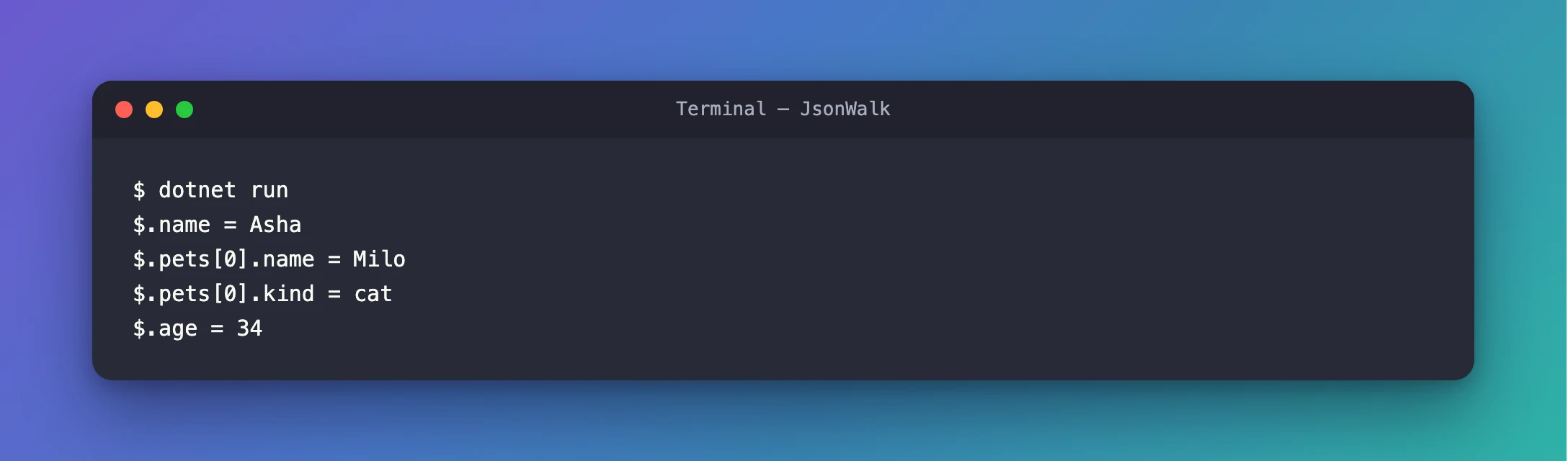
All four plain values came out, in the order they appear in the JSON, including the two inside the first pet, two levels down. The function never needed to know the document's shape.
The Complete File
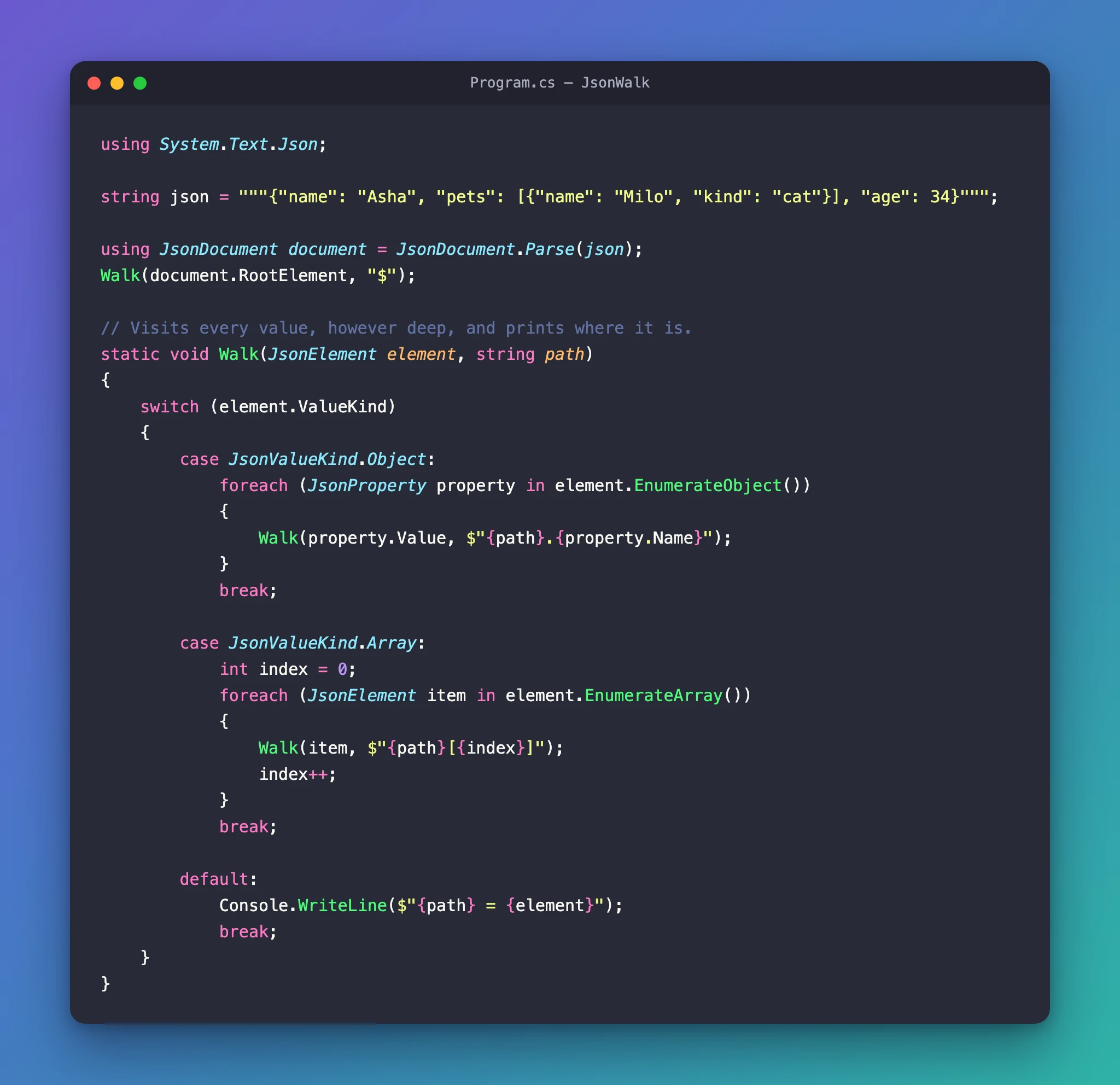
using System.Text.Json;

string json = """{"name": "Asha", "pets": [{"name": "Milo", "kind": "cat"}], "age": 34}""";

using JsonDocument document = JsonDocument.Parse(json);
Walk(document.RootElement, "$");

// Visits every value, however deep, and prints where it is.
static void Walk(JsonElement element, string path)
{
    switch (element.ValueKind)
    {
        case JsonValueKind.Object:
            foreach (JsonProperty property in element.EnumerateObject())
            {
                Walk(property.Value, $"{path}.{property.Name}");
            }
            break;

        case JsonValueKind.Array:
            int index = 0;
            foreach (JsonElement item in element.EnumerateArray())
            {
                Walk(item, $"{path}[{index}]");
                index++;
            }
            break;

        default:
            Console.WriteLine($"{path} = {element}");
            break;
    }
}
Common Mistakes
| Mistake | What happens | Do this instead |
|---|---|---|
Calling EnumerateObject() on an array | InvalidOperationException: The requested operation requires an element of type 'Object', but the target element has type 'Array'. | Check ValueKind first, as the walk does |
| Keeping an element after its document is disposed | ObjectDisposedException: Cannot access a disposed object. Object name: 'JsonDocument'. | Use elements inside the document's using, or keep a copy made with element.Clone() |
Printing values to tell a JSON null apart | A null prints as nothing, the same as an empty string | Print GetRawText() instead, which gives null |
FAQ
What does printing an element show?
It depends on the kind of value. Microsoft's reference: for a string, the string itself; for true and false, True and False; for null, an empty string; and for everything else, the raw JSON text. For the JSON {"text": "Asha", "number": 34.50, "yes": true, "nothing": null}, each value printed with ToString() and with GetRawText() gave:
text: ValueKind=String, ToString=[Asha], GetRawText=["Asha"]
number: ValueKind=Number, ToString=[34.50], GetRawText=[34.50]
yes: ValueKind=True, ToString=[True], GetRawText=[true]
nothing: ValueKind=Null, ToString=[], GetRawText=[null]
Do I have to dispose JsonDocument?
Yes. Microsoft's reference: This class utilizes resources from pooled memory to minimize the impact of the garbage collector (GC) in high-usage scenarios. Failure to properly dispose this object will result in the memory not being returned to the pool, which will increase GC impact across various parts of the framework.
How do I keep one element after the document is gone?
Call Clone() on it before the document is disposed. A clone of the root element still printed {"name": "Asha"} after its document's using block had ended.
Conclusion
Parse the JSON with JsonDocument.Parse, switch on each element's ValueKind, and call the same function again for every property of an object and every item of an array. Here that reached all four values of a document with a nested array, without a class for its shape.
Additional Resources
- How to use a JSON document object model —
JsonDocument,JsonElementandJsonNode. - JsonElement struct —
ValueKind,EnumerateObject,EnumerateArrayand the other members. - JsonDocument class — parsing and disposing.
