How to Loop Through an Array with foreach in C#

Printing every name on a list, adding up every price in an order: much of programming is doing the same thing to each item of a collection. In C#, foreach runs a block of code once per item, in order, without any counting on your part.
Syntax
foreach (<Type> <item> in <collection>)
{
    <statements that use item>
}
| Part | What it does |
|---|---|
<Type> <item> | A variable that holds the current element on each pass. var works too. |
in <collection> | What to loop over: an array, a List<T>, a dictionary, or anything else that can be enumerated. |
{ ... } | Runs once per element, from the first to the last. |
Microsoft's iteration statements reference: "The foreach statement enumerates the elements of a collection and executes its body for each element of the collection."
The Example
The example keeps three places to eat in an array and prints each one on its own line.
Prerequisites
- The .NET 10 SDK or newer, which runs a single
.csfile withdotnet run. This guide uses .NET SDK 10.0.404.
Step 1: Write the Code
Create a file named main.cs in an empty folder:
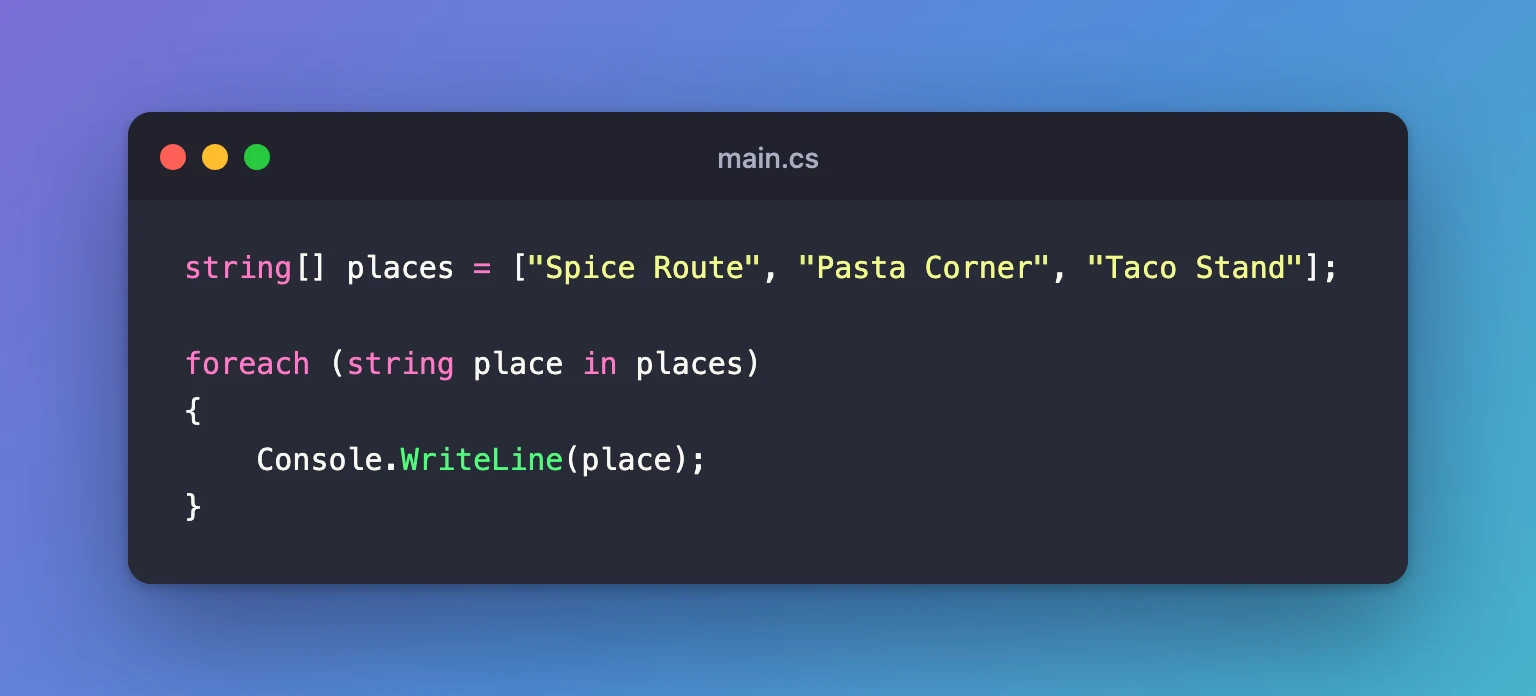
string[] places = ["Spice Route", "Pasta Corner", "Taco Stand"];

foreach (string place in places)
{
    Console.WriteLine(place);
}
Read it as "for each place in places". On the first pass place is "Spice Route", on the second "Pasta Corner", and so on.
Step 2: Run It
dotnet run main.cs
Spice Route
Pasta Corner
Taco Stand
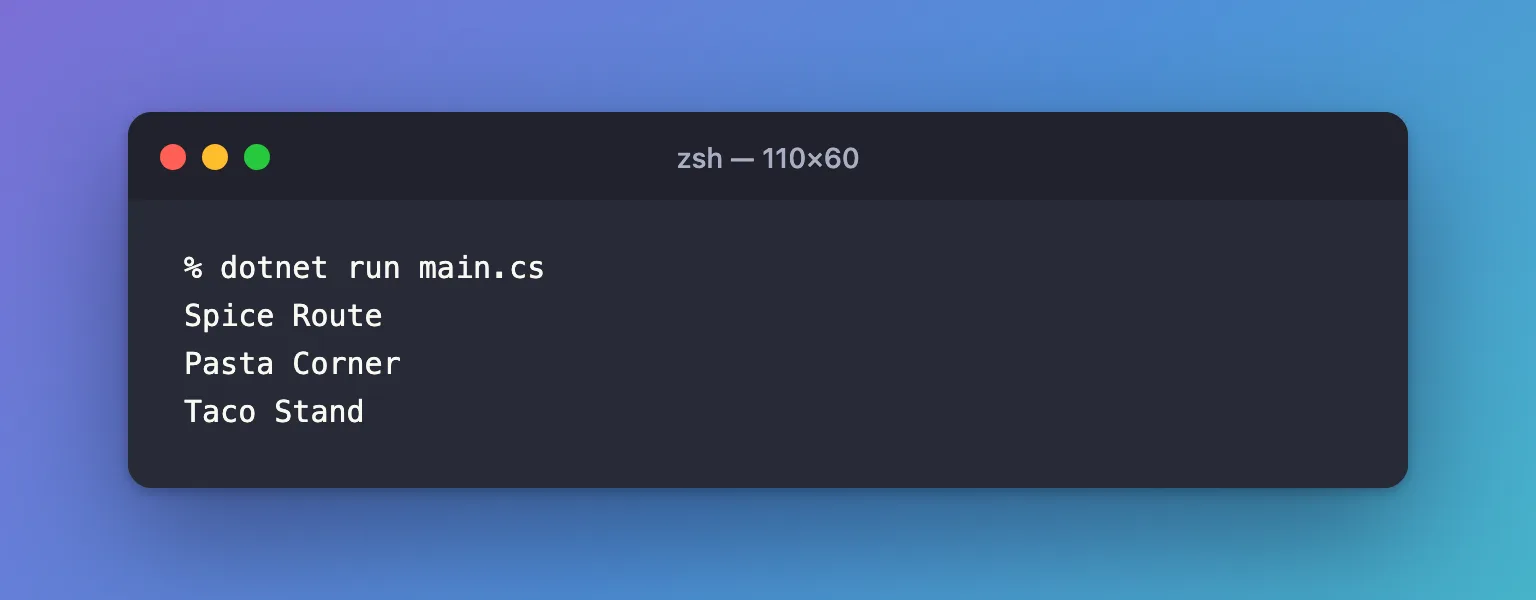
The block ran three times, once per place, in the array's order. The command is the same in zsh, bash and PowerShell.
What Happens When the Loop Changes Its Own List
A foreach loop can't add items to, or remove items from, the list it's walking through:
List<string> places = ["Spice Route", "Pasta Corner"];
foreach (string place in places)
{
    places.Add("Taco Stand");
}
Unhandled exception. System.InvalidOperationException: Collection was modified; enumeration operation may not execute.
   at System.Collections.Generic.List`1.Enumerator.MoveNext()
   at Program.<Main>$(String[] args) in /Users/you/demo/main.cs:line 2
The first Add succeeded, and the loop failed when it tried to move to the next item. The List<T> enumerator reference explains: "An enumerator remains valid as long as the collection remains unchanged. If changes are made to the collection, such as adding, modifying, or deleting elements, the enumerator is irrecoverably invalidated and the next call to MoveNext throws an InvalidOperationException." Collect the changes in a second list and apply them after the loop.
Common Mistakes
| Mistake | What happens | Do this instead |
|---|---|---|
Adding to or removing from the list inside its own foreach | InvalidOperationException: Collection was modified; enumeration operation may not execute. | Change a copy, or collect the changes and apply them after the loop |
Assigning to the loop variable, as in place = place.ToUpper(); | error CS1656: Cannot assign to 'place' because it is a 'foreach iteration variable' | Put the new value in another variable |
Using foreach when you need the position | foreach doesn't count for you | Use places.Index(), shown below, or a for loop |
Troubleshooting
| Symptom | Likely cause | Fix |
|---|---|---|
Collection was modified | The loop body changes the collection it walks | Loop over a copy, such as places.ToList() |
CS1656 | Code assigns to the foreach variable | Use a separate variable |
NullReferenceException on the foreach line | The collection is null, not empty | Make sure the variable holds a collection; an empty one simply skips the body |
FAQ
How do I get each item's index?
Call Index() on the collection. It returns each item together with its position:
string[] places = ["Spice Route", "Pasta Corner", "Taco Stand"];
foreach (var (index, place) in places.Index())
{
    Console.WriteLine($"{index}: {place}");
}
0: Spice Route
1: Pasta Corner
2: Taco Stand
Should I use foreach or for?
foreach when you need every item and not its position: there's no counter to get wrong. for when you need the position or want to skip around, such as every second item.
Conclusion
foreach (string place in places) { ... } runs the block once per item, in order. Don't change the collection inside the loop, don't assign to the loop variable, and use Index() when you also need the position.
Additional Resources
- The foreach statement, on Microsoft Learn.
- Enumerable.Index method, on Microsoft Learn.
