How to Log Your Own Metrics in an MLflow Autologged Run

Autologging records what it knows: the model's settings and its scores on the training data. Your own numbers, such as a score on a test set, and your own labels still need a log call, and they belong in the same run. The way to get them there is to start the run yourself, so autologging and your calls share it. This guide adds a test score and a tag to an autologged run, with real output from MLflow 3.18.0.
Syntax
mlflow.sklearn.autolog()

with mlflow.start_run(run_name="<name>"):
    model.fit(X_train, y_train)
    mlflow.log_metric("<name>", value)
    mlflow.set_tag("<key>", "<value>")
| Part | What it means |
|---|---|
with mlflow.start_run(...) | You start the run. Autologging logs into it instead of starting its own, and doesn't end it |
mlflow.log_metric(...), mlflow.set_tag(...) | Your own values, logged to the same open run |
MLflow's reference calls this the default: with exclusive=False, "autologged content is logged to the active fluent run, which may be user-created".
Prerequisites
- An MLflow tracking server at
http://127.0.0.1:8080. MLflow's tracking server guide shows how to start one.
Step 1: Train, Then Log a Test Score
The example trains a ridge regression, a linear model with a little regularization, on three quarters of scikit-learn's diabetes data, then logs its R² on the other quarter as test_r2, and a tag naming the data. Create autolog_plus_manual.py:
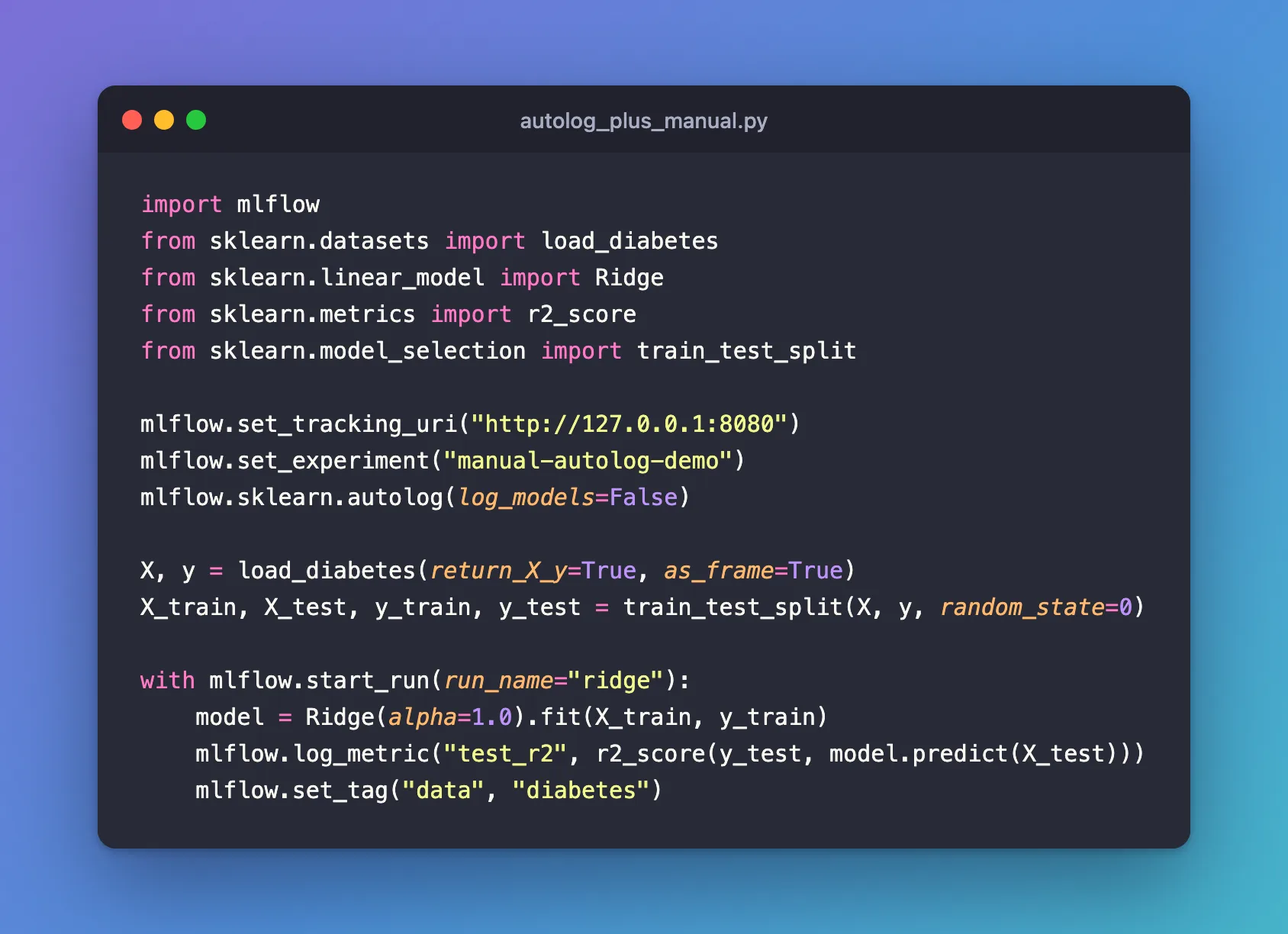
import mlflow
from sklearn.datasets import load_diabetes
from sklearn.linear_model import Ridge
from sklearn.metrics import r2_score
from sklearn.model_selection import train_test_split

mlflow.set_tracking_uri("http://127.0.0.1:8080")
mlflow.set_experiment("manual-autolog-demo")
mlflow.sklearn.autolog(log_models=False)

X, y = load_diabetes(return_X_y=True, as_frame=True)
X_train, X_test, y_train, y_test = train_test_split(X, y, random_state=0)

with mlflow.start_run(run_name="ridge"):
    model = Ridge(alpha=1.0).fit(X_train, y_train)
    mlflow.log_metric("test_r2", r2_score(y_test, model.predict(X_test)))
    mlflow.set_tag("data", "diabetes")
uv run python autolog_plus_manual.py
2026/11/21 11:03:07 INFO mlflow.tracking.fluent: Experiment with name 'manual-autolog-demo' does not exist. Creating a new experiment.
🏃 View run ridge at: http://127.0.0.1:8080/#/experiments/12/runs/f608fce8f4a54faa989f28ab1daa77ac
🧪 View experiment at: http://127.0.0.1:8080/#/experiments/12
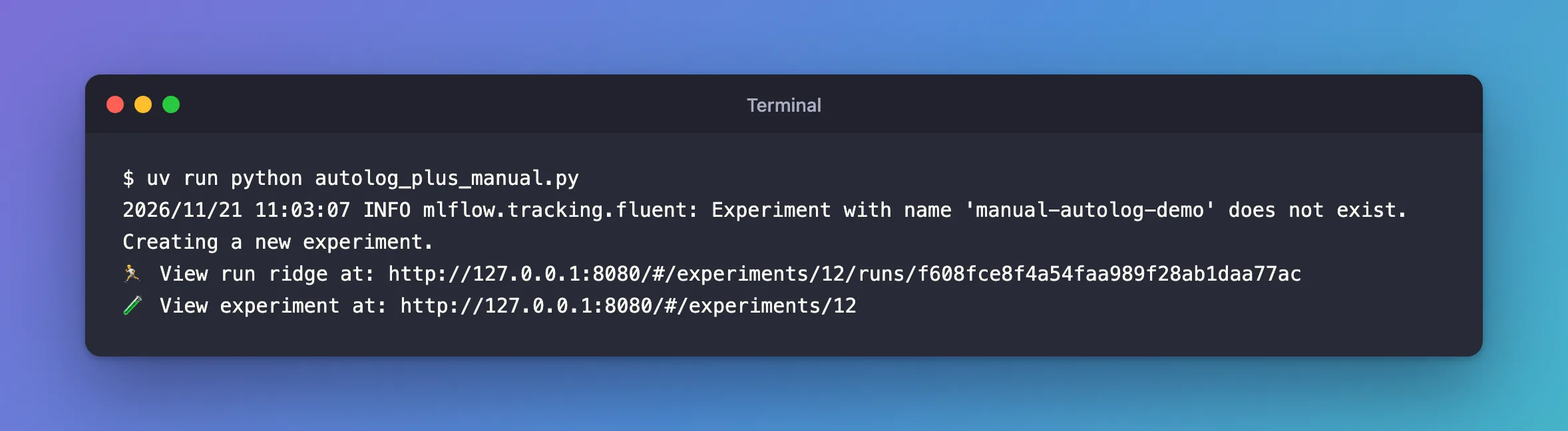
One run, ridge: no second run was started for the fit.
Step 2: See Both Kinds of Values in One Run
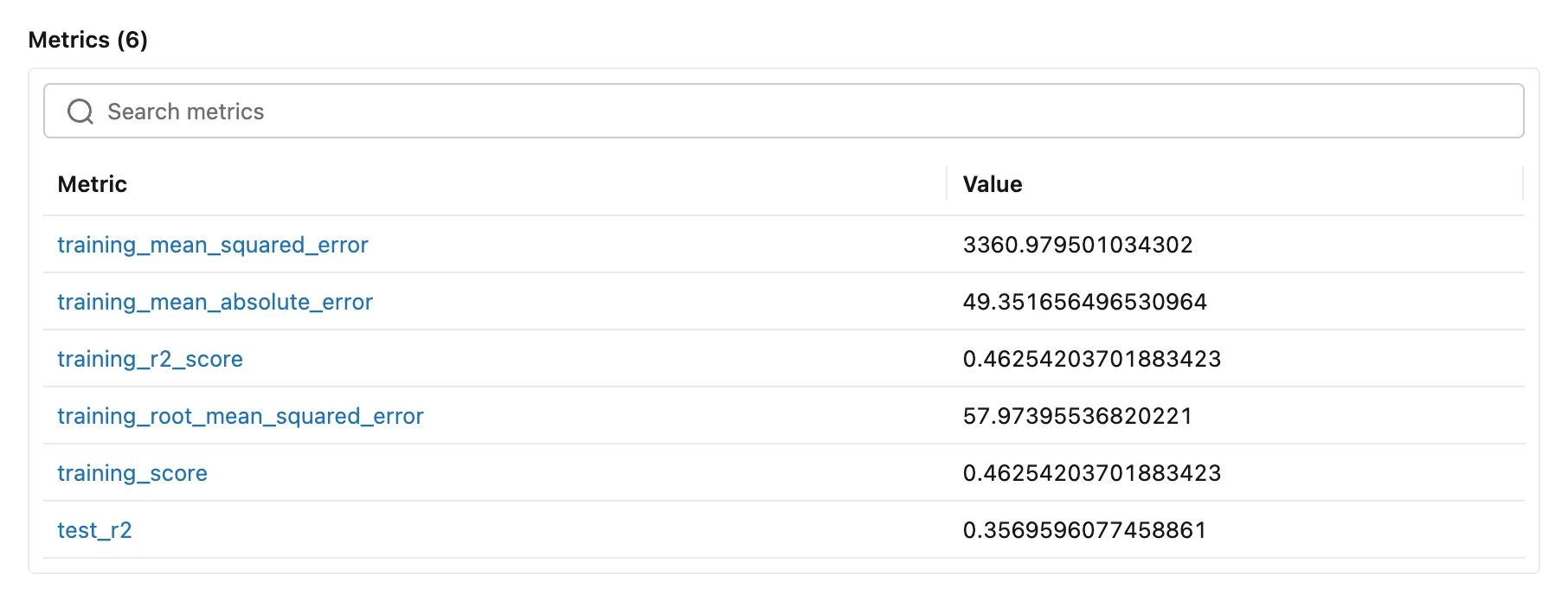
The run's metrics hold autologging's five training scores and your test_r2:
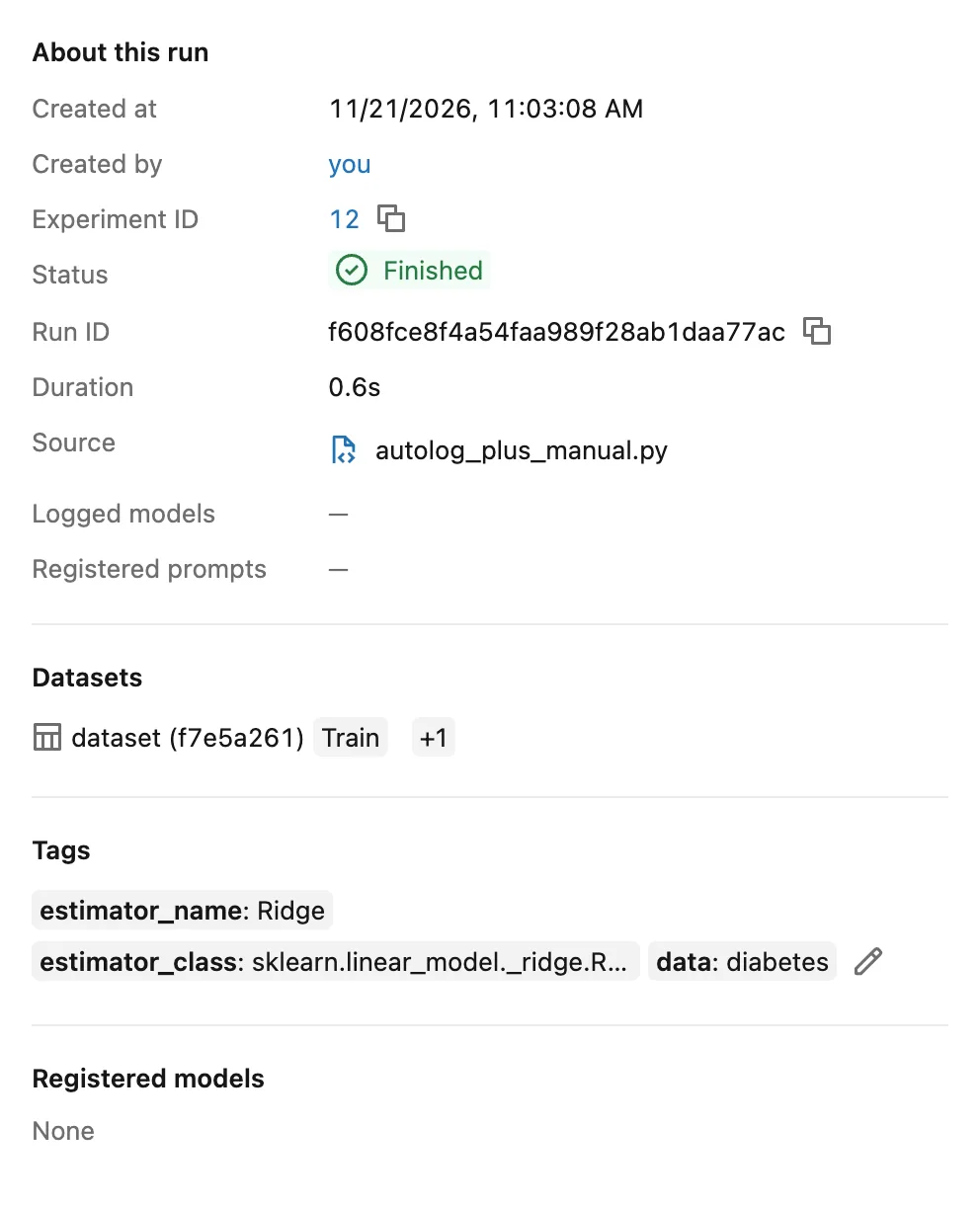
And its tags hold autologging's estimator_name and estimator_class next to your data:
test_r2, 0.3570, is lower than training_r2_score, 0.4625: the usual gap between the data a model learned from and data it didn't. Logging both is what shows the gap.
Common Mistakes
| Mistake | What happens | Do this instead |
|---|---|---|
Calling fit before start_run | Autologging starts and ends its own run, and your later values land in a second run | Fit inside your with mlflow.start_run() block |
Logging after the with block | No run is open, so MLflow starts a new one for the value | Log inside the block |
Naming your metric like autologging's, such as training_score | Your value and autologging's share one name | Use your own names, such as test_r2 |
Troubleshooting
| Symptom | Likely cause | Fix |
|---|---|---|
| Two runs instead of one | The model was fitted outside your run | Move fit into the with block |
| Your metric is in the run, but autologging's aren't | Autologging was off, or set with exclusive=True | Call mlflow.sklearn.autolog() before the run, without exclusive=True |
FAQ
Could autologging log the test score by itself?
Yes, in some cases: How to Log Test Metrics Automatically with MLflow Autologging explains when, and why the import order matters. Logging it yourself is explicit and always works.
Does this work for a hyperparameter search?
Yes: start the parent run yourself, run the search inside it, and log your test score on the parent after fit. The child runs are created inside it as usual.
Conclusion
Starting the run with mlflow.start_run(run_name="ridge") put autologging's training metrics and tags, and the test_r2 metric and data tag logged by hand, into one run. Start the run yourself, fit inside it, and log your own values before the block ends.
Additional Resources
- mlflow.sklearn.autolog —
exclusiveand how autologging uses an active run. - Automatic Logging with MLflow Tracking — runs started by autologging and by you.
