How to Log with a Message Template and ILogger in C#

A log line such as "Ignored message from tenant contoso" is more useful when the logging system also knows that contoso was the tenant. In C#, ILogger takes a message template with named placeholders, plus the values separately, so each value is kept as a field of its own.
Syntax
logger.Log<Level>("<text> {<Name1>} <text> {<Name2>}", <value1>, <value2>);
| Part | What it does |
|---|---|
logger.Log<Level> | Writes at a level: LogTrace, LogDebug, LogInformation, LogWarning, LogError or LogCritical. |
"<text> {<Name1>} ..." | The message template: fixed text with placeholders in curly braces. Name them; don't number them. |
<value1>, <value2> | The values, in the same order as the placeholders. |
Microsoft's logging overview: "Each log API uses a message template. The message template can contain placeholders for which arguments are provided. Use names for the placeholders, not numbers." And: "The order of placeholders, not their names, determines which parameters are used to provide their values."
The Example
A console program creates a logger and writes a warning that an activity of type message from the tenant contoso was ignored, with the type and the tenant as placeholders.
Prerequisites
- The .NET 10 SDK or newer, which runs a single
.csfile withdotnet run. This guide uses .NET SDK 10.0.404.
Step 1: Write the Code
Create a file named main.cs in an empty folder:
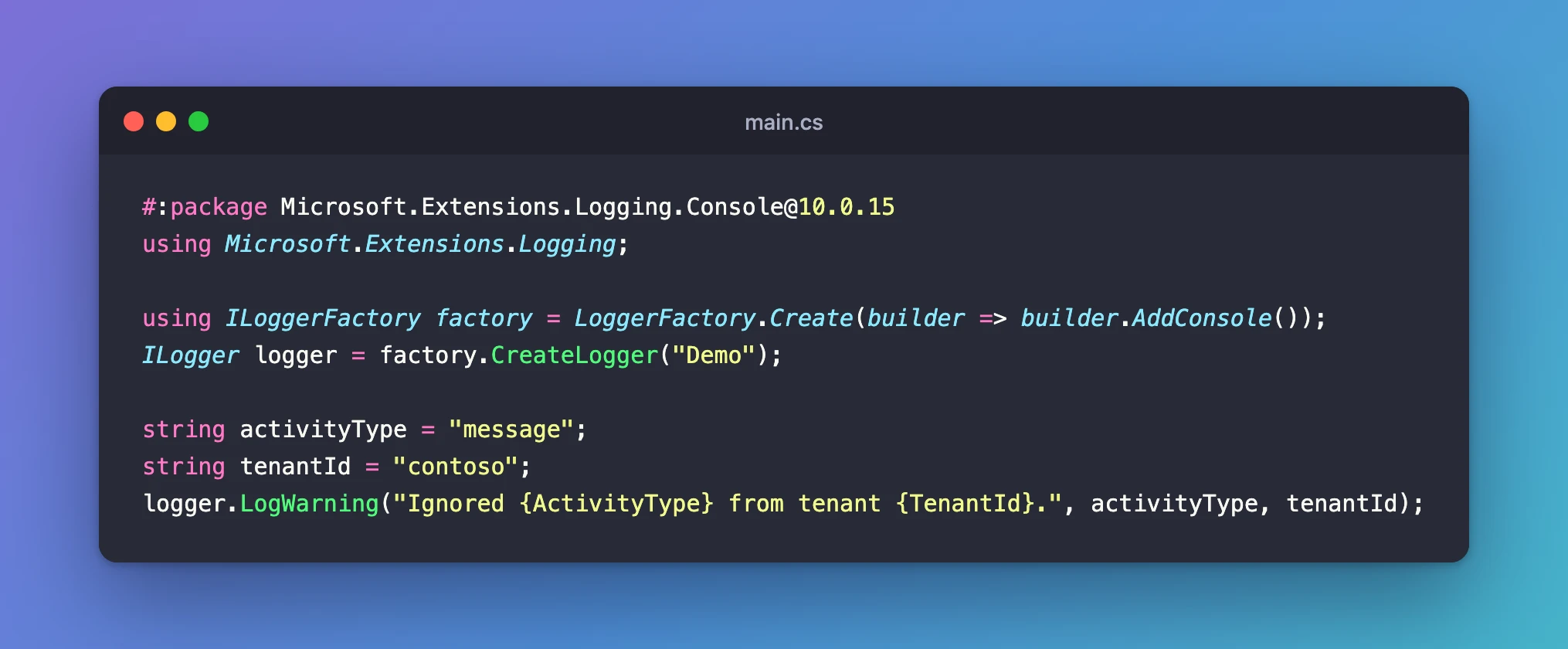
#:package Microsoft.Extensions.Logging.Console@10.0.15
using Microsoft.Extensions.Logging;

using ILoggerFactory factory = LoggerFactory.Create(builder => builder.AddConsole());
ILogger logger = factory.CreateLogger("Demo");

string activityType = "message";
string tenantId = "contoso";
logger.LogWarning("Ignored {ActivityType} from tenant {TenantId}.", activityType, tenantId);
The #:package line adds the console logging package, version 10.0.15 to match .NET 10. LoggerFactory.Create builds a factory that writes to the console, and CreateLogger("Demo") makes a logger whose category is Demo. The using before the factory disposes it when the program ends. In an ASP.NET Core app you don't build the factory yourself: you ask for an ILogger<T> in a constructor.
Step 2: Run It
dotnet run main.cs
warn: Demo[0]
      Ignored message from tenant contoso.
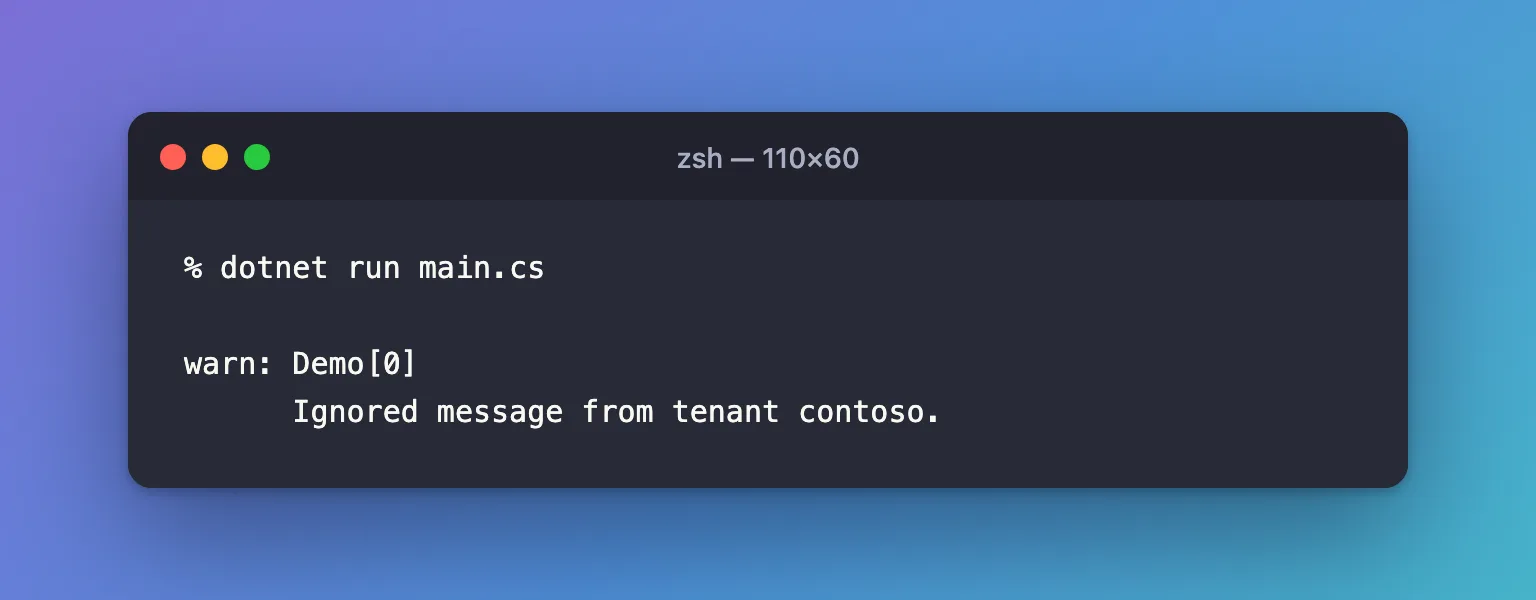
warn is the level, Demo the category and [0] the event ID, which is 0 when you don't give one. The placeholders were filled in from the values. In the terminal, the build progress line is cleared when the program starts, which leaves the empty line above the output. The command is the same in zsh, bash and PowerShell.
Why Not String Interpolation?
logger.LogWarning($"Ignored {activityType} from tenant {tenantId}.") prints the very same console line. The difference is what the logger receives. Switching the provider to JSON, with builder.AddJsonConsole(options => options.JsonWriterOptions = new() { Indented = true }), and logging the line both ways shows it:
{
  "EventId": 0,
  "LogLevel": "Warning",
  "Category": "Demo",
  "Message": "Ignored message from tenant contoso.",
  "State": {
    "ActivityType": "message",
    "TenantId": "contoso",
    "{OriginalFormat}": "Ignored {ActivityType} from tenant {TenantId}."
  }
}
{
  "EventId": 0,
  "LogLevel": "Warning",
  "Category": "Demo",
  "Message": "Ignored message from tenant contoso.",
  "State": {
    "{OriginalFormat}": "Ignored message from tenant contoso."
  }
}
The template kept ActivityType and TenantId as separate fields, so a log system can filter on TenantId = contoso. The interpolated string arrived already filled in, and the fields were gone. Microsoft's logging overview: "In most cases, you should use log message template formatting when logging. Use of string interpolation can cause performance issues."
Common Mistakes
| Mistake | What happens | Do this instead |
|---|---|---|
Building the message with $"..." | The console line looks fine, but the values aren't stored as fields | Use a template with named placeholders |
| Passing the values in a different order than the placeholders | Each value lands in the wrong placeholder, because order decides, not names | Keep the arguments in placeholder order |
Numbering placeholders, as in {0} and {1} | The fields are named 0 and 1, which says nothing | Use names such as {TenantId} |
Troubleshooting
| Symptom | Likely cause | Fix |
|---|---|---|
| A placeholder shows the wrong value | Arguments are out of order | Match the order of the placeholders |
Nothing is printed for LogDebug | The default minimum level is Information | Raise the level of your message, or lower the minimum level in the logging configuration |
| A log system shows only the full sentence | The message was interpolated | Switch to a template |
FAQ
Which name should a placeholder have?
A short, stable name in PascalCase, such as TenantId, because it becomes the field name. Use the same name everywhere you log the same kind of value, so all those lines can be searched together.
Does the code analyzer warn about interpolation?
There's a rule for it, CA2254: "Template should be a static expression". The single-file run above didn't report it at the default settings, so don't rely on a warning; use templates by habit.
Conclusion
Write logger.LogWarning("Ignored {ActivityType} from tenant {TenantId}.", activityType, tenantId): fixed text with named placeholders, and the values after it in the same order. The console line reads naturally, and a structured log keeps every value as a field you can search.
Additional Resources
- Logging in .NET: log message template, on Microsoft Learn.
- CA2254: Template should be a static expression, on Microsoft Learn.
