How to See the SQL That EF Core Sends to the Database in an ASP.NET Core App (Logging)

When an EF Core query is slow or a save fails, the first question is: what SQL did it actually send? In an ASP.NET Core app you usually don't need to add anything to find out: EF Core already writes every command to the log. This guide shows where it appears, how to turn it down when it's too noisy, and how to see the parameter values, carefully.
Where EF Core's Logs Go
EF Core's logging overview: "EF Core fully integrates with Microsoft.Extensions.Logging and this form of logging is used by default for ASP.NET Core applications." Registering the DbContext with AddDbContext is enough: "Calling AddDbContext or AddDbContextPool makes EF Core automatically use the logging setup configured via the regular ASP.NET mechanism."
Prerequisites
- An ASP.NET Core app with an EF Core
DbContextregistered throughAddDbContext. The examples use .NET 10, EF Core 10 and Oracle's MySQL provider, but the logging is EF Core's own, the same for every provider.
Step 1: See the SQL with the Default Settings
The dotnet new webapi template's appsettings.json logs at Information by default:
{
  "Logging": {
    "LogLevel": {
      "Default": "Information",
      "Microsoft.AspNetCore": "Warning"
    }
  }
}
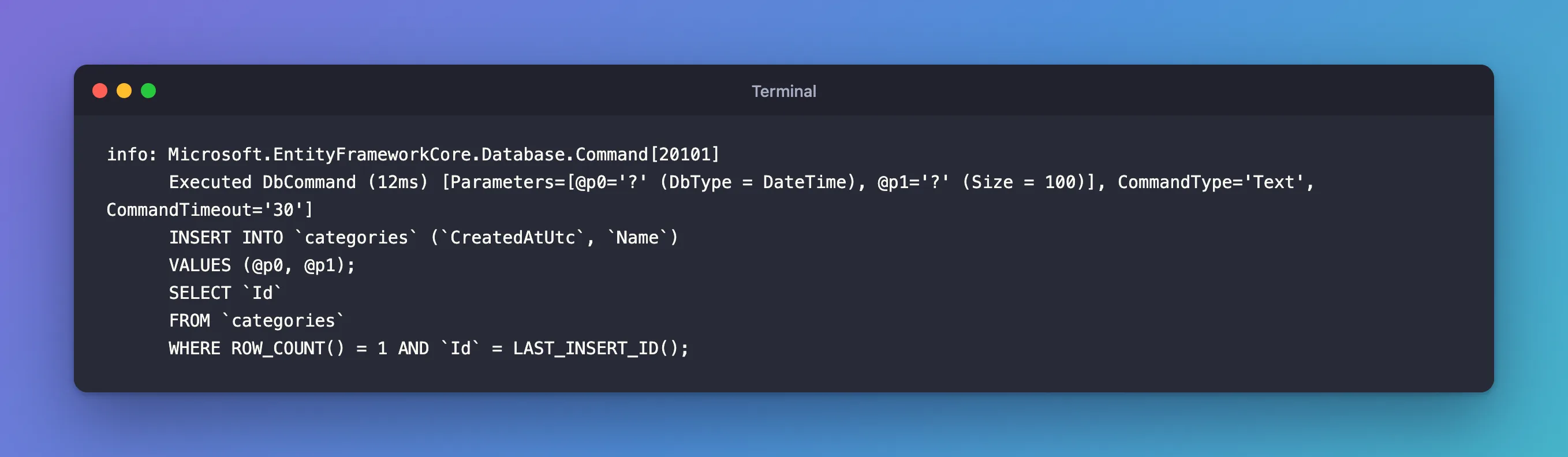
That's enough. Saving a new category printed:
info: Microsoft.EntityFrameworkCore.Database.Command[20101]
      Executed DbCommand (12ms) [Parameters=[@p0='?' (DbType = DateTime), @p1='?' (Size = 100)], CommandType='Text', CommandTimeout='30']
      INSERT INTO `categories` (`CreatedAtUtc`, `Name`)
      VALUES (@p0, @p1);
      SELECT `Id`
      FROM `categories`
      WHERE ROW_COUNT() = 1 AND `Id` = LAST_INSERT_ID();
How to read it:
Microsoft.EntityFrameworkCore.Database.Commandis the log category. EF Core's categories table describes it as "Uses of a database command".Executed DbCommand (12ms): the command ran and took 12 milliseconds, measured by EF Core.@p0='?': the parameters are there, but their values are hidden. The EF Core 10 notes explain: "EF does not log parameter values by default, since these may contain sensitive or personally-identifiable information (PII)".- The SQL itself, exactly as sent: the insert, and the
SELECTthat reads the new row'sId.
Step 2: Turn the SQL Lines Down
In a busy app, every query in the log is a lot. Categories are hierarchical, and the ASP.NET Core docs say "When a specific category is listed, the specific category overrides the default category." So one line raises the level for EF Core's commands only:
{
  "Logging": {
    "LogLevel": {
      "Default": "Information",
      "Microsoft.AspNetCore": "Warning",
      "Microsoft.EntityFrameworkCore.Database.Command": "Warning"
    }
  }
}
With that file, I started the API and created a category: the request worked, and the console showed only the startup messages. Not one Executed DbCommand line: they're Information, below the new minimum of Warning. Failed commands are still logged, because they're errors.
Step 3: See the Parameter Values, in Development Only
Sometimes the values matter: which ID did the query use? EnableSensitiveDataLogging adds them. Its API reference: it "Enables application data to be included in exception messages, logging, etc. This can include the values assigned to properties of your entity instances, parameter values for commands being sent to the database, and other such data."
I added it, temporarily, to the DbContext options:
services.AddDbContext<InventoryDbContext>((serviceProvider, options) =>
{
    // ...
    options.UseMySQL(connectionString, mySql =>
    {
        // ...
    });

    // Temporary: show parameter values in the log. Development only, never in production.
    options.EnableSensitiveDataLogging();
});
The same kind of insert, with a category named Shelves:
warn: Microsoft.EntityFrameworkCore.Model.Validation[10400]
      Sensitive data logging is enabled. Log entries and exception messages may include sensitive application data; this mode should only be enabled during development.
info: Microsoft.EntityFrameworkCore.Database.Command[20101]
      Executed DbCommand (6ms) [Parameters=[@p0='2026-11-03T05:12:36.5777160Z' (DbType = DateTime), @p1='Shelves' (Nullable = false) (Size = 100)], CommandType='Text', CommandTimeout='30']
      INSERT INTO `categories` (`CreatedAtUtc`, `Name`)
      VALUES (@p0, @p1);
      SELECT `Id`
      FROM `categories`
      WHERE ROW_COUNT() = 1 AND `Id` = LAST_INSERT_ID();
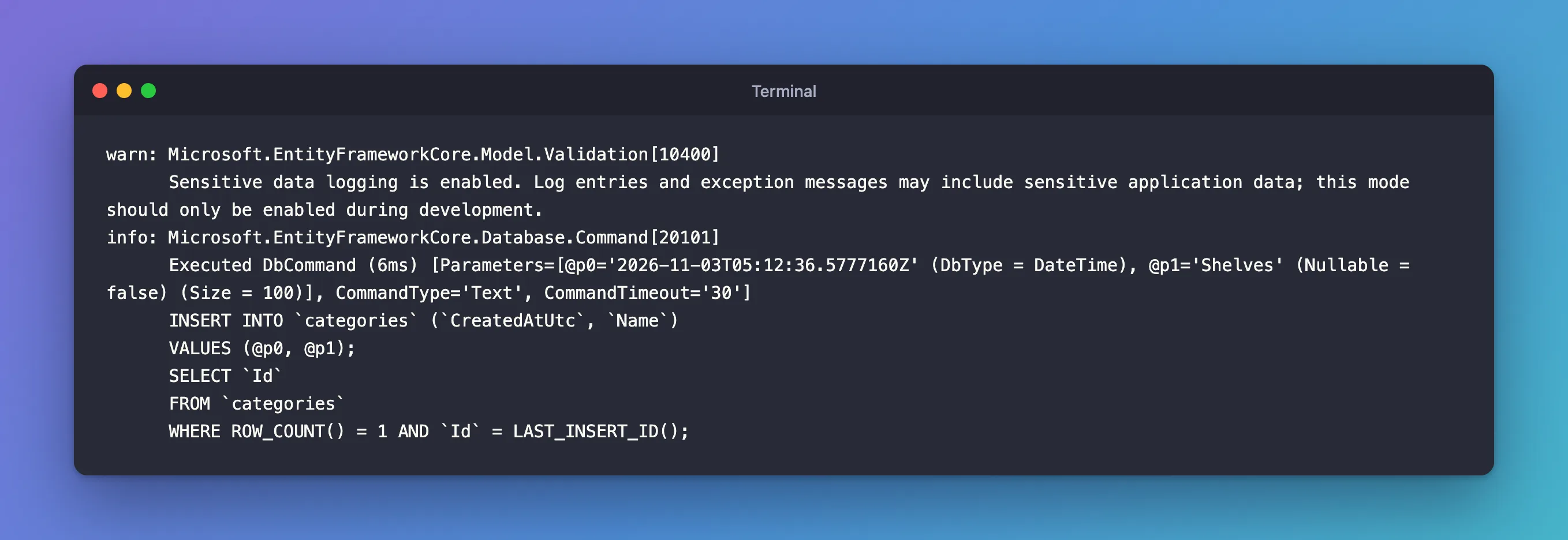
Two changes: a warning at the first use, and the real values, 'Shelves' included. Imagine that line for a table of customers, with email addresses and phone numbers, in a production log. Microsoft's Blazor and EF Core guide says it outright: "Logging data with EnableSensitiveDataLogging is a security risk, as it may expose passwords and other Personally Identifiable Information (PII) when it logs SQL statements executed against the database." I removed the line after the test.
Common Mistakes
| Mistake | What happens | Do this instead |
|---|---|---|
Leaving EnableSensitiveDataLogging() in the code | Customer data in production logs | Remove it after debugging, or guard it so it can only run in development |
Setting Default to Warning to hide SQL | All your own Information logs disappear too | Set only Microsoft.EntityFrameworkCore.Database.Command |
Changing appsettings.json but running in Development | appsettings.Development.json overrides it | Change the file for the environment you run |
| Adding a separate logging package for EF Core | Not needed in ASP.NET Core | Use the logging the app already has |
FAQ
What does "Microsoft.EntityFrameworkCore.Database" cover?
The docs: "Since categories are hierarchical, this example using the Database category will include all messages for the subcategories Database.Connection, Database.Command, and Database.Transaction." Set that one to see connections and transactions as well.
Can I see the SQL without running the app?
For queries, ToQueryString() on an IQueryable returns the SQL as a string; for migrations, dotnet ef migrations script writes it to a file: How to Generate a SQL Script from EF Core Migrations.
Conclusion
In ASP.NET Core, EF Core already logs every SQL command at Information level, under Microsoft.EntityFrameworkCore.Database.Command, with parameter values hidden. Set that category to Warning in appsettings to quiet it, and use EnableSensitiveDataLogging() only briefly, in development, when you need the values: it warns you itself, and it puts real data into the log.
Additional Resources
- Logging, Events, and Diagnostics in EF Core
- Using Microsoft.Extensions.Logging in EF Core
- Logging in .NET and ASP.NET Core
