How to Log an MLflow Model from a Python File with set_model

MLflow can store a custom model as its source file instead of a pickled object, so the model stays readable code. The file ends with mlflow.models.set_model(...), and you log it by passing the file's path. This guide logs a small text model that way and looks at what MLflow keeps, with real output from MLflow 3.18.0.
Syntax
# in <model file>.py, after the model's class:
mlflow.models.set_model(<model object>)

# in the script that logs it:
mlflow.pyfunc.log_model(name="<name>", python_model="<model file>.py", input_example=<example>)
| Part | What it means |
|---|---|
set_model(<model object>) | Marks the object in the file that MLflow uses as the model |
python_model="<model file>.py" | The path of that file, as text. MLflow runs it and stores it with the model |
input_example= | An example input. MLflow saves it and runs predict on it to check the model |
MLflow's Models from Code guide comments the set_model line in its example: "This tells MLflow which object to use for inference". And: "Your model script is executed during logging to validate correctness."
Prerequisites
- An MLflow tracking server at
http://127.0.0.1:8080, such asmlflow server --port 8080. mlflowin your project, for example withuv add mlflow. This guide uses MLflow 3.18.0 on Python 3.15.2.
Step 1: Write the Model File and the Logging Script
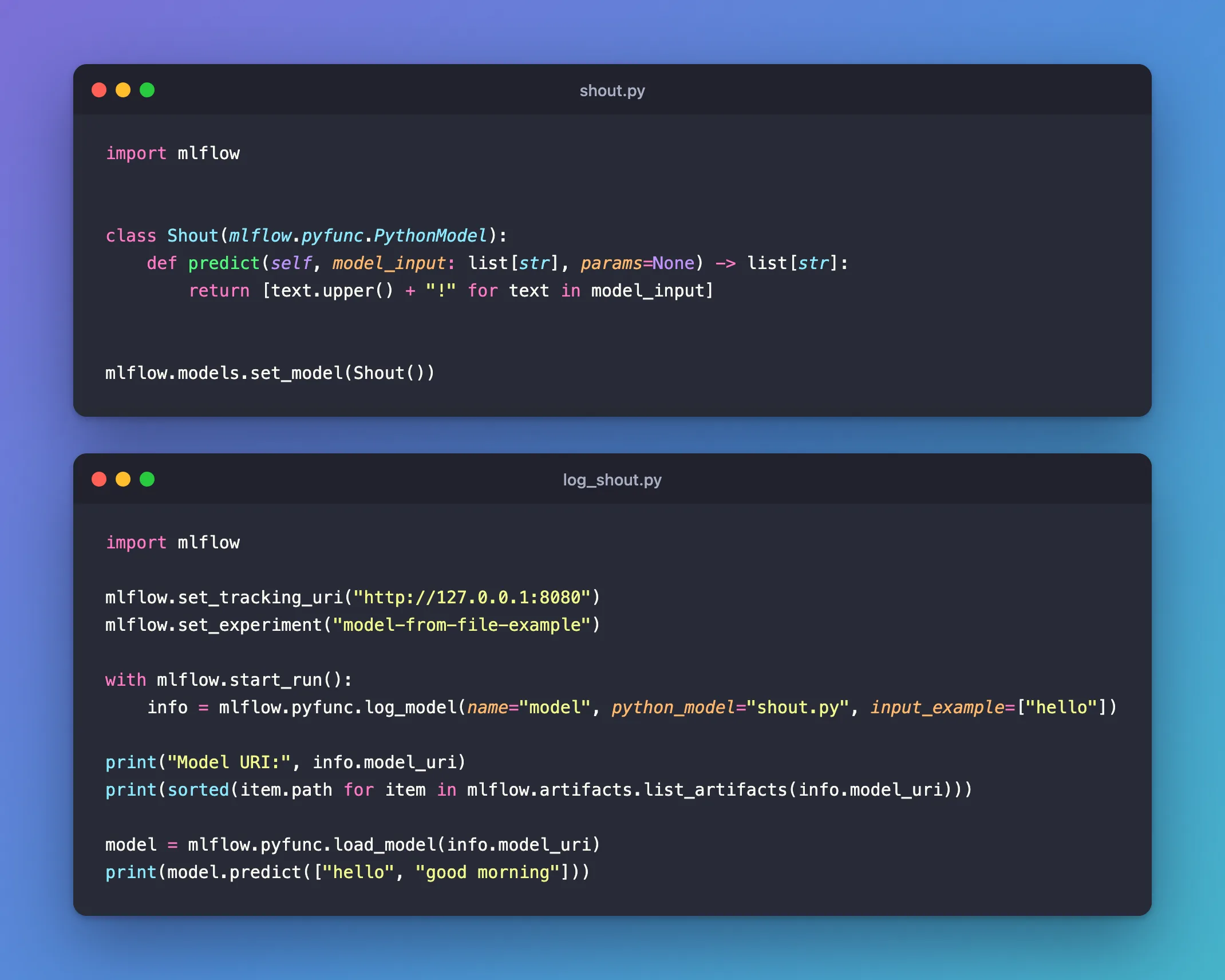
shout.py is the model: it turns each text into capitals with an exclamation mark, and its last line marks the model. log_shout.py logs the file by its path, lists what MLflow stored, then loads the model and predicts.
import mlflow


class Shout(mlflow.pyfunc.PythonModel):
    def predict(self, model_input: list[str], params=None) -> list[str]:
        return [text.upper() + "!" for text in model_input]


mlflow.models.set_model(Shout())
import mlflow

mlflow.set_tracking_uri("http://127.0.0.1:8080")
mlflow.set_experiment("model-from-file-example")

with mlflow.start_run():
    info = mlflow.pyfunc.log_model(name="model", python_model="shout.py", input_example=["hello"])

print("Model URI:", info.model_uri)
print(sorted(item.path for item in mlflow.artifacts.list_artifacts(info.model_uri)))

model = mlflow.pyfunc.load_model(info.model_uri)
print(model.predict(["hello", "good morning"]))
Step 2: Run It
uv run python log_shout.py
2026/11/28 12:09:23 INFO mlflow.utils.uv_utils: Copied uv.lock to model artifacts
2026/11/28 12:09:23 INFO mlflow.utils.uv_utils: Copied pyproject.toml to model artifacts
🏃 View run angry-fish-671 at: http://127.0.0.1:8080/#/experiments/5/runs/615c022f49f14a2a8d9a1277132a58ea
🧪 View experiment at: http://127.0.0.1:8080/#/experiments/5
Model URI: models:/m-3f8585aac30d4cd7918f29dd66bce83e
['MLmodel', '__pycache__', 'conda.yaml', 'input_example.json', 'pyproject.toml', 'python_env.yaml', 'requirements.txt', 'serving_input_example.json', 'shout.py', 'uv.lock']
['HELLO!', 'GOOD MORNING!']
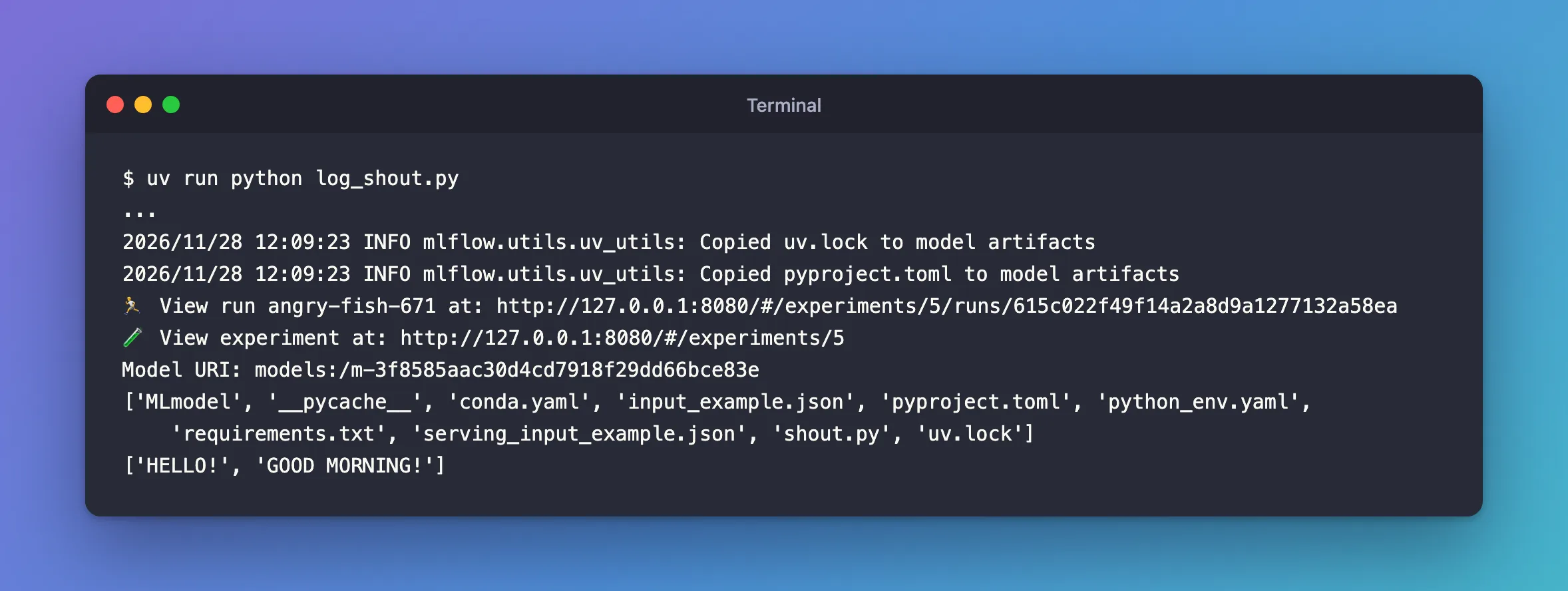
shout.pyis stored with the model, as readable code.uv.lockandpyproject.toml: MLflow found a uv project and copied them, next to therequirements.txtit wrote.__pycache__heldshout.cpython-315.pyc, the compiled copy Python wrote when MLflow ranshout.pyduring logging.- The prediction came from the loaded model:
['HELLO!', 'GOOD MORNING!'].
Common Mistakes
| Mistake | What happens | Do this instead |
|---|---|---|
Leaving out set_model | MlflowException: If the model is logged as code, ensure the model is set using mlflow.models.set_model() within the code file code file. | End the file with mlflow.models.set_model(<model object>) |
| Passing the object instead of the path | MLflow pickles it with CloudPickle and warns: Fixed: Passing a Python object as python_model | Pass the file's path as text |
Troubleshooting
| Symptom | Likely cause | Fix |
|---|---|---|
ensure the model is set using mlflow.models.set_model() | The file has the class but never calls set_model | Add the set_model line at the end |
FAQ
Why log from a file instead of an object?
The stored model is the code itself, which you can read in the model's files, instead of a pickled object. The guide notes that Models from Code "is designed for models without optimized weights (GenAI Agents, applications, custom logic)".
Does MLflow run my file when it logs it?
Yes. The guide: "Your model script is executed during logging to validate correctness." That run is where the __pycache__ folder in the model's files came from.
Conclusion
mlflow.models.set_model(Shout()) at the end of shout.py, and python_model="shout.py" in the logging call, stored the model as its source file, with the uv files beside it. The loaded model answered ['HELLO!', 'GOOD MORNING!'].
Additional Resources
- Models from Code — the guide, with its rules for model scripts.
- mlflow.models.set_model — the function.
