How to Log a scikit-learn Model in MLflow

Metrics tell you how good a model was; logging the model itself keeps the model, so you can load it, compare it and deploy it later. mlflow.sklearn.log_model saves a trained scikit-learn model to MLflow, and in MLflow 3 every logged model gets its own ID and its own page. This guide logs one, with real output from MLflow 3.18.0.
Syntax
model_info = mlflow.sklearn.log_model(sk_model, name="...")
| Part | What it means |
|---|---|
sk_model | The trained scikit-learn model or pipeline |
name | The model's name, shown in the MLflow UI. MLflow 3 uses name where MLflow 2 used artifact_path |
model_info | What log_model returns: among others, model_info.model_id and model_info.model_uri, the address you load the model from later |
Called inside a run, as here, the model is linked to that run. Other options, such as a signature, an input example or the file format, have guides of their own, linked below.
Prerequisites
- An MLflow tracking server at
http://127.0.0.1:8080. MLflow's tracking server guide shows how to start one. mlflowandscikit-learnin your project, for example withuv add mlflow scikit-learn pandas.
Step 1: Train a Model and Log It
The example fits a linear regression to scikit-learn's diabetes data and logs it as diabetes-model:
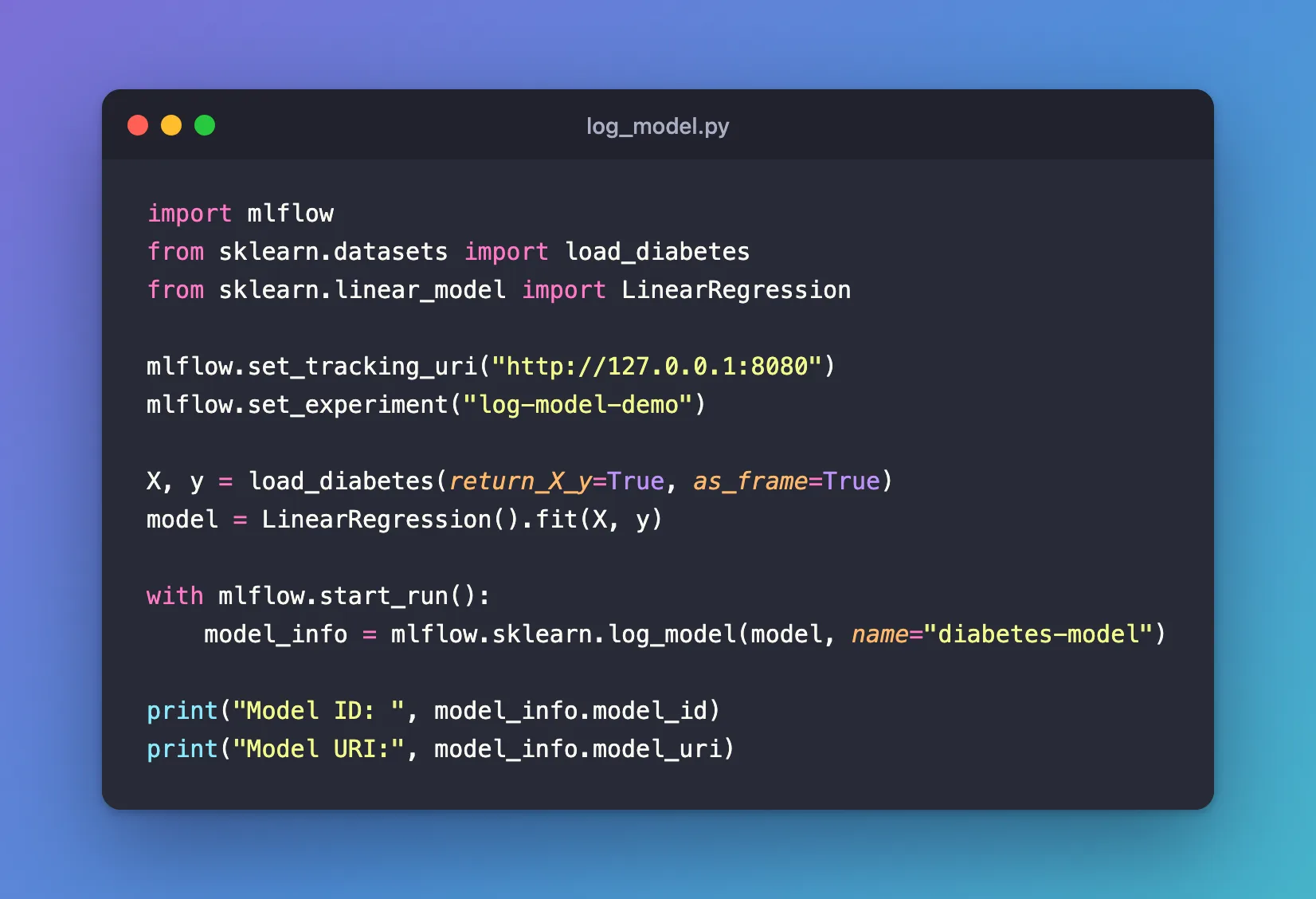
import mlflow
from sklearn.datasets import load_diabetes
from sklearn.linear_model import LinearRegression

mlflow.set_tracking_uri("http://127.0.0.1:8080")
mlflow.set_experiment("log-model-demo")

X, y = load_diabetes(return_X_y=True, as_frame=True)
model = LinearRegression().fit(X, y)

with mlflow.start_run():
    model_info = mlflow.sklearn.log_model(model, name="diabetes-model")

print("Model ID: ", model_info.model_id)
print("Model URI:", model_info.model_uri)
uv run python log_model.py
2026/11/21 14:11:57 INFO mlflow.tracking.fluent: Experiment with name 'log-model-demo' does not exist. Creating a new experiment.
2026/11/21 14:11:57 INFO mlflow.utils.uv_utils: Detected uv project: found uv.lock and pyproject.toml in /Users/you/source/mlflow-demo
2026/11/21 14:11:58 INFO mlflow.utils.uv_utils: Detected uv project: found uv.lock and pyproject.toml in /Users/you/source/mlflow-demo
2026/11/21 14:11:58 INFO mlflow.utils.environment: Detected uv project at /Users/you/source/mlflow-demo. Attempting to export requirements via 'uv export'.
2026/11/21 14:11:58 INFO mlflow.utils.uv_utils: Exported 91 dependencies via uv
2026/11/21 14:11:58 INFO mlflow.utils.environment: Successfully exported 91 requirements from uv project. Skipping package capture based inference.
🏃 View run caring-stag-922 at: http://127.0.0.1:8080/#/experiments/4/runs/4a8d6a2a28024d32b3e43d20861c0f97
🧪 View experiment at: http://127.0.0.1:8080/#/experiments/4
Model ID:  m-ed4c6720521f4eb495b4dd17577dbcc7
Model URI: models:/m-ed4c6720521f4eb495b4dd17577dbcc7
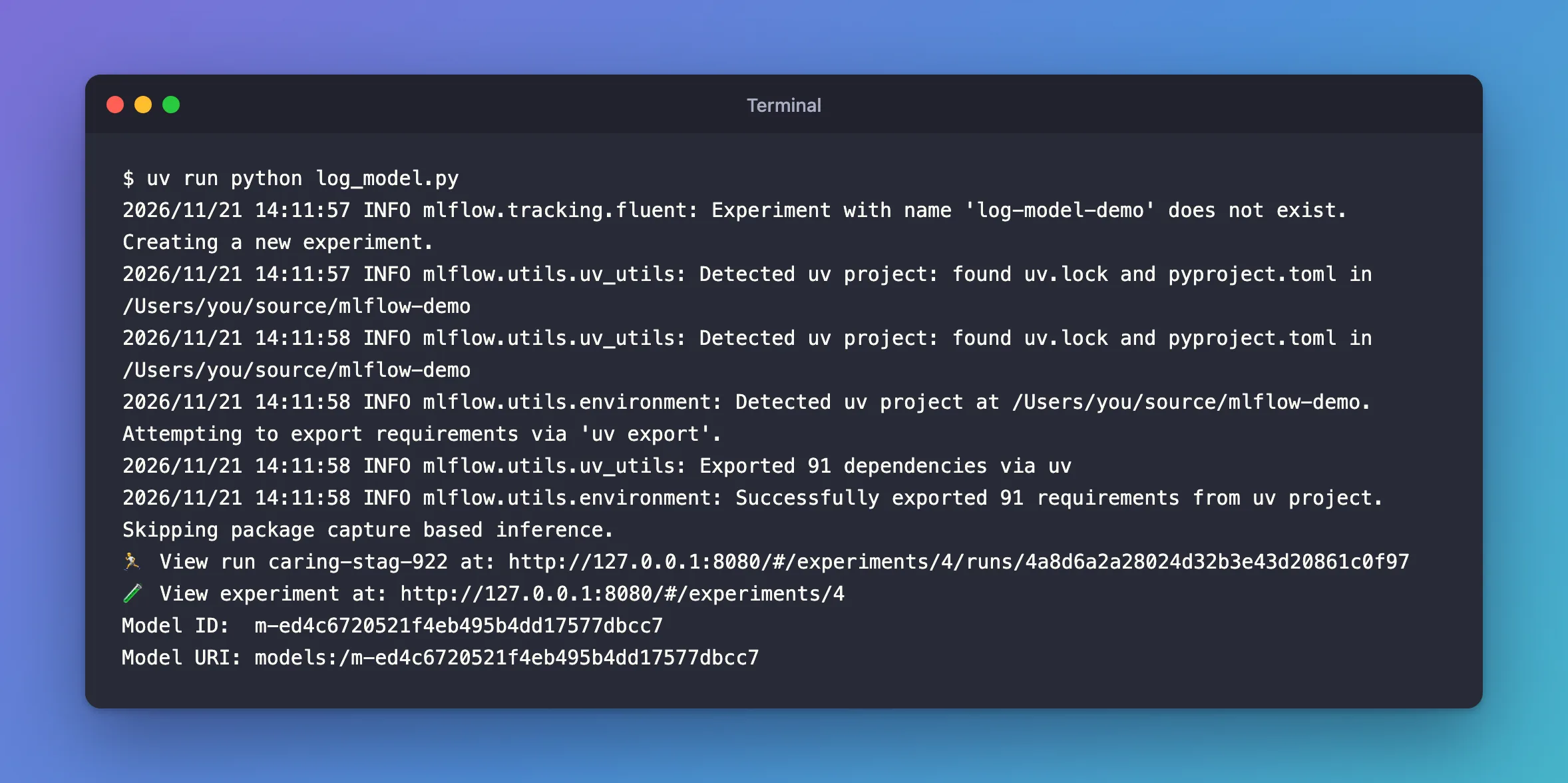
Detected uv project…Exported 91 dependencies via uv: MLflow records the packages the model needs, read from the project'suv.lock, so the model can be rebuilt elsewhere.Model IDandModel URI: the model's own identity.models:/<model ID>is how you load it later, from any script that can reach the server.
Step 2: Find the Model in the UI
Open the experiment, log-model-demo, and its Models tab:

diabetes-model is Ready, with the script that logged it and its source run. Click it, then its Artifacts tab, to see what was saved:
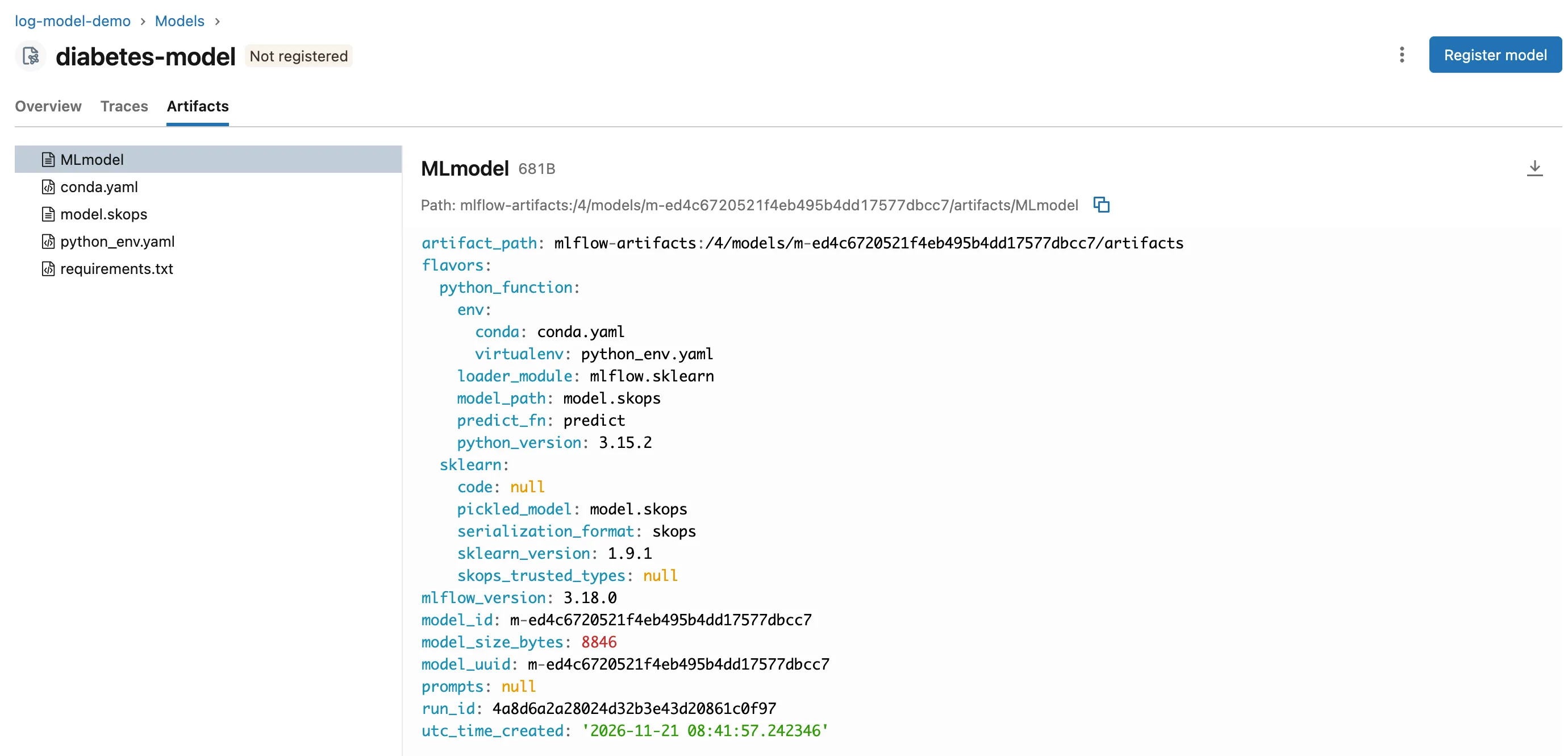
Five files:
model.skops: the model itself. Outside Databricks,log_modelsaves scikit-learn models in the skops format unless you choose another; MLflow's reference says "The 'skops' format guarantees safe deserialization."MLmodel: the description MLflow reads to load the model: its two flavors (python_function, for any tool, andsklearn), the file format and the IDs.conda.yaml,python_env.yaml,requirements.txt: the environment the model needs.
Common Mistakes
| Mistake | What happens | Do this instead |
|---|---|---|
Loading the model with mlflow.get_artifact_uri("model") | MLflow 3 doesn't keep models with the run's files, so nothing is found | Use model_info.model_uri |
| Expecting the model on the run's Artifacts tab | It isn't there in MLflow 3 | Open the experiment's Models tab, or the run's Logged models table |
Troubleshooting
| Symptom | Likely cause | Fix |
|---|---|---|
WARNING mlflow.utils.environment: Failed to resolve installed pip version... | The uv project has no pip | Fixed: Failed to resolve installed pip version |
MlflowException: The saved sklearn model references untrusted types | The model holds a type skops doesn't trust by default | Fixed: The saved sklearn model references untrusted types |
FAQ
Do I need a run to log a model?
Not in MLflow 3: its migration guide says you "can call log_model directly without the mlflow.start_run() context manager". Logging inside a run links the model to the run's parameters and metrics, which is usually what you want.
Where are the files stored?
On the tracking server, under the experiment's models/<model ID>/artifacts folder, not under the run's folder.
Conclusion
mlflow.sklearn.log_model(model, name="diabetes-model") saved the linear regression as a logged model with its own ID and models:/ URI, in the skops format, with its environment files and an MLmodel description. The experiment's Models tab lists it, ready to load.
Additional Resources
- mlflow.sklearn —
log_modeland its options. - MLflow 3 migration guide — models as their own entities, and
nameinstead ofartifact_path.
