How to Log a GridSearchCV Search in MLflow with Parent and Child Runs

A hyperparameter search trains the same model many times, once per combination of settings. With autologging on, MLflow records a GridSearchCV search as one tidy group: a parent run for the search as a whole, with the best settings, and a child run for each candidate, with its cross-validation scores. This guide records a four-candidate search, with real output from MLflow 3.18.0.
Syntax
mlflow.sklearn.autolog(log_models=False)

with mlflow.start_run(run_name="<parent name>"):
    GridSearchCV(estimator, param_grid, cv=folds).fit(X, y)
| Part | What it means |
|---|---|
mlflow.sklearn.autolog() | Turns autologging on. A search's fit then logs a parent run and child runs |
log_models=False | Leaves out the saved models, so the runs only hold the search. Without it, MLflow also saves the search and its best model |
with mlflow.start_run(...) | The parent run, with a name you choose. Without it, MLflow starts one with a random name |
Prerequisites
- An MLflow tracking server at
http://127.0.0.1:8080. MLflow's tracking server guide shows how to start one.
Step 1: Run a Search with Autologging
The example tries four depths for a decision tree on the iris flowers, with 5-fold cross-validation. Create grid_search_runs.py:
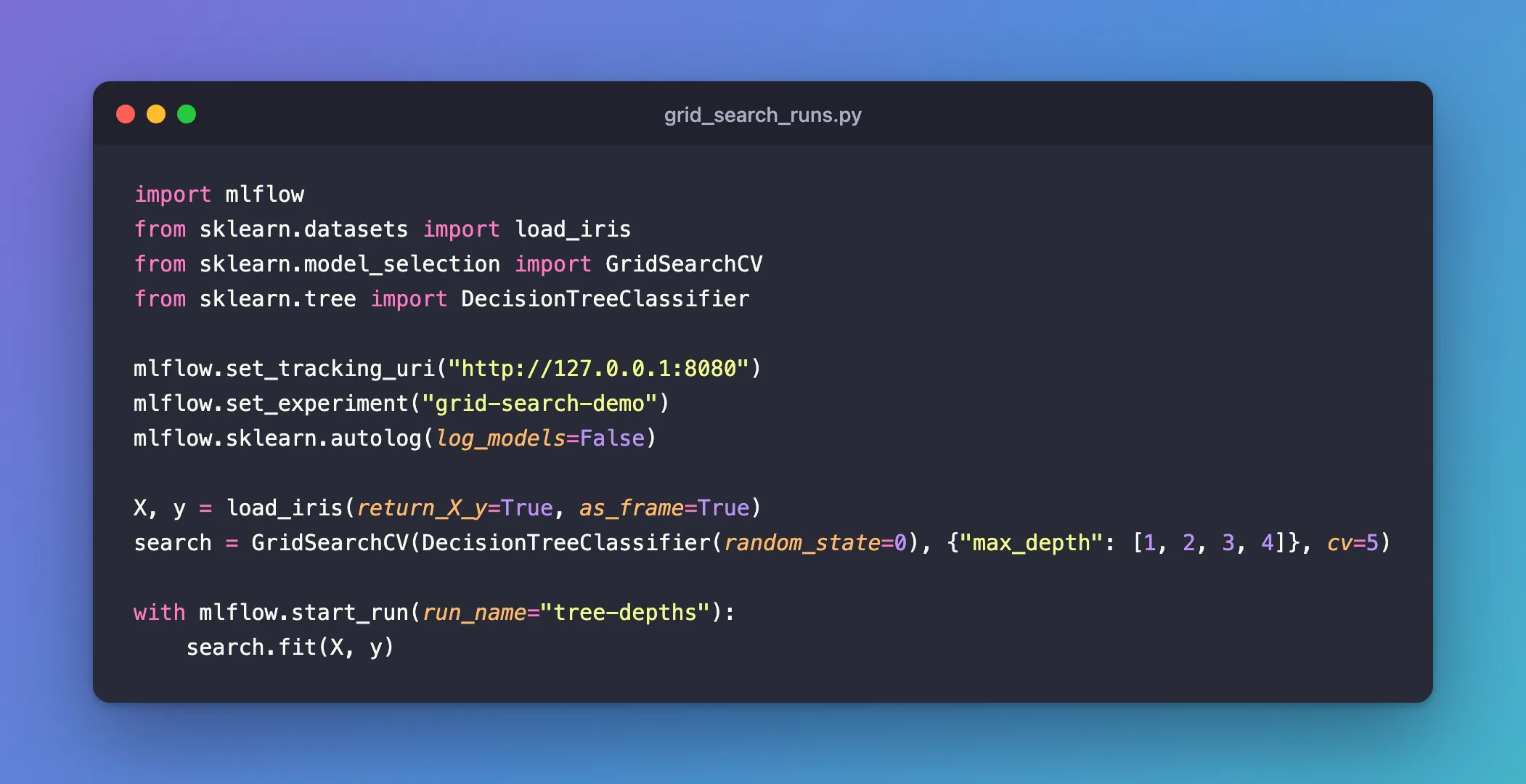
import mlflow
from sklearn.datasets import load_iris
from sklearn.model_selection import GridSearchCV
from sklearn.tree import DecisionTreeClassifier

mlflow.set_tracking_uri("http://127.0.0.1:8080")
mlflow.set_experiment("grid-search-demo")
mlflow.sklearn.autolog(log_models=False)

X, y = load_iris(return_X_y=True, as_frame=True)
search = GridSearchCV(DecisionTreeClassifier(random_state=0), {"max_depth": [1, 2, 3, 4]}, cv=5)

with mlflow.start_run(run_name="tree-depths"):
    search.fit(X, y)
uv run python grid_search_runs.py
2026/11/21 11:01:39 INFO mlflow.tracking.fluent: Experiment with name 'grid-search-demo' does not exist. Creating a new experiment.
/Users/you/source/mlflow-demo/.venv/lib/python3.15/site-packages/sklearn/metrics/_classification.py:3424: FutureWarning: `y_pred` was renamed to `y_proba` in version 1.9 and will be removed in 1.11. Use `y_proba` instead.
  warnings.warn(
2026/11/21 11:01:45 INFO mlflow.sklearn.utils: Logging the 4 best runs, no runs will be omitted.
🏃 View run overjoyed-deer-505 at: http://127.0.0.1:8080/#/experiments/4/runs/67e920bb4d3042e6a61535cdd7515606
🧪 View experiment at: http://127.0.0.1:8080/#/experiments/4
🏃 View run unique-cod-423 at: http://127.0.0.1:8080/#/experiments/4/runs/ab3afca17d0c44279fa47eb1bdc97762
🧪 View experiment at: http://127.0.0.1:8080/#/experiments/4
🏃 View run fun-midge-625 at: http://127.0.0.1:8080/#/experiments/4/runs/6bf838e890ab46188a17636445d8337b
🧪 View experiment at: http://127.0.0.1:8080/#/experiments/4
🏃 View run judicious-mole-206 at: http://127.0.0.1:8080/#/experiments/4/runs/37a060b59b944858b7c971fbfb578440
🧪 View experiment at: http://127.0.0.1:8080/#/experiments/4
🏃 View run tree-depths at: http://127.0.0.1:8080/#/experiments/4/runs/9c7a323812b445538166d6a517f25c01
🧪 View experiment at: http://127.0.0.1:8080/#/experiments/4
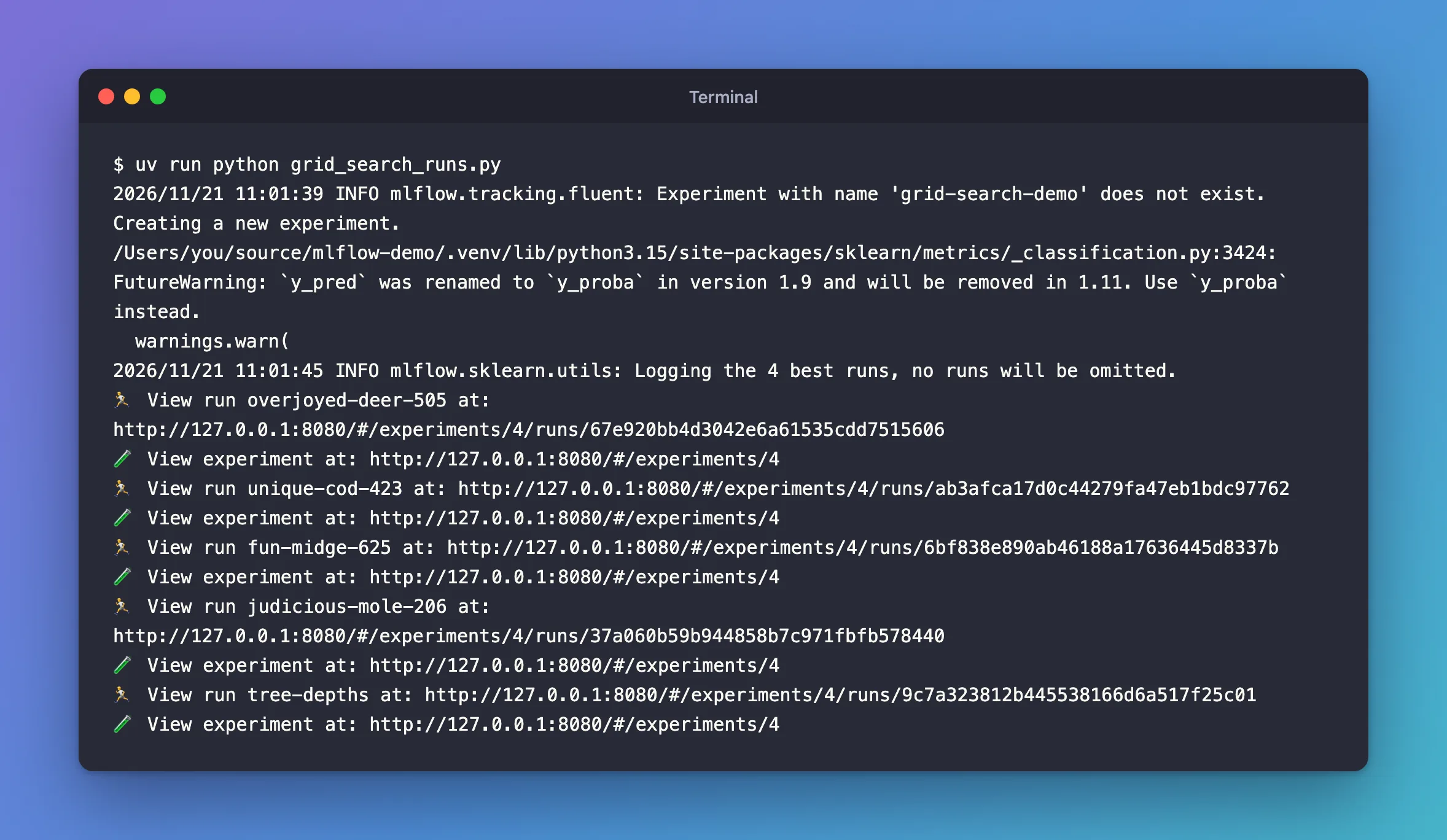
Logging the 4 best runs, no runs will be omitted.: one child run per candidate. MLflow logs the best 5 by default, so all 4 fit.- Five
View runlines: the four children, with names MLflow picked, then the parent,tree-depths. - The
FutureWarningcomes from MLflow itself, not from this script: MLflow 3.18 computes the training log loss with the argument namey_pred, which scikit-learn 1.9 renamed toy_proba. It changes nothing in the results. I reported it to MLflow as issue #28012.
Step 2: Look at the Runs
In the experiment's runs table, the parent has a + next to its name. Click it to show its children:
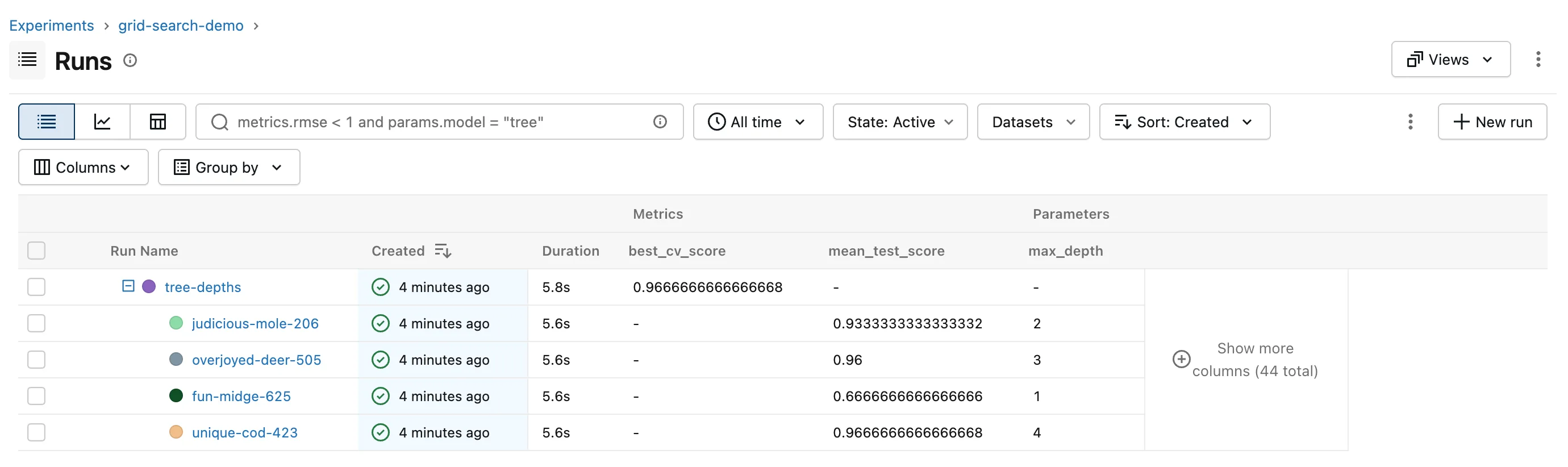
The table shows the columns best_cv_score, mean_test_score and max_depth, chosen with its Columns button.
| Run | What autologging recorded |
|---|---|
Parent tree-depths | The search's own settings, such as cv and param_grid; the best candidate's settings as best_max_depth; best_cv_score; scores of the best model, refitted on all the data, on that same data, such as training_accuracy_score; the file cv_results.csv with every candidate |
| Each child | All the tree's settings with that candidate's max_depth; its cross-validation results mean_test_score, std_test_score and rank_test_score, and its fit and score times |
Depth 4 won, with 0.9667, which is the parent's best_cv_score.
Common Mistakes
| Mistake | What happens | Do this instead |
|---|---|---|
Calling fit outside start_run | The parent run gets a random name | Wrap the search in mlflow.start_run(run_name=...) |
| Expecting every candidate as a child when the grid is large | Only the 5 best get child runs | Set max_tuning_runs: How to Log Every Candidate of a Grid Search in MLflow with max_tuning_runs |
Judging the search by the parent's training_* metrics | They're scores on the data the model learned from | Use best_cv_score, and score a held-out test set |
Troubleshooting
| Symptom | Likely cause | Fix |
|---|---|---|
FutureWarning: `y_pred` was renamed to `y_proba`... from _classification.py | MLflow 3.18's own call to scikit-learn's log_loss | Nothing to change in your code; the results are correct |
| Child runs show the same Duration | MLflow creates them after the search, with the parent's start time: it can't know when each candidate ran | Expected; read each candidate's mean_fit_time instead |
| No child runs | Autologging wasn't on before fit | Call mlflow.sklearn.autolog() first |
FAQ
Does this work with RandomizedSearchCV?
Yes: autologging handles GridSearchCV and RandomizedSearchCV the same way.
Where are the per-fold scores?
In the parent's cv_results.csv. Child runs keep the averages and leave the per-fold split… columns out.
How do I find the children from Python?
Search for runs whose mlflow.parentRunId tag is the parent's ID: How to Find the Child Runs of a Parent Run in MLflow.
Conclusion
mlflow.sklearn.autolog() turned one search.fit into a parent run, tree-depths, with the best depth and score, and four child runs, one per candidate, with their cross-validation scores. Name the parent with start_run, and raise max_tuning_runs when you want more than the best 5 candidates as children.
Additional Resources
- mlflow.sklearn.autolog — parameter search logging and
max_tuning_runs. - Automatic Logging with MLflow Tracking — what the parent and child runs hold.
