How to Log a File to MLflow with log_artifact

Anything your code writes to disk can travel with the run that produced it: a CSV of predictions, a saved chart, a report, the data file itself. mlflow.log_artifact() uploads one file to the run, where it can be previewed and downloaded from the MLflow UI. This guide logs a CSV file twice, once at the top level and once in a folder, with real output from MLflow 3.18.0.
Syntax
mlflow.log_artifact("<path to the file>")
mlflow.log_artifact("<path to the file>", artifact_path="<folder in the run>")
| Part | What it means |
|---|---|
"<path to the file>" | The file on your disk, as text or a pathlib.Path. It keeps its name in the run |
artifact_path= | Optional: "the directory in artifact_uri to write to", a folder inside the run's artifacts. Without it, the file goes to the top level |
| The current run | MLflow logs to the active run, and "If no run is active, this method will create a new active run" |
The file is copied: the original stays where it is.
Prerequisites
- An MLflow tracking server at
http://127.0.0.1:8080. MLflow's tracking server guide shows how to start one.
Step 1: Log a File
The example file is houses.csv, five houses with their rooms, size and price, in the folder you run the script from:
rooms,size_m2,price
3,72,310000
2,48,205000
4,95,420000
3,80,335000
5,130,560000
The script logs it twice: at the top level of the run's artifacts, and in a folder called data. Create log_artifact.py:
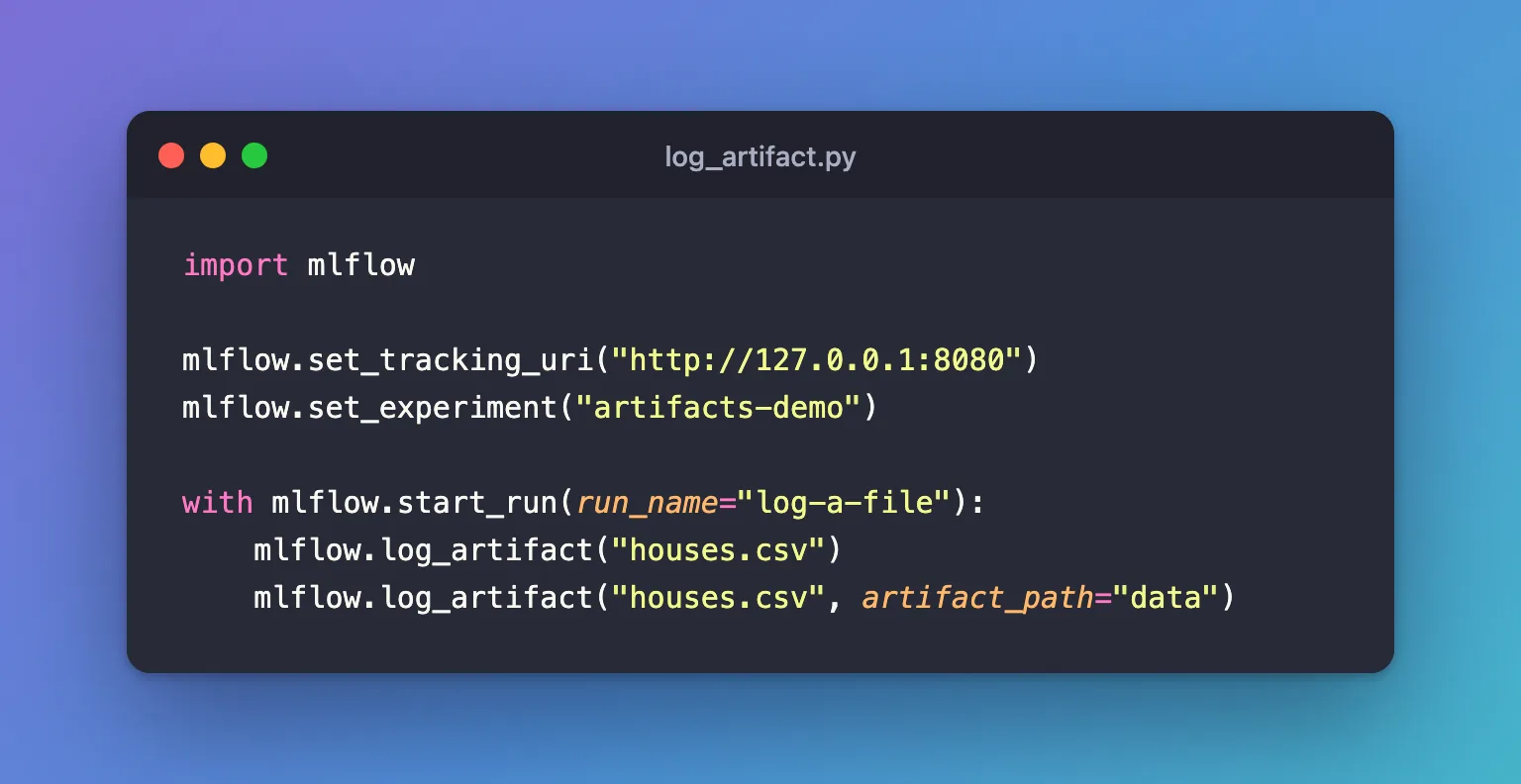
import mlflow

mlflow.set_tracking_uri("http://127.0.0.1:8080")
mlflow.set_experiment("artifacts-demo")

with mlflow.start_run(run_name="log-a-file"):
    mlflow.log_artifact("houses.csv")
    mlflow.log_artifact("houses.csv", artifact_path="data")
uv run python log_artifact.py
🏃 View run log-a-file at: http://127.0.0.1:8080/#/experiments/9/runs/7e36f68eb7524c3fb841a803a42b3598
🧪 View experiment at: http://127.0.0.1:8080/#/experiments/9
Step 2: See It in the UI
Open the run with the View run link and click Artifacts. Expand data and click houses.csv inside it:
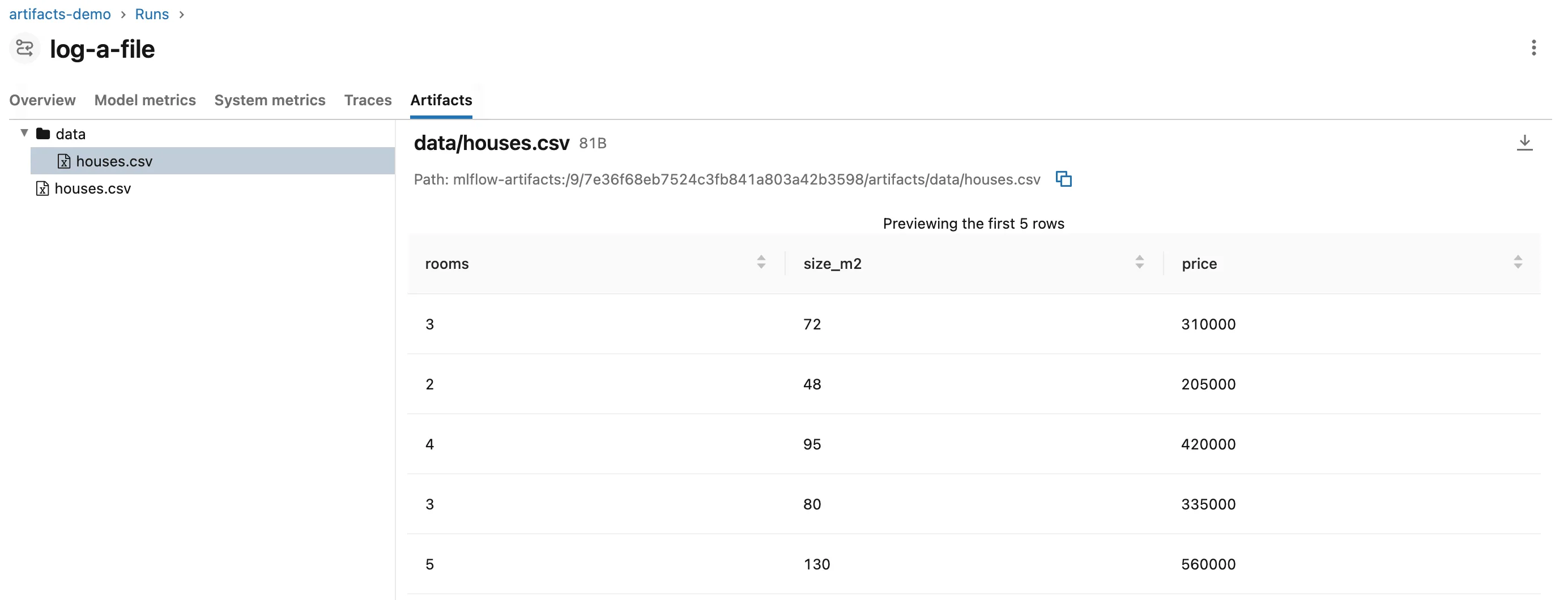
- Two copies:
houses.csvat the top level anddata/houses.csvin the folder, both from the same file on your disk. - The preview shows CSV files as a table, "Previewing the first 5 rows" here because the file has five. Click a column's arrows to sort by it.
- The path is the file's address on the tracking server,
mlflow-artifacts:/followed by the experiment ID, the run ID and the file's place in the run. - The download button at the top right saves the file to your computer.
Common Mistakes
| Mistake | What happens | Do this instead |
|---|---|---|
| A path that doesn't exist, often because the script runs from another folder | FileNotFoundError: [Errno 2] No such file or directory: 'nope.csv' | Run from the file's folder, or pass a full path |
Logging outside a with mlflow.start_run() block | MLflow starts a run of its own for the file | Log inside the run it belongs to |
| Logging two different files with the same name to the same folder | The second replaces the first | Give them different names or folders |
Expecting artifact_path to rename the file | It names the folder; the file keeps its own name | Rename the file before logging it |
Troubleshooting
| Symptom | Likely cause | Fix |
|---|---|---|
MlflowException: API request to ... failed | The tracking server isn't running | Start the server, then run the script again |
FAQ
Can I log a whole folder?
Yes, with mlflow.log_artifacts(), which takes a folder: How to Log a Folder of Files to MLflow with log_artifacts.
How do I log a file my code creates?
Write it into a temporary folder and log it before the folder is deleted, so nothing is left behind: How to Create a Temporary Folder in Python with tempfile shows the folder, and Part 3 of the MLflow series uses it to log a CSV of predictions.
Where does the file end up?
On the tracking server's artifact storage. For a local server started with mlflow server, that's its mlartifacts folder: How to See Where MLflow Stores Runs and Artifacts.
Conclusion
mlflow.log_artifact("houses.csv") copied a file from disk into the run, and artifact_path="data" put a second copy in a folder. The MLflow UI previewed the CSV as a sortable table, showed its mlflow-artifacts: path and offered a download.
Additional Resources
- mlflow.log_artifact — the function's reference.
- Artifact stores — where a tracking server keeps artifacts.
