How to Log a Dictionary to MLflow as a JSON or YAML File

A run's settings, a model's full configuration or a summary of results often already sit in a Python dictionary. mlflow.log_dict() saves one with the run as a JSON or YAML file in a single line, without writing anything to disk yourself. This guide logs the same dictionary in both formats and compares the files, with real output from MLflow 3.18.0.
Syntax
mlflow.log_dict(<dictionary>, "<file name>.json")
mlflow.log_dict(<dictionary>, "<folder>/<file name>.yaml")
| Part | What it means |
|---|---|
<dictionary> | Any dictionary of values JSON or YAML can hold: text, numbers, True/False, None, lists and other dictionaries |
"<file name>" | The file's path in the run. "The serialization format (JSON or YAML) is automatically inferred from the extension": .json for JSON, .yml or .yaml for YAML, and JSON for anything else |
| A folder in the name | Puts the file in that folder of the run's artifacts, such as config/settings.yaml |
It saves to the active run; run_id= sends it to another one.
Prerequisites
- An MLflow tracking server at
http://127.0.0.1:8080. MLflow's tracking server guide shows how to start one.
Step 1: Log a Dictionary Twice
The example dictionary holds a model's settings: its kind, number of trees, a depth limit that isn't set, and the features it uses. The script logs it as JSON and as YAML. Create log_dict.py:
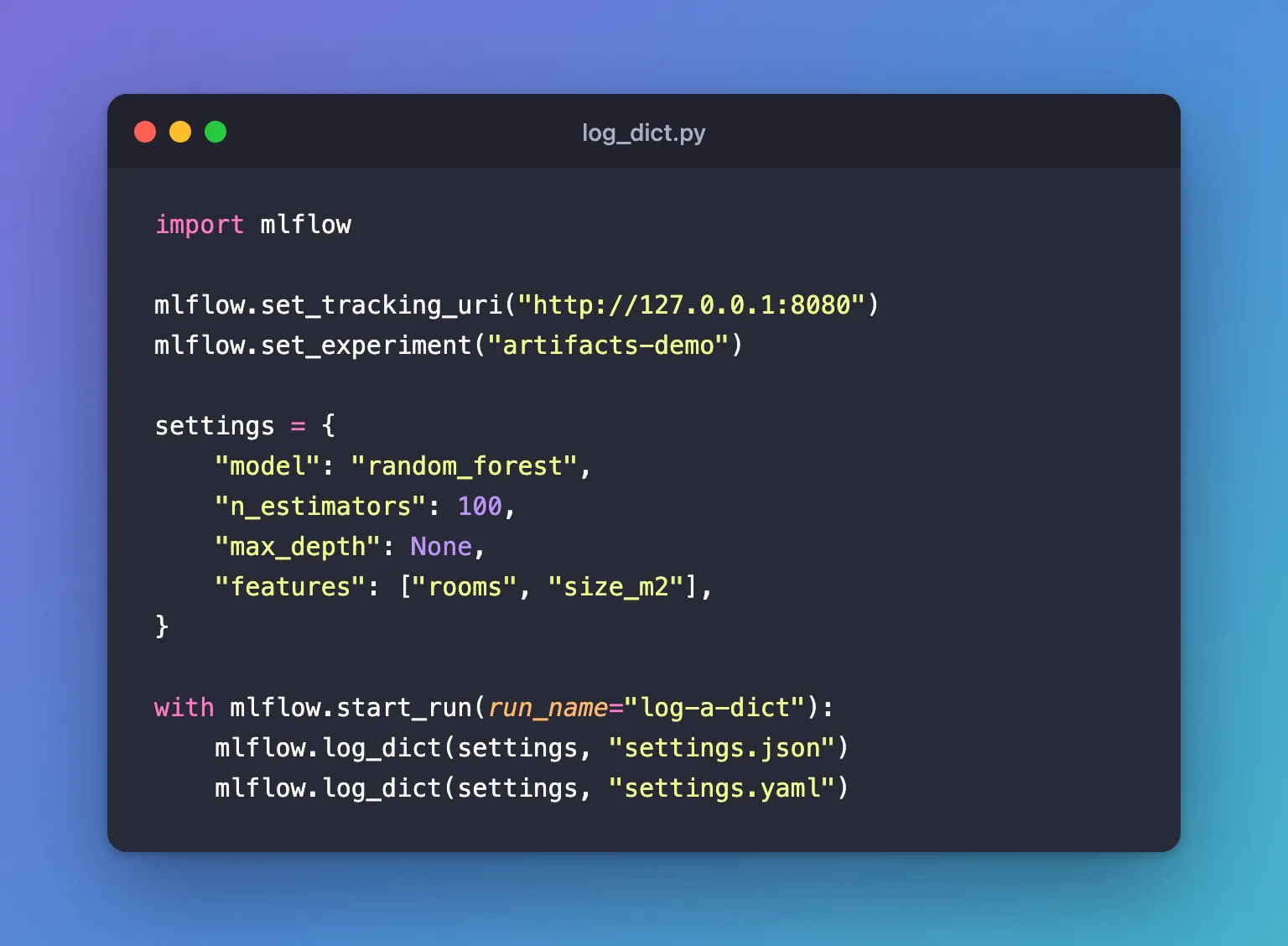
import mlflow

mlflow.set_tracking_uri("http://127.0.0.1:8080")
mlflow.set_experiment("artifacts-demo")

settings = {
    "model": "random_forest",
    "n_estimators": 100,
    "max_depth": None,
    "features": ["rooms", "size_m2"],
}

with mlflow.start_run(run_name="log-a-dict"):
    mlflow.log_dict(settings, "settings.json")
    mlflow.log_dict(settings, "settings.yaml")
uv run python log_dict.py
2026/11/19 16:26:47 INFO mlflow.tracking.fluent: Experiment with name 'artifacts-demo' does not exist. Creating a new experiment.
🏃 View run log-a-dict at: http://127.0.0.1:8080/#/experiments/9/runs/32d06744932c453582a9d22732d1f0b5
🧪 View experiment at: http://127.0.0.1:8080/#/experiments/9
Step 2: Look at Both Files
Open the run and click Artifacts, then settings.json:
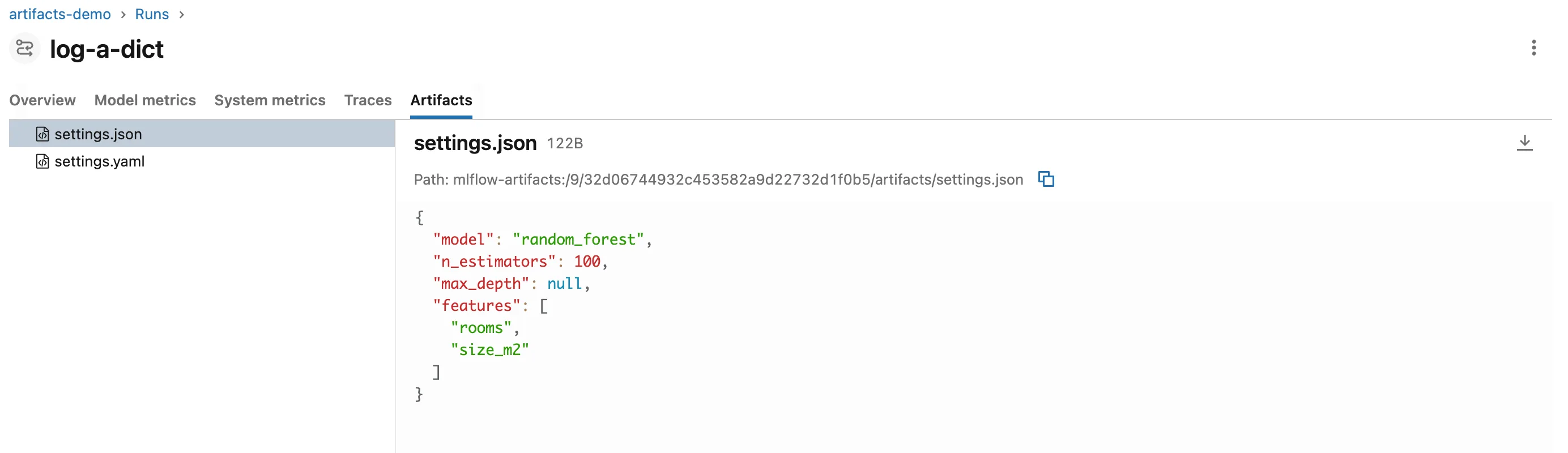
The keys are in the order of the dictionary, None became JSON's null, and the list kept its order. Now settings.yaml:
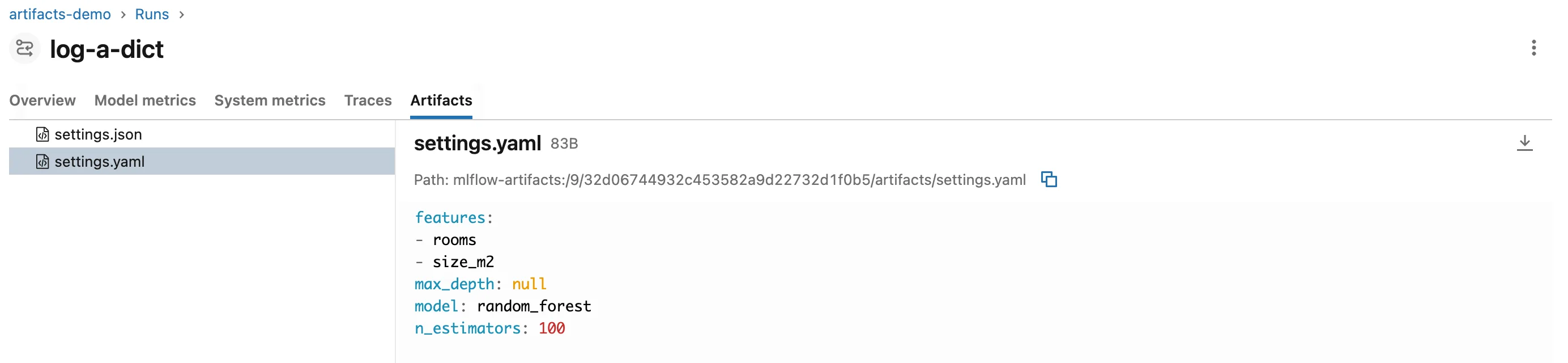
Same values, but the keys are in alphabetical order: features, max_depth, model, n_estimators. MLflow writes YAML with PyYAML's yaml.dump, which sorts keys, and JSON with Python's json.dump, which doesn't. The YAML file is also smaller, 83 bytes against 122.
Which to Use: log_dict or log_params
log_params | log_dict | |
|---|---|---|
| Where it shows | The run's Parameters, the runs table's columns and the compare page | A file on the Artifacts tab |
| Searchable | Yes, such as params.max_depth = '8' | No |
| Values | One text value per name | Any nesting: lists, dictionaries in dictionaries |
Log the few settings you compare runs by as parameters, and the full configuration as a dictionary file.
Common Mistakes
| Mistake | What happens | Do this instead |
|---|---|---|
A value JSON can't store, such as a set {1, 2} | No error: it's written as the text "{1, 2}", because MLflow converts what JSON can't store with str() | Convert sets to lists before logging |
| Leaving out the extension | The file is written as JSON, but its name doesn't say so | End the name in .json, .yml or .yaml |
| Expecting the YAML file to keep your key order | Keys come out sorted | Use .json when the order matters |
| Logging the same file name twice in one run | The second call replaces the file | Use one name per dictionary |
Troubleshooting
| Symptom | Likely cause | Fix |
|---|---|---|
A value comes back as text like "2026-11-19 10:00:00" | It was a date or another object JSON can't store, converted with str() | Store it as a string on purpose, or convert it back after loading |
| The settings don't appear among the run's parameters | log_dict writes a file, not parameters | Log the ones you search by with log_params too |
FAQ
How do I read the dictionary back?
mlflow.artifacts.load_dict("runs:/<run ID>/settings.json") returns it as a dictionary: How to Read a JSON or Text Artifact from MLflow in Python.
Can I log a scikit-learn model's settings this way?
Yes: mlflow.log_dict(model.get_params(), "model_params.json") saves every setting, defaults included. How to See Every Setting of a scikit-learn Model with get_params shows what that dictionary holds.
Is there a size limit?
MLflow's reference for log_dict doesn't state one. The file is stored like any other artifact, on the tracking server's artifact storage.
Conclusion
mlflow.log_dict(settings, "settings.json") and mlflow.log_dict(settings, "settings.yaml") saved one dictionary in two formats, chosen by the file name. JSON kept the key order and YAML sorted it; both turned None into null. Use it for full configurations and summaries, and log_params for the values you search and compare by.
Additional Resources
- mlflow.log_dict — the function's reference.
- mlflow.artifacts.load_dict — reading it back.
