How to Lock a Row in MySQL with SELECT FOR UPDATE

You read a row, decide something, and write it back. Between the read and the write, someone else could change it. SELECT ... FOR UPDATE closes that gap: it locks the row while you think. Here's how it behaves from both sides, with real timings.
Prerequisites
- MySQL, and two sessions. The examples use MySQL 9.7.4 in Docker, and the
mysqlclient from How to Connect to MySQL in a Docker Container. - An InnoDB table. The examples use
products.
Step 1: Lock the Row
FOR UPDATE only means something inside a transaction, because the transaction's end is what releases the lock:
START TRANSACTION;
SELECT Id, QuantityOnHand FROM products WHERE Id = 3 FOR UPDATE;
+----+----------------+
| Id | QuantityOnHand |
+----+----------------+
|  3 |             50 |
+----+----------------+
1 row in set (0.001 sec)
MySQL's locking reads page says it "locks the rows and any associated index entries, the same as if you issued an UPDATE statement for those rows."
Step 2: See What Others Can Do
A plain read isn't held up. It reads the last committed value, without asking for a lock:
SELECT Id, QuantityOnHand FROM products WHERE Id = 3;
+----+----------------+
| Id | QuantityOnHand |
+----+----------------+
|  3 |             50 |
+----+----------------+
1 row in set (0.001 sec)
A locking read is. This one doesn't come back:
SELECT Id, QuantityOnHand FROM products WHERE Id = 3 FOR UPDATE;
From a root session, here are the two locks on the row, one held and one waiting:
SELECT OBJECT_NAME, INDEX_NAME, LOCK_TYPE, LOCK_MODE, LOCK_STATUS, LOCK_DATA
FROM performance_schema.data_locks
WHERE LOCK_TYPE = 'RECORD';
+-------------+------------+-----------+---------------+-------------+-----------+
| OBJECT_NAME | INDEX_NAME | LOCK_TYPE | LOCK_MODE     | LOCK_STATUS | LOCK_DATA |
+-------------+------------+-----------+---------------+-------------+-----------+
| products    | PRIMARY    | RECORD    | X,REC_NOT_GAP | GRANTED     | 3         |
| products    | PRIMARY    | RECORD    | X,REC_NOT_GAP | WAITING     | 3         |
+-------------+------------+-----------+---------------+-------------+-----------+
2 rows in set (0.006 sec)
Step 3: Change the Row and Commit
Back in the first terminal, make the change you decided on:
UPDATE products SET QuantityOnHand = QuantityOnHand - 1 WHERE Id = 3;
COMMIT;
The moment that commits, the second terminal gets its answer:
+----+----------------+
| Id | QuantityOnHand |
+----+----------------+
|  3 |             49 |
+----+----------------+
1 row in set (3.296 sec)

mysql>
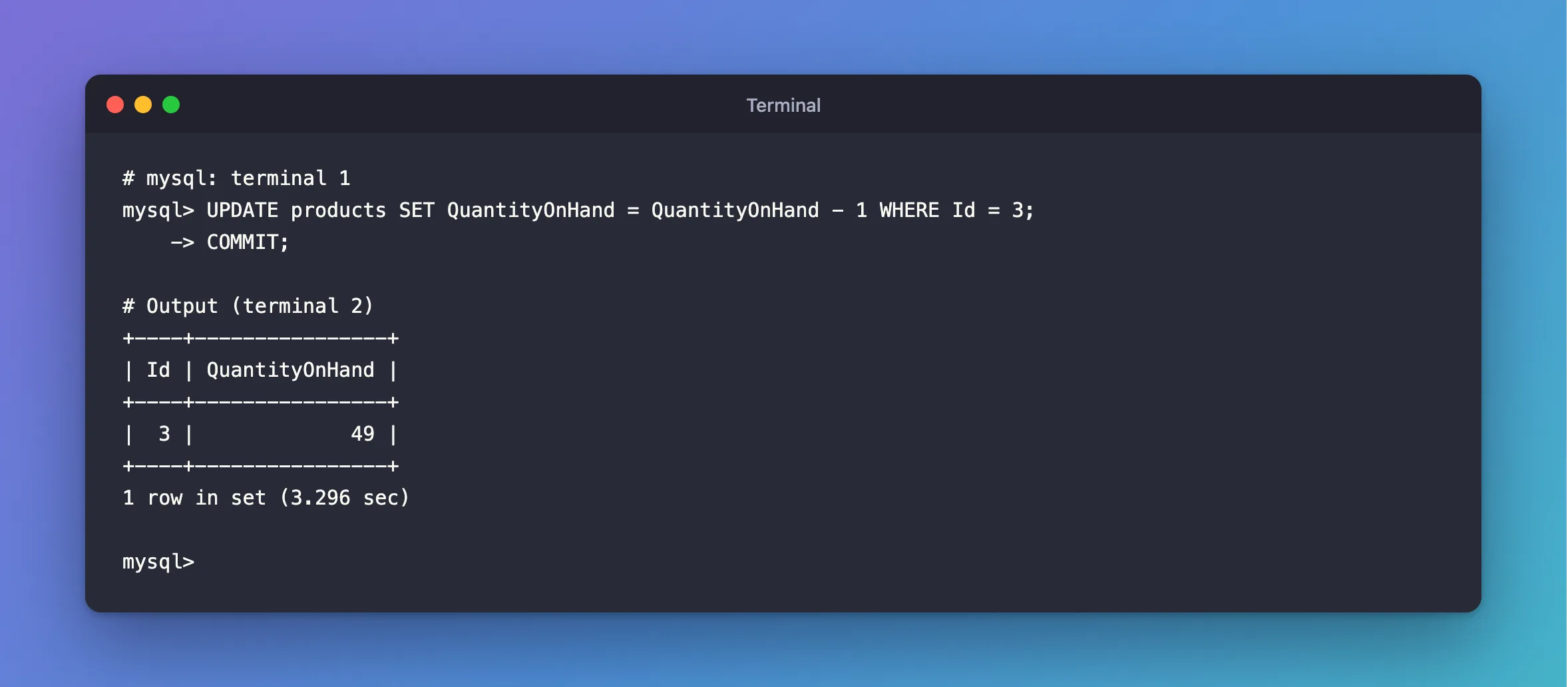
It waited 3.3 seconds, and it got 49, the value after the first session's change. A locking read always sees the newest committed row, never an old snapshot. That's the guarantee you're after: when your code decides, it decides on the real number, and nobody can change it until you're done.
When to Use It
FOR UPDATE is for when your decision can't fit in one SQL statement: a check that calls other code, or several rows to look at first. When the decision does fit, a single conditional UPDATE is simpler and holds its lock for less time: How to Reduce a Quantity Only If There Is Enough in MySQL.
Common Mistakes
| Mistake | What happens | Do this instead |
|---|---|---|
FOR UPDATE with autocommit on and no transaction | The statement is its own transaction, so the lock ends with it | START TRANSACTION first |
| Doing slow work while you hold the lock | Everyone who wants the row waits | Keep the transaction short |
A WHERE on a column with no index | Every row gets locked | Use the primary key or an index |
| Locking rows in a different order in different places | Deadlocks | Always use the same order |
| Locking a row that doesn't exist, then inserting it | A gap lock, and possibly a deadlock | Insert, and handle the duplicate error |
Troubleshooting
| Symptom | Likely cause | Fix |
|---|---|---|
The SELECT hangs | Another transaction holds the row | See who's blocking it |
ERROR 1205: Lock wait timeout exceeded | It waited longer than the limit | The fix |
| You'd rather not wait at all | FOR UPDATE waits by default | Use NOWAIT or SKIP LOCKED |
FAQ
Does a plain SELECT ever wait for it?
Not under the default isolation level. It reads the committed version of the row.
What's the difference from FOR SHARE?
FOR SHARE lets others read with FOR SHARE too, and only stops writers. FOR SHARE vs FOR UPDATE in MySQL compares them.
Conclusion
Inside a transaction, SELECT ... FOR UPDATE gives you the newest value and keeps it yours until COMMIT or ROLLBACK. Plain reads carry on, and other locking reads and writes wait. Use it when the decision takes more than one statement, and keep the transaction short.
Additional Resources
- Locking Reads —
FOR UPDATEandFOR SHARE. - Locks Set by Different SQL Statements in InnoDB — what each statement locks.
