How to Load Settings from Environment Variables and a .env File with pydantic-settings

Hard-coding a port, a database address or a password into your code means editing the code for every computer it runs on. pydantic-settings reads those values from environment variables and a .env file instead, checks them, and gives your code typed values. This guide explains the syntax first, then builds the settings of a small demo app and shows, with real output, which source wins and what happens when a value is wrong.
Syntax
from pydantic import Field
from pydantic_settings import BaseSettings, SettingsConfigDict


class Settings(BaseSettings):
    model_config = SettingsConfigDict(env_prefix="<PREFIX>", env_file=".env")

    <name>: <type> = <default>
    <name>: <type> = Field(default=<default>, <options>)


settings = Settings()
| Part | What it means |
|---|---|
class Settings(BaseSettings) | Your app's settings, as a class built on pydantic-settings' BaseSettings |
model_config = SettingsConfigDict(...) | Where the values come from. env_prefix goes in front of every variable name, and env_file names a .env file to read as well |
<name>: <type> = <default> | One setting: its name, its type, such as str, int or bool, and the value it has when nothing else sets it |
Field(default=<default>, <options>) | The same, with options: rules the value must follow, such as gt=0 ("greater than 0"), or validation_alias, another name to read it from |
Settings() | Reads every source, turns each value into its type and checks the rules. A bad value stops it with an error |
How a setting finds its value, from pydantic-settings' documentation:
- Names. "By default, the environment variable name is the same as the field name", with the prefix in front, and the names are case-insensitive. With
env_prefix="DEMO_", the settingportis read fromDEMO_PORT. - Order. When several sources set the same setting, the strongest one wins: a value passed to
Settings()in code, then an environment variable, then the.envfile, then the default. The full list also has command-line arguments and a secrets folder, which this guide doesn't use.
Prerequisites
- uv. Check it with
uv --version; this guide usesuv 0.13.8. uv finds or downloads Python 3.15 for you. - A project folder. This guide uses a fresh one, created with
uv init --bare --python 3.15 settings-demo; see How to Create a Python Project with uv.
Step 1: Add pydantic-settings
In the project folder:
uv add pydantic-settings
Using CPython 3.15.2 interpreter at: /Library/Frameworks/Python.framework/Versions/3.15/bin/python3
Creating virtual environment at: .venv
Resolved 8 packages in 333ms
Installed 7 packages in 20ms
 + annotated-types==0.8.0
 + pydantic==2.14.3
 + pydantic-core==2.50.4
 + pydantic-settings==2.16.3
 + python-dotenv==1.2.4
 + typing-extensions==4.16.0
 + typing-inspection==0.4.5
pydantic-settings builds on Pydantic, the validation library, and on python-dotenv, which reads .env files. uv add installed both.
Step 2: Write the Settings Class
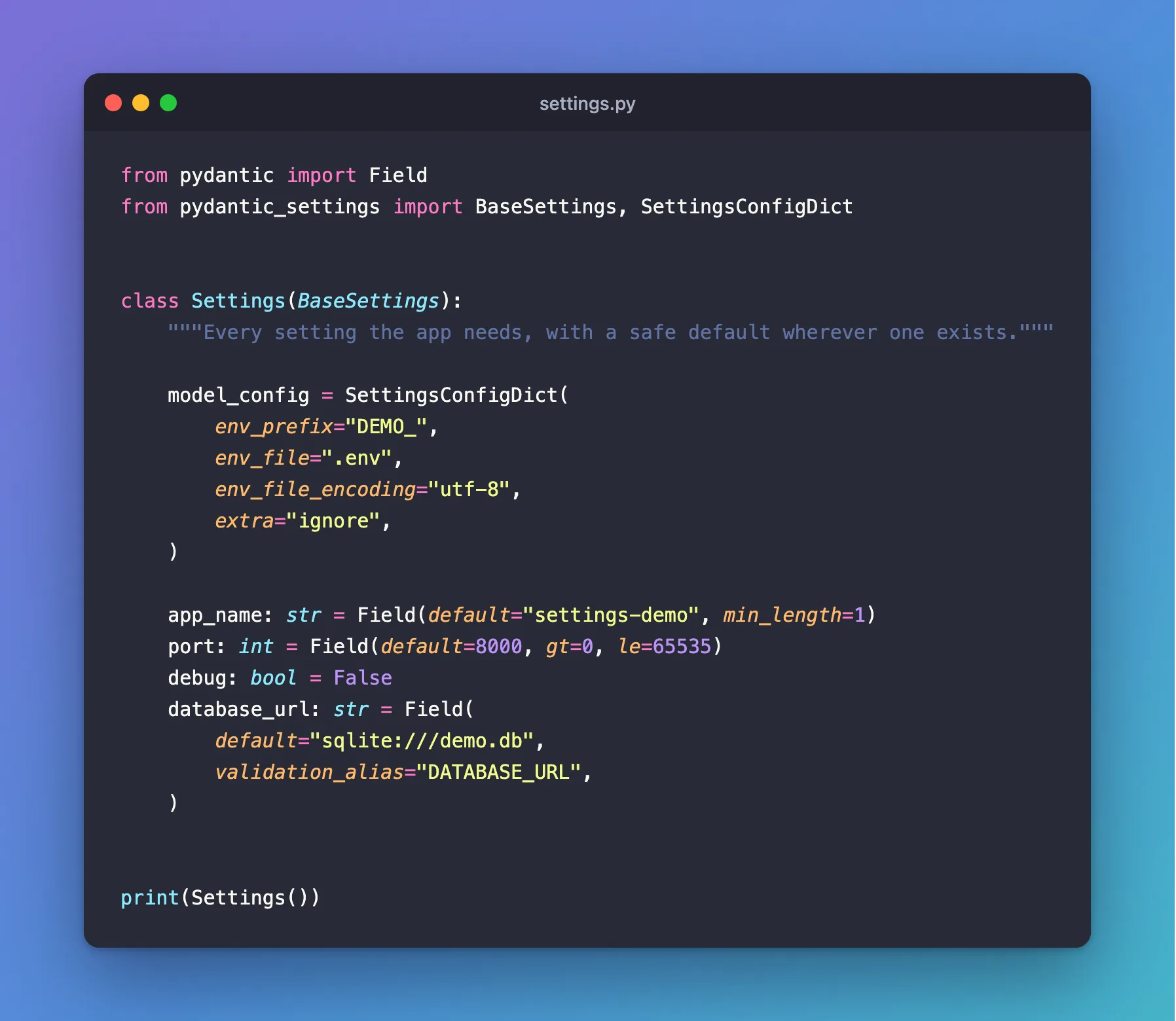
The example is a small demo app with four settings: its name, the port it listens on, a debug switch, and the address of its database. Create settings.py in the project folder:
from pydantic import Field
from pydantic_settings import BaseSettings, SettingsConfigDict


class Settings(BaseSettings):
    """Every setting the app needs, with a safe default wherever one exists."""

    model_config = SettingsConfigDict(
        env_prefix="DEMO_",
        env_file=".env",
        env_file_encoding="utf-8",
        extra="ignore",
    )

    app_name: str = Field(default="settings-demo", min_length=1)
    port: int = Field(default=8000, gt=0, le=65535)
    debug: bool = False
    database_url: str = Field(
        default="sqlite:///demo.db",
        validation_alias="DATABASE_URL",
    )


print(Settings())
| Piece | What it does |
|---|---|
env_prefix="DEMO_" | port is read from DEMO_PORT, app_name from DEMO_APP_NAME, and so on |
env_file=".env" | Also read the .env file in the folder you run from |
extra="ignore" | Skip anything in .env the class doesn't define. Without it, an unknown line stops the app with Extra inputs are not permitted |
app_name: str = Field(..., min_length=1) | A text setting that can't be empty |
port: int = Field(..., gt=0, le=65535) | A whole number from 1 to 65535, the range of network ports |
debug: bool = False | A true-or-false switch, off unless something turns it on |
database_url: str = Field(..., validation_alias="DATABASE_URL") | Read from DATABASE_URL, a standard name that many tools use, without the prefix |
print(Settings()) | Load the settings and show what each one ended up as |
Step 3: Run It with the Defaults
With no .env file and no variables set, every setting takes its default:
uv run python settings.py
app_name='settings-demo' port=8000 debug=False database_url='sqlite:///demo.db'
Step 4: Add a .env File
Create .env next to settings.py:
DEMO_APP_NAME=hello-app
DEMO_PORT=9000
DEMO_DEBUG=true
DATABASE_URL=sqlite:///hello.db
uv run python settings.py
app_name='hello-app' port=9000 debug=True database_url='sqlite:///hello.db'
Every value came from the file, and pydantic converted each one to its type: port is the number 9000, not the text "9000", and debug is Python's True, from the text true. Keep .env out of Git when it holds anything private.
Step 5: Override a Value with an Environment Variable
An environment variable wins over the .env file:
- macOS / Linux
- Windows (PowerShell)
DEMO_PORT=9100 uv run python settings.py
$env:DEMO_PORT = "9100"
uv run python settings.py
Remove-Item Env:DEMO_PORT
app_name='hello-app' port=9100 debug=True database_url='sqlite:///hello.db'
In bash and zsh, a variable written before the command applies to that command only. In PowerShell, $env: lasts for the whole session, which is why the PowerShell tab removes it afterwards.
So the order, from strongest to weakest, is: environment variable, then .env, then the default.
Step 6: See How the Alias and the Prefix Interact
database_url has an alias, and the documentation says that for an alias "env_prefix will be ignored". So a variable named DEMO_DATABASE_URL changes nothing; the value still comes from .env:
DEMO_DATABASE_URL=sqlite:///other.db uv run python settings.py
app_name='hello-app' port=9000 debug=True database_url='sqlite:///hello.db'
Only the alias, DATABASE_URL, changes it:
DATABASE_URL=sqlite:///other.db uv run python settings.py
app_name='hello-app' port=9000 debug=True database_url='sqlite:///other.db'
These two commands use the bash form; in PowerShell, set the variable with $env: as in Step 5.
The prefix is there for a reason: a short name like PORT or DEBUG might already be set in your terminal by another tool, and environment variables win silently. A prefix that belongs to your app avoids that. Use an alias only for a name that's meant to be shared, such as DATABASE_URL.
Step 7: See What Happens with a Bad Value
pydantic refuses values that break the rules, and says exactly why. Zero isn't greater than 0:
DEMO_PORT=0 uv run python settings.py
pydantic_core._pydantic_core.ValidationError: 1 validation error for Settings
port
  Input should be greater than 0 [type=greater_than, input_value='0', input_type=str]
    For further information visit https://errors.pydantic.dev/2.14/v/greater_than
Text isn't a number:
DEMO_PORT=lots uv run python settings.py
pydantic_core._pydantic_core.ValidationError: 1 validation error for Settings
port
  Input should be a valid integer, unable to parse string as an integer [type=int_parsing, input_value='lots', input_type=str]
    For further information visit https://errors.pydantic.dev/2.14/v/int_parsing
And maybe isn't true or false:
DEMO_DEBUG=maybe uv run python settings.py
pydantic_core._pydantic_core.ValidationError: 1 validation error for Settings
debug
  Input should be a valid boolean, unable to interpret input [type=bool_parsing, input_value='maybe', input_type=str]
    For further information visit https://errors.pydantic.dev/2.14/v/bool_parsing
The app stops at startup with the setting's name and the reason, instead of failing later in a confusing place.
Common Mistakes
| Mistake | What happens | Do this instead |
|---|---|---|
Using the prefixed name for an aliased setting (DEMO_DATABASE_URL) | It's ignored; the setting keeps its old value | Use the alias, DATABASE_URL |
Expecting .env to beat a variable in your terminal | The environment variable wins | Check the terminal's variables when a setting seems stuck |
Leaving out extra="ignore" while .env holds other tools' settings | Extra inputs are not permitted [type=extra_forbidden, …] for each unknown line | Keep extra="ignore", or keep .env to your app's settings |
Committing .env | Private values land in Git | Commit a .env.example with safe placeholders instead |
| Running from another folder | env_file=".env" is read from the folder you run from, so it isn't found and the defaults are used | Run from the project folder |
Troubleshooting
| Symptom | Likely cause | Fix |
|---|---|---|
Input should be greater than 0 | A value breaks a gt=0 rule | Fix the value in .env or the environment |
Input should be a valid integer | Text where a number is expected | Fix the value |
Input should be a valid boolean | A true-or-false setting got a word pydantic doesn't know | Use one of the words in the FAQ below |
A value from .env is ignored | An environment variable with the same name is set | Unset it (unset NAME in bash and zsh, Remove-Item Env:NAME in PowerShell) |
FAQ
Which words turn a true-or-false setting on or off?
Pydantic's documentation accepts, in any case, 1, on, t, true, y and yes for true, and 0, off, f, false, n and no for false.
How do I read the settings once and reuse them?
Call Settings.settings_cached() instead of Settings(). The documentation's Caching settings section describes it: the first call reads the sources, and every later call returns the same object. Settings.settings_clear_cache() makes the next call read them again.
Does pydantic-settings need python-dotenv?
Yes, for .env files. uv add pydantic-settings installed it.
Can I keep secrets in .env?
For local development, yes, as long as .env stays out of Git. For production, store secrets in a proper secret store and pass them in as environment variables.
Conclusion
A BaseSettings class read app_name, port, debug and database_url from defaults, then from .env, then from environment variables, in that order of strength. env_prefix kept the app's own names apart, validation_alias read the shared DATABASE_URL name, and bad values stopped the app at startup with a clear message.
Additional Resources
- Settings Management — pydantic-settings' documentation, including the order of sources.
- Fields —
Field(), aliases and rules such asgtandmin_length. - python-dotenv — the
.envfile reader.
