How to Load Data Faster in Power Apps with Concurrent

Formulas joined with ; run one after the other: the second request waits for the first. When two loads don't depend on each other, Concurrent starts them together, so the screen waits only as long as the slowest one.
Syntax
Concurrent( Formula1, Formula2 [, ...] )
You need at least two formulas, separated by commas. Concurrent works only in behavior properties, such as OnSelect, OnVisible or App.OnStart (Concurrent function).
The Rules
From Microsoft's reference:
- You can't predict the order in which the formulas inside start and finish, so they mustn't depend on each other. Power Apps shows an error if you try.
- Formulas after Concurrent can use the results: everything inside finishes before the next formula in the chain runs.
- Inside one argument, you can still chain with
;. - How many formulas really run at once depends on the device and browser.
Example: Two Loads When a Screen Opens
The Career Development Plan app's My Plan screen needs two things from two SharePoint lists: the competencies for the person's job title, and the person's responses. Neither needs the other, so they load together:
UpdateContext({locIsLoading: true});
Concurrent(
    UpdateContext(
        {
            locMyPlan: Sort(
                Filter(
                    RoleCompetencies,
                    JobTitle = MyJobTitle && IsActive
                ),
                Competency
            )
        }
    ),
    UpdateContext(
        {
            locMyResponses: Filter(
                CompetencyResponses,
                EmployeeId = MyProfile.id
            )
        }
    )
);
UpdateContext({locIsLoading: false})
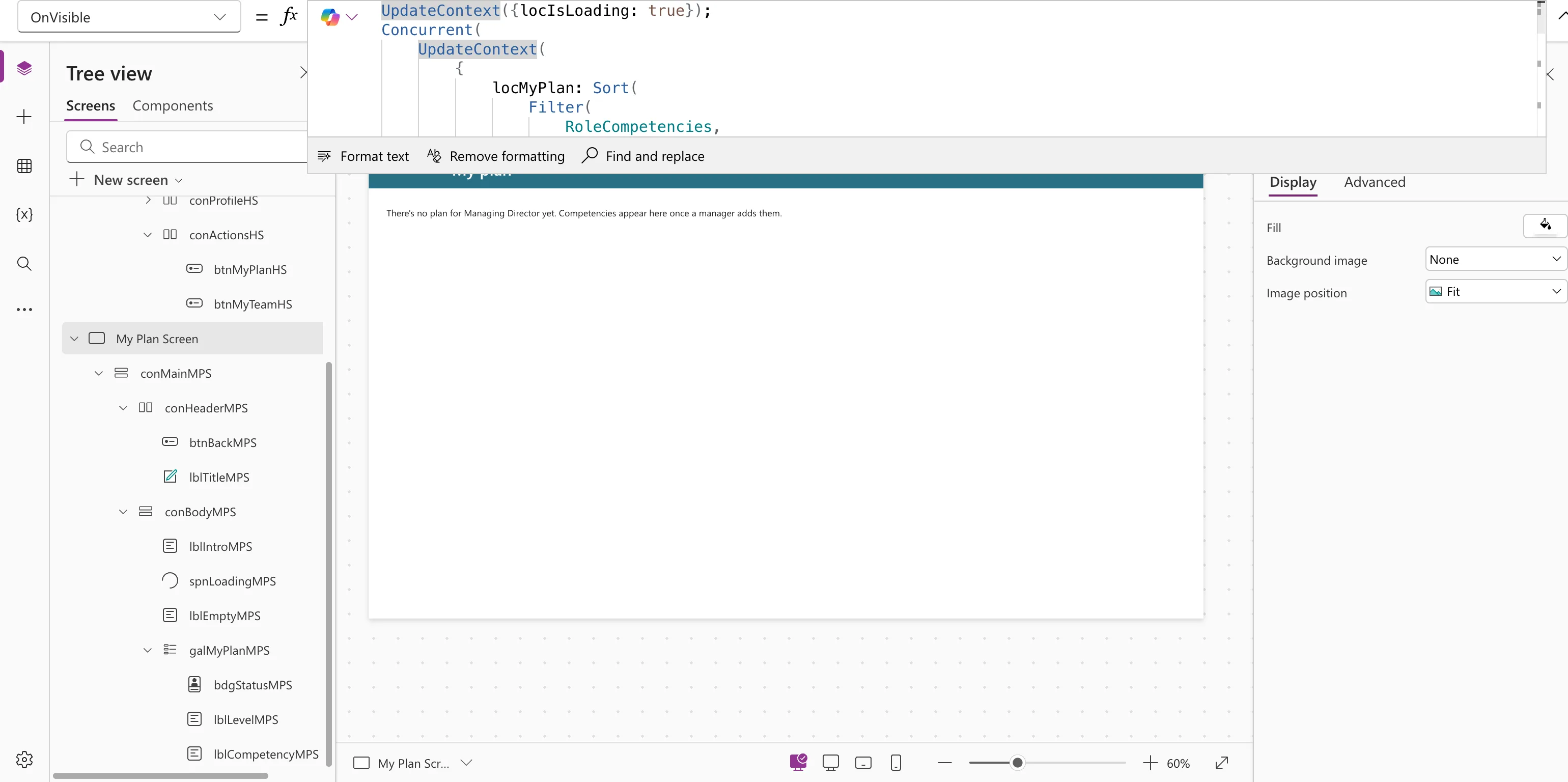
locIsLoading turns false only after both loads have finished, because it comes after Concurrent in the chain. A spinner bound to it covers the whole wait (How to Add a Loading Spinner in Power Apps).
What Happens on an Error
With formula-level error management turned on (the default for new apps), Microsoft says Concurrent returns the first error in argument order. If one formula fails, the rest of that formula stops, but the others carry on. The formulas chained after Concurrent still run.
Common Mistakes
| Mistake | What happens | Do this instead |
|---|---|---|
| One formula inside uses another's result | Power Apps flags an error, or results depend on timing | Chain dependent steps with ; outside, or inside one argument |
| Only one formula | Not allowed: Microsoft requires at least two | Just write the formula |
| Many data sources at once | Microsoft warns of timing and throttling issues | Load what the screen needs, not everything |
Troubleshooting
| Symptom | Likely cause | Fix |
|---|---|---|
| An error on Concurrent when one argument reads another's result | The formulas depend on each other | Move the dependent formula after Concurrent |
| No speed difference | The loads were already small and fast, or the browser ran them one at a time | Nothing to fix; it still doesn't hurt |
FAQ
Is it really faster?
Microsoft's example loads four tables with and without Concurrent, and the concurrent version took about half the time. The gain depends on how many requests there are and how long each takes.
Can I use it in App.Formulas?
No. It's for behavior properties only; named formulas are already worked out when needed.
Conclusion
Wrap independent loads in Concurrent(...) so they run together, and put anything that needs their results after it. That's where a loading flag goes back to false.
Additional Resources
- Concurrent function: syntax, rules and examples.
- Fast calculations: where Concurrent helps.
