How to Load a Specific Version of a Registered Model in MLflow

An alias follows whichever version it points to. Sometimes you want the opposite: exactly version 1, to reproduce an old result or to compare it with version 2. A registered model's address can name the version number. This guide loads two versions of a model by number and compares their predictions. Real output from MLflow 3.18.0.
Syntax
model = mlflow.pyfunc.load_model("models:/registered-model-name/version")
| Part | What it means |
|---|---|
registered-model-name | The registered model |
version | The version number, such as 1 |
model | That version, ready to predict |
MLflow's Model Registry page: "You can refer to the registered model by using a URI of this format: models:/<model-name>/<model-version>". A version's model never changes once it's registered, so the address always loads the same model.
Prerequisites
- An MLflow tracking server with a database backend at
http://127.0.0.1:8080, such asmlflow server --port 8080with its default SQLite database. The registry needs one. mlflowandscikit-learnin your project, for example withuv add mlflow scikit-learn pandas.
Step 1: Load Two Versions by Number
The example registers two ridge regressions on scikit-learn's diabetes data as diabetes-ridge: version 1 with light regularization, alpha=0.1, version 2 with heavy, alpha=10.0. Then it loads each version by number and predicts for the same two patients:
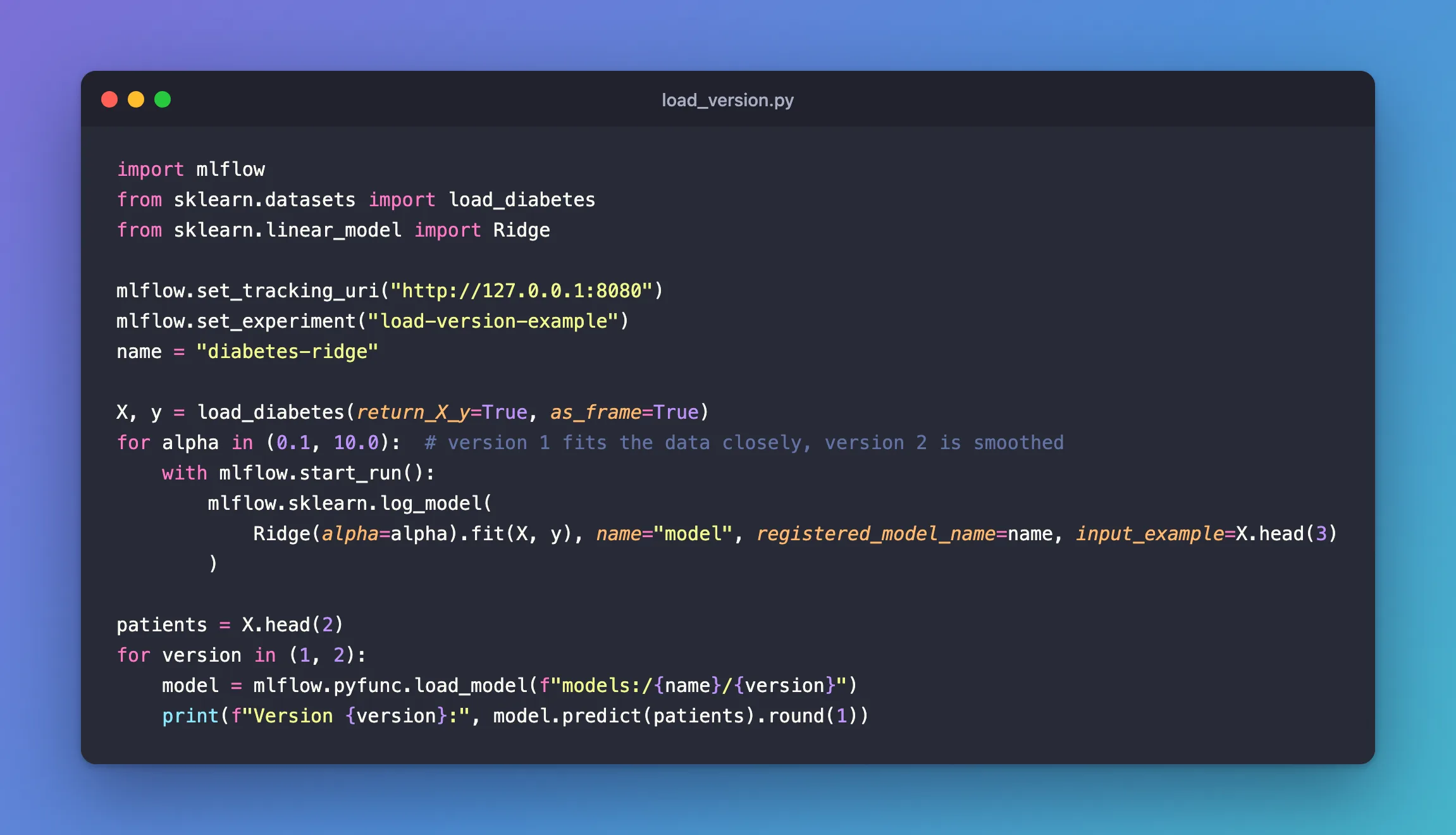
import mlflow
from sklearn.datasets import load_diabetes
from sklearn.linear_model import Ridge

mlflow.set_tracking_uri("http://127.0.0.1:8080")
mlflow.set_experiment("load-version-example")
name = "diabetes-ridge"

X, y = load_diabetes(return_X_y=True, as_frame=True)
for alpha in (0.1, 10.0):  # version 1 fits the data closely, version 2 is smoothed
    with mlflow.start_run():
        mlflow.sklearn.log_model(
            Ridge(alpha=alpha).fit(X, y), name="model", registered_model_name=name, input_example=X.head(3)
        )

patients = X.head(2)
for version in (1, 2):
    model = mlflow.pyfunc.load_model(f"models:/{name}/{version}")
    print(f"Version {version}:", model.predict(patients).round(1))
uv run python load_version.py
Version 1: [199.8  73.4]
Version 2: [159.9 132.1]
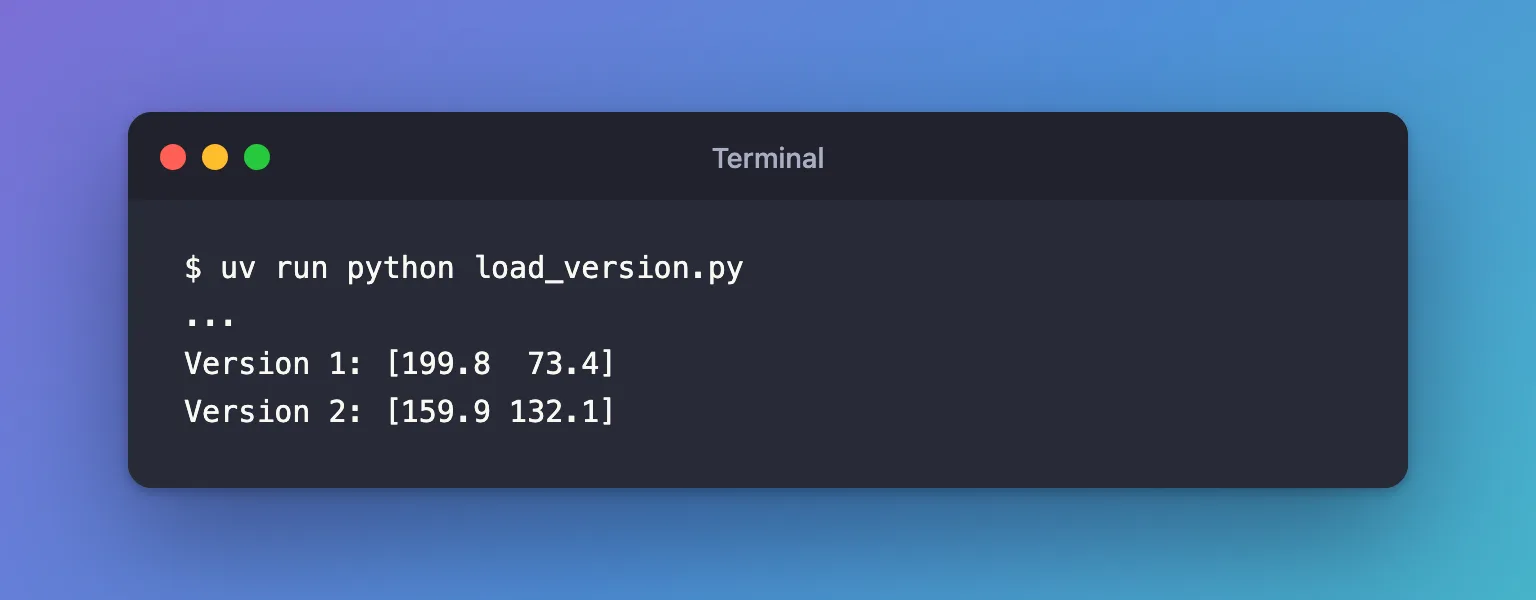
Each address loaded its own version. Version 2's heavy regularization pulls both predictions toward the average: 159.9 and 132.1 instead of 199.8 and 73.4.
Common Mistakes
| Mistake | What happens | Do this instead |
|---|---|---|
| Hard-coding a version number in code that should follow releases | It keeps loading the old version after a better one is released | Load an alias, such as models:/<name>@champion |
| Expecting version 1 to change after retraining | Registering again creates version 2; version 1 stays as it was | Load the new version's number, or move an alias to it |
Troubleshooting
| Symptom | Likely cause | Fix |
|---|---|---|
| The model loads but predicts differently than expected | The wrong version number | Check the number against the registered model's page |
| The registry calls fail on your own server | The server stores runs in files, not a database | Start it with a database backend, such as its default SQLite database |
FAQ
When should I use a version number instead of an alias?
When you need the same model every time: a test that compares results, a report that reproduces old numbers, or a side-by-side comparison like this one.
How do I find the newest version's number?
Search the versions newest first: How to Get the Latest Version of a Registered Model in MLflow.
Conclusion
mlflow.pyfunc.load_model("models:/diabetes-ridge/1") and .../2 loaded the two registered versions, and their predictions for the same patients differed exactly as their regularization did.
Additional Resources
- MLflow Model Registry — model versions and their addresses.
- Model Registry workflows — fetching a specific model version.
