How to Load a Logged Table from MLflow with load_table

A table logged with mlflow.log_table() can be read straight back into a pandas DataFrame with mlflow.load_table(). Its best trick is reading the same table from many runs at once, stacked into one DataFrame with a column that says which run each row came from. This guide loads a predictions table from two runs, with real output from MLflow 3.18.0.
Syntax
mlflow.set_experiment("<experiment>")
<table> = mlflow.load_table("<file name>", run_ids=[<run IDs>], extra_columns=[<run columns>])
| Part | What it means |
|---|---|
"<file name>" | The artifact_file the table was logged under, such as "predictions.json" or "evaluation/predictions.json" |
run_ids | Optional. Without it, "the table is loaded from all runs in the current experiment", so set the experiment first |
extra_columns | Optional columns about each row's run, added to the result. "run_id" adds the run's ID, and "tags.mlflow.runName" its name |
| The result | One pandas DataFrame, with the rows of every run's table one after another |
Only tables logged with log_table are found, because MLflow looks for the tag that log_table adds to a run.
Prerequisites
- An MLflow tracking server at
http://127.0.0.1:8080. MLflow's tracking server guide shows how to start one.
The Table Used Here
The experiment tables-demo has two runs, model-v1 and model-v2, that each logged a table called predictions.json: three houses with their real and predicted prices. How to Log a Table in MLflow with log_table creates them.
Step 1: Load the Table from Every Run
Create load_table.py:
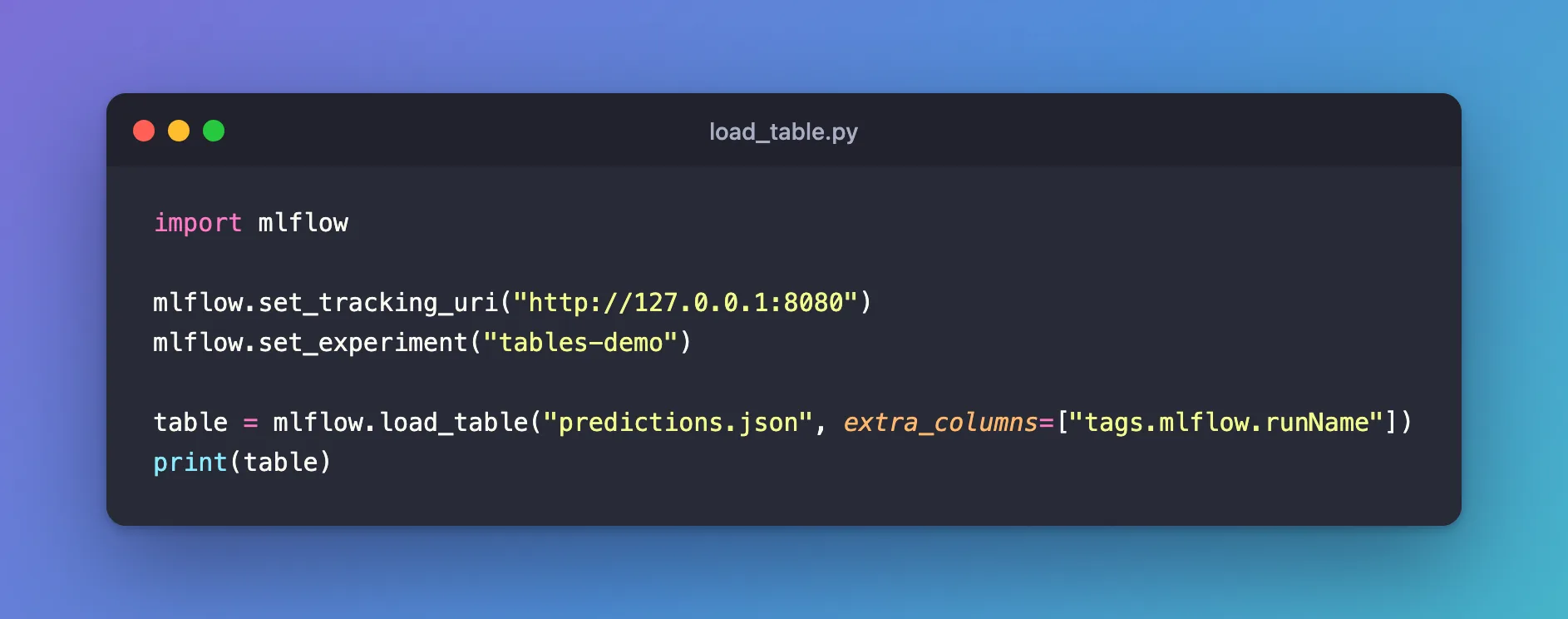
import mlflow

mlflow.set_tracking_uri("http://127.0.0.1:8080")
mlflow.set_experiment("tables-demo")

table = mlflow.load_table("predictions.json", extra_columns=["tags.mlflow.runName"])
print(table)
| Line | What it does |
|---|---|
mlflow.set_experiment("tables-demo") | Makes tables-demo the current experiment, the one load_table reads from |
mlflow.load_table("predictions.json", ...) | Reads predictions.json from every run of the experiment that logged it |
extra_columns=["tags.mlflow.runName"] | Adds a column with each row's run name |
uv run python load_table.py
  house  actual  predicted tags.mlflow.runName
0     A  310000     305000            model-v2
1     B  205000     210000            model-v2
2     C  420000     425000            model-v2
3     A  310000     295000            model-v1
4     B  205000     230000            model-v1
5     C  420000     400000            model-v1
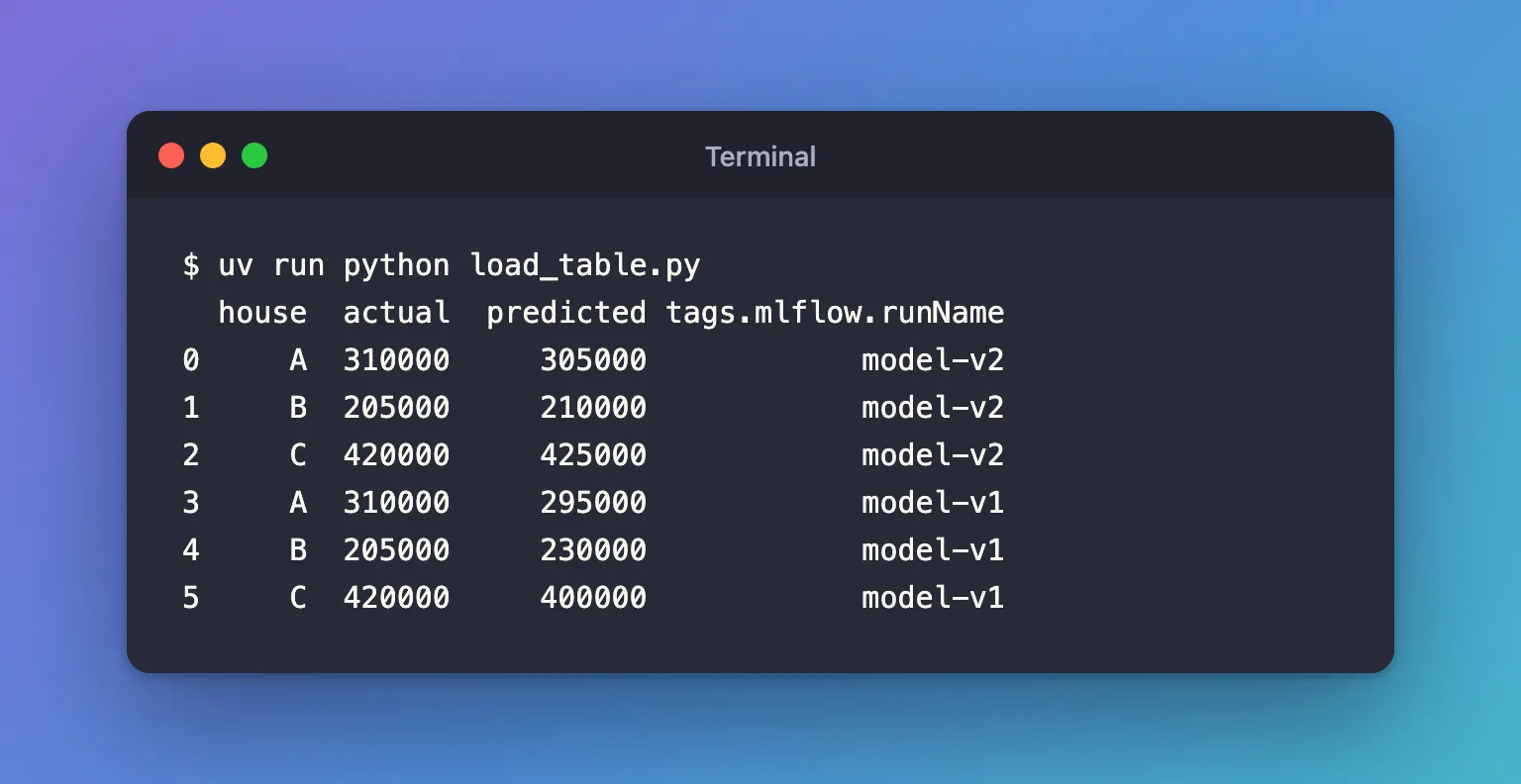
Six rows: three from each run, numbered 0 to 5, with the newer run, model-v2, first. The last column says which run each row came from, so you can compare the two models with ordinary pandas, such as grouping by run name.
Step 2: Load the Table from One Run
To read particular runs, pass their IDs. Create load_one_table.py, which takes a run ID on the command line, and run it with model-v1's ID:
import sys

import mlflow

mlflow.set_tracking_uri("http://127.0.0.1:8080")
mlflow.set_experiment("tables-demo")

table = mlflow.load_table("predictions.json", run_ids=[sys.argv[1]], extra_columns=["run_id"])
print(table)
uv run python load_one_table.py ea0cb20b1c1f43c08099dc69835c2203
  house  actual  predicted                            run_id
0     A  310000     295000  ea0cb20b1c1f43c08099dc69835c2203
1     B  205000     230000  ea0cb20b1c1f43c08099dc69835c2203
2     C  420000     400000  ea0cb20b1c1f43c08099dc69835c2203
Only model-v1's three rows, with its ID in the run_id column. The run must belong to the current experiment. Your run IDs will differ: copy them from the run pages.
Common Mistakes
| Mistake | What happens | Do this instead |
|---|---|---|
| Not setting the experiment | load_table looks in the default experiment: MlflowException: No runs found with the corresponding table artifact. | Call mlflow.set_experiment() first |
Loading a file that was logged with log_artifact | The same No runs found error, because only log_table marks a file as a table | Log tables with log_table |
| Passing IDs of runs that don't have the table | WARNING mlflow.tracking.client: Not all runs have the specified table artifact. Some runs will be skipped. | Check which runs logged it, or leave out run_ids |
| Expecting each run's own row numbers | The rows are renumbered from 0 across all runs | Use extra_columns to tell the runs apart |
Troubleshooting
| Symptom | Likely cause | Fix |
|---|---|---|
No runs found with the corresponding table artifact. | The file name differs from the one logged, folder included | Copy the path from the run's Artifacts tab |
A column called run_id_ appears | The table already had a run_id column, so MLflow added an underscore to the new one | Rename one of them, or leave out extra_columns |
FAQ
What can go in extra_columns?
Any column of the run list that mlflow.search_runs() returns, such as run_id, status, start_time, params.<name>, metrics.<name> or tags.<name>. tags.mlflow.runName is the run's name.
Is the table downloaded?
Yes, into a temporary folder that MLflow deletes after reading it. Nothing is left on your disk.
Can I load a table logged as .parquet?
Yes, the same way. MLflow picks the reader from the file's extension.
Conclusion
mlflow.load_table("predictions.json", extra_columns=["tags.mlflow.runName"]) read the same table from both runs of an experiment into one six-row DataFrame, labelled by run name, and run_ids=[...] narrowed it to one run. Set the experiment first, and load only tables that were logged with log_table.
Additional Resources
- mlflow.load_table — the function's reference, with examples.
- mlflow.search_runs — the run columns
extra_columnscan use.
