How to List the Indexes of a MySQL Table

Indexes decide how fast MySQL can find rows, and which values must be unique. SHOW INDEX lists them for one table, and INFORMATION_SCHEMA.STATISTICS lists them for a whole database, ready to filter. This guide runs both on a real MySQL 9.7 database created by EF Core, and explains how to read multi-column indexes, where the order of the columns matters.
Prerequisites
- A MySQL server and the mysql client. The examples use MySQL 9.7 in Docker, from How to Run MySQL in Docker with Docker Compose, and its built-in client:
docker compose exec mysql mysql --user=inventory_app --password inventory
- Tables with indexes. The
inventorydatabase here hascategories,productsandstock_movements, created by EF Core migrations. Their indexes came from the C# model: primary keys, unique indexes on names and SKUs, an index for each foreign key and one two-column index.
Step 1: SHOW INDEX for One Table
SHOW INDEX FROM categories;
+------------+------------+--------------------+--------------+-------------+-----------+-------------+----------+--------+------+------------+---------+---------------+---------+------------+
| Table      | Non_unique | Key_name           | Seq_in_index | Column_name | Collation | Cardinality | Sub_part | Packed | Null | Index_type | Comment | Index_comment | Visible | Expression |
+------------+------------+--------------------+--------------+-------------+-----------+-------------+----------+--------+------+------------+---------+---------------+---------+------------+
| categories |          0 | PRIMARY            |            1 | Id          | A         |           1 |     NULL |   NULL |      | BTREE      |         |               | YES     | NULL       |
| categories |          0 | IX_categories_Name |            1 | Name        | A         |           1 |     NULL |   NULL |      | BTREE      |         |               | YES     | NULL       |
+------------+------------+--------------------+--------------+-------------+-----------+-------------+----------+--------+------+------------+---------+---------------+---------+------------+
2 rows in set (0.002 sec)
One row per column of each index. Two indexes here, each on one column. The columns that matter most, with the manual's SHOW INDEX page definitions:
| Column | Meaning |
|---|---|
Non_unique | "0 if the index cannot contain duplicates, 1 if it can." Both indexes here are unique |
Key_name | "The name of the index. If the index is the primary key, the name is always PRIMARY." |
Seq_in_index | "The column sequence number in the index, starting with 1." It tells you the order of the columns in a multi-column index |
Column_name | The indexed column |
Cardinality | "An estimate of the number of unique values in the index." |
Sub_part | "the number of indexed characters if the column is only partly indexed, NULL if the entire column is indexed." |
Visible | "Whether the index is visible to the optimizer." An invisible index is kept up to date but not used by queries |
IX_categories_Name is the unique index that stops two categories from having the same name. The name comes from EF Core's convention, IX_<table>_<column>.
Step 2: The Same, One Index Field per Line
The table is too wide for most terminals. End the statement with \G and each row prints as a list:
SHOW INDEX FROM products\G
*************************** 1. row ***************************
        Table: products
   Non_unique: 0
     Key_name: PRIMARY
 Seq_in_index: 1
  Column_name: Id
    Collation: A
  Cardinality: 3
     Sub_part: NULL
       Packed: NULL
         Null:
   Index_type: BTREE
      Comment:
Index_comment:
      Visible: YES
   Expression: NULL
*************************** 2. row ***************************
        Table: products
   Non_unique: 0
     Key_name: IX_products_Sku
 Seq_in_index: 1
  Column_name: Sku
    Collation: A
  Cardinality: 3
     Sub_part: NULL
       Packed: NULL
         Null:
   Index_type: BTREE
      Comment:
Index_comment:
      Visible: YES
   Expression: NULL
The third row is IX_products_CategoryId, with Non_unique: 1: many products may share a category. How to Show MySQL Query Results Vertically with \G explains \G.
Step 3: Every Index in the Database, with Its Columns
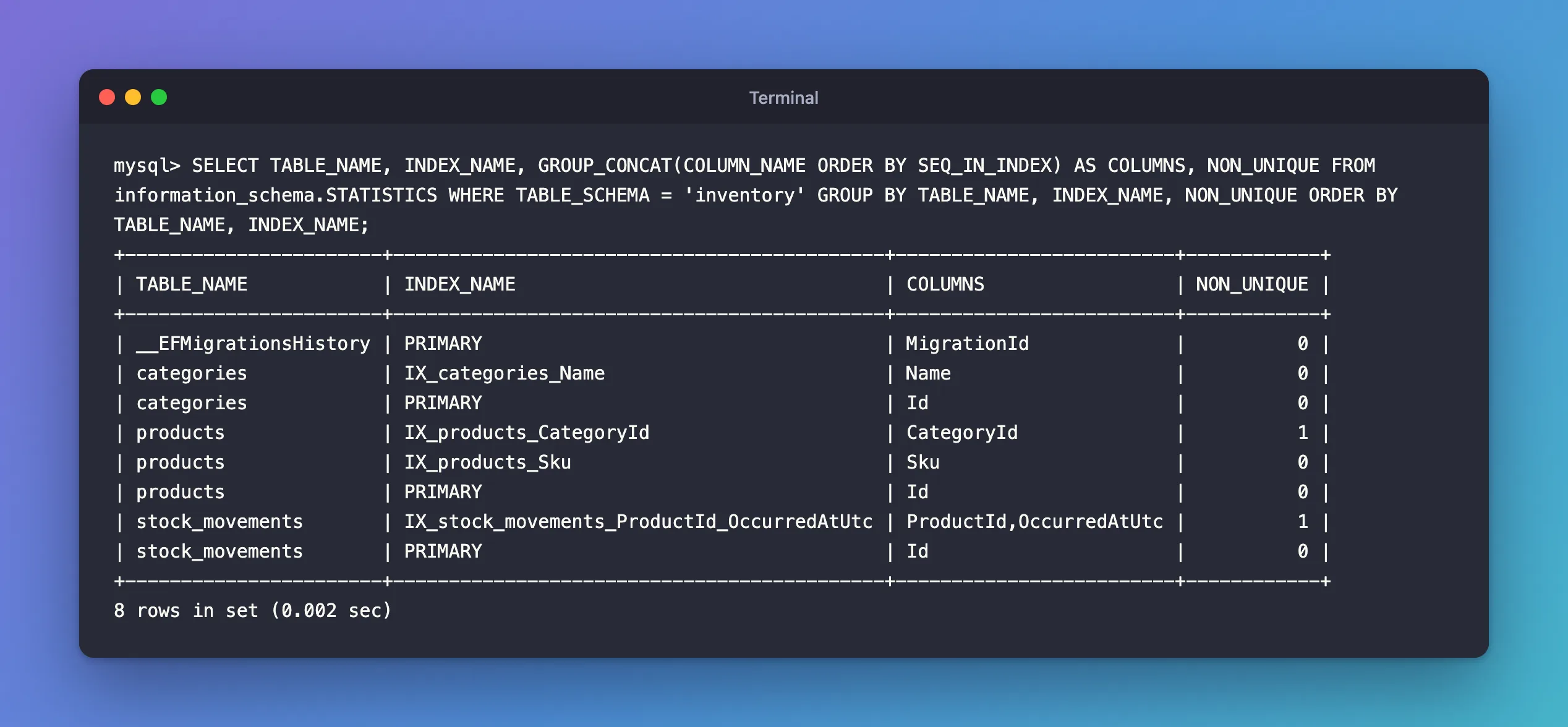
SHOW INDEX works one table at a time and prints a row per column. INFORMATION_SCHEMA.STATISTICS, which "provides information about table indexes", as its manual page says, can be grouped into one row per index:
SELECT TABLE_NAME, INDEX_NAME,
       GROUP_CONCAT(COLUMN_NAME ORDER BY SEQ_IN_INDEX) AS COLUMNS,
       NON_UNIQUE
FROM information_schema.STATISTICS
WHERE TABLE_SCHEMA = 'inventory'
GROUP BY TABLE_NAME, INDEX_NAME, NON_UNIQUE
ORDER BY TABLE_NAME, INDEX_NAME;
+-----------------------+--------------------------------------------+-------------------------+------------+
| TABLE_NAME            | INDEX_NAME                                 | COLUMNS                 | NON_UNIQUE |
+-----------------------+--------------------------------------------+-------------------------+------------+
| __EFMigrationsHistory | PRIMARY                                    | MigrationId             |          0 |
| categories            | IX_categories_Name                         | Name                    |          0 |
| categories            | PRIMARY                                    | Id                      |          0 |
| products              | IX_products_CategoryId                     | CategoryId              |          1 |
| products              | IX_products_Sku                            | Sku                     |          0 |
| products              | PRIMARY                                    | Id                      |          0 |
| stock_movements       | IX_stock_movements_ProductId_OccurredAtUtc | ProductId,OccurredAtUtc |          1 |
| stock_movements       | PRIMARY                                    | Id                      |          0 |
+-----------------------+--------------------------------------------+-------------------------+------------+
8 rows in set (0.002 sec)
How the query works:
GROUP BY TABLE_NAME, INDEX_NAMEturns the one-row-per-column list into one row per index.GROUP_CONCAT(COLUMN_NAME ORDER BY SEQ_IN_INDEX)joins the index's columns in their real order, with commas.WHERE TABLE_SCHEMA = 'inventory'keeps it to one database.
Look at stock_movements: its only index besides the primary key covers two columns, ProductId and then OccurredAtUtc. The order matters: MySQL can use this index to find one product's movements, and to sort them by time. It can't use it to search by time alone, because the time is only the second column. And there's no separate index on ProductId, the foreign key: MySQL needs an index for every foreign key, and this one starts with ProductId, so it serves both purposes. How to Create a Composite Index on Two Columns with EF Core and MySQL shows how that index was made.
Step 4: Indexes on One Column
To answer "is this column indexed?", filter STATISTICS by the column:
SELECT TABLE_NAME, INDEX_NAME, SEQ_IN_INDEX
FROM information_schema.STATISTICS
WHERE TABLE_SCHEMA = 'inventory' AND COLUMN_NAME = 'ProductId';
+-----------------+--------------------------------------------+--------------+
| TABLE_NAME      | INDEX_NAME                                 | SEQ_IN_INDEX |
+-----------------+--------------------------------------------+--------------+
| stock_movements | IX_stock_movements_ProductId_OccurredAtUtc |            1 |
+-----------------+--------------------------------------------+--------------+
1 row in set (0.002 sec)
ProductId is the first column (SEQ_IN_INDEX = 1) of the two-column index, so searches on it can use that index. A column that only appears at position 2 or later can't be searched quickly through that index on its own: OccurredAtUtc would show SEQ_IN_INDEX = 2, and EXPLAIN shows that a search by time alone reads the whole table:
EXPLAIN SELECT * FROM stock_movements WHERE OccurredAtUtc >= '2026-11-01';
-> Filter: (stock_movements.OccurredAtUtc >= TIMESTAMP'2026-11-01 00:00:00')  (cost=1.1 rows=1)
    -> Table scan on stock_movements  (cost=1.1 rows=1)
Table scan means every row is read. On a table with millions of movements, that's slow.
About Cardinality
Cardinality is the number of different values MySQL thinks an index has. It's an estimate: the manual says "Cardinality is counted based on statistics stored as integers, so the value is not necessarily exact even for small tables", and suggests "To update this number, run ANALYZE TABLE". The optimizer uses it to choose between indexes, so a wildly wrong number can lead to slow query plans on big tables. On a development database, you can ignore it.
Common Mistakes
| Mistake | What happens | Do this instead |
|---|---|---|
Reading each SHOW INDEX row as a separate index | A two-column index looks like two indexes | Group rows by Key_name and read Seq_in_index |
| Expecting an index on the second column alone | Searches on it don't use the index | Put the searched column first, or add another index |
Querying STATISTICS without TABLE_SCHEMA | Indexes of every database | Add the database filter |
Treating Cardinality as exact | Wrong conclusions about data | Use COUNT(DISTINCT column) when you need the real number |
Troubleshooting
| Symptom | Likely cause | Fix |
|---|---|---|
| An index you created in EF Core is missing | The migration that adds it hasn't been applied | Apply the migration, then list again |
ERROR 1146 (42S02) | Wrong table name or letter case | SHOW TABLES; and use the exact name |
| A foreign-key column has no index of its own | Another index starts with it | That's fine: the other index serves the foreign key |
FAQ
What's the difference between a KEY and an INDEX in MySQL?
None. In SHOW CREATE TABLE, MySQL writes indexes as KEY and unique indexes as UNIQUE KEY.
Why is the primary key's name PRIMARY when EF Core named it PK_products?
MySQL always calls the primary key PRIMARY, whatever name a tool gives it. EF Core keeps its own name, PK_products, in the migration code, but the SQL that Oracle's MySQL provider generates leaves primary-key names out.
How do I see which index a query uses?
Put EXPLAIN in front of the query. How to Create a Composite Index on Two Columns with EF Core and MySQL shows an example.
Conclusion
SHOW INDEX FROM <table> lists a table's indexes, one row per indexed column: read Non_unique for uniqueness and Seq_in_index for column order. INFORMATION_SCHEMA.STATISTICS grouped by index name, with GROUP_CONCAT, shows every index of a database on one screen. The order of the columns in a multi-column index decides which searches it can speed up.
Additional Resources
- SHOW INDEX Statement — every column of the output.
- The INFORMATION_SCHEMA STATISTICS Table — indexes as data.
- Multiple-Column Indexes — why the column order matters.
