How to List the CHECK Constraints in MySQL

A CHECK constraint is a rule MySQL enforces on every row, such as "a price can't be negative". When something refuses to save with ERROR 3819, or you just want to know which rules a database already has, you need to list them. MySQL keeps them in two INFORMATION_SCHEMA tables, and neither one has everything on its own. This guide joins them, on a real MySQL 9.7 database, and shows the quicker way for a single table.
Prerequisites
- MySQL 8.0.16 or later. Earlier versions accepted the syntax but ignored the rule. The MySQL 8.0 manual says that before 8.0.16, the limited syntax was "parsed and ignored". The examples use MySQL 9.7.
- The mysql client. The examples run MySQL in Docker, from How to Run MySQL in Docker with Docker Compose, and open its built-in client:
docker compose exec mysql mysql --user=inventory_app --password inventory
- Tables with CHECK constraints. The
inventorydatabase here has four, created by EF Core migrations: three onproductsand one onstock_movements.
Step 1: One Table's Constraints, with SHOW CREATE TABLE
For a single table, the definition shows them at the end:
SHOW CREATE TABLE stock_movements\G
  CONSTRAINT `FK_stock_movements_products_ProductId` FOREIGN KEY (`ProductId`) REFERENCES `products` (`Id`) ON DELETE RESTRICT,
  CONSTRAINT `CK_stock_movements_QuantityChange` CHECK ((`QuantityChange` <> 0))
) ENGINE=InnoDB DEFAULT CHARSET=utf8mb4 COLLATE=utf8mb4_0900_ai_ci
CK_stock_movements_QuantityChange says a stock movement must change the quantity: <> 0 means "not equal to zero". The manual's SHOW CREATE TABLE page explains why the rule sits at the end and not next to its column: "SHOW CREATE TABLE displays all CHECK constraints as table constraints."
Step 2: Every CHECK Constraint in the Database
INFORMATION_SCHEMA.CHECK_CONSTRAINTS holds the rules themselves:
SELECT CONSTRAINT_NAME, CHECK_CLAUSE
FROM information_schema.CHECK_CONSTRAINTS
WHERE CONSTRAINT_SCHEMA = 'inventory';
+-----------------------------------+-------------------------+
| CONSTRAINT_NAME                   | CHECK_CLAUSE            |
+-----------------------------------+-------------------------+
| CK_products_QuantityOnHand        | (`QuantityOnHand` >= 0) |
| CK_products_ReorderLevel          | (`ReorderLevel` >= 0)   |
| CK_products_UnitPrice             | (`UnitPrice` >= 0)      |
| CK_stock_movements_QuantityChange | (`QuantityChange` <> 0) |
+-----------------------------------+-------------------------+
4 rows in set (0.001 sec)
CHECK_CLAUSE is, in the manual's words, "The expression that specifies the constraint condition." But this table has no table name and no "is it enforced?" column. Its only columns are the catalog, the schema, the constraint's name and the clause. The names EF Core chose, CK_<table>_<column>, give the table away here, but you can't rely on every name being that helpful.
Step 3: Add the Table and Whether It's Enforced
INFORMATION_SCHEMA.TABLE_CONSTRAINTS knows which table each constraint belongs to, and its ENFORCED column is, per the manual, "For CHECK constraints, the value is YES or NO to indicate whether the constraint is enforced." Join the two tables on the schema and the constraint's name:
SELECT tc.TABLE_NAME, cc.CONSTRAINT_NAME, cc.CHECK_CLAUSE, tc.ENFORCED
FROM information_schema.TABLE_CONSTRAINTS AS tc
JOIN information_schema.CHECK_CONSTRAINTS AS cc
  ON cc.CONSTRAINT_SCHEMA = tc.CONSTRAINT_SCHEMA
 AND cc.CONSTRAINT_NAME = tc.CONSTRAINT_NAME
WHERE tc.TABLE_SCHEMA = 'inventory' AND tc.CONSTRAINT_TYPE = 'CHECK'
ORDER BY tc.TABLE_NAME, cc.CONSTRAINT_NAME;
+-----------------+-----------------------------------+-------------------------+----------+
| TABLE_NAME      | CONSTRAINT_NAME                   | CHECK_CLAUSE            | ENFORCED |
+-----------------+-----------------------------------+-------------------------+----------+
| products        | CK_products_QuantityOnHand        | (`QuantityOnHand` >= 0) | YES      |
| products        | CK_products_ReorderLevel          | (`ReorderLevel` >= 0)   | YES      |
| products        | CK_products_UnitPrice             | (`UnitPrice` >= 0)      | YES      |
| stock_movements | CK_stock_movements_QuantityChange | (`QuantityChange` <> 0) | YES      |
+-----------------+-----------------------------------+-------------------------+----------+
4 rows in set (0.001 sec)
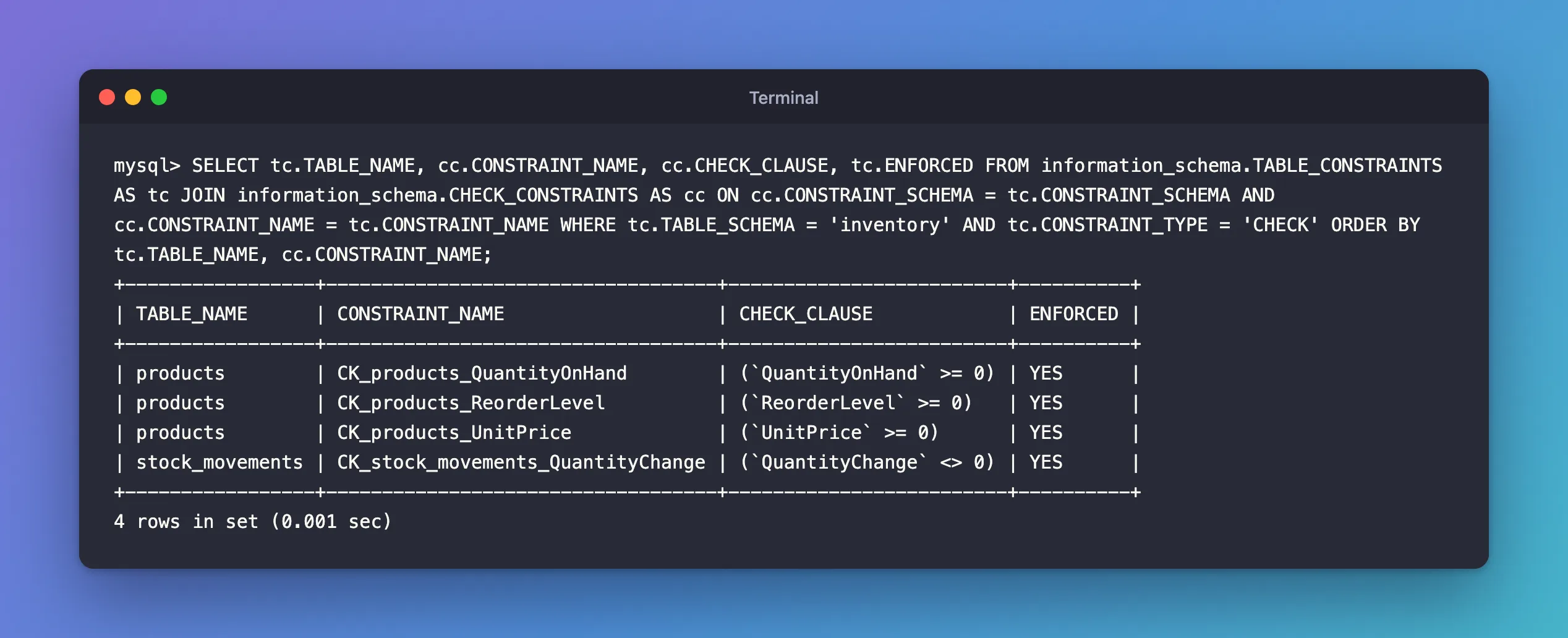
Why join on the schema and the name? Because CHECK constraint names belong to the whole database, not to one table. The manual's CHECK constraints page says: "CHECK constraint names must be unique per schema; no two tables in the same schema can share a CHECK constraint name." Schema and name together identify exactly one constraint.
Step 4: Read ENFORCED
YES means MySQL checks the rule. The CHECK constraints page explains when: "CHECK constraints are evaluated for INSERT, UPDATE, REPLACE, LOAD DATA, and LOAD XML statements and an error occurs if a constraint evaluates to FALSE." Here's the third one at work, refusing a negative price:
INSERT INTO products (Sku, Name, CategoryId, UnitPrice, QuantityOnHand, ReorderLevel, IsArchived, CreatedAtUtc, UpdatedAtUtc)
VALUES ('CHG-USBC-20W', 'USB-C charger, 20 W', 5, -15.00, 6, 2, 0, UTC_TIMESTAMP(6), UTC_TIMESTAMP(6));
ERROR 3819 (HY000): Check constraint 'CK_products_UnitPrice' is violated.
NO means the rule exists but isn't checked. The manual: "If specified as NOT ENFORCED, the constraint is created but not enforced." In SHOW CREATE TABLE, such a constraint carries a /*!80016 NOT ENFORCED */ comment. A constraint you believe protects your data but shows NO here protects nothing.
Common Mistakes
| Mistake | What happens | Do this instead |
|---|---|---|
Querying only CHECK_CONSTRAINTS | No table names and no enforcement status | Join TABLE_CONSTRAINTS as in Step 3 |
| Joining on the constraint name only | Rows from other databases can match | Join on schema and name |
| Checking on MySQL older than 8.0.16 | Constraints were parsed and ignored | Upgrade, then recreate them |
Expecting the rule next to its column in SHOW CREATE TABLE | You miss it | Look at the end of the definition |
Troubleshooting
| Symptom | Likely cause | Fix |
|---|---|---|
Empty set | No CHECK constraints in this database, or the migration that adds them isn't applied | Apply the migration, then list again |
ERROR 3819 (HY000): Check constraint '…' is violated. | A row breaks the rule | See the related fixes post |
ENFORCED is NO | The constraint was created with NOT ENFORCED | ALTER TABLE <table> ALTER CHECK <name> ENFORCED; |
FAQ
Do CHECK constraints work with every storage engine?
Yes. The manual: "CREATE TABLE permits the core features of table and column CHECK constraints, for all storage engines."
What happens with INSERT IGNORE?
The row is skipped with a warning instead of an error. The manual: "a warning occurs if a constraint evaluates to FALSE. The insert or update for any offending row is skipped."
How do I create one from C#?
With HasCheckConstraint in EF Core. How to Add a CHECK Constraint with EF Core and MySQL creates the four constraints listed here.
Conclusion
SHOW CREATE TABLE <table>\G shows one table's CHECK constraints at the end of its definition. For a whole database, join INFORMATION_SCHEMA.TABLE_CONSTRAINTS and CHECK_CONSTRAINTS on the schema and the constraint's name: you get each rule, its table, and ENFORCED, which must say YES for the rule to protect anything.
Additional Resources
- CHECK Constraints — syntax, naming and when constraints are evaluated.
- The INFORMATION_SCHEMA CHECK_CONSTRAINTS Table
- The INFORMATION_SCHEMA TABLE_CONSTRAINTS Table
