How to List Running Docker Containers with docker ps

Which containers are running right now, and what are they called? docker ps answers that: one line per running container, with its ID, image, status and name. This guide lists a running container, then finds it again after it stops, with real output from Docker 29.9.3.
Syntax
docker ps
docker ps -a
docker ps -a --filter name=NAME
| Part | What it means |
|---|---|
docker ps | The running containers |
-a | All containers, stopped ones included |
--filter name=NAME | Only containers whose name matches |
docker ps is short for docker container ls, whose reference describes it as "List containers", and -a as "Show all containers (default shows just running)". The same commands work in PowerShell.
Prerequisites
- Docker: Docker Desktop on Mac or Windows, running.
- A running container, such as one started with
docker run -d --name web nginx:alpine.
Step 1: List the Running Containers
docker ps
CONTAINER ID   IMAGE          COMMAND                  CREATED          STATUS          PORTS     NAMES
df06ddb56bd9   nginx:alpine   "/docker-entrypoint.…"   22 seconds ago   Up 22 seconds   80/tcp    web
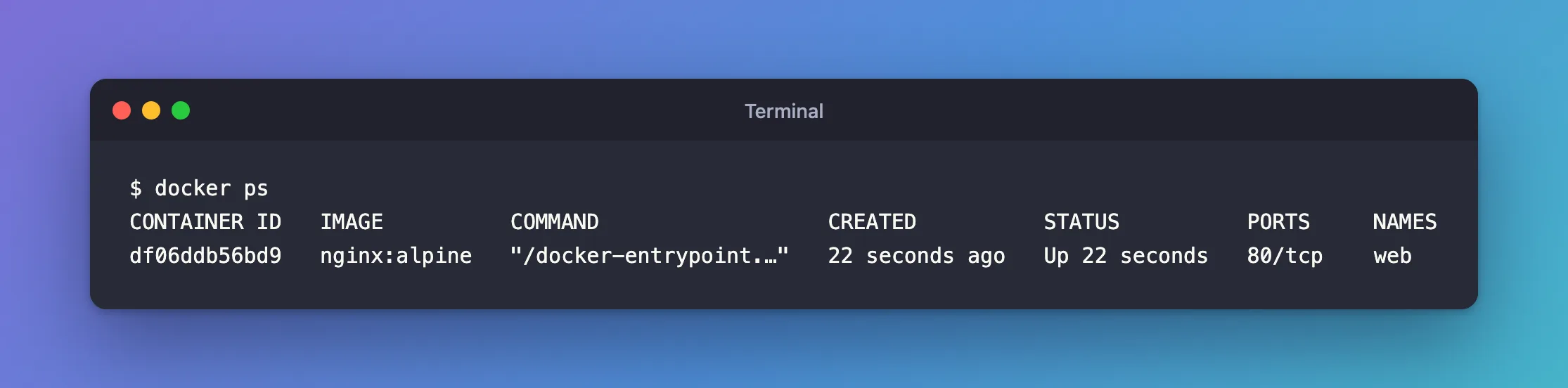
CONTAINER ID: the start of the container's ID; commands accept it in place of the name.STATUS:Up 22 seconds, running for 22 seconds.PORTS:80/tcp, the port the container listens on inside Docker; nothing is published to your computer.NAMES:web, the name it was started with.
Step 2: Find a Stopped Container
After docker stop web, the plain list is empty, and -a finds the container again:
docker ps
docker ps -a --filter name=web
CONTAINER ID   IMAGE     COMMAND   CREATED   STATUS    PORTS     NAMES
CONTAINER ID   IMAGE          COMMAND                  CREATED          STATUS                              PORTS     NAMES
df06ddb56bd9   nginx:alpine   "/docker-entrypoint.…"   46 seconds ago   Exited (0) Less than a second ago             web
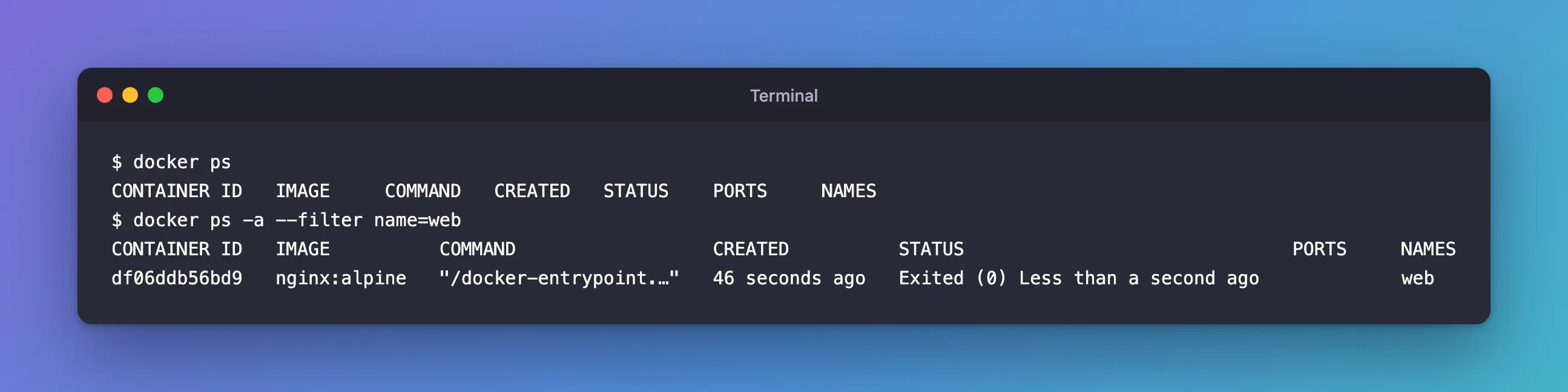
A stopped container still exists until you remove it. Exited (0) means its main process ended normally.
Common Mistakes
| Mistake | What happens | Do this instead |
|---|---|---|
Looking for a stopped container with plain docker ps | Only the header line | Add -a |
docker ps -a on a computer with many containers | A long list of everything you ever ran | Add --filter name=... |
Troubleshooting
| Symptom | Likely cause | Fix |
|---|---|---|
| Your container isn't in the list | It stopped, or it was started with --rm and removed when it stopped | Check docker ps -a; if it's not there either, it was removed |
FAQ
What's the difference between docker ps and docker container ls?
None: the reference lists docker ps as an alias of docker container ls, along with docker container list and docker container ps.
How do I get only the IDs?
Add -q: docker ps -q --filter name=memtest printed only 6d4241af5abf, the ID, which other commands accept.
Conclusion
docker ps listed the running web container with its ID, status and name; after it stopped, docker ps -a --filter name=web found it as Exited (0).
Additional Resources
- docker container ls — every option and filter.
