How to List MLflow Runs from the Command Line

Sometimes you need an experiment's run IDs without opening the UI or writing a script: to delete a run, download its files, or check what a training job left behind. mlflow runs list prints them in a terminal, with each run's date and name. This guide lists three runs, then includes the one that was deleted, with real output from MLflow 3.18.0.
Syntax
mlflow runs list --experiment-id <experiment ID> [--view active_only|deleted_only|all]
| Part | What it means |
|---|---|
--experiment-id | The experiment's ID, a number, required. The MLFLOW_EXPERIMENT_ID variable can supply it instead |
--view | active_only, the default, deleted_only or all. -v is the short form |
| The output | A table with each run's start date, name and ID, newest first |
The command finds the tracking server through the MLFLOW_TRACKING_URI environment variable.
Prerequisites
- An MLflow tracking server at
http://127.0.0.1:8080. MLflow's tracking server guide shows how to start one.
Step 1: Create Three Runs
The example is three daily runs, one per weekday, with Tuesday's deleted afterwards. The script prints the experiment's ID, which the command needs. Create weekday_runs.py:
import mlflow

mlflow.set_tracking_uri("http://127.0.0.1:8080")
experiment = mlflow.set_experiment("cli-list-demo")

for day in ["monday", "tuesday", "wednesday"]:
    with mlflow.start_run(run_name=day) as run:
        mlflow.log_metric("visitors", len(day) * 10)
    if day == "tuesday":
        mlflow.delete_run(run.info.run_id)

print("Experiment ID:", experiment.experiment_id)
uv run python weekday_runs.py
Experiment ID: 24
mlflow.set_experiment() returns the experiment, so its ID is at hand. In the UI, the experiment's ID is in the page's address: #/experiments/24.
Step 2: List the Runs
Point the terminal at the server and list experiment 24:
- macOS / Linux
- Windows (PowerShell)
export MLFLOW_TRACKING_URI=http://127.0.0.1:8080
uv run mlflow runs list --experiment-id 24
$env:MLFLOW_TRACKING_URI = "http://127.0.0.1:8080"
uv run mlflow runs list --experiment-id 24
Date                     Name       ID
-----------------------  ---------  --------------------------------
2026-11-20 15:02:24 IST  wednesday  2bc2be45377748c5aa2d82ffc5eae94c
2026-11-20 15:02:24 IST  monday     f354c02a12ba4b66af768f62b0f722a2
Two runs: tuesday is deleted, so the default view leaves it out. The dates are shown in the computer's time zone.
Step 3: Include Deleted Runs
Add --view all for every run, or --view deleted_only for only the deleted ones:
uv run mlflow runs list --experiment-id 24 --view all
uv run mlflow runs list --experiment-id 24 --view deleted_only
Date                     Name       ID
-----------------------  ---------  --------------------------------
2026-11-20 15:02:24 IST  wednesday  2bc2be45377748c5aa2d82ffc5eae94c
2026-11-20 15:02:24 IST  tuesday    e99fe6897a7f4551aca449a499c2da50
2026-11-20 15:02:24 IST  monday     f354c02a12ba4b66af768f62b0f722a2
Date                     Name     ID
-----------------------  -------  --------------------------------
2026-11-20 15:02:24 IST  tuesday  e99fe6897a7f4551aca449a499c2da50
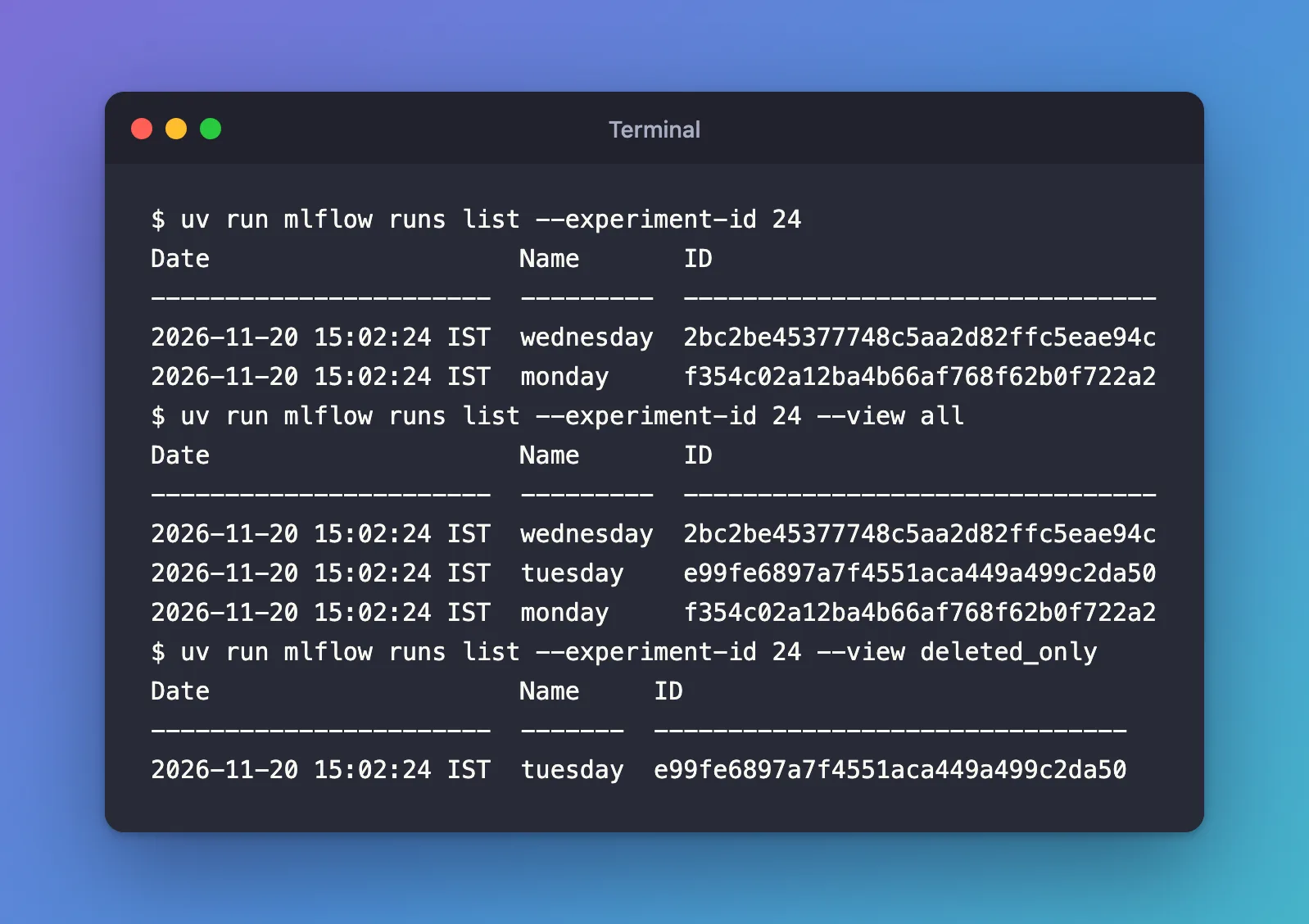
The deleted run's ID is what mlflow runs restore needs to bring it back.
Common Mistakes
| Mistake | What happens | Do this instead |
|---|---|---|
Leaving out --experiment-id | Error: Missing option '--experiment-id'. | Give the experiment's ID |
| The experiment's name instead of its ID | INVALID_PARAMETER_VALUE: Invalid experiment ID 'cli-list-demo'. Experiment ID must be a valid integer. | Use the number, 24 here |
No MLFLOW_TRACKING_URI in this terminal | An empty table and no error: the command read a local database in the current folder, which doesn't have these runs | Set the variable first, as in Step 2 |
Troubleshooting
| Symptom | Likely cause | Fix |
|---|---|---|
An mlflow.db file appears in your folder | The command ran without MLFLOW_TRACKING_URI and created a local database | Delete that file, set the variable and run the command again |
| A run you just created is missing | It's in another experiment, or deleted | Check the experiment ID, and try --view all |
| You need metrics or a filter | mlflow runs list shows only dates, names and IDs | Use mlflow.search_runs() in Python: How to Search MLflow Runs in Python with search_runs |
FAQ
Can I list the runs of an experiment by its name?
Not with this command: it takes the ID. Get the ID from mlflow.set_experiment(), from the experiment's address in the UI, or with mlflow.get_experiment_by_name() in Python.
Can I skip --experiment-id?
Yes, if the MLFLOW_EXPERIMENT_ID environment variable holds the ID: the command's reference lists it as the default for --experiment-id.
How do I see the full details of one run?
mlflow runs describe --run-id <run ID> prints a run's parameters, metrics, tags and dataset inputs as JSON.
Conclusion
mlflow runs list --experiment-id 24, with MLFLOW_TRACKING_URI set, printed the experiment's active runs with their dates, names and IDs; --view all and --view deleted_only brought in the deleted run. Without the server's address, the command quietly reads a local database instead, so set the variable first.
Additional Resources
- mlflow runs list — the command's reference.
