How to List and Filter Registered Models in MLflow

A shared MLflow server soon holds registered models from many people. MlflowClient.search_registered_models lists them, and a filter narrows the list by name or by tag, such as the team that owns each model. This guide creates three registered models and filters them both ways, with real output from MLflow 3.18.0.
Syntax
models = MlflowClient().search_registered_models(filter_string, order_by=[order], max_results=n)
| Part | What it means |
|---|---|
filter_string | Which registered models to return, such as "name LIKE '%-predictor'" or "tags.team = 'growth'"; leave it out to list them all |
order | A column and a direction, such as "name ASC" |
n | The most registered models to return; the default is 100 |
models | A list of RegisteredModel objects, each with its name, tags, aliases and description |
The filter is built from these parts, as the search_registered_models reference lists them:
| Part | Choices |
|---|---|
| What to compare | name, or tags.<key> for a registered model tag |
| How to compare | =, !=, LIKE (case-sensitive pattern), ILIKE (case-insensitive pattern) |
| The value | A quoted string; in a pattern, % stands for any run of characters |
| Joining conditions | AND only |
Prerequisites
- An MLflow tracking server with a database backend at
http://127.0.0.1:8080, such asmlflow server --port 8080with its default SQLite database. The registry needs one. mlflowin your project, for example withuv add mlflow.
Step 1: Filter by Name, Then by Tag
The example creates three registered models, each tagged with the team that owns it: churn-predictor and demand-forecaster belong to growth, fraud-detector to risk. It lists the names that end in -predictor, then the growth team's models, sorted by name:
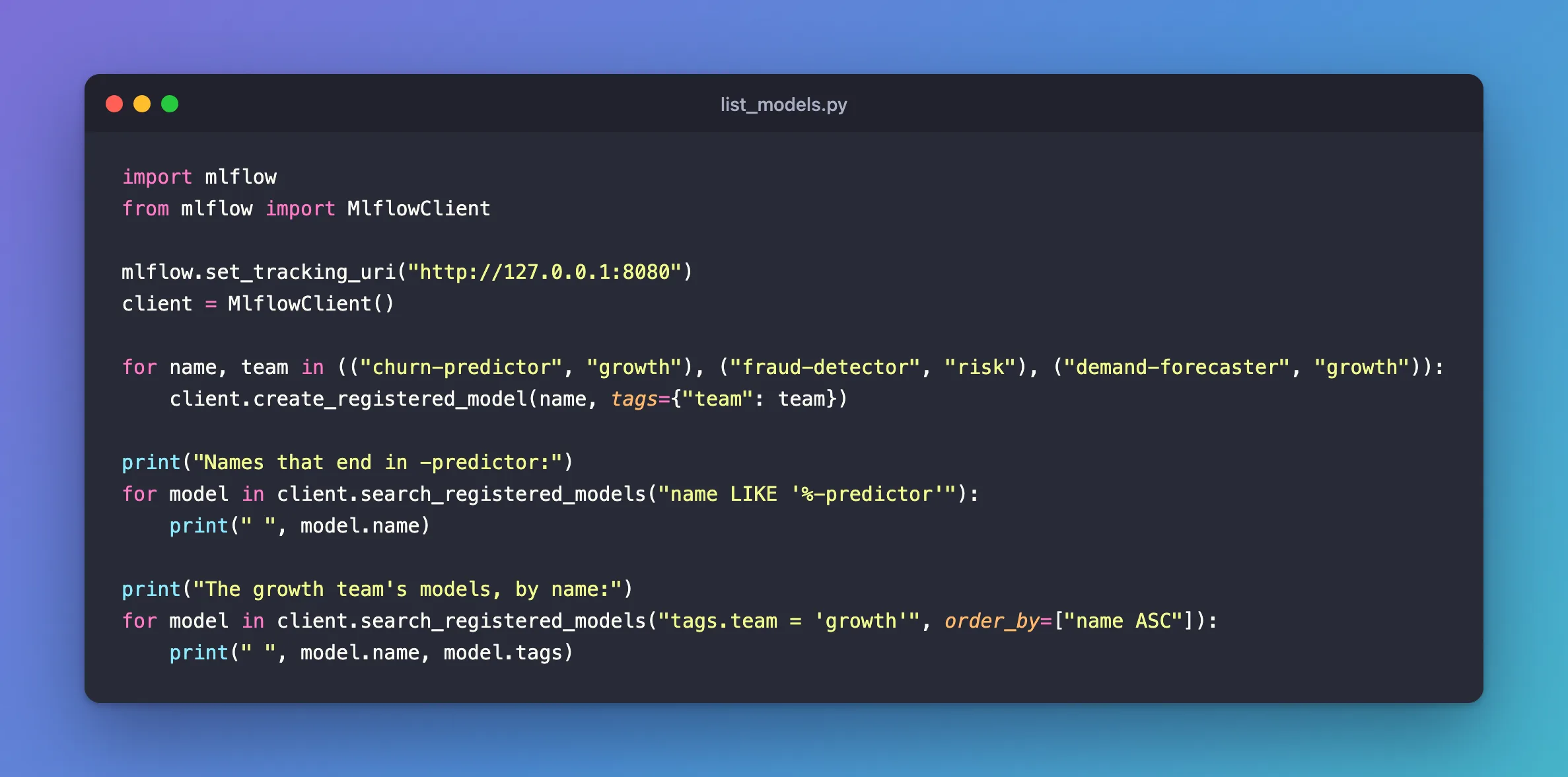
import mlflow
from mlflow import MlflowClient

mlflow.set_tracking_uri("http://127.0.0.1:8080")
client = MlflowClient()

for name, team in (("churn-predictor", "growth"), ("fraud-detector", "risk"), ("demand-forecaster", "growth")):
    client.create_registered_model(name, tags={"team": team})

print("Names that end in -predictor:")
for model in client.search_registered_models("name LIKE '%-predictor'"):
    print(" ", model.name)

print("The growth team's models, by name:")
for model in client.search_registered_models("tags.team = 'growth'", order_by=["name ASC"]):
    print(" ", model.name, model.tags)
uv run python list_models.py
Names that end in -predictor:
  churn-predictor
The growth team's models, by name:
  churn-predictor {'team': 'growth'}
  demand-forecaster {'team': 'growth'}
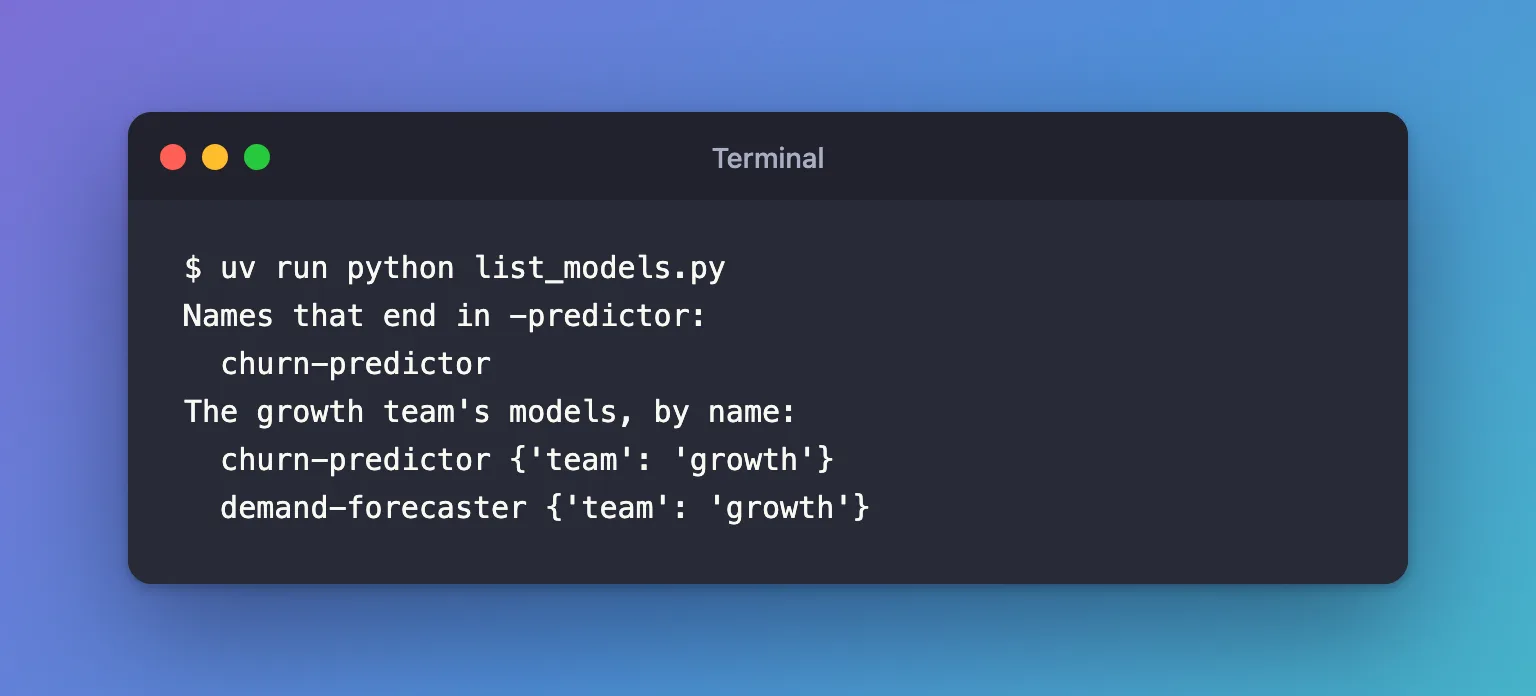
name LIKE '%-predictor':%matchedchurn, so onlychurn-predictorcame back.tags.team = 'growth': the twogrowthmodels, withfraud-detectorleft out, in name order.
Common Mistakes
| Mistake | What happens | Do this instead |
|---|---|---|
| Expecting every model from a long list | At most 100 come back by default | Raise max_results, or page through with the token the result carries |
Using LIKE for a name whose case you aren't sure of | Names in another case don't match | Use ILIKE |
Troubleshooting
| Symptom | Likely cause | Fix |
|---|---|---|
RESOURCE_ALREADY_EXISTS: Registered Model (name=churn-predictor) already exists. | The script ran a second time | Create each registered model once |
| The tag filter returns nothing | The tag is on the model's versions, not on the registered model | Search versions with search_model_versions instead |
FAQ
Can I filter this list in the MLflow UI?
By name, yes: type the name in Search registered models on the Model registry page and press Enter.
How do I search the versions inside one model?
With search_model_versions: How to Search Model Versions in MLflow.
Conclusion
search_registered_models("name LIKE '%-predictor'") found churn-predictor, and search_registered_models("tags.team = 'growth'", order_by=["name ASC"]) listed the growth team's two models in name order.
Additional Resources
- MlflowClient.search_registered_models — the filter syntax and examples.
- Model Registry workflows — listing and searching models.
