How to Link a Metric to a Logged Model in MLflow

In MLflow 3, a logged model has its own page, and that page can show the model's scores: test accuracy, error, anything you measured. A metric gets there when it's linked to the model, and mlflow.log_metric(..., model_id=...) links it explicitly. This guide links a test score to a model and shows which metrics MLflow links by itself, with real output from MLflow 3.18.0.
Syntax
mlflow.log_metric(key, value, model_id=model_info.model_id)
| Part | What it means |
|---|---|
key, value | The metric's name and value, as with any metric |
model_id | The logged model the metric belongs to. model_info is what log_model returned |
The metric is still logged to the run as well. MLflow's reference on leaving model_id out: it uses "the current active model ID", and "If no active model exists, the models IDs associated with the specified or active run will be used."
Prerequisites
- An MLflow tracking server at
http://127.0.0.1:8080. MLflow's tracking server guide shows how to start one. mlflowandscikit-learnin your project, for example withuv add mlflow scikit-learn pandas.
Step 1: Log a Model and Its Test Score
The example trains a linear regression on part of scikit-learn's diabetes data, logs it, scores it on the rows it didn't see, and links that score, test_r2, to the model:
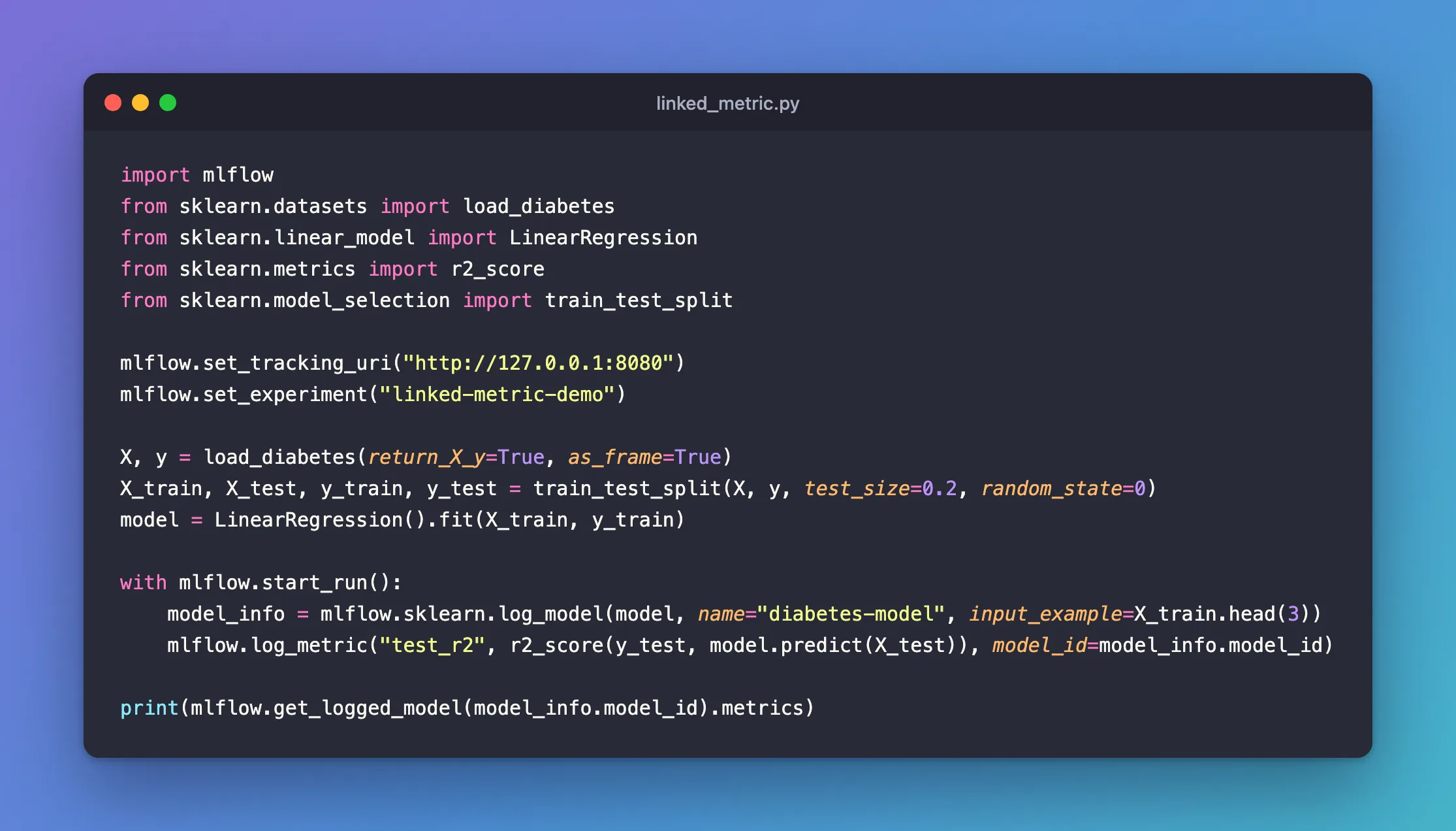
import mlflow
from sklearn.datasets import load_diabetes
from sklearn.linear_model import LinearRegression
from sklearn.metrics import r2_score
from sklearn.model_selection import train_test_split

mlflow.set_tracking_uri("http://127.0.0.1:8080")
mlflow.set_experiment("linked-metric-demo")

X, y = load_diabetes(return_X_y=True, as_frame=True)
X_train, X_test, y_train, y_test = train_test_split(X, y, test_size=0.2, random_state=0)
model = LinearRegression().fit(X_train, y_train)

with mlflow.start_run():
    model_info = mlflow.sklearn.log_model(model, name="diabetes-model", input_example=X_train.head(3))
    mlflow.log_metric("test_r2", r2_score(y_test, model.predict(X_test)), model_id=model_info.model_id)

print(mlflow.get_logged_model(model_info.model_id).metrics)
uv run python linked_metric.py
🏃 View run delicate-flea-871 at: http://127.0.0.1:8080/#/experiments/9/runs/082b57983bed442d9eb11e65af25343a
🧪 View experiment at: http://127.0.0.1:8080/#/experiments/9
[<Metric: dataset_digest=None, dataset_name=None, key='test_r2', model_id='m-91d9054ebc5a436f90fbf8e009f74c7c', run_id='082b57983bed442d9eb11e65af25343a', step=0, timestamp=1795250544451, value=0.33223321731061817>]
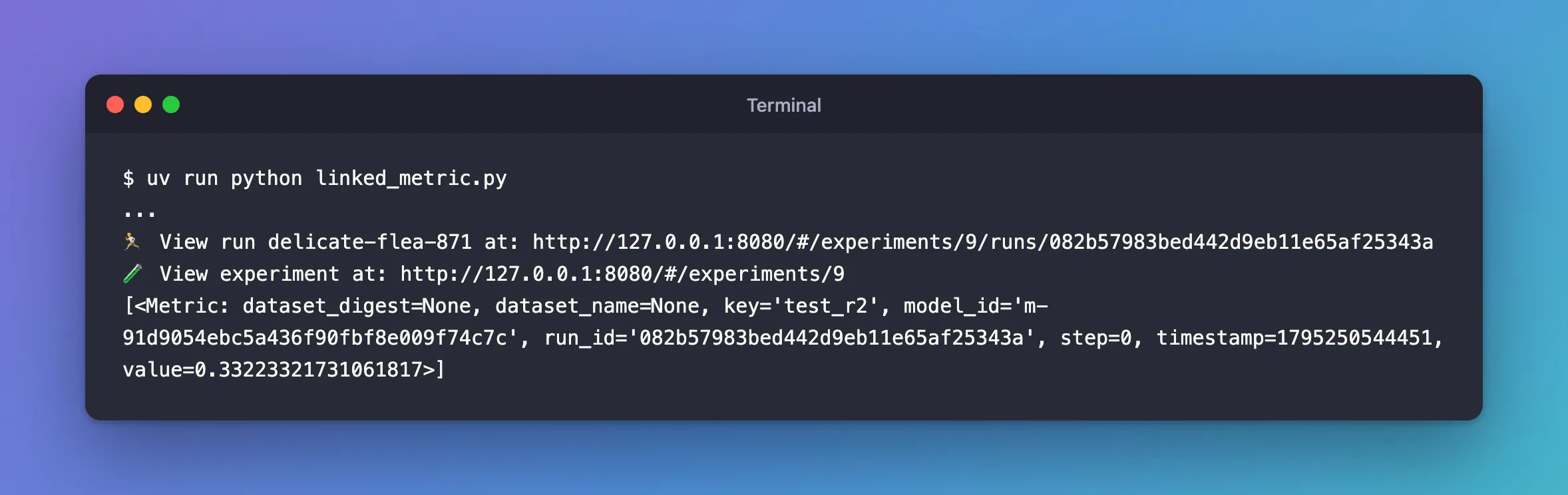
mlflow.get_logged_model(...).metrics lists the metric with both IDs: the model's and the run's.
Step 2: See the Score in the UI
Open the experiment's Models tab and click the model. Its page lists the metric, with the run it came from:
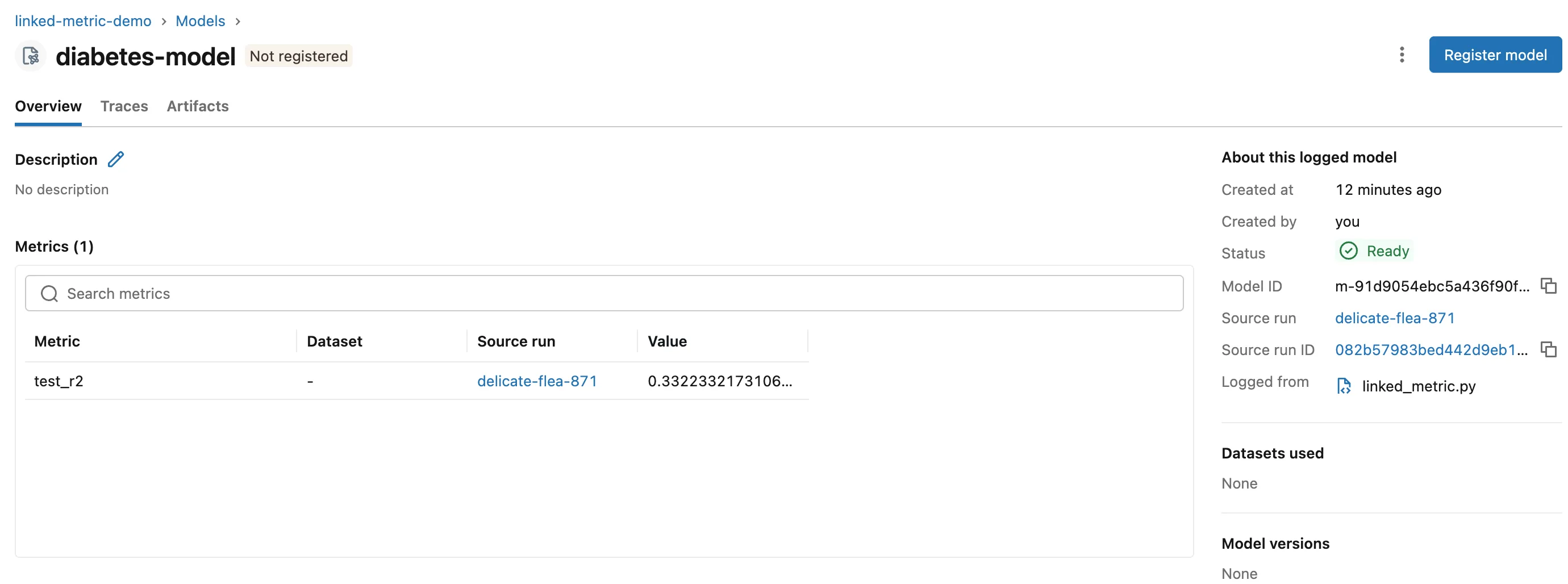
The Models tab can show it as a column too, which lets you compare models at a glance. I hid the empty Registered models and Dataset columns with the Columns button to make room:

Step 3: Know What MLflow Links by Itself
With one model in a run, the run's metrics reach the model even without model_id. implicit_link.py logs one metric before the model and one after, neither with model_id:
import mlflow
from sklearn.datasets import load_diabetes
from sklearn.linear_model import LinearRegression

mlflow.set_tracking_uri("http://127.0.0.1:8080")
mlflow.set_experiment("linked-metric-demo")

X, y = load_diabetes(return_X_y=True, as_frame=True)
model = LinearRegression().fit(X, y)

with mlflow.start_run():
    mlflow.log_metric("before_model", 1.0)
    model_info = mlflow.sklearn.log_model(model, name="diabetes-model", input_example=X.head(3))
    mlflow.log_metric("after_model", 2.0)

print([metric.key for metric in mlflow.get_logged_model(model_info.model_id).metrics])
uv run python implicit_link.py
['before_model', 'after_model']
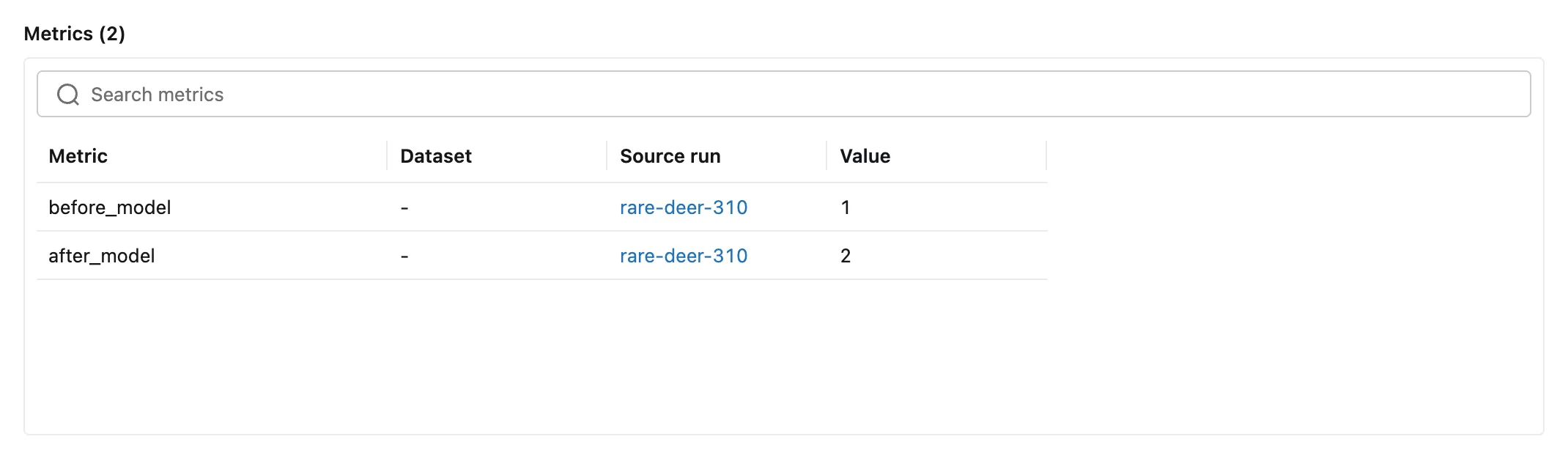
Both are on the model:
after_model: nomodel_id, so MLflow used the run's model, as its reference says.before_model: logged before the model existed. MLflow'slog_modelcode copies the run's metrics that have no model yet onto the model it's logging.
So model_id matters most when a run holds more than one model: Fixed: An MLflow Logged Model Shows Another Model's Metric shows what goes wrong there and the order that fixes it.
Common Mistakes
| Mistake | What happens | Do this instead |
|---|---|---|
| Logging several models in one run, each followed by its score | Later models also get earlier models' scores | Log every model first, then each score with its model_id |
| Looking for the score only on the run | It's there, but comparing models is easier on the Models tab | Add the metric's column on the Models tab |
Troubleshooting
| Symptom | Likely cause | Fix |
|---|---|---|
| A model shows a metric from another model | Both were logged in one run | Fixed: An MLflow Logged Model Shows Another Model's Metric |
| The metric's column is off-screen on the Models tab | Other columns take the space | Hide columns with the Columns button |
FAQ
Is the metric still on the run?
Yes. The output above shows the run's ID on the metric, and the run's page lists it too.
Can I link a score to a model logged earlier, in another run?
Yes: model_id takes the ID of any logged model, and log_metric logs it under the active run.
Conclusion
mlflow.log_metric("test_r2", ..., model_id=model_info.model_id) put the model's test score on its page and in a Models tab column. In a run with one model, MLflow links the run's other metrics as well; with several models in one run, log them all first and give each score its model_id.
Additional Resources
- mlflow.log_metric — the
model_idparameter.
