How to Limit the Size of Microsoft Learn MCP Search Results with maxTokenBudget

The Microsoft Learn MCP server's search returns long excerpts, and an AI agent pays for every token of them. One setting in the server's address caps their size: maxTokenBudget. This guide measures the same search with and without it, and shows what the server leaves out to stay within the budget.
Syntax
https://learn.microsoft.com/api/mcp?maxTokenBudget=<tokens>
| Part | What it is |
|---|---|
https://learn.microsoft.com/api/mcp | The Microsoft Learn MCP server's address |
<tokens> | The most tokens of content you want back from a search, such as 2000 |
Microsoft's best practices for the server describe it: Append maxTokenBudget to the endpoint URL to cap the token count in search responses. This truncates content in results to stay within your budget. One limit comes with it: The parameter only affects search results - fetch always returns the full page.
When to Use It
Microsoft's advice is to match it to how your agent searches: Set it low if your agent does many calls per turn, higher if you want richer single responses. Every search result goes to the model as input, so a smaller result means fewer input tokens, a faster answer and more room for the rest of the conversation.
The Example
A console app runs the same search, move Microsoft Authenticator to a new phone, twice: once on the plain address, and once with ?maxTokenBudget=2000. For each, it prints how many characters of text came back, how many results the search found, and how many of them came without their excerpt.
Prerequisites
- The .NET 10 SDK.
dotnet --versionprints a version that starts with10.0.
Step 1: Create a Console App
dotnet new console -n LearnSearchBudget
cd LearnSearchBudget
dotnet add package ModelContextProtocol.Core --version 2.4.0
ModelContextProtocol.Core is the official MCP C# SDK for clients. Open the LearnSearchBudget folder in VS Code, or LearnSearchBudget.csproj in Visual Studio.
Step 2: Search Both Addresses
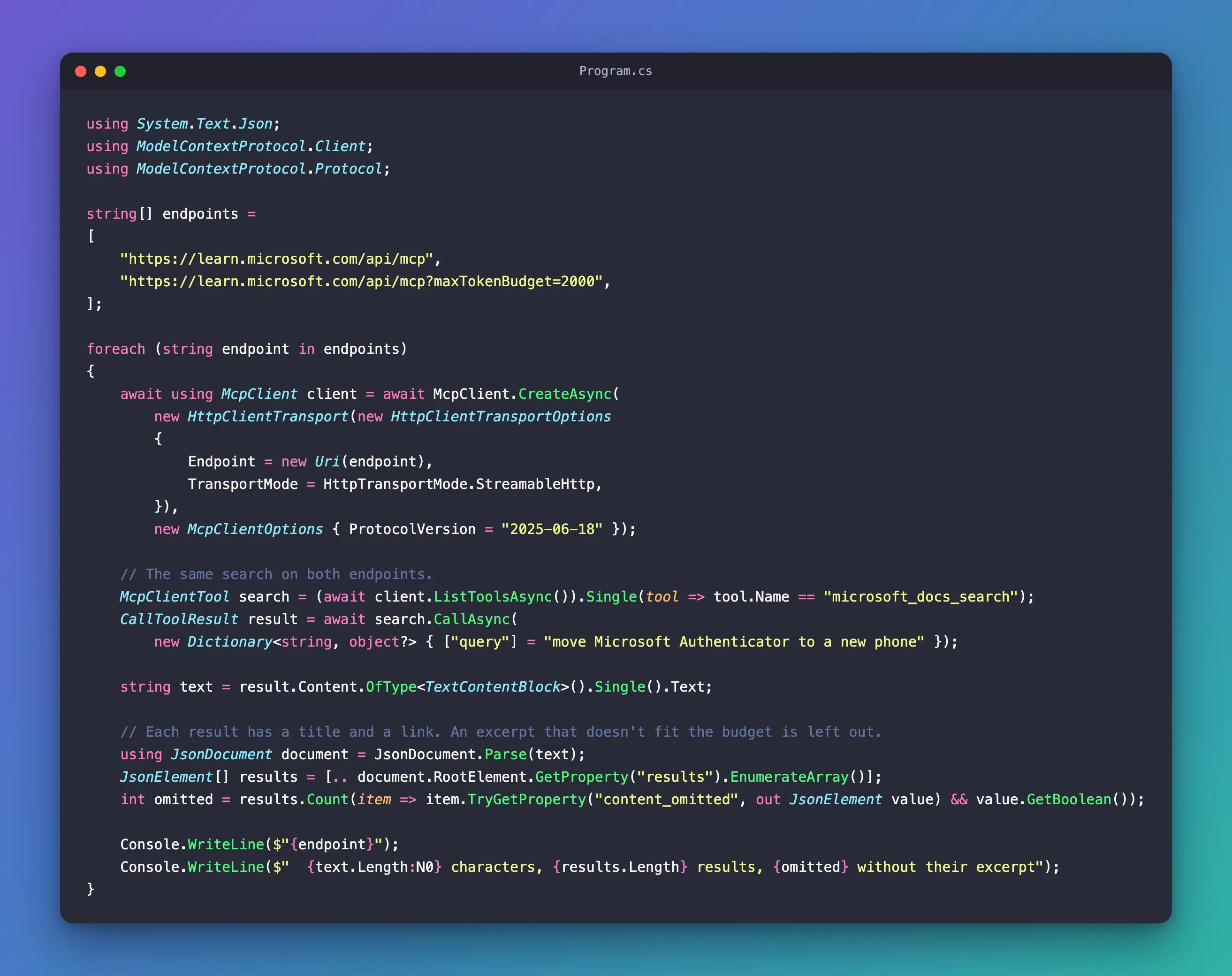
Replace everything in Program.cs with:
using System.Text.Json;
using ModelContextProtocol.Client;
using ModelContextProtocol.Protocol;

string[] endpoints =
[
    "https://learn.microsoft.com/api/mcp",
    "https://learn.microsoft.com/api/mcp?maxTokenBudget=2000",
];

foreach (string endpoint in endpoints)
{
    await using McpClient client = await McpClient.CreateAsync(
        new HttpClientTransport(new HttpClientTransportOptions
        {
            Endpoint = new Uri(endpoint),
            TransportMode = HttpTransportMode.StreamableHttp,
        }),
        new McpClientOptions { ProtocolVersion = "2025-06-18" });

    // The same search on both endpoints.
    McpClientTool search = (await client.ListToolsAsync()).Single(tool => tool.Name == "microsoft_docs_search");
    CallToolResult result = await search.CallAsync(
        new Dictionary<string, object?> { ["query"] = "move Microsoft Authenticator to a new phone" });

    string text = result.Content.OfType<TextContentBlock>().Single().Text;

    // Each result has a title and a link. An excerpt that doesn't fit the budget is left out.
    using JsonDocument document = JsonDocument.Parse(text);
    JsonElement[] results = [.. document.RootElement.GetProperty("results").EnumerateArray()];
    int omitted = results.Count(item => item.TryGetProperty("content_omitted", out JsonElement value) && value.GetBoolean());

    Console.WriteLine($"{endpoint}");
    Console.WriteLine($"  {text.Length:N0} characters, {results.Length} results, {omitted} without their excerpt");
}
- The budget lives in the address, so the code is the same for both: only
Endpointchanges. - The connection and the call are the ones from How to Call an MCP Tool from C#.
text.Lengthcounts the characters of the text block, the part of the result an AI model reads.content_omittedis what the server puts in a result in place of its excerpt,content, when the excerpt didn't fit.TryGetPropertyreads it only where it's there.
Run the app:
- VS Code
- Visual Studio
In the terminal, in the LearnSearchBudget folder, run:
dotnet run
Press Ctrl+F5 (Debug > Start Without Debugging). The output appears in a console window.
https://learn.microsoft.com/api/mcp
  25,007 characters, 10 results, 0 without their excerpt
https://learn.microsoft.com/api/mcp?maxTokenBudget=2000
  11,182 characters, 10 results, 5 without their excerpt
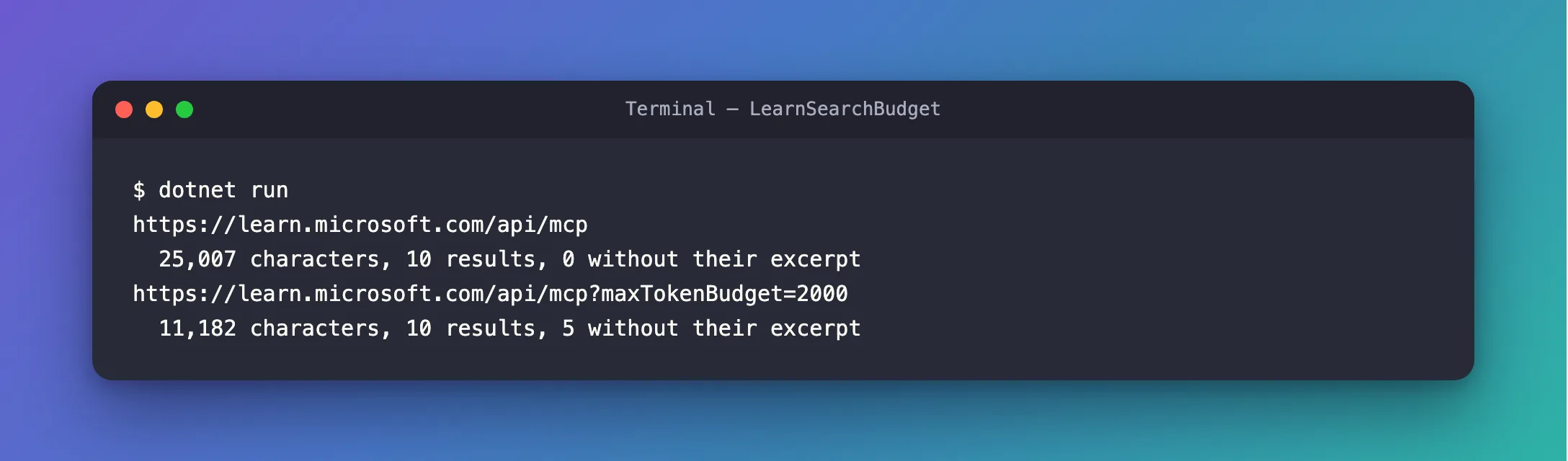
With a budget of 2,000 tokens, the same search came back less than half as long: 11,182 characters instead of 25,007. It didn't drop any results, and it didn't trim every excerpt a little. All ten results kept their title and link, and five of them came without their excerpt: in each of those, content was gone and "content_omitted": true stood in its place.
The Complete File
The file from Step 2 is the whole program:
What It Means for an AI Agent
An AI agent that searches Microsoft Learn sends each result to its model as input. In a service desk agent I built, one question that searched Microsoft Learn and read one page took 18,198 input tokens, most of them search results and the page. The search part is what the budget shrinks.
The model still sees every result's title and link, so it can fetch a page whose excerpt was left out. A page fetched with microsoft_docs_fetch always comes back whole, so an agent that fetches still needs room for it.
Common Mistakes
| Mistake | What happens | Do this instead |
|---|---|---|
Reading content from every result | KeyNotFoundException for each result whose excerpt the budget left out (Fixed) | Read content with TryGetProperty, or check content_omitted first |
| Expecting the budget to shorten fetched pages | microsoft_docs_fetch still returns the whole page | Count fetched pages in your token plans separately |
| Putting the budget in a tool argument | The search tool takes only query | Add ?maxTokenBudget= to the server's address |
FAQ
Which excerpts does the server leave out?
When I printed the same search's results one by one, the server had kept the excerpts of results 1 to 4 and 7, and left out 5, 6, 8, 9 and 10. The fifth result's excerpt was the longest of all, 5,006 characters, while the seventh was 2,042. Microsoft doesn't document the order, so don't build on it: read each result for what it holds.
Does the number count tokens or characters?
Tokens, the units a model reads. The example measures characters because that's what C# can count without a tokenizer; the drop is what matters.
Can I set the budget for one search only?
The budget is part of the address the client connects to, so it applies to every search on that connection. For two budgets, use two clients.
Conclusion
Add ?maxTokenBudget=<tokens> to https://learn.microsoft.com/api/mcp, and the server keeps its search results within the budget: every result keeps its title and link, and the excerpts that don't fit are left out and marked with content_omitted. In this test a budget of 2,000 more than halved a search, from 25,007 to 11,182 characters. Fetched pages stay whole.
Additional Resources
- Best practices for using the Microsoft Learn MCP Server — token budget control.
- Microsoft Learn MCP Server overview — the server, its tools and its limits.
- MCP C# SDK: Getting Started — clients that list and call tools.
