How to Limit How Long a SELECT Runs in MySQL

A report with a bad join can run for hours and take the server down with it. max_execution_time tells MySQL to stop a SELECT after a set time. The limit lives on the server, so it works no matter which program sent the query.
Prerequisites
- MySQL, and a way to run SQL. The examples use MySQL 9.7.4 in Docker, and the
mysqlclient from How to Connect to MySQL in a Docker Container.
Step 1: Check the Current Limit
SELECT @@max_execution_time;
+----------------------+
| @@max_execution_time |
+----------------------+
|                    0 |
+----------------------+
1 row in set (0.000 sec)
0 means no limit, which is the default. The value is in milliseconds.
Step 2: Set It for Your Session
SET SESSION max_execution_time = 1000;
Now run something slow. This one joins a large system table to itself three times:
SELECT COUNT(*) FROM information_schema.columns a, information_schema.columns b, information_schema.columns c;
ERROR 3024 (HY000): Query execution was interrupted, maximum statement execution time exceeded
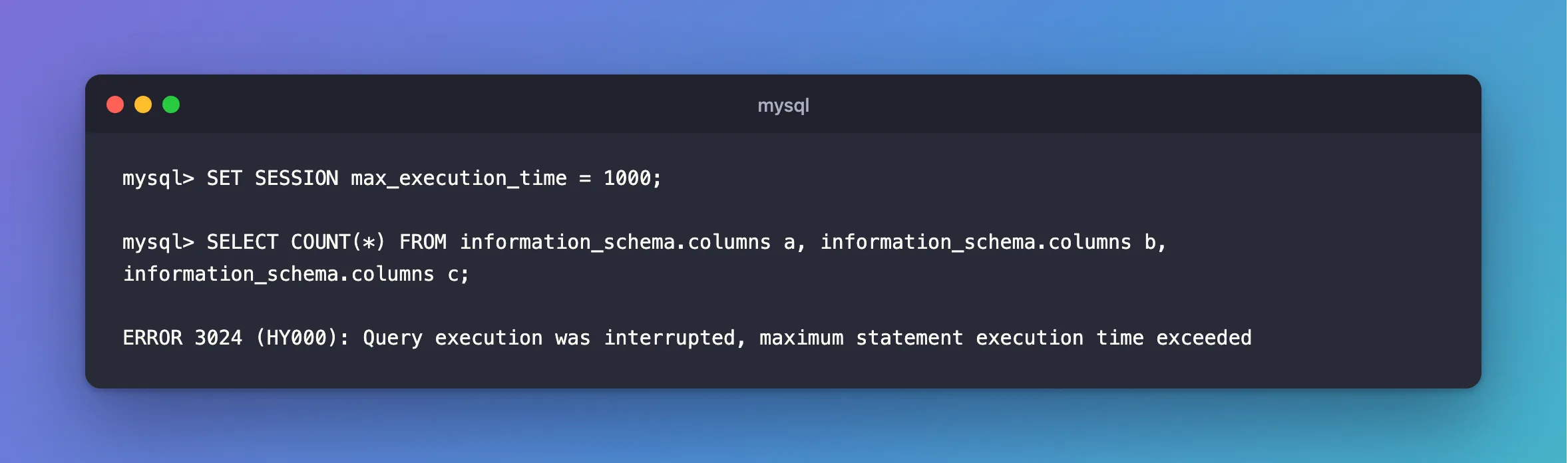
One second, and MySQL stopped it. Fixed: ERROR 3024 covers the error.
SLEEP is the exception to watch for when you test this. It's interrupted, and it reports that with a return value instead of an error:
SELECT SLEEP(3);
+----------+
| SLEEP(3) |
+----------+
|        1 |
+----------+
1 row in set (1.007 sec)
It returned after one second, and the 1 means it was cut short. Normally it returns 0.
Step 3: Set It for One Query
An optimizer hint applies to one statement. It goes right after SELECT, in a special comment:
SET SESSION max_execution_time = 0;
SELECT /*+ MAX_EXECUTION_TIME(1000) */ COUNT(*) FROM information_schema.columns a, information_schema.columns b, information_schema.columns c;
ERROR 3024 (HY000): Query execution was interrupted, maximum statement execution time exceeded
The optimizer hints page says: "The MAX_EXECUTION_TIME hint is permitted only for SELECT statements."
Step 4: Set It for the Server
An administrator can set the default for new connections:
SET GLOBAL max_execution_time = 30000;
The system variables page says: "The global max_execution_time value provides the default for the session value for new connections." To set it from an application, for each connection it opens: How to Run SQL When a Connection Opens in EF Core.
What It Doesn't Cover
It's only for read-only SELECT statements. An UPDATE or DELETE that runs for a long time isn't stopped by it. Waiting for a row lock has its own limit, innodb_lock_wait_timeout.
Common Mistakes
| Mistake | What happens | Do this instead |
|---|---|---|
| Treating the value as seconds | 30 means 30 milliseconds | Use 30000 for 30 seconds |
Testing it with SLEEP | You get 1, and no error | Test with a real slow query |
Expecting it to stop an UPDATE | It only covers read-only SELECTs | Use a smaller WHERE, or KILL |
Troubleshooting
| Symptom | Likely cause | Fix |
|---|---|---|
Query execution was interrupted, maximum statement execution time exceeded | The SELECT ran past the limit | The fix |
A SELECT ran longer than the limit | It's inside a stored program, or it's waiting for a lock | Check the page's rules |
| The hint does nothing | It isn't right after SELECT | Move it |
Conclusion
SET SESSION max_execution_time = 1000 limits this session's SELECTs to one second, and /*+ MAX_EXECUTION_TIME(1000) */ limits one query. It works on the server, so it applies whichever program sent the query. Remember that it's in milliseconds, and that writes aren't covered.
Additional Resources
- max_execution_time — the variable.
- Optimizer Hints — the hint.
