How to Limit Concurrent Requests in ASP.NET Core

A concurrency limit lets a fixed number of requests run at once, and makes the rest wait or go away. It's different from a rate limit, which counts requests over time. It's also what kept my API alive when a burst would otherwise have crashed it.
What You Need
The .NET 10 SDK. It's all in the framework, with no packages to add. Make a small project to try it:
dotnet new web --no-https -n WebDemo
cd WebDemo
Step 1: Add the Limiter
Replace Program.cs. The endpoint takes a second, so that requests overlap:
using System.Threading.RateLimiting;

var builder = WebApplication.CreateBuilder(args);

builder.Services.AddRateLimiter(options =>
{
    options.RejectionStatusCode = StatusCodes.Status503ServiceUnavailable;

    options.GlobalLimiter = PartitionedRateLimiter.Create<HttpContext, string>(_ =>
        RateLimitPartition.GetConcurrencyLimiter("everyone", _ => new ConcurrencyLimiterOptions
        {
            PermitLimit = 2,
            QueueLimit = 2,
            QueueProcessingOrder = QueueProcessingOrder.OldestFirst,
        }));
});

var app = builder.Build();

app.UseRateLimiter();

app.MapGet("/work", async () =>
{
    await Task.Delay(1000);
    return "done";
});

app.Run();
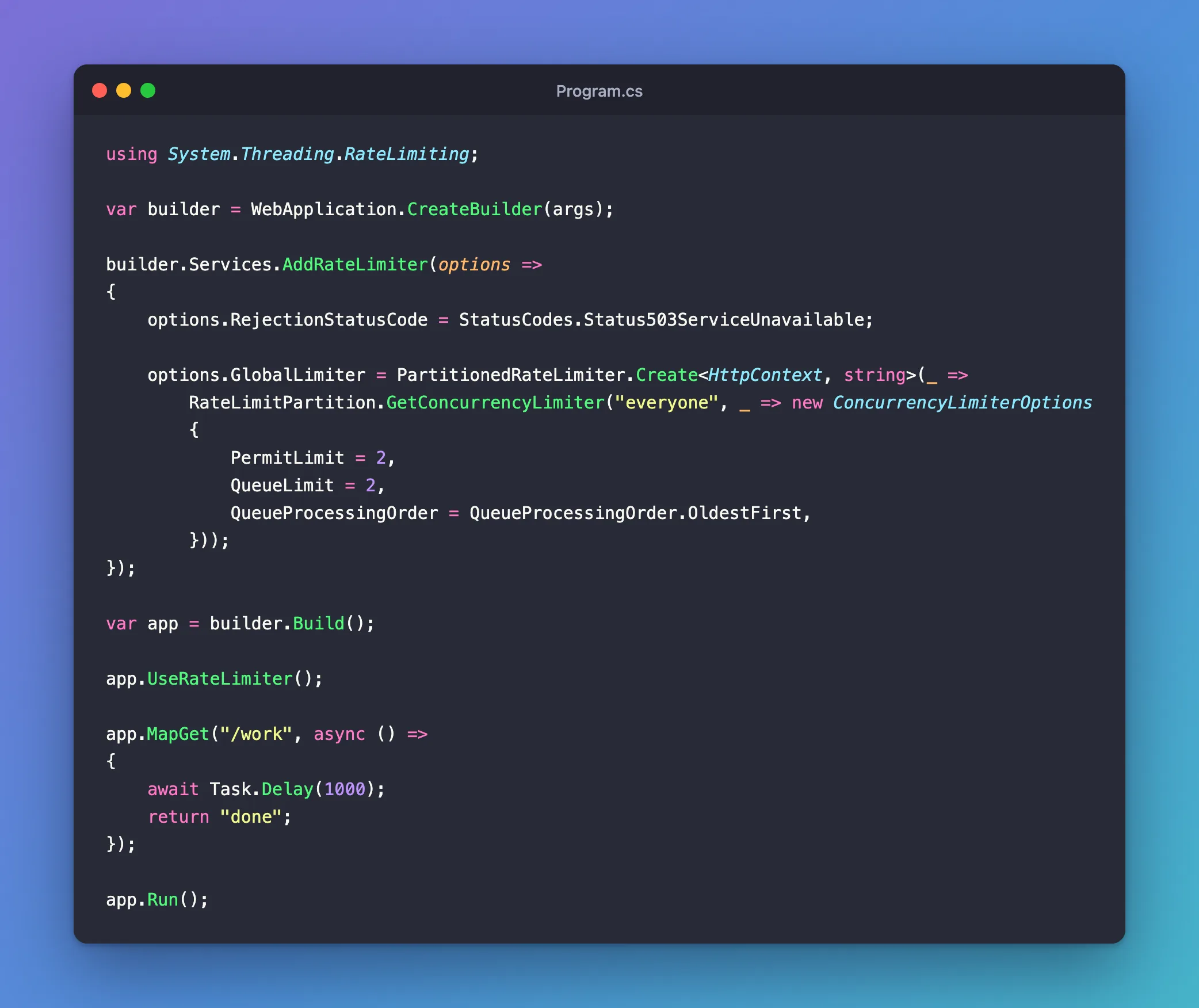
What each part does:
| Setting | Meaning |
|---|---|
GlobalLimiter | It applies to every endpoint, unless one opts out |
"everyone" | The partition key. One key means one shared limit. Different keys get a limit each |
PermitLimit = 2 | Two requests run at a time |
QueueLimit = 2 | Two more may wait |
OldestFirst | They run in the order they came |
RejectionStatusCode | What everything else gets. The default is 503 as well, and it's clearer stated |
app.UseRateLimiter() turns it on. The name's the same for rate limits and concurrency limits, because they share the middleware.
Step 2: Try It
Run it, and send 6 requests at once from another terminal:
dotnet run --no-launch-profile --urls http://localhost:5300
- macOS / Linux
- Windows (PowerShell)
seq 6 | xargs -P 6 -I{} curl -s -o /dev/null -w "%{http_code} after %{time_total}s\n" http://localhost:5300/work
Add-Type -AssemblyName System.Net.Http
$client = [System.Net.Http.HttpClient]::new()
$requests = 1..6 | ForEach-Object { $client.GetAsync("http://localhost:5300/work") }
try { [System.Threading.Tasks.Task]::WaitAll([System.Threading.Tasks.Task[]]$requests) } catch { }
$requests | ForEach-Object { [int]$_.Result.StatusCode }
503 after 0.000743s
503 after 0.000757s
200 after 1.008215s
200 after 1.009553s
200 after 2.008609s
200 after 2.010941s
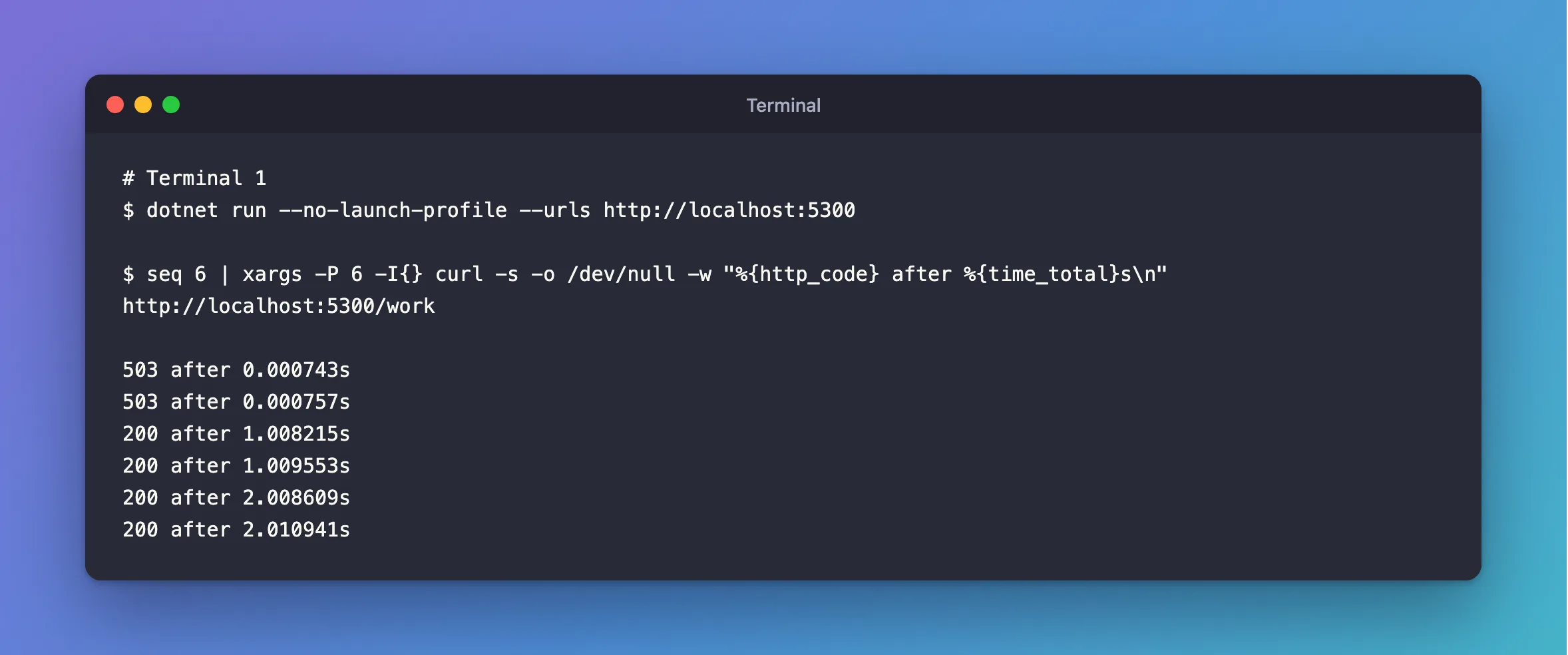
Exactly as described: two run, taking 1 second. Two wait, and take 2 seconds. Two get refused immediately.
Step 3: Keep Some Endpoints Out
A liveness check should answer whatever the load is:
app.MapGet("/health", () => "Healthy").DisableRateLimiting();
The Real Use: Protecting a Connection Pool
With MySql.Data, a request waiting for a connection blocks a thread, and a burst above Maximum Pool Size can starve the thread pool until the process ends. A request here waits without a thread, and a request only needs one connection at a time. So set the limit to the pool's size, read from the connection string so that the two can't drift apart:
using MySql.Data.MySqlClient;

var maximumPoolSize = (int)new MySqlConnectionStringBuilder(
    builder.Configuration.GetConnectionString("Inventory")).MaximumPoolSize;
Use it as PermitLimit. The difference was stark. Without the limit, and with the default pool of 100, 150 at once ended the process in 17 of 26 runs. With it, and a pool of only 5:
| Requests at once | Result | Time |
|---|---|---|
| 50 | All 200 answered | 1.42 s |
| 150 | All 600 answered | 2.36 s |
| 500 | All 2,000 answered | 6.37 s |
Microsoft's advice stands: "Apps using rate limiting should be carefully load tested and reviewed before deploying." These limits are per process, so several copies of an app get a limit each.
Common Mistakes
| Mistake | What happens | Do this instead |
|---|---|---|
| A different key per request | Each gets its own limit, so nothing is limited | Use one key for a shared limit |
| No limit on the queue | Requests pile up, and wait for ages | Set QueueLimit, and answer 503 past it |
Forgetting UseRateLimiter | Nothing happens, with no warning | Add it |
| Limiting health checks | A busy app looks dead | DisableRateLimiting() on liveness |
Troubleshooting
| Symptom | Likely cause | Fix |
|---|---|---|
A 503 with no body | Nothing writes one | Add AddProblemDetails and UseStatusCodePages |
Many 503s under normal load | The queue is too small, or something's slow | Raise QueueLimit, and find what's slow |
DisableRateLimiting is ignored | A UseRouting call comes after UseRateLimiter | Move it before, or leave it out |
Conclusion
GetConcurrencyLimiter gives you a limit on requests in flight, a queue that holds no thread, and an immediate 503 beyond that. In front of a connection pool, it's the difference between a slow moment and a crash.
Additional Resources
- Rate limiting middleware in ASP.NET Core — every limiter.
- ConcurrencyLimiterOptions — its settings.
