How to Let Users See Only Their Own Items in a SharePoint List with the REST API in Power Automate

A SharePoint list can let people read and edit only the items they created. The setting lives in the list's Advanced settings, and a flow can turn it on with one REST request that sets two numbers, ReadSecurity and WriteSecurity.
Syntax
The request goes through Send an HTTP request to SharePoint (How to Use Send an HTTP Request to SharePoint). It's a MERGE, which changes only the properties in the body (How to Change SharePoint List Settings with the REST API in Power Automate):
| Field | Value |
|---|---|
| Method | POST |
| Uri | _api/web/lists/getbytitle('<list name>') |
| Headers | Accept: application/json;odata=nometadata |
Content-Type: application/json;odata=verbose | |
IF-MATCH: * | |
X-HTTP-Method: MERGE |
{
  "__metadata": { "type": "SP.List" },
  "ReadSecurity": <read>,
  "WriteSecurity": <write>
}
<list name>: the list's title, as in Site contents.<read>and<write>: numbers, without quotes, from this table:
| Value | ReadSecurity | WriteSecurity |
|---|---|---|
1 | Read all items | Write all items |
2 | Read only my items | Write only my items |
4 | Not used | Write no items (read-only list) |
The table comes from Microsoft's Security element, which documents these values for a list's definition. The Lists and list items REST API reference doesn't list ReadSecurity and WriteSecurity among a list's properties, but SharePoint accepted both in a MERGE, and the list's Advanced settings showed the change.
The Example
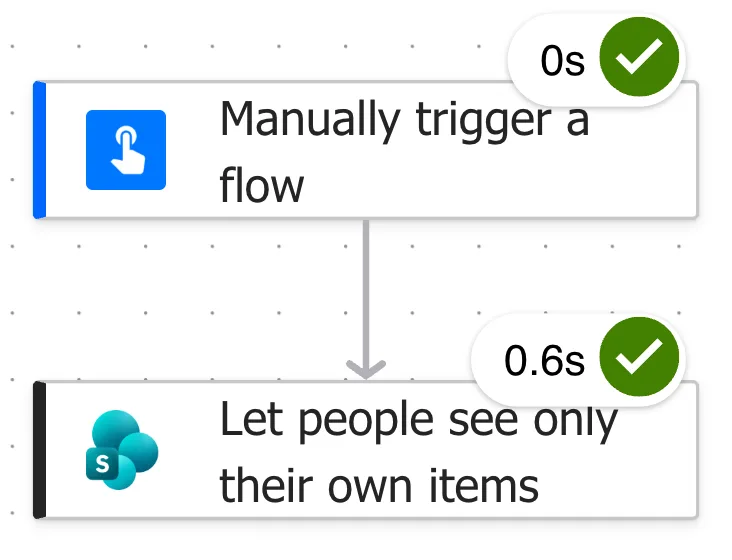
A list called Expense Claims, on the root site contoso.sharepoint.com, should let each person see and edit only their own claims. The flow, Show Only Their Own Items, has two parts:
- Manually trigger a flow (How to Create an Instant Cloud Flow Inside a Solution in Power Automate).
- Let people see only their own items, the MERGE.
Prerequisites
- An account that can change the list's settings, such as a site owner, for the flow's SharePoint connection.
Step 1: Add the Request
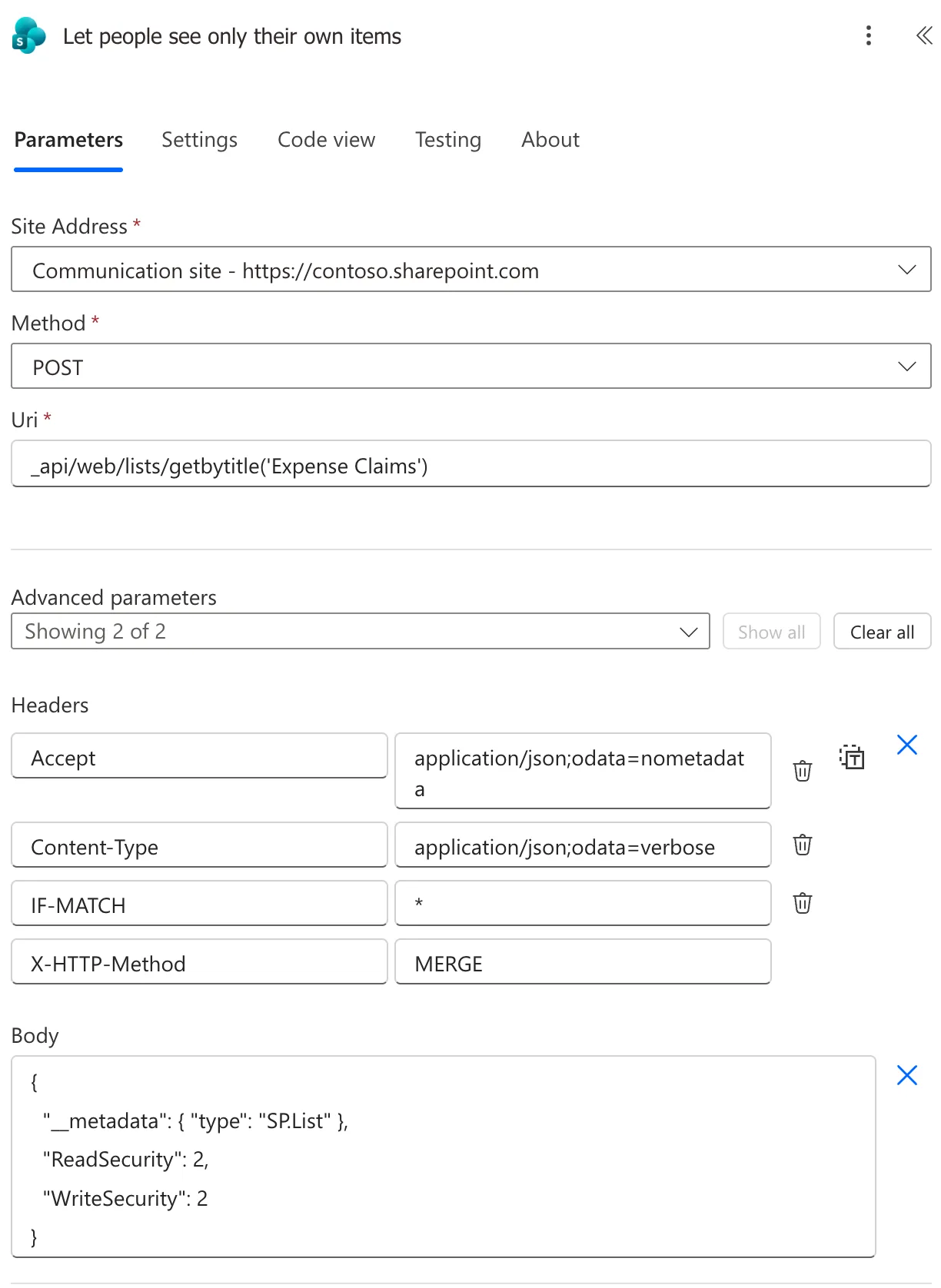
Add Send an HTTP request to SharePoint and rename it Let people see only their own items:
| Field | Value |
|---|---|
| Site Address | Your site |
| Method | POST |
| Uri | _api/web/lists/getbytitle('Expense Claims') |
| Headers | Accept: application/json;odata=nometadata |
Content-Type: application/json;odata=verbose | |
IF-MATCH: * | |
X-HTTP-Method: MERGE |
{
  "__metadata": { "type": "SP.List" },
  "ReadSecurity": 2,
  "WriteSecurity": 2
}
Step 2: Run the Flow
Save the flow and test it manually (How to Test a Cloud Flow Manually in Power Automate):
The Result
List settings > Advanced settings > Item-level Permissions now has Read items that were created by the user and Create items and edit items that were created by the user selected:
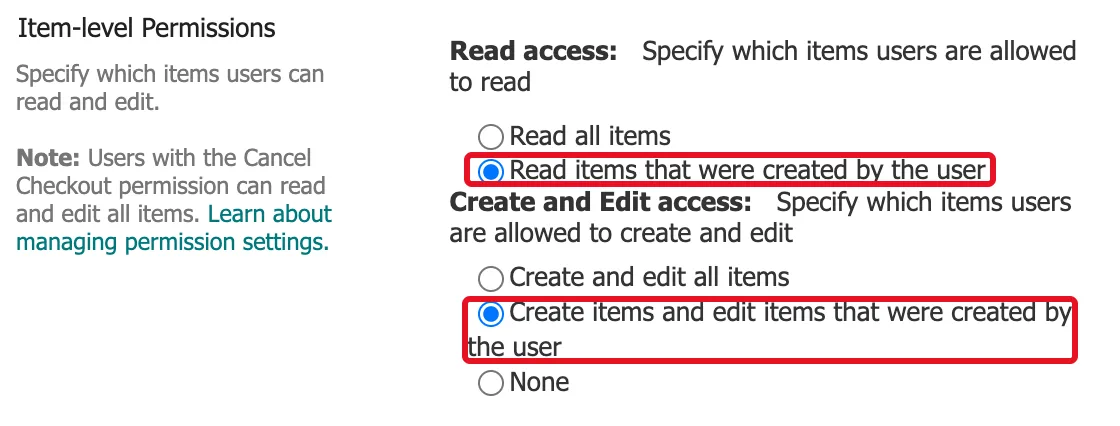
The page's own note matters: Users with the Cancel Checkout permission can read and edit all items. Microsoft's User permissions and permission levels calls that permission Override List Behaviors, which can change or override settings that allow users to read/edit only their own items, and only Design and Full Control include it by default. Site owners still see every item.
Common Mistakes
| Mistake | What happens | Do this instead |
|---|---|---|
Leaving out IF-MATCH or X-HTTP-Method | The POST isn't a MERGE | Add both headers |
| Giving people Design or Full Control | They see every item anyway, through Override List Behaviors | Give them Contribute or a custom level |
| Expecting it to hide items from a flow's owner connection | A flow that reads as a site owner sees every item | Plan what flows show people |
Troubleshooting
| Symptom | Likely cause | Fix |
|---|---|---|
| People still see others' items | They have Override List Behaviors | Check their permission level |
| The settings page still shows Read all items | The MERGE went to another list | Check the title in getbytitle('…') |
| An access-denied error | The connection's account can't change the list | Use a site owner's account |
FAQ
Can I set only one of the two?
Yes. A MERGE changes only what's in the body, so "ReadSecurity": 2 on its own leaves Create and Edit access as it was.
How do I turn it off again?
Run the same request with "ReadSecurity": 1 and "WriteSecurity": 1, or select Read all items and Create and edit all items in Advanced settings.
Can I do this without a flow?
Yes, in Advanced settings: How to Let Users See Only Their Own Items in a SharePoint List.
Conclusion
POST to _api/web/lists/getbytitle('<list name>') with X-HTTP-Method: MERGE, IF-MATCH: * and {"__metadata": {"type": "SP.List"}, "ReadSecurity": 2, "WriteSecurity": 2}. People then read and edit only the items they created, except those whose level includes Override List Behaviors.
Additional Resources
- Security element: the
ReadSecurityandWriteSecurityvalues. - Complete basic operations using SharePoint REST endpoints: MERGE requests.
- User permissions and permission levels: Override List Behaviors.
