How to Let a MySQL User See Locks and Transactions

To see locks, you need rights that an application's account shouldn't have. So don't give them to it. Make a small second account just for looking: it can read who's waiting for whom, and it can't read or change your tables.
Prerequisites
- MySQL, and an administrator account. The examples use root on MySQL 9.7.4 in Docker.
Step 1: See What the App's Account Can't Do
The application's account, which has full rights on its own database and nothing else, gets refused:
SELECT * FROM sys.innodb_lock_waits;
SELECT * FROM performance_schema.data_locks;
SELECT * FROM information_schema.innodb_trx;
SHOW ENGINE INNODB STATUS;
ERROR 1142 (42000): SELECT command denied to user 'inventory_app'@'localhost' for table 'innodb_lock_waits'
ERROR 1142 (42000): SELECT command denied to user 'inventory_app'@'localhost' for table 'data_locks'
ERROR 1227 (42000): Access denied; you need (at least one of) the PROCESS privilege(s) for this operation
ERROR 1227 (42000): Access denied; you need (at least one of) the PROCESS privilege(s) for this operation
Two kinds of refusal: ERROR 1142 for the tables, and ERROR 1227 for what needs PROCESS.
Step 2: Create the Account
Use a password of your own. How to Generate a Strong Random Password in the Terminal makes one.
CREATE USER IF NOT EXISTS 'lock_viewer'@'%' IDENTIFIED BY 'choose-a-strong-password';
Step 3: Give It Exactly Three Things
GRANT PROCESS ON *.* TO 'lock_viewer'@'%';
GRANT SELECT ON performance_schema.* TO 'lock_viewer'@'%';
GRANT SELECT, EXECUTE ON sys.* TO 'lock_viewer'@'%';
SHOW GRANTS FOR 'lock_viewer'@'%';
+-------------------------------------------------------------+
| Grants for lock_viewer@%                                    |
+-------------------------------------------------------------+
| GRANT PROCESS ON *.* TO `lock_viewer`@`%`                   |
| GRANT SELECT, EXECUTE ON `sys`.* TO `lock_viewer`@`%`       |
| GRANT SELECT ON `performance_schema`.* TO `lock_viewer`@`%` |
+-------------------------------------------------------------+
3 rows in set (0.000 sec)
| Grant | What it allows |
|---|---|
PROCESS on *.* | information_schema.innodb_trx, SHOW ENGINE INNODB STATUS, and seeing other sessions |
SELECT on performance_schema.* | data_locks, data_lock_waits, threads, metadata_locks |
SELECT, EXECUTE on sys.* | The views such as innodb_lock_waits, and the functions they call |
PROCESS has to be granted on *.*, because it's a server-wide right.
Step 4: Try It
SELECT waiting_pid, blocking_pid, wait_age FROM sys.innodb_lock_waits;
SELECT COUNT(*) AS locks FROM performance_schema.data_locks;
SELECT COUNT(*) AS transactions FROM information_schema.innodb_trx;
SELECT COUNT(*) FROM inventory.products;
mysql> SELECT waiting_pid, blocking_pid, wait_age FROM sys.innodb_lock_waits;
Empty set (0.007 sec)

mysql> SELECT COUNT(*) AS locks FROM performance_schema.data_locks;
+-------+
| locks |
+-------+
|     0 |
+-------+
1 row in set (0.000 sec)

mysql> SELECT COUNT(*) AS transactions FROM information_schema.innodb_trx;
+--------------+
| transactions |
+--------------+
|            0 |
+--------------+
1 row in set (0.000 sec)

mysql> SELECT COUNT(*) FROM inventory.products;
ERROR 1142 (42000): SELECT command denied to user 'lock_viewer'@'localhost' for table 'products'
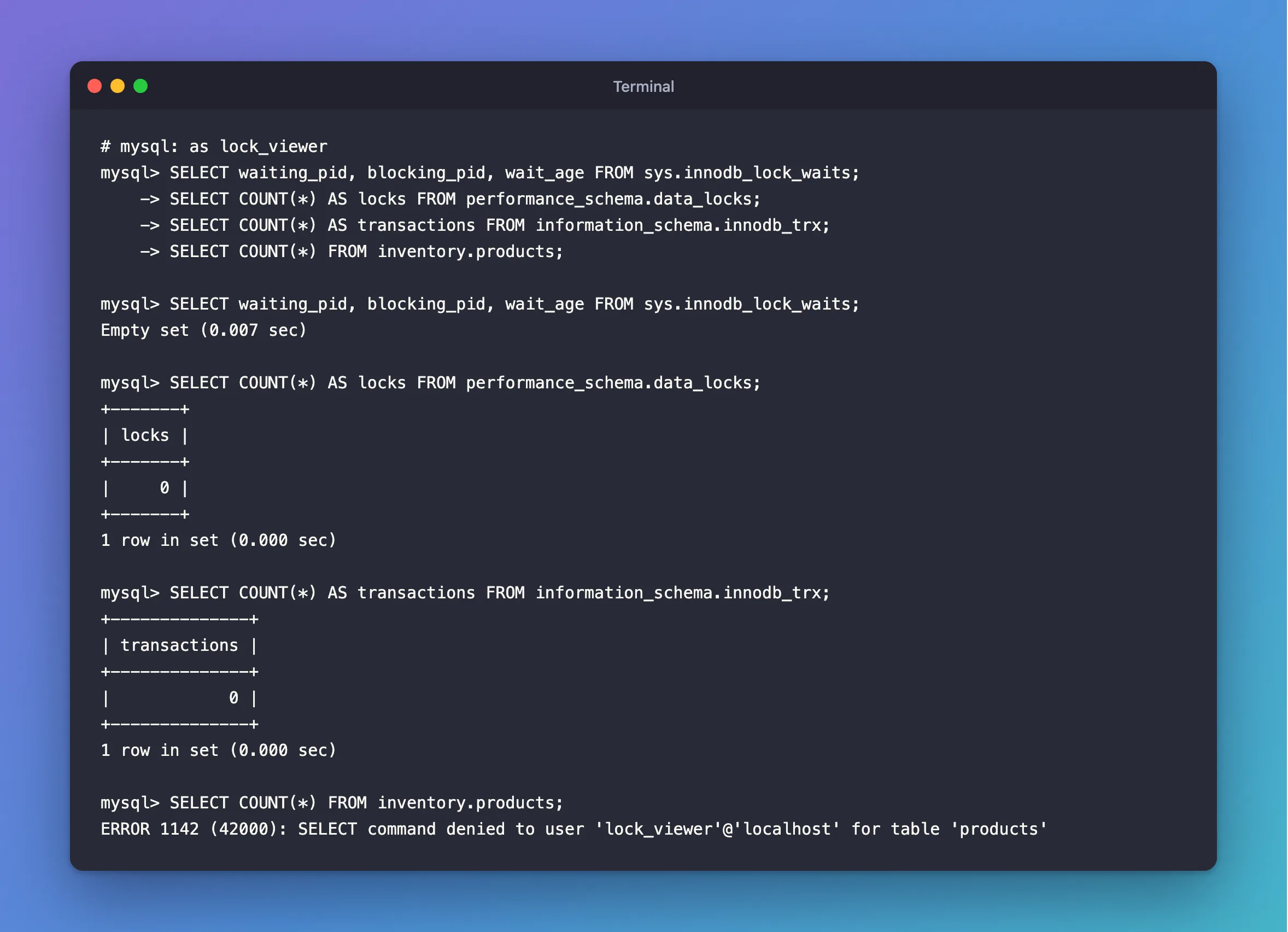
The views work, and the data is out of reach.
What PROCESS Can Show
PROCESS lets the account see the text of other sessions' statements, and those can contain values. MySQL's privileges page says: "The PROCESS privilege controls access to information about threads executing within the server (that is, information about statements being executed by sessions)." So treat this account's password like any other, and give it only to the people who need it.
This account can't end anything, as KILL needs CONNECTION_ADMIN for other people's connections.
Common Mistakes
| Mistake | What happens | Do this instead |
|---|---|---|
| Granting these to the app's account | A compromised app can see every session's statements | Use a separate account |
GRANT ALL for convenience | It can read and change everything | Grant the three above |
GRANT PROCESS ON inventory.* | ERROR 1221: it's a server-wide right | Use *.* |
Skipping EXECUTE on sys | ERROR 1356: the views can't call their functions | Grant both |
Connecting with inventory as the database | ERROR 1044: the account has no rights there | Connect with no database |
Troubleshooting
| Symptom | Likely cause | Fix |
|---|---|---|
SELECT command denied ... for table 'innodb_lock_waits' | No rights on sys | Step 3 |
you need (at least one of) the PROCESS privilege(s) | No PROCESS | Step 3 |
| The account sees only its own threads | No PROCESS | Step 3 |
Conclusion
PROCESS on *.*, SELECT on performance_schema.*, and SELECT, EXECUTE on sys.* give an account everything it needs to read locks and transactions, and no access to your tables. Keep it separate from the account your application uses.
Additional Resources
- Privileges Provided by MySQL — what each one allows.
- The MySQL sys Schema — the views.
