How to Keep Text Exactly as Typed with Single Quotes in bash and zsh

The shell changes some text before a command ever sees it: $name becomes the value of the variable name. Single quotes stop that, so the command gets the text exactly as you typed it. This guide prints the same greeting in double and in single quotes, with real output from zsh 5.9 and bash 3.2.
Syntax
'<text>'
| Part | What it means |
|---|---|
'<text>' | Passed on exactly as typed. $, spaces and every other character inside keep their literal value |
The bash manual: "Enclosing characters in single quotes (‘'’) preserves the literal value of each character within the quotes. A single quote may not occur between single quotes, even when preceded by a backslash."
Prerequisites
- zsh or bash. This guide uses zsh 5.9, the default shell on macOS, and checks every command in bash 3.2 too.
Step 1: Compare Double and Single Quotes
name="Ada"
echo "Hello, $name"
echo 'Hello, $name'
Hello, Ada
Hello, $name
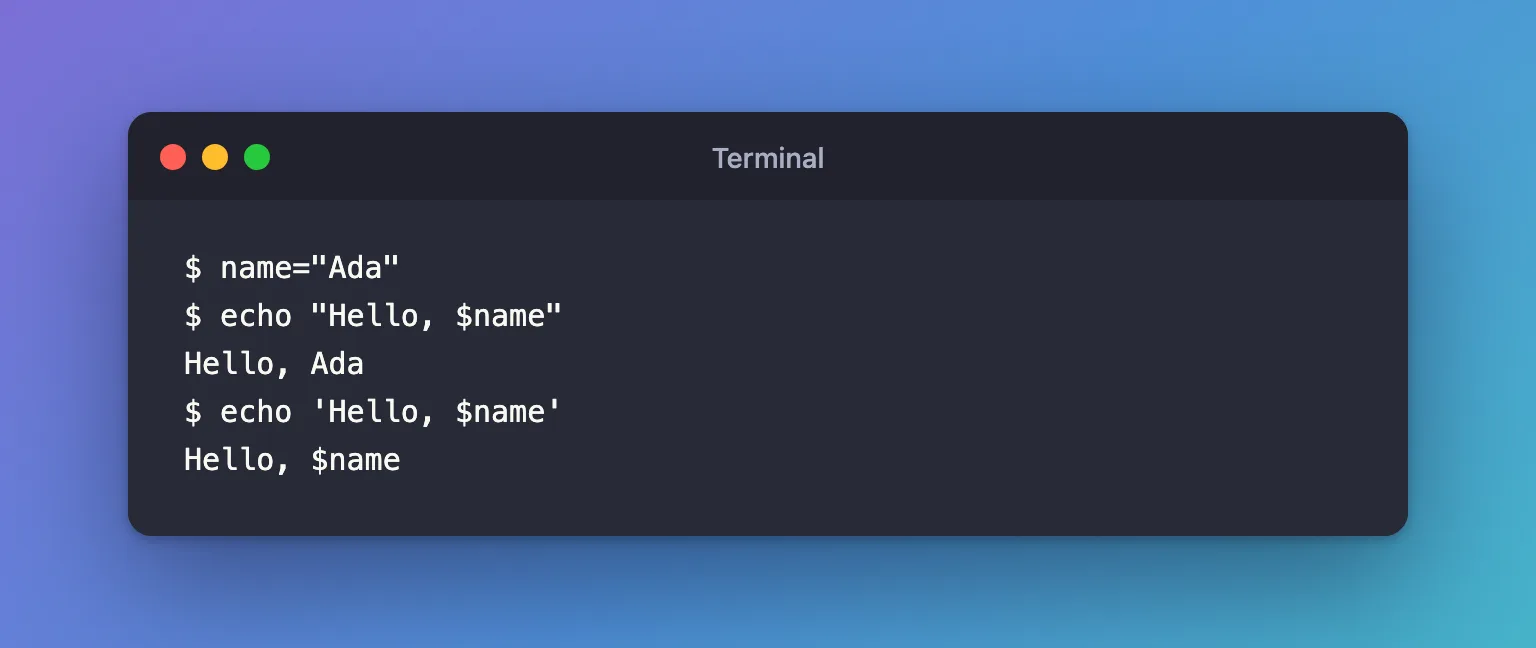
In double quotes, the shell replaced $name with Ada before echo ran. In single quotes, it left the text alone, so echo printed $name itself. bash printed the same two lines.
Common Mistakes
| Mistake | What happens | Do this instead |
|---|---|---|
An apostrophe inside single quotes: echo 'It's done' | The apostrophe ends the quoted text, and the last ' opens a new one, so the shell waits for it to close: zsh showed a quote> prompt, and bash a > prompt | Use double quotes: echo "It's done" printed It's done |
Troubleshooting
| Symptom | Likely cause | Fix |
|---|---|---|
A quote> prompt (zsh) or > prompt (bash) appears | A quote was opened and never closed | Press Ctrl+C, which cancelled the line, and fix the quotes |
FAQ
When should I use double quotes instead?
When you want the shell to replace variables, as "Hello, $name" did.
How do I keep an apostrophe inside single-quoted text?
End the quoted text, add an escaped apostrophe, \', and start a new quoted part: echo 'It'\''s done' printed It's done.
Conclusion
echo 'Hello, $name' printed $name exactly as typed, while echo "Hello, $name" printed Hello, Ada. Use single quotes when the shell must not change your text.
Additional Resources
- Single Quotes — the bash manual.
- Double Quotes — what double quotes still replace.
- zsh: Shell Grammar — quoting in zsh, in its Quoting section.
