How to Keep Passwords Out of compose.yaml with an .env File

A password typed into compose.yaml ends up in Git, and then in every copy of the repository. Docker Compose can read passwords from a separate .env file instead, and with one small piece of syntax it refuses to start when they're missing. This guide sets that up for a MySQL container, with the real output of every check.
How Compose Reads the .env File
When you run a docker compose command, Compose looks for a file named .env in the project folder, the folder that holds compose.yaml. Every ${NAME} in compose.yaml is replaced with the value of NAME from that file. Docker calls this interpolation.
Docker's documentation lists a stricter form, which this guide uses for every password:
${VAR:?error}-> value ofVARif set and non-empty, otherwise exit with error
So a missing or empty password stops Compose with your own message, instead of starting a database with no password.
The project here is the local MySQL database from How to Run MySQL in Docker with Docker Compose. It uses three files:
| File | Contains | In Git? |
|---|---|---|
compose.yaml | The container set-up, with ${…} where passwords go | Yes |
.env | The real passwords | No, it's ignored |
.env.example | The same setting names with empty values | Yes |
Prerequisites
- Docker Desktop (or Docker Engine with the Compose plugin). Check it:
docker compose version
Docker Compose version v5.6.1
- A
.gitignorethat lists.env. The .NET template already does, see How to Add a .gitignore to a .NET C# Project. For any other project, add a line that says.env.
Step 1: Reference the Passwords in compose.yaml
In compose.yaml, write each secret as a variable with a helpful error message after :?:
    environment:
      MYSQL_DATABASE: inventory
      MYSQL_USER: inventory_app
      # The passwords come from the .env file next to this one.
      MYSQL_PASSWORD: ${MYSQL_PASSWORD:?Set MYSQL_PASSWORD in the .env file}
      MYSQL_ROOT_PASSWORD: ${MYSQL_ROOT_PASSWORD:?Set MYSQL_ROOT_PASSWORD in the .env file}
The database name and user name aren't secret, so they stay as plain values. Only the two passwords move out.
Step 2: Create .env.example
.env.example tells anyone who clones the project which settings to provide, without giving away any values. Create it next to compose.yaml:
# Passwords for the local MySQL container that compose.yaml starts.
# Copy this file to .env and give each setting a strong random password.
# .env is ignored by Git, so your real passwords never reach the repository.

# Password of MySQL's built-in administrator account, root.
MYSQL_ROOT_PASSWORD=

# Password of the inventory_app account that the API connects with.
MYSQL_PASSWORD=
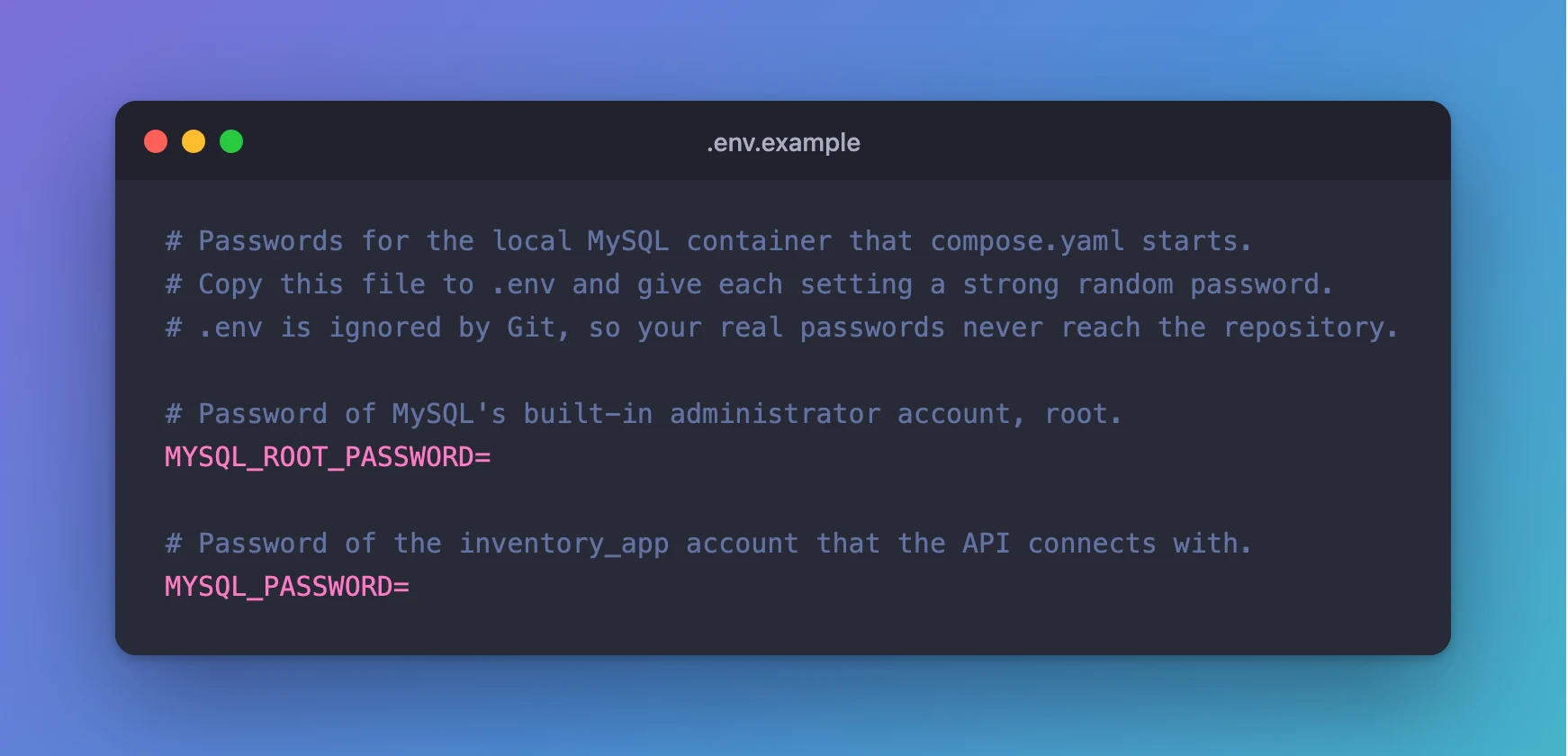
The values are left empty on purpose. If someone copies the file without filling it in, the :? rule stops Compose with a clear message.
Step 3: Create .env with Real Passwords
This command creates .env with two strong random passwords, and they never appear on screen. How to Generate a Strong Random Password in the Terminal explains how it works.
- macOS / Linux
- Windows (PowerShell)
printf "MYSQL_ROOT_PASSWORD=%s\nMYSQL_PASSWORD=%s\n" "$(openssl rand -hex 24)" "$(openssl rand -hex 24)" > .env
$rng = [System.Security.Cryptography.RandomNumberGenerator]::Create(); $root = [byte[]]::new(24); $app = [byte[]]::new(24); $rng.GetBytes($root); $rng.GetBytes($app); Set-Content -Path .env -Value @("MYSQL_ROOT_PASSWORD=$(-join ($root | ForEach-Object { $_.ToString("x2") }))", "MYSQL_PASSWORD=$(-join ($app | ForEach-Object { $_.ToString("x2") }))")
The command prints nothing. Your .env now has two lines, each a setting name followed by 48 random hex characters.
PowerShell on Windows ends lines with CR LF instead of LF. I tested a .env file with CR LF line endings: Compose read the values without the extra character.
Step 4: Check Compose Can Read Them, Without Printing Them
docker compose config --quiet
docker compose config reads compose.yaml and .env and checks them, and --quiet only reports problems. No output means everything is valid. The command works unchanged in bash, zsh and PowerShell.
Without --quiet, docker compose config prints the whole file with every ${…} replaced by its real value, passwords included. Never run it while sharing your screen or recording a video, and never paste its output into a ticket or chat.
Step 5: See What Happens Without .env
This is what a teammate sees if they clone the project and forget to create .env. I ran it in a copy of the folder without the file:
docker compose config --quiet
error while interpolating services.mysql.environment.MYSQL_PASSWORD: required variable MYSQL_PASSWORD is missing a value: Set MYSQL_PASSWORD in the .env file
error while interpolating services.mysql.environment.MYSQL_ROOT_PASSWORD: required variable MYSQL_ROOT_PASSWORD is missing a value: Set MYSQL_ROOT_PASSWORD in the .env file
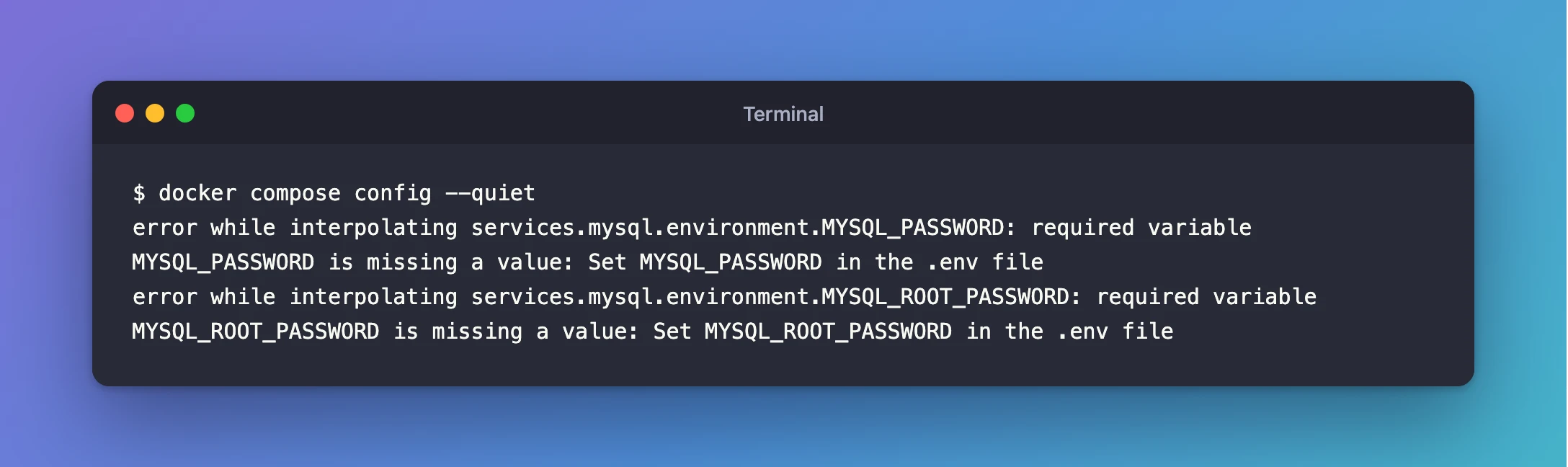
Compose names both missing settings and adds your message, and nothing starts. docker compose up stops with the same errors.
Step 6: Confirm Git Ignores .env
git check-ignore -v .env
.gitignore:7:.env .env
Line 7 of .gitignore ignores .env, so git add . will never pick it up. .env.example isn't ignored, and you commit it with compose.yaml.
Common Mistakes
| Mistake | What happens | Do this instead |
|---|---|---|
Writing the password directly in compose.yaml | It's committed to Git and shared with every clone | Use ${NAME:?message} and put the value in .env |
Using ${NAME} without :? | Compose only warns The "MYSQL_PASSWORD" variable is not set. Defaulting to a blank string. and carries on with an empty value | Always use :? for secrets |
Putting .env in a different folder | Compose doesn't find it and reports the variables as missing | Keep .env next to compose.yaml |
Changing a MySQL password in .env after the database exists | MySQL keeps the old one, and sign-in fails | Change it inside MySQL too, see Fixed: ERROR 1045 (28000): Access denied for user |
Troubleshooting
| Symptom | Likely cause | Fix |
|---|---|---|
required variable … is missing a value | .env is missing, empty, or the name is misspelled | Check the file is next to compose.yaml, and the names match exactly |
.env shows up in git status | It isn't in .gitignore | Add a line .env to .gitignore |
A value with $ in it gets cut off (ab$cdef becomes ab) | Compose reads $ in .env as the start of another variable | Use hex passwords, which never contain $, or wrap the value in single quotes |
FAQ
Is .env secure enough for production?
For a development database on your own computer, yes. On servers, prefer a secret store your platform provides. The official MySQL image also accepts MYSQL_PASSWORD_FILE and MYSQL_ROOT_PASSWORD_FILE, which read the password from a file such as a Docker secret instead of an environment variable.
Do I commit .env.example?
Yes. It contains only setting names and comments, and it tells everyone else which values they need.
Does docker compose up read .env automatically?
Yes. Every docker compose command reads .env from the project folder. You don't need any extra flag.
Conclusion
Passwords now live only in .env, which Git ignores. compose.yaml refers to them with ${NAME:?message}, so Compose stops with a clear error when one is missing, and .env.example documents what to fill in. docker compose config --quiet checks the set-up without printing a single secret.
Additional Resources
- Interpolation — Docker's documentation for
${…},.envand the:?form. - Set environment variables within your container's environment — the
environmentattribute andenv_file. - MySQL image on Docker Hub — the
MYSQL_*variables and their_FILEforms.
