How to Keep Only the Read-Only Tools of an MCP Server in C#

An MCP server can say whether each of its tools changes anything. With the MCP C# SDK, your app can read those hints and pass on only the tools that promise to read, a useful safety net when you give a server's tools to an AI model. This guide reads the hints of a real server and filters on them.
Syntax
ToolAnnotations? <hints> = <tool>.ProtocolTool.Annotations;

<hints>?.ReadOnlyHint
<hints>?.DestructiveHint
<hints>?.IdempotentHint
<hints>?.OpenWorldHint

List<McpClientTool> <readOnlyTools> = [.. <tools>.Where(tool => tool.ProtocolTool.Annotations?.ReadOnlyHint is true)];
| Part | What it is |
|---|---|
<tool> | An McpClientTool from ListToolsAsync |
ProtocolTool | The tool exactly as the server described it |
Annotations | The server's hints about the tool, or null when it sent none |
ReadOnlyHint | In the protocol's own words: If true, the tool does not modify its environment. When it's missing, it counts as false |
DestructiveHint | If true, the tool may perform destructive updates to its environment. If false, the tool performs only additive updates. It only means something when ReadOnlyHint is false |
IdempotentHint | When true, calling the tool again with the same arguments changes nothing more. Like DestructiveHint, it only means something when ReadOnlyHint is false |
OpenWorldHint | If true, this tool may interact with an "open world" of external entities |
<readOnlyTools> | The tools whose ReadOnlyHint is true. is true also drops the tools with no hint at all |
Each hint is a bool?: empty when the server left it out.
What These Hints Can and Can't Do
The hints are claims the server makes about its own tools. The MCP specification is blunt about it: For trust & safety and security, clients MUST consider tool annotations to be untrusted unless they come from trusted servers. The SDK's reference for Annotations says the same: these are hints and should not be relied upon for security decisions.
So a read-only filter is a safety net, not a wall. With a server you trust, it keeps a new tool that changes something away from your AI model until you decide to allow it. Against a server you don't trust, it proves nothing, because that server can call any tool read-only. The real decision is which servers you connect to.
The Example
A console app connects to the Microsoft Learn MCP server, prints the four hints of each of its tools, and keeps the read-only ones.
Prerequisites
- The .NET 10 SDK.
dotnet --versionprints a version that starts with10.0.
Step 1: Create a Console App
dotnet new console -n McpReadOnlyTools
cd McpReadOnlyTools
dotnet add package ModelContextProtocol.Core --version 2.4.0
Open the McpReadOnlyTools folder in VS Code, or McpReadOnlyTools.csproj in Visual Studio.
Step 2: Read the Hints and Filter
Replace everything in Program.cs with:
using ModelContextProtocol.Client;

await using McpClient client = await McpClient.CreateAsync(
    new HttpClientTransport(new HttpClientTransportOptions
    {
        Endpoint = new Uri("https://learn.microsoft.com/api/mcp"),
        TransportMode = HttpTransportMode.StreamableHttp,
    }),
    new McpClientOptions { ProtocolVersion = "2025-06-18" });

IList<McpClientTool> tools = await client.ListToolsAsync();

// What each tool says about itself.
foreach (McpClientTool tool in tools)
{
    var hints = tool.ProtocolTool.Annotations;
    Console.WriteLine(
        $"{tool.Name}: readOnly={Show(hints?.ReadOnlyHint)}, destructive={Show(hints?.DestructiveHint)}, " +
        $"idempotent={Show(hints?.IdempotentHint)}, openWorld={Show(hints?.OpenWorldHint)}");
}

// Keep only the tools the server marks as read-only. A tool without the hint doesn't count.
List<McpClientTool> readOnlyTools = [.. tools.Where(tool => tool.ProtocolTool.Annotations?.ReadOnlyHint is true)];
Console.WriteLine($"Read-only tools: {readOnlyTools.Count} of {tools.Count}");

static string Show(bool? hint) => hint?.ToString() ?? "not set";
- The connection and
ListToolsAsyncare the ones from How to Connect to an MCP Server in C# with the MCP C# SDK. hints?.reads each hint safely, because a server may send no annotations at all.Showprintsnot setfor a hint the server left out, instead of an empty space.- The filter keeps a tool only when
ReadOnlyHintistrue. A tool that saysfalse, or says nothing, is left out.
Run the app:
- VS Code
- Visual Studio
In the terminal, in the McpReadOnlyTools folder, run:
dotnet run
Press Ctrl+F5 (Debug > Start Without Debugging). The output appears in a console window.
microsoft_docs_search: readOnly=True, destructive=False, idempotent=True, openWorld=not set
microsoft_code_sample_search: readOnly=True, destructive=False, idempotent=True, openWorld=not set
microsoft_docs_fetch: readOnly=True, destructive=False, idempotent=True, openWorld=not set
Read-only tools: 3 of 3
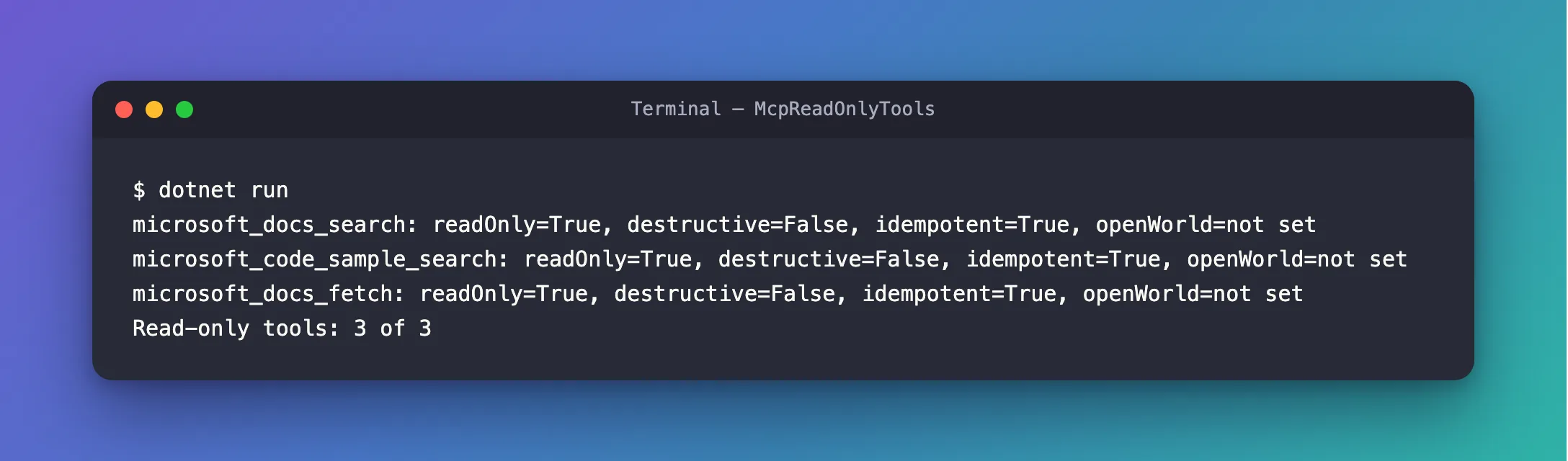
All three tools of the Microsoft Learn server say they're read-only and idempotent: they search and read public documentation, and asking twice changes nothing. None of them says whether it reaches an open world. All three pass the filter, so with this server the filter changes nothing today. It's there for the day the server adds a tool that isn't read-only.
The Complete File
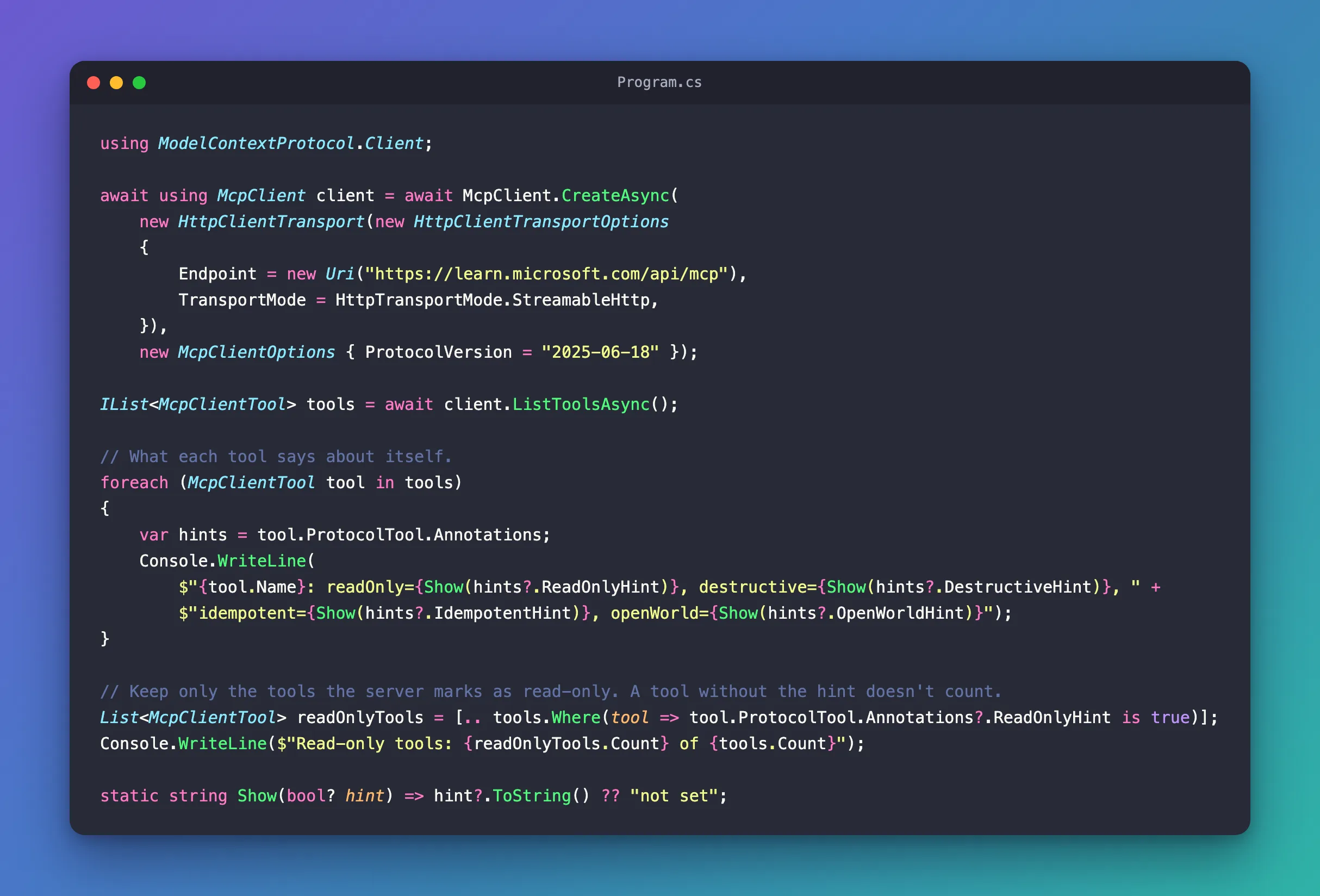
The file from Step 2 is the whole program:
Common Mistakes
| Mistake | What happens | Do this instead |
|---|---|---|
Filtering with ReadOnlyHint != false | A tool with no hint at all passes, although the protocol says a missing hint means false | Filter with is true |
| Treating the filter as a security check | A server you don't trust can mark any tool read-only | Decide which servers to connect; use the filter on top |
Reading DestructiveHint on a read-only tool | It means nothing there: the protocol only defines it when ReadOnlyHint is false | Check ReadOnlyHint first |
FAQ
Should I filter by the tools' names instead?
A list of allowed names is explicit, but it breaks when the server renames a tool, and Microsoft's best practices for the Learn server warn against it: Don't hardcode tool names, parameter schemas, or expected behavior. The read-only filter works with whatever tools the server lists. For a server whose tools you know well, both together are the strictest choice.
What does an AI agent do with the filtered list?
The same as with any list of tools: hand it to the model. In Microsoft Agent Framework, every McpClientTool is an AIFunction, so the filtered list can be passed to an agent as its tools.
Conclusion
ProtocolTool.Annotations holds what an MCP server says about each tool: read-only, destructive, idempotent, open world. Keep the tools whose ReadOnlyHint is true, treating a missing hint as false, and you have a safety net that keeps tools that change things away from your model. Trust in the server comes first: the hints are only as honest as the server that sends them.
Additional Resources
- MCP specification: Tools — tool annotations, and why clients treat them as untrusted.
- MCP C# SDK: Tools — tools on the client and the server.
- Best practices for using the Microsoft Learn MCP Server — listing tools at runtime instead of hardcoding them.
