How to Keep Each User's Conversations Separate in a Microsoft Agent Framework AG-UI Server

An AG-UI request names the conversation it continues with a threadId, and a Microsoft Agent Framework server continues whichever conversation that ID points to. Unless the server also files conversations by who is asking, anyone who sends your threadId continues your conversation. This guide files every conversation under the signed-in caller's Microsoft Entra ID object ID, with real runs: the same person continuing a conversation, and a second caller getting a new one with the same threadId.
Why a threadId Is Not Enough
MapAGUIServer keeps conversations in a session store and finds them by the request's threadId (How to Keep Conversation History in a Microsoft Agent Framework AG-UI Server). Microsoft's Security Considerations for AG-UI is clear about that ID: Treat a client-supplied threadId as an untrusted continuation identifier, not an authorization credential.
Signing callers in doesn't fix that by itself. The documentation that ships with MapAGUIServer, the text your editor shows when you point at the method, says: Requiring authentication alone does not isolate persisted sessions; multi-user hosts need both controls. The second control is isolation. The server takes one stable value from the signed-in caller, the isolation key, and makes it part of every conversation's key. In the words of Microsoft's self-hosting guide: the same continuation ID under two different isolation keys resolves to two different stored sessions, and a caller can retrieve only sessions saved with that caller's isolation key.
Three pieces deliver it:
| Piece | What it does |
|---|---|
| Sign-in with Microsoft Entra ID | Tells the API who is calling, from an access token it has checked |
UseClaimsBasedAgentIsolation | Reads one claim of that caller, here the object ID, as the isolation key |
| An isolated session store and a protected endpoint | Files each conversation under the key and the threadId, and turns away callers without a token |
The example is the smallest API that shows all three: one agent, served over AG-UI, on a model in Microsoft Foundry.
Prerequisites
- An app registration for your API in Microsoft Entra ID with a scope, here
access_as_user, and the Azure CLI (04b07795-8ddb-461a-bbee-02f9e1bf7b46) among its authorized client applications, so the CLI can get tokens for it. Microsoft's guide How to configure an application to expose a web API covers both. - A model deployment in a Microsoft Foundry project, and the Foundry User role on the Foundry resource for your account. The API calls the model as you.
- The .NET 10 SDK (
dotnet --versionprints a version that starts with10.0) and the Azure CLI, signed in withaz loginto your organization. - VS Code with the REST Client extension, or Visual Studio, to send the requests in a
.httpfile.
Step 1: Create the API and Add the Packages
Open a terminal in the folder where you keep your projects: VS Code's terminal, or View > Terminal in Visual Studio. Create an empty ASP.NET Core app and move into it:
dotnet new web -n AgentApi
cd AgentApi
The template "ASP.NET Core Empty" was created successfully.

Processing post-creation actions...
Restoring /Users/you/source/AgentApi/AgentApi.csproj:
Restore succeeded.
Then add five packages:
dotnet add package Microsoft.Agents.AI.Foundry --version 1.28.0-preview.261106.1
dotnet add package Azure.Identity --version 1.21.0
dotnet add package Microsoft.Agents.AI.Hosting.AGUI.AspNetCore --version 1.28.0-preview.261106.1
dotnet add package Microsoft.Agents.AI.Hosting.AspNetCore --version 1.28.0-preview.261106.1
dotnet add package Microsoft.Identity.Web --version 4.18.0
| Package | What it gives the API |
|---|---|
Microsoft.Agents.AI.Foundry | AsAIAgent, which turns a model in a Foundry project into an agent |
Azure.Identity | DefaultAzureCredential, which signs the API in to Foundry with your Azure CLI sign-in |
Microsoft.Agents.AI.Hosting.AGUI.AspNetCore | AddAGUIServer and MapAGUIServer, the AG-UI endpoint. It brings Microsoft.Agents.AI.Hosting along, with AddAIAgent and the session stores |
Microsoft.Agents.AI.Hosting.AspNetCore | UseClaimsBasedAgentIsolation, the subject of this guide |
Microsoft.Identity.Web | Checks Microsoft Entra ID access tokens, and adds RequireScope for permission policies |
Microsoft Agent Framework 1.28.0 is generally available, but its Foundry and hosting packages ship only as previews of the same release, so each needs its exact --version. Microsoft's self-hosting guide says so too: The .NET hosting packages are prerelease.
The project file now lists the five packages:
<Project Sdk="Microsoft.NET.Sdk.Web">

  <PropertyGroup>
    <TargetFramework>net10.0</TargetFramework>
    <Nullable>enable</Nullable>
    <ImplicitUsings>enable</ImplicitUsings>
  </PropertyGroup>

  <ItemGroup>
    <PackageReference Include="Azure.Identity" Version="1.21.0" />
    <PackageReference Include="Microsoft.Agents.AI.Foundry" Version="1.28.0-preview.261106.1" />
    <PackageReference Include="Microsoft.Agents.AI.Hosting.AGUI.AspNetCore" Version="1.28.0-preview.261106.1" />
    <PackageReference Include="Microsoft.Agents.AI.Hosting.AspNetCore" Version="1.28.0-preview.261106.1" />
    <PackageReference Include="Microsoft.Identity.Web" Version="4.18.0" />
  </ItemGroup>

</Project>
Open the project in your editor:
- VS Code
- Visual Studio
Select File > Open Folder and open the AgentApi folder.
Select File > Open > Project/Solution and open AgentApi.csproj.
Step 2: Add the Settings
Replace the contents of appsettings.json with this, using your tenant ID, your API registration's client ID, and your Foundry project endpoint and model deployment:
{
  "Logging": {
    "LogLevel": {
      "Default": "Information",
      "Microsoft.AspNetCore": "Warning",
      "Microsoft.Identity": "Warning"
    }
  },
  "AllowedHosts": "*",
  "AzureAd": {
    "Instance": "https://login.microsoftonline.com/",
    "TenantId": "11111111-1111-1111-1111-111111111111",
    "ClientId": "22222222-2222-2222-2222-222222222222"
  },
  "Foundry": {
    "ProjectEndpoint": "https://foundry-devblogs-exp.services.ai.azure.com/api/projects/proj-devblogs-exp",
    "ModelDeployment": "gpt-5.6-luna"
  }
}
| Setting | What it means |
|---|---|
AzureAd:TenantId | Your organization's Directory (tenant) ID. The API accepts tokens from that tenant only |
AzureAd:ClientId | The API registration's Application (client) ID. With it, the API knows which audience its tokens must have |
Foundry | Where the model lives: the project endpoint and the deployment name |
"Microsoft.Identity": "Warning" | Keeps Microsoft.Identity.Web quiet unless a token check fails. Without it, every accepted token adds four info lines to the log (How to Set Microsoft.Identity.Web Log Levels in ASP.NET Core) |
This page shows the two IDs as 11111111-… and 22222222-…. Yours are different.
Next, open Properties/launchSettings.json. The template chose a random port; any free port works, and this guide uses 5302. Replace the file's contents:
{
  "$schema": "https://json.schemastore.org/launchsettings.json",
  "profiles": {
    "http": {
      "commandName": "Project",
      "dotnetRunMessages": true,
      "launchBrowser": false,
      "applicationUrl": "http://localhost:5302",
      "environmentVariables": {
        "ASPNETCORE_ENVIRONMENT": "Development",
        "AZURE_TOKEN_CREDENTIALS": "AzureCliCredential"
      }
    },
    "https": {
      "commandName": "Project",
      "dotnetRunMessages": true,
      "launchBrowser": false,
      "applicationUrl": "https://localhost:7302;http://localhost:5302",
      "environmentVariables": {
        "ASPNETCORE_ENVIRONMENT": "Development",
        "AZURE_TOKEN_CREDENTIALS": "AzureCliCredential"
      }
    }
  }
}
AZURE_TOKEN_CREDENTIALS tells DefaultAzureCredential how to sign in to Foundry: with AzureCliCredential, it uses only your az login sign-in on this machine. launchBrowser is false because the API has no page to open.
Step 3: Sign Callers In
Open Program.cs and delete the template's Hello World code. Start the file with these lines:
using Azure.AI.Projects;
using Azure.Identity;
using Microsoft.Agents.AI;
using Microsoft.Agents.AI.Hosting;
using Microsoft.Agents.AI.Hosting.AGUI.AspNetCore;
using Microsoft.AspNetCore.Authentication.JwtBearer;
using Microsoft.Identity.Web;

var builder = WebApplication.CreateBuilder(args);

// Sign-in: accept only access tokens that Microsoft Entra ID issued for this API,
// and only when they carry the access_as_user scope.
builder.Services.AddAuthentication(JwtBearerDefaults.AuthenticationScheme)
    .AddMicrosoftIdentityWebApi(builder.Configuration.GetSection("AzureAd"));
builder.Services.AddAuthorization(options =>
    options.AddPolicy("AgentUser", policy => policy.RequireScope("access_as_user")));
AddMicrosoftIdentityWebApi checks every incoming token with the AzureAd settings: that Microsoft Entra ID signed it, for this API, and that it hasn't expired. The AgentUser policy also requires the access_as_user scope. How to Protect an ASP.NET Core Minimal API with Microsoft.Identity.Web explains these lines one by one. What matters here: after sign-in, the request's user carries the token's claims, and the isolation reads one of them.
Step 4: Use the Caller's Object ID as the Isolation Key
Below the policy, add:
// Isolation: file every conversation under the caller's object ID, the oid claim.
builder.Services.AddHttpContextAccessor();
builder.Services.UseClaimsBasedAgentIsolation(new ClaimsIdentityAgentIsolationKeyProviderOptions
{
    ClaimType = ClaimConstants.ObjectId,
});
| Code | What it does |
|---|---|
AddHttpContextAccessor() | Lets services read the current request, and with it the signed-in user. The isolation's documentation says to register it first. This API ran even without the line, because something else in it had already registered the accessor; don't count on that in yours |
UseClaimsBasedAgentIsolation(...) | Registers an isolation key provider: for every request, it reads one claim of the signed-in caller and hands its value to the session store |
ClaimType = ClaimConstants.ObjectId | The claim to read: the caller's object ID |
Why not the default? Without ClaimType, the provider reads ClaimTypes.NameIdentifier. I checked which value ASP.NET Core puts there for an Azure CLI token: the token's sub claim. Microsoft's access token claims reference explains why that matters. sub is a pairwise identifier that's unique to a particular application ID: the same person signing in through two different apps has two different sub values. oid, the object ID, uniquely identifies the requestor across applications. Start a conversation in a web app and continue it from the Azure CLI, and with sub it belongs to two different people; with oid, to one.
Why ClaimConstants.ObjectId and not "oid"? When the API reads a token, it gives some well-known claims longer names. The same check showed oid arriving as http://schemas.microsoft.com/identity/claims/objectidentifier, the value of ClaimConstants.ObjectId, and no claim named plain oid at all. I tried ClaimType = "oid" with a valid token: the provider found nothing, and the request failed with 500 and Agent isolation key is required but was not provided.
Choose the claim with care. The package documentation warns that it must uniquely identify the principal within the served population, and calls display names, usernames and email aliases unsafe isolation keys: two people who share a value would share conversations. Within one organization, the object ID is unique.
Step 5: Register the Agent and an Isolated Session Store
Below the isolation, register the agent, the AG-UI services and the session store:
// The agent: a model in a Microsoft Foundry project, reached with your Azure sign-in.
var agent = builder.AddAIAgent("assistant", (services, name) =>
    new AIProjectClient(
            new Uri(builder.Configuration["Foundry:ProjectEndpoint"]!),
            new DefaultAzureCredential(DefaultAzureCredential.DefaultEnvironmentVariableName))
        .AsAIAgent(
            model: builder.Configuration["Foundry:ModelDeployment"]!,
            instructions: "You are a friendly assistant. Answer in one or two sentences.",
            name: name));
builder.Services.AddAGUIServer();

// On your machine: keep conversations in memory. With no argument, the store is isolated.
if (builder.Environment.IsDevelopment())
{
    agent.WithInMemorySessionStore();
}
| Code | What it does |
|---|---|
AddAIAgent("assistant", ...) | Registers an agent named assistant, built on your Foundry model, and returns a handle to it |
AddAGUIServer() | Adds the services the AG-UI endpoint needs |
WithInMemorySessionStore() | Gives the agent a session store in memory. Its withIsolation parameter defaults to true |
With isolation on, the store is wrapped in an IsolationKeyScopedAgentSessionStore. Microsoft's self-hosting guide describes what it does: it gets an isolation key from AgentIsolationKeyProvider, combines it with the protocol continuation ID, and passes the resulting scoped ID to the underlying store. The provider from Step 4 supplies the key. The wrapper is also strict by default: a request without a key fails instead of falling back to a shared store.
Keep the default rather than writing withIsolation: false. For AG-UI, though, the provider is what really switches isolation on. MapAGUIServer adds the same wrapper itself when the store has none, and its documentation says that once a provider is registered, that wrapper rejects missing or blank isolation keys instead of falling back to shared storage. In my check below, a store registered with withIsolation: false still kept two callers apart once the provider existed.
The in-memory store forgets everything when the API stops, so it stays inside the IsDevelopment() check. Production needs a durable store; see In Production.
Step 6: Protect the AG-UI Endpoint
Finish the file:
var app = builder.Build();

// AG-UI endpoint, for signed-in callers with the access_as_user scope only.
app.MapAGUIServer(agent, "/api/agents/assistant")
    .RequireAuthorization("AgentUser");

app.Run();
Isolation doesn't sign anyone in, and MapAGUIServer doesn't either: its documentation says This method does not require authorization automatically. RequireAuthorization("AgentUser") makes the endpoint turn away every request without a valid token (401 Unauthorized) or without the access_as_user scope (403 Forbidden), before the session store is touched. What RequireAuthorization Prevents shows what happens without it.
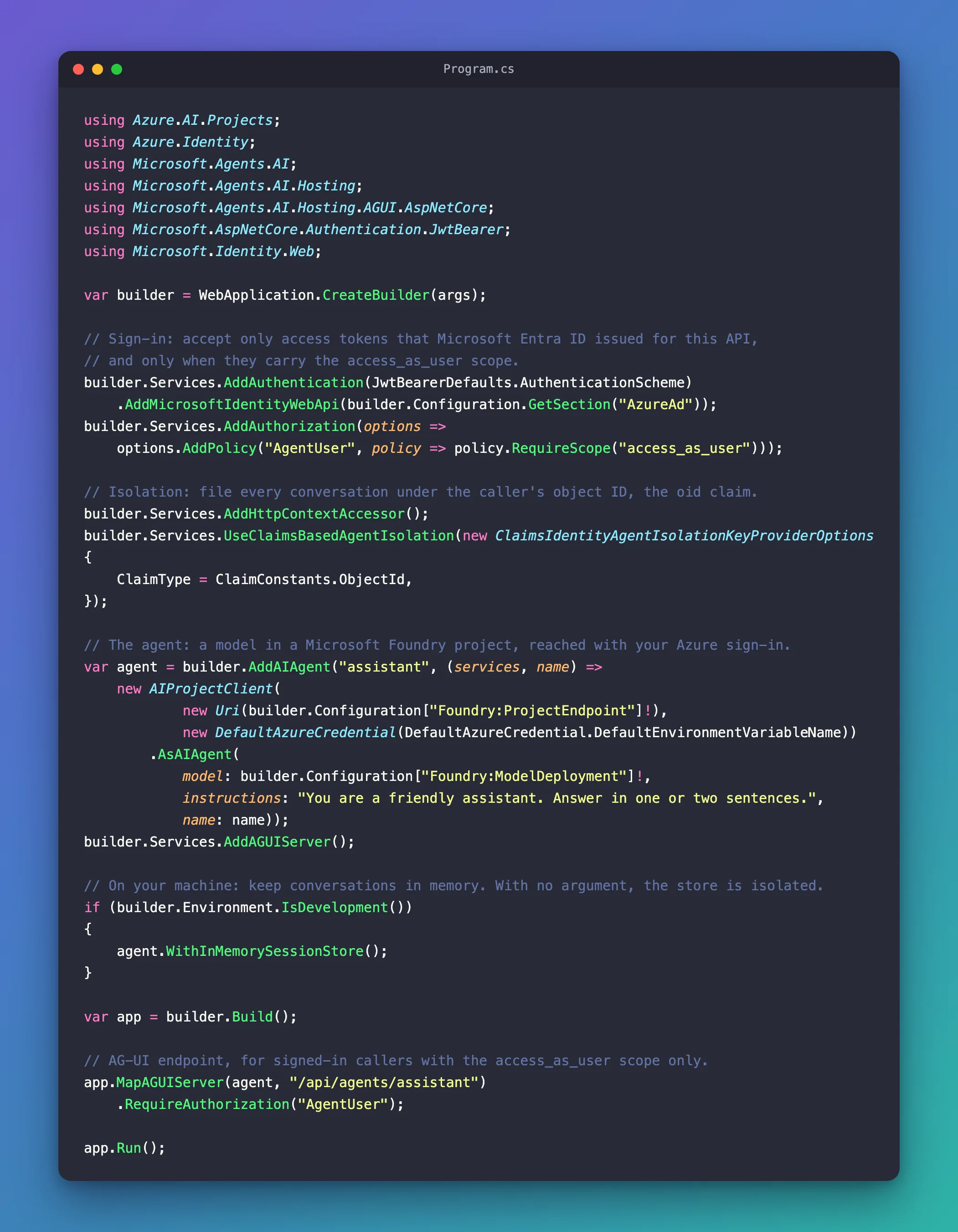
The complete file:
using Azure.AI.Projects;
using Azure.Identity;
using Microsoft.Agents.AI;
using Microsoft.Agents.AI.Hosting;
using Microsoft.Agents.AI.Hosting.AGUI.AspNetCore;
using Microsoft.AspNetCore.Authentication.JwtBearer;
using Microsoft.Identity.Web;

var builder = WebApplication.CreateBuilder(args);

// Sign-in: accept only access tokens that Microsoft Entra ID issued for this API,
// and only when they carry the access_as_user scope.
builder.Services.AddAuthentication(JwtBearerDefaults.AuthenticationScheme)
    .AddMicrosoftIdentityWebApi(builder.Configuration.GetSection("AzureAd"));
builder.Services.AddAuthorization(options =>
    options.AddPolicy("AgentUser", policy => policy.RequireScope("access_as_user")));

// Isolation: file every conversation under the caller's object ID, the oid claim.
builder.Services.AddHttpContextAccessor();
builder.Services.UseClaimsBasedAgentIsolation(new ClaimsIdentityAgentIsolationKeyProviderOptions
{
    ClaimType = ClaimConstants.ObjectId,
});

// The agent: a model in a Microsoft Foundry project, reached with your Azure sign-in.
var agent = builder.AddAIAgent("assistant", (services, name) =>
    new AIProjectClient(
            new Uri(builder.Configuration["Foundry:ProjectEndpoint"]!),
            new DefaultAzureCredential(DefaultAzureCredential.DefaultEnvironmentVariableName))
        .AsAIAgent(
            model: builder.Configuration["Foundry:ModelDeployment"]!,
            instructions: "You are a friendly assistant. Answer in one or two sentences.",
            name: name));
builder.Services.AddAGUIServer();

// On your machine: keep conversations in memory. With no argument, the store is isolated.
if (builder.Environment.IsDevelopment())
{
    agent.WithInMemorySessionStore();
}

var app = builder.Build();

// AG-UI endpoint, for signed-in callers with the access_as_user scope only.
app.MapAGUIServer(agent, "/api/agents/assistant")
    .RequireAuthorization("AgentUser");

app.Run();
Step 7: Run the API
- VS Code
- Visual Studio
In VS Code's terminal, in the AgentApi folder, run:
dotnet run
Make sure http is selected in the drop-down list next to the green Start button (▶), and press Ctrl+F5 (Debug > Start Without Debugging).
Using launch settings from /Users/you/source/AgentApi/Properties/launchSettings.json...
Building...
info: Microsoft.Hosting.Lifetime[14]
      Now listening on: http://localhost:5302
info: Microsoft.Hosting.Lifetime[0]
      Application started. Press Ctrl+C to shut down.
info: Microsoft.Hosting.Lifetime[0]
      Hosting environment: Development
info: Microsoft.Hosting.Lifetime[0]
      Content root path: /Users/you/source/AgentApi
Hosting environment: Development means the session store from Step 5 is in place. Leave the API running.
Step 8: Get a Token for the .http File
The requests need your access token. In a second terminal, in the AgentApi folder, run:
- macOS / Linux
- Windows (PowerShell)
API_CLIENT_ID=$(grep -o '"ClientId": *"[^"]*"' appsettings.json | cut -d '"' -f 4)
TOKEN=$(az account get-access-token --scope "api://$API_CLIENT_ID/access_as_user" --query accessToken --output tsv)
echo "AGENT_API_TOKEN=$TOKEN" > .env
$apiClientId = (Get-Content appsettings.json -Raw | ConvertFrom-Json).AzureAd.ClientId
$token = az account get-access-token --scope "api://$apiClientId/access_as_user" --query accessToken --output tsv
"AGENT_API_TOKEN=$token" | Set-Content .env
The commands print nothing when they succeed: the token goes straight into a file, never onto your screen.
| Line | What it does |
|---|---|
| The first | Reads the API's client ID from appsettings.json, so you don't have to paste it |
| The second | Asks Microsoft Entra ID for an access token for your API's access_as_user scope, as you. --query accessToken --output tsv keeps only the token |
| The third | Writes AGENT_API_TOKEN= and the token into a file named .env |
How to Get an Access Token for Your Own API with the Azure CLI covers the token command in depth. Microsoft gives access tokens a default lifetime of 60 to 90 minutes; when requests start failing with 401, run the commands again.
Anyone who has the token can call the API as you until it expires. Never paste it into a chat, a ticket or a screenshot, and keep .env out of Git. If the folder is a Git repository, dotnet new gitignore writes a .gitignore that already lists .env.
Step 9: Start a Conversation and Continue It
Create a file named AgentApi.http in the AgentApi folder:
@baseUrl = http://localhost:5302

# Without a token: the API refuses the request.
POST {{baseUrl}}/api/agents/assistant
Content-Type: application/json
Accept: text/event-stream

{
  "threadId": "thread-1",
  "runId": "run-1",
  "messages": [
    { "id": "message-1", "role": "user", "content": "Hi! My name is Asha." }
  ]
}

###

# Start a conversation, as you.
POST {{baseUrl}}/api/agents/assistant
Authorization: Bearer {{$dotenv AGENT_API_TOKEN}}
Content-Type: application/json
Accept: text/event-stream

{
  "threadId": "thread-1",
  "runId": "run-1",
  "messages": [
    { "id": "message-1", "role": "user", "content": "Hi! My name is Asha." }
  ]
}

###

# Continue it: the same threadId, a new runId, parentRunId set to the run it continues,
# and only the new message.
POST {{baseUrl}}/api/agents/assistant
Authorization: Bearer {{$dotenv AGENT_API_TOKEN}}
Content-Type: application/json
Accept: text/event-stream

{
  "threadId": "thread-1",
  "runId": "run-2",
  "parentRunId": "run-1",
  "messages": [
    { "id": "message-2", "role": "user", "content": "What is my name?" }
  ]
}

###
{{$dotenv AGENT_API_TOKEN}} reads the token from .env when you send a request. The REST Client extension in VS Code reads the .env file next to the .http file, and Visual Studio reads the one in the project folder: here, that is the same file. How to Send a Bearer Token from a .http File in VS Code and Visual Studio covers the token line, and How to Send API Requests from a .http File in VS Code and Visual Studio the file format.
Send the first request — Send Request above its POST line, in either editor:
HTTP/1.1 401 Unauthorized
Content-Length: 0
Date: Thu, 19 Nov 2026 13:05:29 GMT
Server: Kestrel
WWW-Authenticate: Bearer
401 Unauthorized: no token, no agent. Send the second request, with your token:
HTTP/1.1 200 OK
Content-Type: text/event-stream
Date: Thu, 19 Nov 2026 13:05:38 GMT
Server: Kestrel
Cache-Control: no-cache,no-store
Content-Encoding: identity
Pragma: no-cache
Transfer-Encoding: chunked

data: {"type":"RUN_STARTED","threadId":"thread-1","runId":"run-1"}

data: {"type":"TEXT_MESSAGE_START","messageId":"msg_05c745d36fd1e6d5…","role":"assistant","name":"assistant","rawEvent":{…}}

data: {"type":"TEXT_MESSAGE_CONTENT","messageId":"msg_05c745d36fd1e6d5…","delta":"Hi","rawEvent":{…}}

… 16 more TEXT_MESSAGE_CONTENT events …

data: {"type":"TEXT_MESSAGE_END","messageId":"msg_05c745d36fd1e6d5…"}

data: {"type":"RUN_FINISHED","threadId":"thread-1","runId":"run-1","outcome":{"type":"success"},"usage":[{"model":"gpt-5.6-luna-2026-07-09","inputTokens":31,"outputTokens":21,"totalTokens":52,"reasoningTokens":0,"cachedInputTokens":0}]}
Put together, the delta values read:
Hi, Asha! Nice to meet you—how can I help you today?
Now send the third request. It carries only the new question, in the same thread-1 (How to Continue an AG-UI Conversation with threadId and parentRunId):
Your name is Asha.
The agent remembered. The RUN_FINISHED events show it too:
"inputTokens":31,"outputTokens":21,"totalTokens":52,"reasoningTokens":0
"inputTokens":63,"outputTokens":10,"totalTokens":73,"reasoningTokens":0
run-2 sent the model 63 input tokens: the instructions, the first turn and the new question. Foundry bills them as ordinary model usage; every request in this guide used fewer than 100 input tokens. The store found thread-1 under your object ID. I also got a fresh token from the PowerShell commands and sent a third turn: the conversation went on (Yes, I remember—your name is Asha.). A new token is still you, because your object ID doesn't change.
What Someone Else Gets with Your threadId
Trying this for real needs a second person in your organization. I checked it without one. I ran the same API with a test sign-in in place of Microsoft Entra ID: an authentication handler of the kind ASP.NET Core's integration testing guide describes under Mock authentication, which gave two callers, A and B, two different object IDs. The agent and the store stayed the same, and the endpoint still accepted signed-in callers only. A sent Hi! My name is Asha. in thread-1. Then B sent What is my name? as a follow-up in the same thread-1:
| Setup | B's answer | B's input tokens |
|---|---|---|
No isolation provider, withIsolation: false | Your name is Asha. | 65 |
| The provider from Step 4, and the store from Step 5 | I don’t know your name yet—you haven’t told me. | 28 |
The provider from Step 4, but withIsolation: false | I don’t know your name yet—you haven’t told me. | 28 |
Without isolation, B read A's conversation through the agent, although B had signed in. With the provider registered, the same request opened a new conversation for B: 28 input tokens, exactly what the same question cost me as the first message of a new thread. A's own follow-up still got Your name is Asha., and B's next turn in thread-1 answered You asked, “What is my name?”. One threadId, two conversations, one for each person.
What RequireAuthorization Prevents
To see what the protection from Step 6 does, I removed .RequireAuthorization("AgentUser"), restarted the API and sent the first request, the one without a token:
HTTP/1.1 500 Internal Server Error
Content-Type: text/plain; charset=utf-8
Date: Thu, 19 Nov 2026 13:06:22 GMT
Server: Kestrel
Transfer-Encoding: chunked

System.InvalidOperationException: Agent isolation key is required but was not provided by the configured AgentIsolationKeyProvider.
   at Microsoft.Agents.AI.Hosting.IsolationKeyScopedAgentSessionStore.GetIsolationKeyAsync(CancellationToken cancellationToken)
   at Microsoft.Agents.AI.Hosting.IsolationKeyScopedAgentSessionStore.GetScopedKeyAsync(AgentSessionStoreKey key, CancellationToken cancellationToken)
Nobody was signed in, so the provider had no object ID, and the strict store refused to continue. No conversation leaked, but the caller got a server error, with a stack trace because the API runs in Development, instead of 401. Fixed: "Agent Isolation Key Is Required but Was Not Provided by the Configured AgentIsolationKeyProvider" explains the same exception in an API with no sign-in at all. With a token, the unprotected endpoint still answered 200 OK, but without the AgentUser policy: the scope check from Step 3 applies only to endpoints that require it. I put the line back.
In Production
- A durable store, isolated the same way. Microsoft's self-hosting guide registers your own
AgentSessionStorewithWithSessionStore(...), and says: The defaultWithInMemorySessionStore()andWithSessionStore(...)overloads wrap the configured store inIsolationKeyScopedAgentSessionStore. Steps 3, 4 and 6 stay as they are. - Protect what the store holds. In the guide's words: Persisted sessions can contain sensitive data, so protect them with appropriate access controls and encryption.
- Other data needs its own partition. The package documentation says that registering a provider does not automatically partition application-owned memory, files, caches, or other stores. Key them by the same value.
Part 8 of the Microsoft Agent Framework series applies the same three pieces to a full agent API, which a Next.js chat app and the Azure CLI both call.
Common Mistakes
| Mistake | What happens | Do this instead |
|---|---|---|
| Signing callers in, but registering no isolation provider | Any signed-in caller who sends your threadId continues your conversation | AddHttpContextAccessor() and UseClaimsBasedAgentIsolation(...) |
| Keeping the default claim with more than one client app | sub differs per app, so one person's conversations split by app | ClaimType = ClaimConstants.ObjectId |
ClaimType = "oid" | No claim has that short name after sign-in; every request fails with 500 | ClaimConstants.ObjectId |
| A display name, username or email as the key | Two people with the same value share conversations | A unique, stable identifier such as the object ID |
Forgetting RequireAuthorization | Requests without a token fail with 500 instead of 401, and the scope policy isn't applied | .RequireAuthorization("AgentUser") on MapAGUIServer |
Troubleshooting
| Symptom | Likely cause | Fix |
|---|---|---|
401 with WWW-Authenticate: Bearer | No token: .env is missing, or the request has no Authorization line | Run the commands from Step 8, and add the line |
401 with The token expired at '…' | The token has expired: by default, tokens last 60 to 90 minutes | Run the commands from Step 8 again |
403 Forbidden | A valid token without the access_as_user scope | Ask for api://<client ID>/access_as_user |
500 with Agent isolation key is required but was not provided | The endpoint isn't protected, or the claim type names a claim the user doesn't have | RequireAuthorization, and ClaimConstants.ObjectId |
| The agent forgets after a restart | The in-memory store lives in the process | Expected; production needs a durable store |
FAQ
Is the threadId secret?
No. Microsoft's AG-UI guidance says Don't treat a thread ID as proof of identity or ownership. With isolation, knowing someone's threadId gets you a new, empty conversation of your own.
Does every request need the token, including follow-ups?
Yes. MapAGUIServer's documentation says Clients must supply their credentials on every request, including continuation and approval requests. A follow-up without a token gets 401.
What about an API that serves several tenants?
An object ID belongs to one tenant: a person who exists in several tenants has a different object ID in each. The package documentation names a composite of tenant and subject identifiers as required for multi-tenant hosts where the subject is only unique per tenant, and Microsoft's self-hosting guide says to register a custom AgentIsolationKeyProvider for another tenancy model.
Does this work for the A2A and OpenAI endpoints too?
The package documentation says AG-UI, A2A, and OpenAI hosting consume the registered provider to scope their stored resources. This guide only tried AG-UI.
Conclusion
A threadId says which conversation to continue, never whose it is. Sign callers in, register UseClaimsBasedAgentIsolation with ClaimConstants.ObjectId, keep the session store isolated and protect the endpoint with RequireAuthorization. The same person then continues their conversations from any app. Someone else who sends the same threadId starts a conversation of their own.
Additional Resources
- Self-host Agent Framework applications: Secure session continuation — isolation keys and
UseClaimsBasedAgentIsolation. - Security Considerations for AG-UI — thread IDs and authorization.
- Access token claims reference —
subandoid. - Verify scopes and app roles in a protected web API — why an API checks scopes.
Related
- How to Keep Conversation History in a Microsoft Agent Framework AG-UI Server
- How to Continue an AG-UI Conversation with threadId and parentRunId
- How to Protect an ASP.NET Core Minimal API with Microsoft.Identity.Web
- How to Get an Access Token for Your Own API with the Azure CLI
- How to Send a Bearer Token from a .http File in VS Code and Visual Studio
- Fixed: "Agent Isolation Key Is Required but Was Not Provided by the Configured AgentIsolationKeyProvider"
- Part 8: Secure the Agent API with Microsoft Entra ID
