How to Keep Conversation History in a Microsoft Agent Framework AG-UI Server (.NET)

An agent that you serve with Microsoft Agent Framework's MapAGUIServer answers every request as if it had never met you — until the server has somewhere to keep conversations. That place is a session store. This guide adds one for development, shows the same follow-up question before and after, and explains where the history really ends up.
Why the Agent Forgets
In Microsoft Agent Framework, the state of one conversation is an agent session (AgentSession). MapAGUIServer, from the Microsoft.Agents.AI.Hosting.AGUI.AspNetCore package, handles every AG-UI request in the same order. I read its source for version 1.26.0:
- Take the request's
threadId, or generate one if it's missing. - Ask the agent's session store for the session of that
threadId, or create a new session. - Run the agent with the request's messages and that session, streaming the answer back as AG-UI events.
- When the stream has ended, save the session to the store.
With no store registered, step 2 always creates a new session and step 4 keeps nothing. Every request starts from a blank page. Microsoft's self-hosting guide says the same: Without a configured store, those integrations can create a new session for each request but can't recover server-owned session state from an earlier request.
Here is what that looks like. The Dewiride Service Desk agent asked which operating system my laptop runs. I answered in the same thread — and it had forgotten the question:
What issue are you having with the Windows 11 laptop?
Prerequisites
- An ASP.NET Core app (.NET 8 or later; the examples use .NET 10) that registers an agent with
AddAIAgentand serves it withMapAGUIServer. Part 3 of the Microsoft Agent Framework series builds one from scratch. - The
Microsoft.Agents.AI.Hosting.AGUI.AspNetCorepackage, which brings inMicrosoft.Agents.AI.Hosting. The examples use the 1.26.0 previews.
Step 1: Register a Session Store for Development
AddAIAgent returns an IHostedAgentBuilder — a handle to the registered agent. Session storage attaches to that handle. In the example API, AddServiceDeskAgent() wraps AddAIAgent and returns its handle as serviceDeskAgent.
Add the hosting namespace at the top of Program.cs:
using Microsoft.Agents.AI.Hosting;
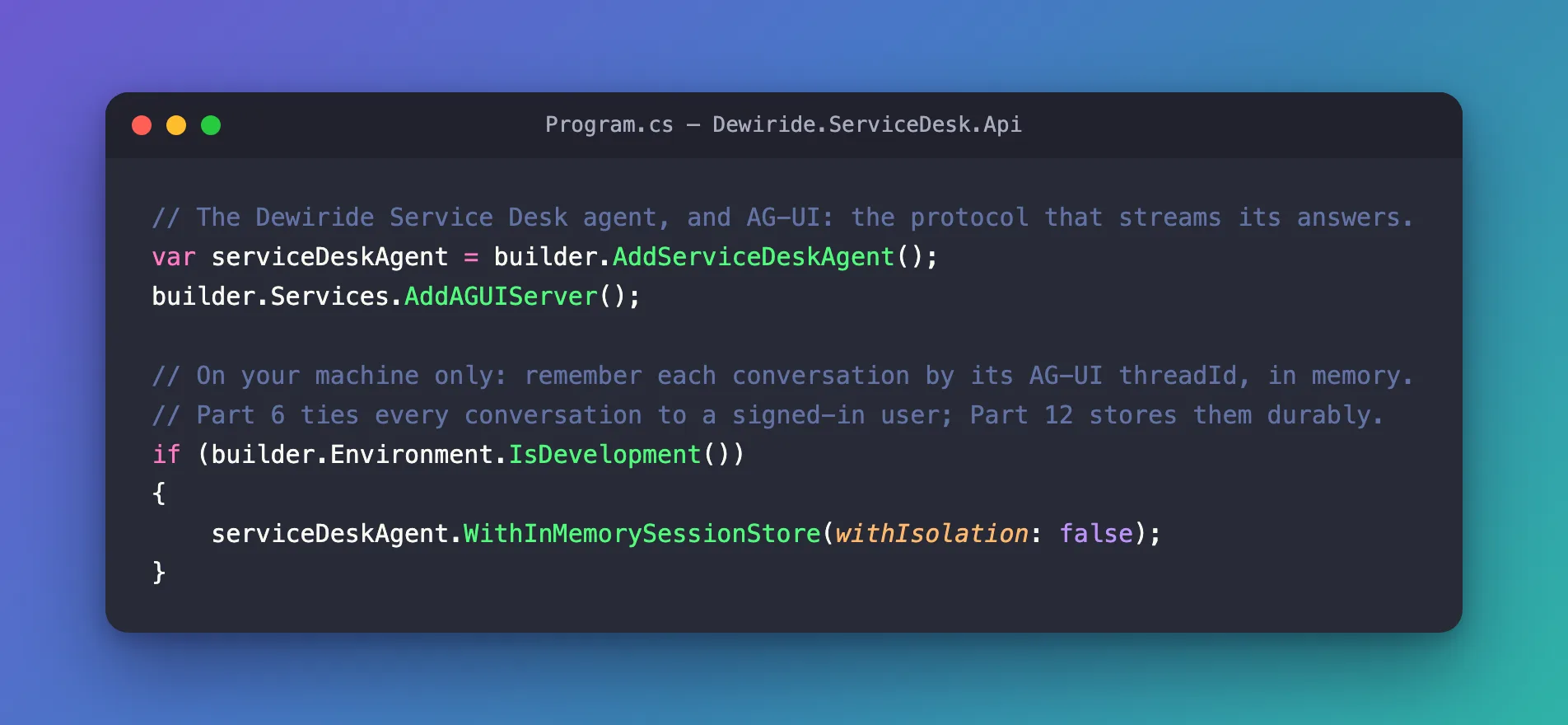
Then register the store, after the agent and before builder.Build():
// The Dewiride Service Desk agent, and AG-UI: the protocol that streams its answers.
var serviceDeskAgent = builder.AddServiceDeskAgent();
builder.Services.AddAGUIServer();

// On your machine only: remember each conversation by its AG-UI threadId, in memory.
// Part 6 ties every conversation to a signed-in user; Part 12 stores them durably.
if (builder.Environment.IsDevelopment())
{
    serviceDeskAgent.WithInMemorySessionStore(withIsolation: false);
}
| Code | What it does |
|---|---|
WithInMemorySessionStore(...) | Registers an in-memory store for this agent. MapAGUIServer finds it by itself |
withIsolation: false | Files sessions under the threadId alone. With the default, true, the store also needs the caller's identity — and an app without sign-in fails every request (Fixed: Agent Isolation Key Is Required but Was Not Provided) |
builder.Environment.IsDevelopment() | Limits all of this to a developer's machine (How to Run Code Only in Development in ASP.NET Core) |
This is exactly the shape of Microsoft's own example: the in-memory store, with isolation off, in the Development branch only.
Step 2: Start and Continue a Conversation
Send the first message of a conversation with a threadId and a runId. For the follow-up, keep the threadId, use a new runId, set parentRunId to the first run, and send only the new message (How to Continue an AG-UI Conversation with threadId and parentRunId):
{
  "threadId": "thread-2",
  "runId": "run-2",
  "parentRunId": "run-1",
  "messages": [
    {
      "id": "message-2",
      "role": "user",
      "content": "It's a Windows 11 laptop."
    }
  ]
}
That is the same follow-up as above, sent to the same agent — now with the store registered:
Try these steps on your Windows 11 laptop:

1. Make sure Wi-Fi is enabled:
   - Select the network, sound, or battery icon on the taskbar.
   - Confirm Wi-Fi is on and Airplane mode is off.

2. Select the office Wi-Fi network and choose Connect. Enter your normal work sign-in details if prompted. Do not share your password.

3. If it still fails, forget and reconnect:
   - Settings > Network & internet > Wi-Fi > Manage known networks.
   - Select the office network > Forget.
   - Reconnect to it from the Wi-Fi list.

4. Restart the laptop and try again. If possible, check whether nearby colleagues can connect.

5. If you connect but have no internet, temporarily disconnect from any VPN and try opening a website.

6. If the problem continues, raise a ticket with the IT Service Desk. Include the Wi-Fi network name, the exact error message, and whether other devices can connect.
The numbers in RUN_FINISHED tell the same story: the follow-up used 246 input tokens without a store and 327 with one. The difference is the first turn, which the agent now reads again.
Step 3: See Where the History Lives
What the session holds depends on the model service behind the agent. Microsoft's conversation storage guide names two modes:
| Mode | What the session holds |
|---|---|
| Local session state | The full chat history, kept in the session itself |
| Service-managed storage | Only an ID that points to the conversation the service stores |
An agent on Microsoft Foundry's Responses API, like the one here, uses the second mode. Foundry stores each answer as a response, the session keeps the ID of the latest one, and the next call continues from it with previous_response_id. The API sent Foundry one message for the follow-up, yet Foundry's stored input for that answer holds the whole conversation:
Item       Role       Text
---------  ---------  --------------------------------------------------------------
message    user       My laptop won't connect to the office Wi-Fi. What should I do?
reasoning
message    assistant  Which operating system is your laptop using: Windows or macOS?
message    user       It's a Windows 11 laptop.
How to See the Conversation History Microsoft Foundry Stored for a Response shows the command. Foundry keeps stored responses for 30 days by default.
Know the Limits of the In-Memory Store
It forgets on restart. I stopped the API, started it again and sent the same follow-up. The answer was back to What would you like help with on your Windows 11 laptop? — the store had lived in the process, and the process was gone. The old responses were still in Foundry, but no session pointed to them any more.
It belongs to one process. Two copies of the API don't share it, so a load balancer that sends the next turn to the other copy loses the conversation. Microsoft's API reference for InMemoryAgentSessionStore recommends a durable store for production use with multiple instances or persistence across restarts.
With isolation off, the threadId is the only key. Anyone who knows or guesses it can continue the conversation. On a developer's machine there is one user; on a server there are many.
For production, Microsoft's self-hosting guide registers your own durable AgentSessionStore and keeps isolation on:
hostedAgent.WithSessionStore((services, _) =>
    services.GetRequiredService<AgentSessionStore>());
For isolation, an app with ASP.NET Core sign-in adds AddHttpContextAccessor() and UseClaimsBasedAgentIsolation() from the Microsoft.Agents.AI.Hosting.AspNetCore package. The Microsoft Agent Framework series builds both in later parts.
Common Mistakes
| Mistake | What happens | Do this instead |
|---|---|---|
WithInMemorySessionStore() with its defaults, in an app without sign-in | Every request returns 500 | withIsolation: false, in Development only |
Registering the store after builder.Build() | Too late: services are fixed by then | Register it with the agent, before Build() |
Resending the whole conversation in messages | The model reads earlier turns twice (Fixed: AG-UI Agent Receives the Conversation Twice) | Send only the new message |
| Using the in-memory store in production | Conversations vanish on restart and leak between users | A durable store with isolation |
Troubleshooting
| Symptom | Likely cause | Fix |
|---|---|---|
| The agent forgets every follow-up | No store registered — check the Hosting environment line in the startup log | Register the store, and run in Development |
500 with Agent isolation key is required but was not provided by the configured AgentIsolationKeyProvider | Isolation on, no caller identity | withIsolation: false in Development, or sign-in with claims-based isolation |
| The agent forgot after a restart | The in-memory store empties when the process stops | Expected; use a durable store where it matters |
FAQ
Does the session store keep the messages?
It keeps the whole AgentSession. What that contains depends on the agent: for a Foundry Responses agent, an ID pointing to Foundry's stored conversation; for a chat client without server-side history, the messages themselves.
Is the threadId a secure identifier?
No. Microsoft's AG-UI guidance treats it as a continuation identifier, not proof of identity or ownership. Sign-in plus isolation decides who may continue a conversation.
When is the session saved?
After the answer has finished streaming, as the last step of the request. Send the next turn after the previous answer has finished.
Conclusion
MapAGUIServer keeps a conversation only if the agent has a session store. In development, WithInMemorySessionStore(withIsolation: false) inside an IsDevelopment() check is enough: follow-ups with the same threadId and only the new message pick up where the last turn ended. For real users, swap in a durable store and keep isolation on.
Additional Resources
- Self-host Agent Framework applications: Persist hosted sessions — session stores, the development example and isolation.
- Conversation storage — local and service-managed history.
- InMemoryAgentSessionStore — what the in-memory store is for, and its warnings.
- Getting Started with AG-UI: Conversation continuity — follow-up requests.
Related
- Part 4: Multi-Turn Conversations with Sessions
- How to Continue an AG-UI Conversation with threadId and parentRunId
- How to See the Conversation History Microsoft Foundry Stored for a Response
- How to Run Code Only in Development in ASP.NET Core
- Fixed: Agent Isolation Key Is Required but Was Not Provided
