How to Keep a Chat Scrolled to the Newest Message in React

In a chat, new messages — and the words of an answer that streams in — appear at the bottom. Once the conversation is taller than its box, they appear below what people can see, unless the box scrolls with them. In React that takes an empty element at the end of the list, a ref to it, and one useEffect. This guide builds a list that grows like a streamed answer and compares it with and without the effect.
How It Works
The conversation sits in a box with a fixed height and overflow-y: auto, so it scrolls. An empty <div> always comes last inside it. Whenever the messages change, an effect asks the browser to scroll that empty element into view — which brings the newest message along with it.
Prerequisites
- A React app. The examples use React 19.3.1 in a Next.js 16.4.6 app.
Step 1: A List That Grows
To see the effect, this page adds a line every 300 milliseconds, thirty times, the way a streamed answer grows:
"use client";

import { useEffect, useRef, useState } from "react";

export default function AutoScrollPage() {
  const endRef = useRef<HTMLDivElement>(null);
  const [lines, setLines] = useState<string[]>([]);

  // Adds a line every 300 ms, the way a streamed answer grows.
  useEffect(() => {
    let count = 0;
    const timer = setInterval(() => {
      count += 1;
      setLines((current) => [...current, `Line ${count} of the answer`]);
      if (count === 30) {
        clearInterval(timer);
      }
    }, 300);
    return () => clearInterval(timer);
  }, []);
In a real chat, lines would be your messages, updated as they arrive.
Step 2: Scroll to the End When It Changes
  // Keep the newest line in view.
  useEffect(() => {
    if (lines.length > 0) {
      endRef.current?.scrollIntoView({ block: "end" });
    }
  }, [lines]);
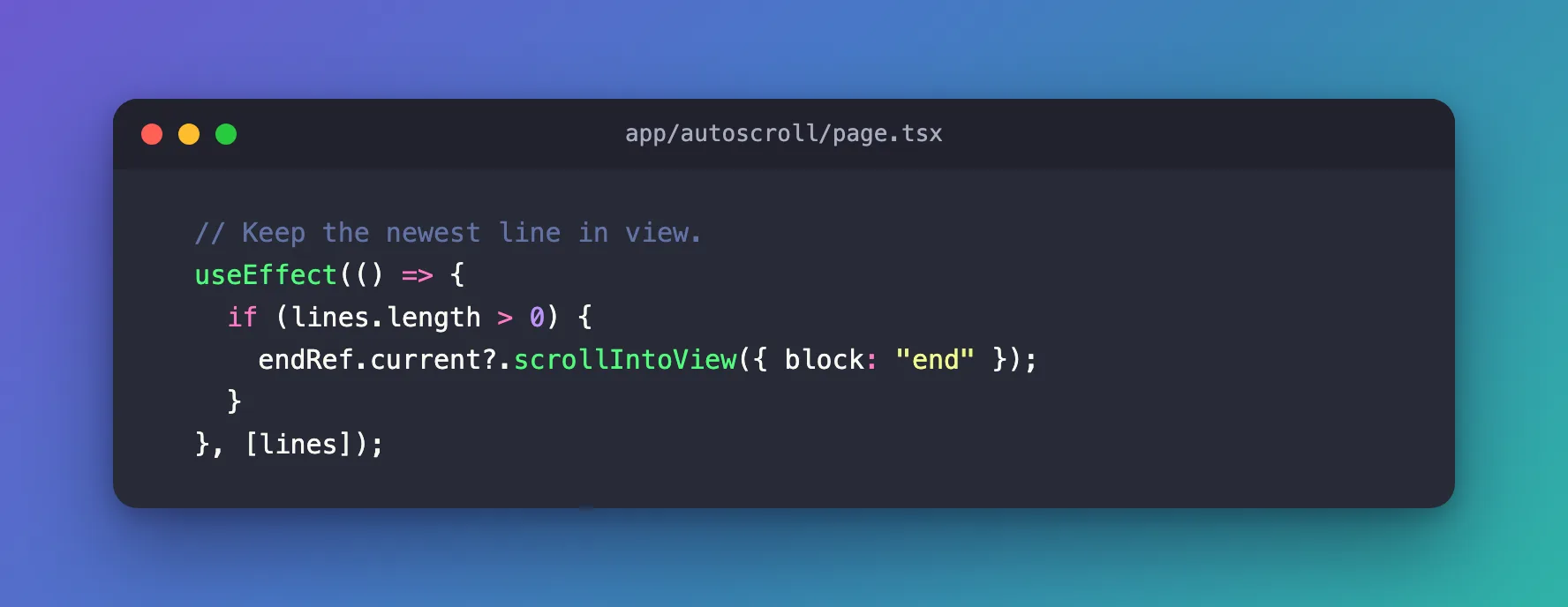
| Code | What it does |
|---|---|
useEffect(…, [lines]) | Runs after React has drawn new lines — so the new line exists before scrolling |
lines.length > 0 | Leaves an empty conversation alone, so the page doesn't jump when it first loads |
endRef.current?.scrollIntoView(…) | Scrolls the box until the empty end element is visible |
{ block: "end" } | Lines the element up with the bottom of the visible area |
Step 3: The Box and the End Element
  return (
    <main style={{ padding: 48, fontFamily: "system-ui" }}>
      <div
        role="log"
        aria-label="Answer"
        style={{
          height: 220,
          overflowY: "auto",
          border: "1px solid var(--border)",
          borderRadius: 12,
          padding: 12,
        }}
      >
        {lines.map((line) => (
          <p key={line}>{line}</p>
        ))}
        <div ref={endRef} />
      </div>
    </main>
  );
}
height and overflowY: "auto" make the box scroll on its own. <div ref={endRef} /> comes after the last line, always. role="log" tells screen readers that this area is a log of messages that grows.
Step 4: Compare It
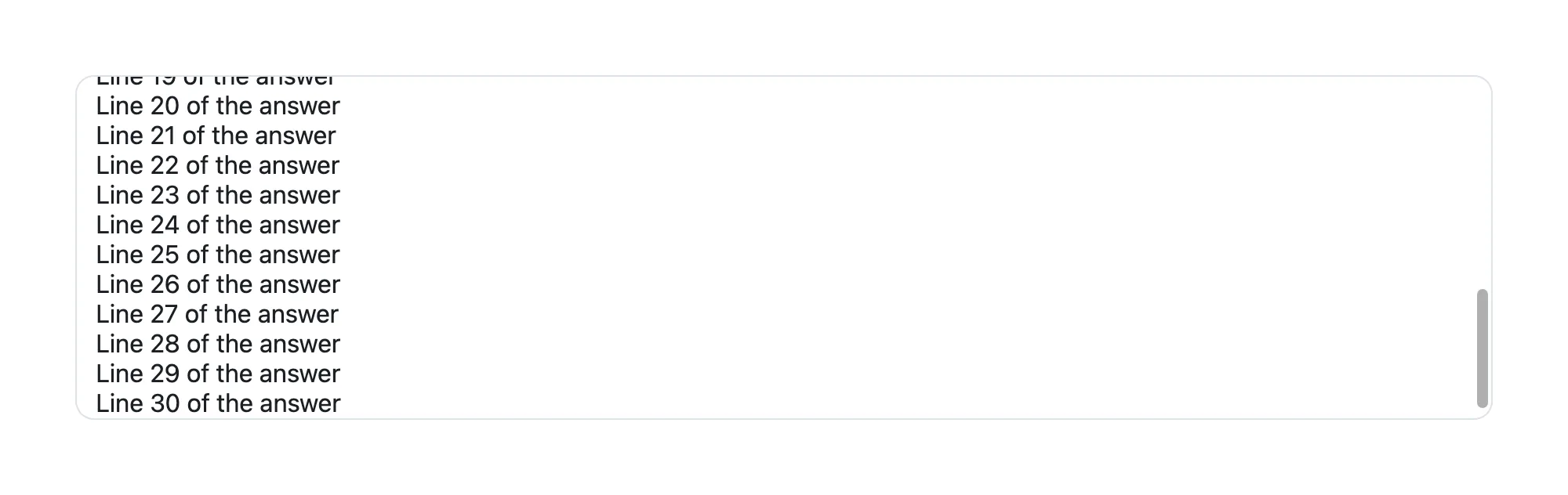
After all thirty lines, in Chrome, the box with the effect showed the end of the answer:
The same page without the effect from Step 2 still showed the beginning — everything from line 12 on was out of sight:
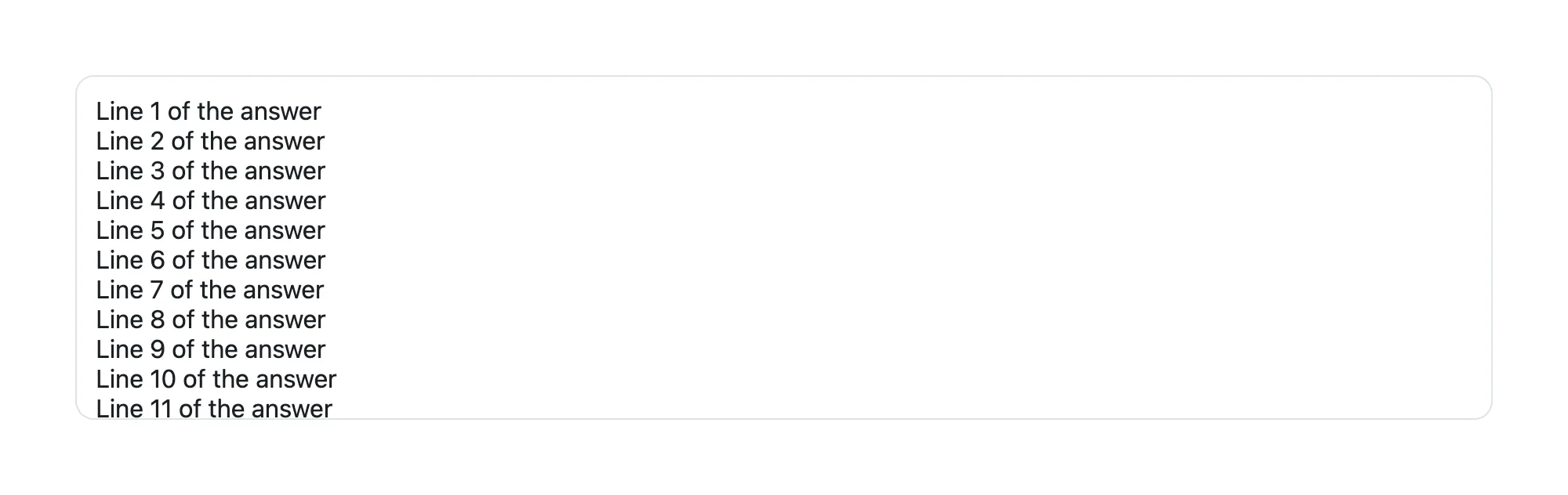
Measured in the browser, the box held 594 pixels of lines in 218 visible pixels. With the effect it was scrolled down 365 pixels, to the end of the last line; without it, 0.
Common Mistakes
| Mistake | What happens | Do this instead |
|---|---|---|
| Scrolling in the code that adds the message, before React draws it | The box scrolls to the old end, one message short | Scroll in a useEffect that depends on the messages |
| The end element outside the scrolling box | The whole page scrolls instead of the box | Put it inside the box, after the last message |
| No fixed height on the box | The box grows with the page, and there's nothing to scroll | Give it a height and overflow-y: auto |
Troubleshooting
| Symptom | Likely cause | Fix |
|---|---|---|
| The page jumps on first load | The effect scrolls an empty conversation | Check lines.length > 0 |
| The box doesn't move | The effect's dependency list doesn't include the messages | Use [lines], or whatever holds the messages |
| The newest line is half hidden | The end element is before the last message | Put it after the last one |
FAQ
What if someone has scrolled up to read?
This simple version always scrolls to the end, which can pull a reader away from older messages. For long conversations, scroll only when the box was already at the bottom before the new message arrived.
Does it work while an answer streams in word by word?
Yes. Each new piece of text changes the messages, the effect runs again, and the end stays in view — this is how the chat page in the Microsoft Agent Framework series follows its answers.
Conclusion
Put an empty element with a ref after the last message, inside a box that scrolls, and call scrollIntoView({ block: "end" }) on it in a useEffect that depends on the messages. Every new message — or every new word — brings the end of the conversation into view.
Additional Resources
- MDN: Element.scrollIntoView() — the options, including
block. - React: useRef — holding a reference to an element.
- MDN: ARIA log role — how screen readers follow a growing log.
