How to Join Two Tables in MySQL

A product row holds a CategoryId, not a category's name. A JOIN brings the two tables together, so you can read both in one result. INNER JOIN keeps only the rows that match, and LEFT JOIN keeps every row from the first table. This guide runs both on MySQL 9.7, and shows a counting mistake that's easy to make.
Prerequisites
- MySQL, and a way to run SQL. The examples use MySQL 9.7.4 in Docker, and the
mysqlclient from How to Connect to MySQL in a Docker Container. - Two related tables. The examples use
productsandcategories, whereproducts.CategoryIdpoints atcategories.Id. Two categories have no products yet.
Step 1: Join with INNER JOIN
ON says how rows go together. AS p and AS c are short names, so you can write p.Sku:
SELECT p.Sku, c.Name AS Category
FROM products AS p
INNER JOIN categories AS c ON p.CategoryId = c.Id
ORDER BY p.Id
LIMIT 4;
+-------------+----------+
| Sku         | Category |
+-------------+----------+
| CBL-USBC-2M | Cables   |
| CBL-USBC-1M | Cables   |
| CBL-HDMI-2M | Cables   |
| CBL-LTNG-1M | Cables   |
+-------------+----------+
4 rows in set (0.000 sec)
An INNER JOIN returns only pairs that match, so a category with no products isn't in the result.
Step 2: Keep Every Row with LEFT JOIN
LEFT JOIN keeps every row from the table on the left, and fills in NULL when nothing matches on the right. MySQL's JOIN page describes it: "If there is no matching row for the right table in the ON or USING part in a LEFT JOIN, a row with all columns set to NULL is used for the right table."
That gives you a way to find what's missing. The same page points it out: "You can use this fact to find rows in a table that have no counterpart in another table". Add WHERE p.Id IS NULL:
SELECT c.Name, p.Sku
FROM categories AS c
LEFT JOIN products AS p ON p.CategoryId = c.Id
WHERE p.Id IS NULL;
+-------------------+------+
| Name              | Sku  |
+-------------------+------+
| Docks             | NULL |
| Stands and mounts | NULL |
+-------------------+------+
2 rows in set (0.000 sec)
Step 3: Count per Category, Including Zero
Count a column from the right table. It's NULL when there's no match, and COUNT skips those:
SELECT c.Name, COUNT(p.Id) AS Products
FROM categories AS c
LEFT JOIN products AS p ON p.CategoryId = c.Id
GROUP BY c.Id, c.Name
ORDER BY c.Name;
+-------------------+----------+
| Name              | Products |
+-------------------+----------+
| Adapters          |        2 |
| Cables            |        4 |
| Docks             |        0 |
| Stands and mounts |        0 |
| Wall chargers     |        2 |
+-------------------+----------+
5 rows in set (0.000 sec)
The Counting Mistake
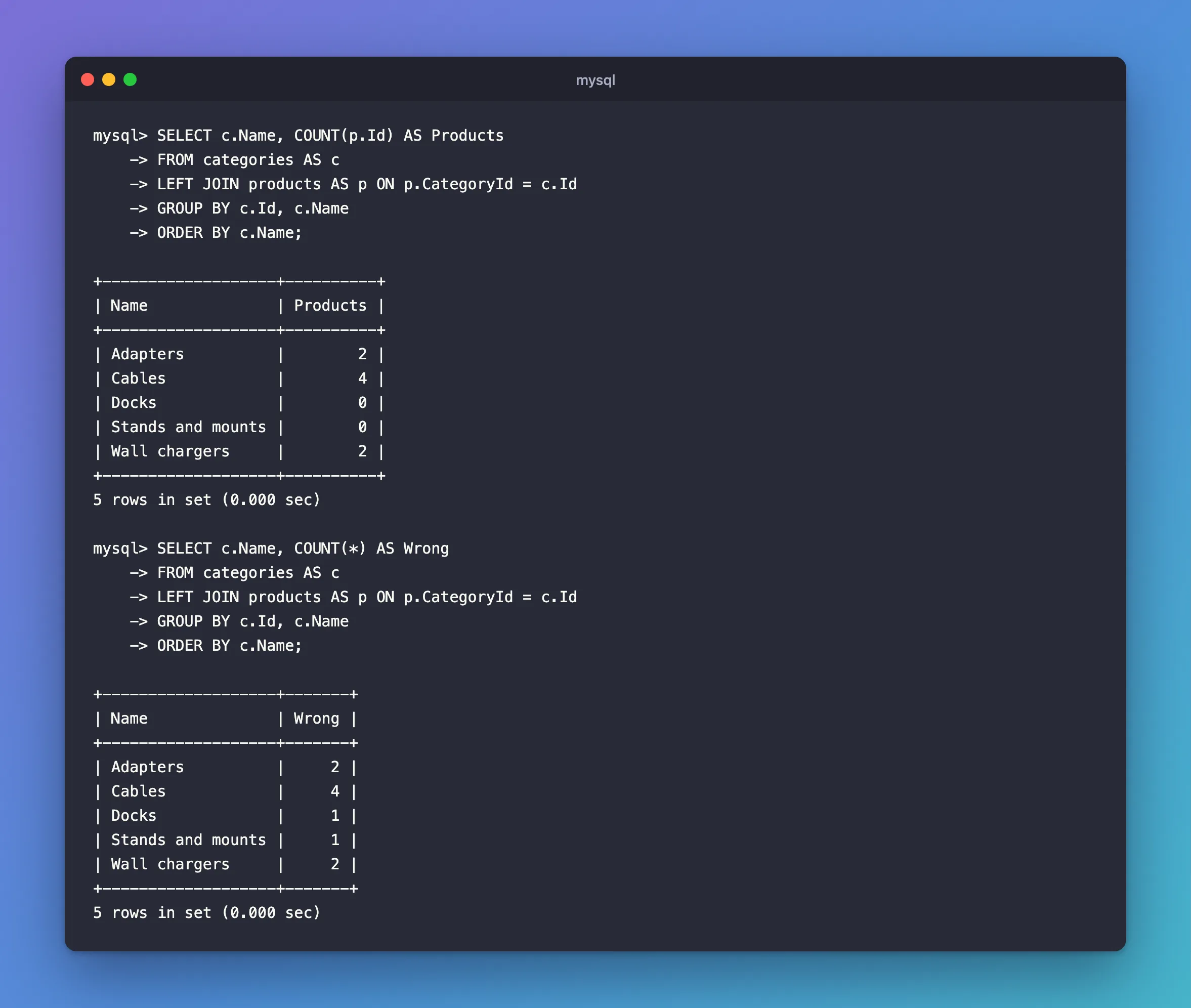
With COUNT(*), the same query counts the row of NULLs, so empty categories show 1:
SELECT c.Name, COUNT(*) AS Wrong
FROM categories AS c
LEFT JOIN products AS p ON p.CategoryId = c.Id
GROUP BY c.Id, c.Name
ORDER BY c.Name;
+-------------------+-------+
| Name              | Wrong |
+-------------------+-------+
| Adapters          |     2 |
| Cables            |     4 |
| Docks             |     1 |
| Stands and mounts |     1 |
| Wall chargers     |     2 |
+-------------------+-------+
5 rows in set (0.000 sec)
Docks has no products, and the result says 1.
Which Join to Use
| You want | Use |
|---|---|
| Products with their category's name | INNER JOIN |
| Every category, even with no products | LEFT JOIN |
| Categories with no products | LEFT JOIN … WHERE p.Id IS NULL |
In MySQL, plain JOIN means the same as INNER JOIN. The page says: "In MySQL, JOIN, CROSS JOIN, and INNER JOIN are syntactic equivalents".
Common Mistakes
| Mistake | What happens | Do this instead |
|---|---|---|
Leaving out the ON | Every row pairs with every other | Always write ON |
COUNT(*) with a LEFT JOIN | Rows with no match count as 1 | Count a column on the right |
WHERE p.Something = … after a LEFT JOIN | Rows with NULL drop out, so it acts like an INNER JOIN | Put that condition in the ON |
| A column name both tables have, with no prefix | MySQL says it's ambiguous | Write p.Name |
FAQ
Does a join need a foreign key?
No, any matching columns will do. A foreign key keeps the data valid, and comes with an index, as this post shows.
How does EF Core write this?
Selecting across a navigation property becomes a join. How to Load Related Data in EF Core has the SQL.
Conclusion
INNER JOIN gives you the rows that match on both sides. LEFT JOIN keeps everything on the left, with NULLs where nothing matches, which also finds what's missing. With a LEFT JOIN, count a column from the right table, not *.
Additional Resources
- JOIN Clause — the full syntax.
