How to Join Text in Power Apps with & and String Interpolation

"Welcome, Olivia" is fixed text joined to a value from a formula. Power Apps gives you two ways to write that: the & operator, and string interpolation with $"...". They produce the same text; the difference is how readable your formula is. Here are both, tried side by side in Studio.
Prerequisites
- A canvas app with a Text control. The example builds the welcome line of the Career Development Plan app's Home screen, from Part 4 of the series, using the signed-in person's first name from
MyProfile(see How to Get the Current User's Profile and Job Title in Power Apps).
Option 1: The & Operator
Put & between the pieces. Text in quotes, formulas as they are:
"Welcome, " & MyProfile.givenName
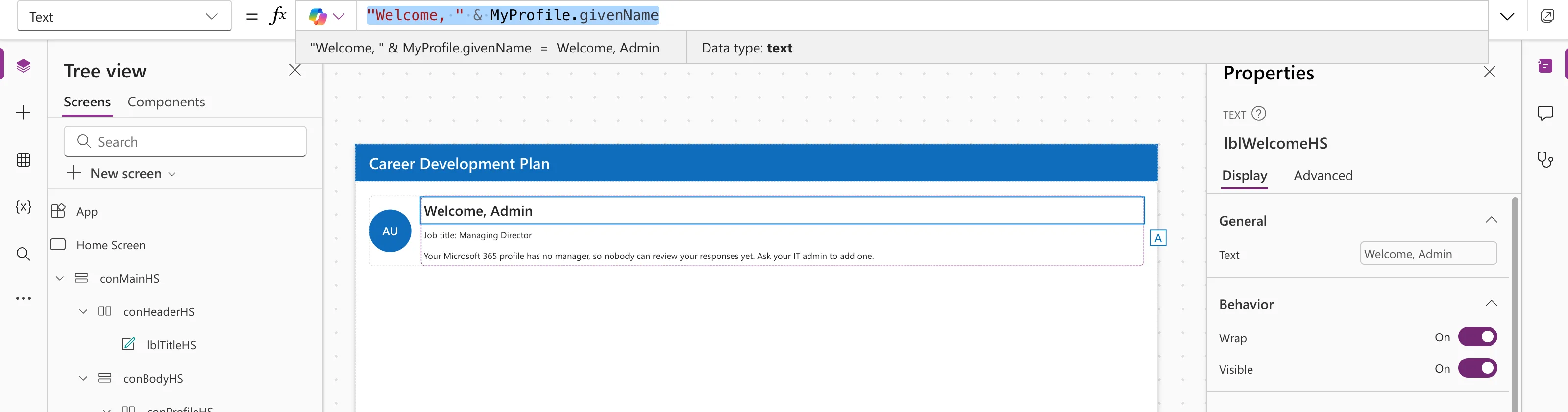
Mind the space: it's inside the quotes, after the comma. Without it you'd get "Welcome,Admin".
Option 2: String Interpolation
Start the text with $, and put formulas inside curly braces:
$"Welcome, {MyProfile.givenName}"
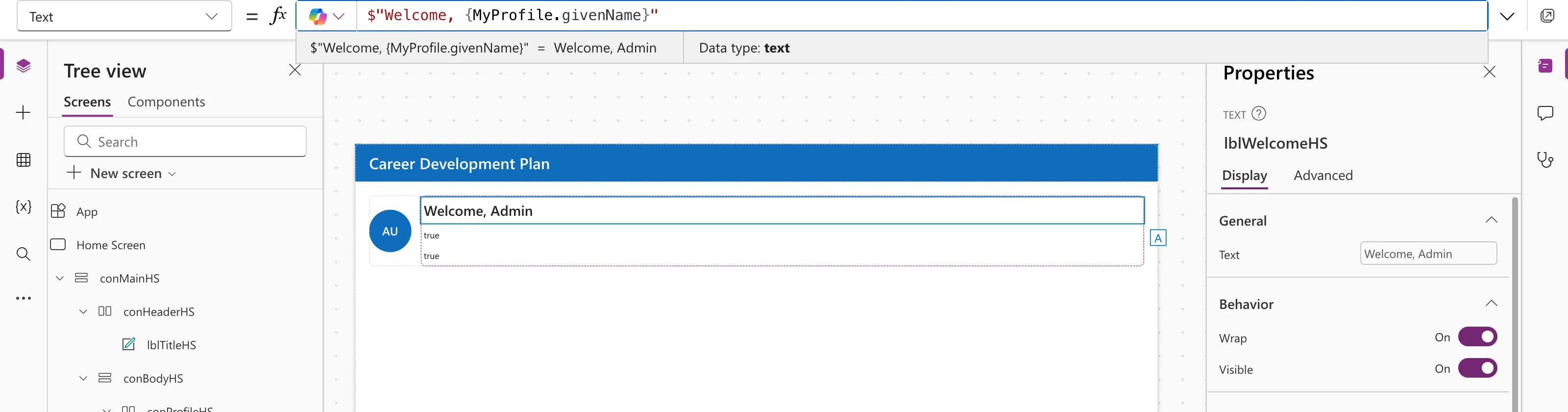
Same result. Microsoft's data types reference adds two details: spaces around the braces are kept exactly as typed, and to show a literal brace, double it: {{ or }}.
Which to Use?
| Situation | Easier with |
|---|---|
| One value joined to some text | Either |
| Several values in a sentence | String interpolation: $"{Name} has {Count} requests" |
| Building text step by step in long formulas | & |
Any formula can go inside the braces, as long as its result can be turned into text. The example's final welcome uses Coalesce to fall back to the full name when the first name is missing:
"Welcome, " & Coalesce(MyProfile.givenName, MyProfile.displayName)
See How to Replace Blank Values in Power Apps with Coalesce.
Tip: Seeing the Whole Result in Studio
The preview strip under the formula bar shows the value of the part of the formula your cursor is in. With the cursor at the end of "Welcome, " & Coalesce(...), it showed only the Coalesce result. Put the cursor on the & to see the whole sentence.
Common Mistakes
| Mistake | What happens | Do this instead |
|---|---|---|
| No space inside the quotes | "Welcome,Admin" | "Welcome, " |
Forgetting the $ | The braces show as literal text | $"..." |
| Using Concat to join two pieces | It expects a table | Use & or $"..."; Concat is for tables |
FAQ
Is & the same as Concatenate?
Yes, for individual pieces of text. "A" & "B" and Concatenate("A", "B") give the same result.
Can I put numbers in?
Yes; they're converted to text. To control the format, use Text: see Convert Number or Integer to Text or String using Power Apps.
Can interpolated strings be nested?
Yes. Microsoft's reference shows an interpolated string inside another one's braces.
Conclusion
"text " & value and $"text {value}" both join text; choose whichever reads better. Watch the spaces, and remember the $.
Additional Resources
- Data types: string interpolation: the
$"..."syntax. - Operators and identifiers: the & operator.
- Concat and Concatenate functions: joining tables and strings.
