How to Join Folder and File Names into a Path with Path.Combine in C#

Gluing a folder and a file name together with + is easy to get wrong: "recipes" + "pancakes.txt" gave recipespancakes.txt. Path.Combine joins the names and puts the separator between them for you.
Microsoft's reference: Path.Combine combines strings into a path. It only builds a string. The Path reference: Most members of the Path class do not interact with the file system and do not verify the existence of the file specified by a path string.
Syntax
string <path> = Path.Combine(<folder>, <fileName>);
string <path> = Path.Combine(<part1>, <part2>, <part3>);
| Part | What it is |
|---|---|
<folder>, <part1> | The first part, such as a folder name |
<fileName>, <part2>, <part3> | The parts that follow, such as more folder names and then the file name. Each must be relative, with no separator at the start |
Path.Combine | Joins the parts in order, with the system's separator between them |
<path> | The joined path, as a string |
There are versions for two, three and four parts, and one that takes an array. The reference on the separator: If path1 does not end with a valid separator character as defined in DirectorySeparatorChar or AltDirectorySeparatorChar, DirectorySeparatorChar is appended to path1 before concatenation.
The Example
A console app called PathCombine joins recipes and pancakes.txt, joins them again with a / already at the end of the folder, joins three parts, and prints the separator this system uses.
Prerequisites
- The .NET 10 SDK.
dotnet --versionprints a version that starts with10.0.
Step 1: Create a Console App
dotnet new console -n PathCombine
cd PathCombine
The template "Console App" was created successfully.

Processing post-creation actions...
Restoring /Users/you/source/PathCombine/PathCombine.csproj:
  Determining projects to restore...
  Restored /Users/you/source/PathCombine/PathCombine.csproj (in 47 ms).
Restore succeeded.
dotnet new console -n PathCombine creates a folder named PathCombine with a project file and a Program.cs, and cd moves into it. Everything this example uses is part of .NET, so there's no package to add. Open the folder in VS Code, or PathCombine.csproj in Visual Studio.
Step 2: Write the Code
Replace everything in Program.cs. First, two parts:
// Join a folder name and a file name: Path.Combine puts the separator between them.
string path = Path.Combine("recipes", "pancakes.txt");
Console.WriteLine($"Two parts:   {path}");
Path.Combine returns the joined path as a string, and path keeps it.
Then the other cases:
// A separator that's already at the end of the folder isn't doubled.
Console.WriteLine($"Ends in /:   {Path.Combine("recipes/", "pancakes.txt")}");

// Three or more parts work the same way.
Console.WriteLine($"Three parts: {Path.Combine("recipes", "breakfast", "pancakes.txt")}");

// The separator it puts in is the one this system uses.
Console.WriteLine($"Separator:   {Path.DirectorySeparatorChar}");
Path.DirectorySeparatorChar is the separator Path.Combine puts in. The reference: it provides a platform-specific character used to separate directory levels in a path string that reflects a hierarchical file system organization.
Step 3: Run It
Run it in VS Code's terminal, or press Ctrl+F5 in Visual Studio:
dotnet run
Two parts:   recipes/pancakes.txt
Ends in /:   recipes/pancakes.txt
Three parts: recipes/breakfast/pancakes.txt
Separator:   /
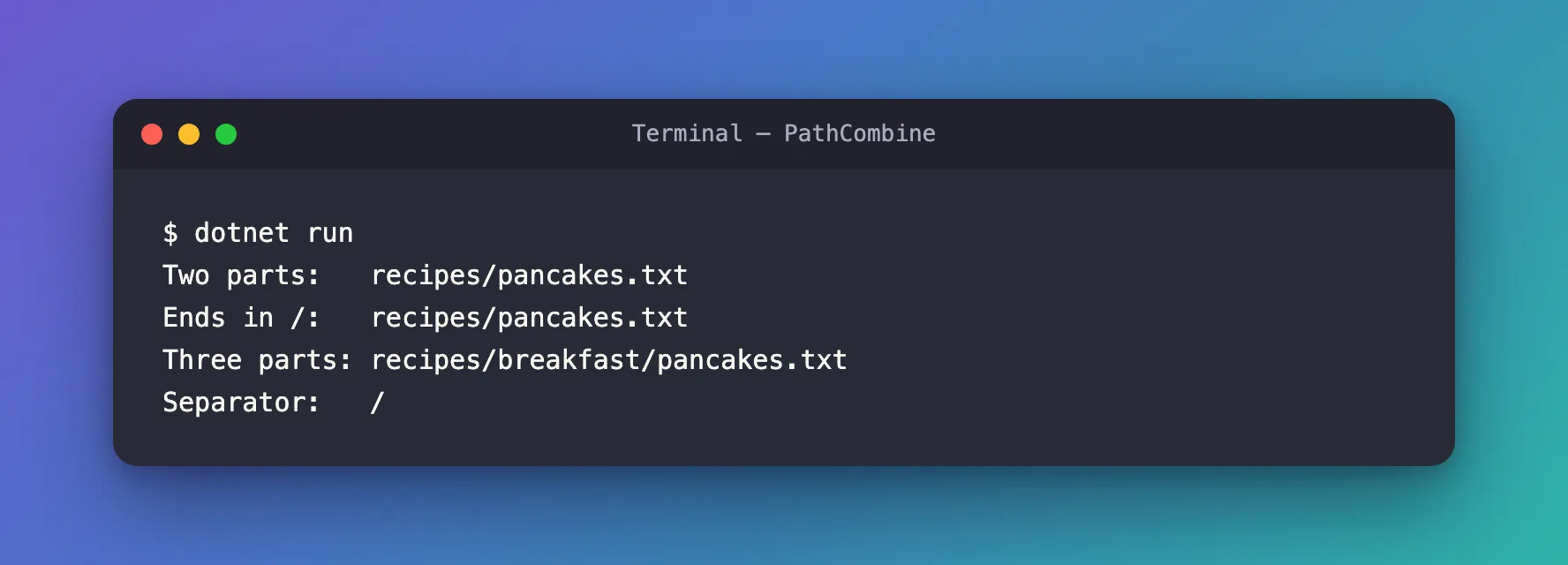
On macOS the separator is /, so Path.Combine put a / between the names. When the folder already ended in /, it added no second one, and three parts got a separator between each pair. Nothing was created on disk: the project folder has no recipes folder afterwards.
The Complete File
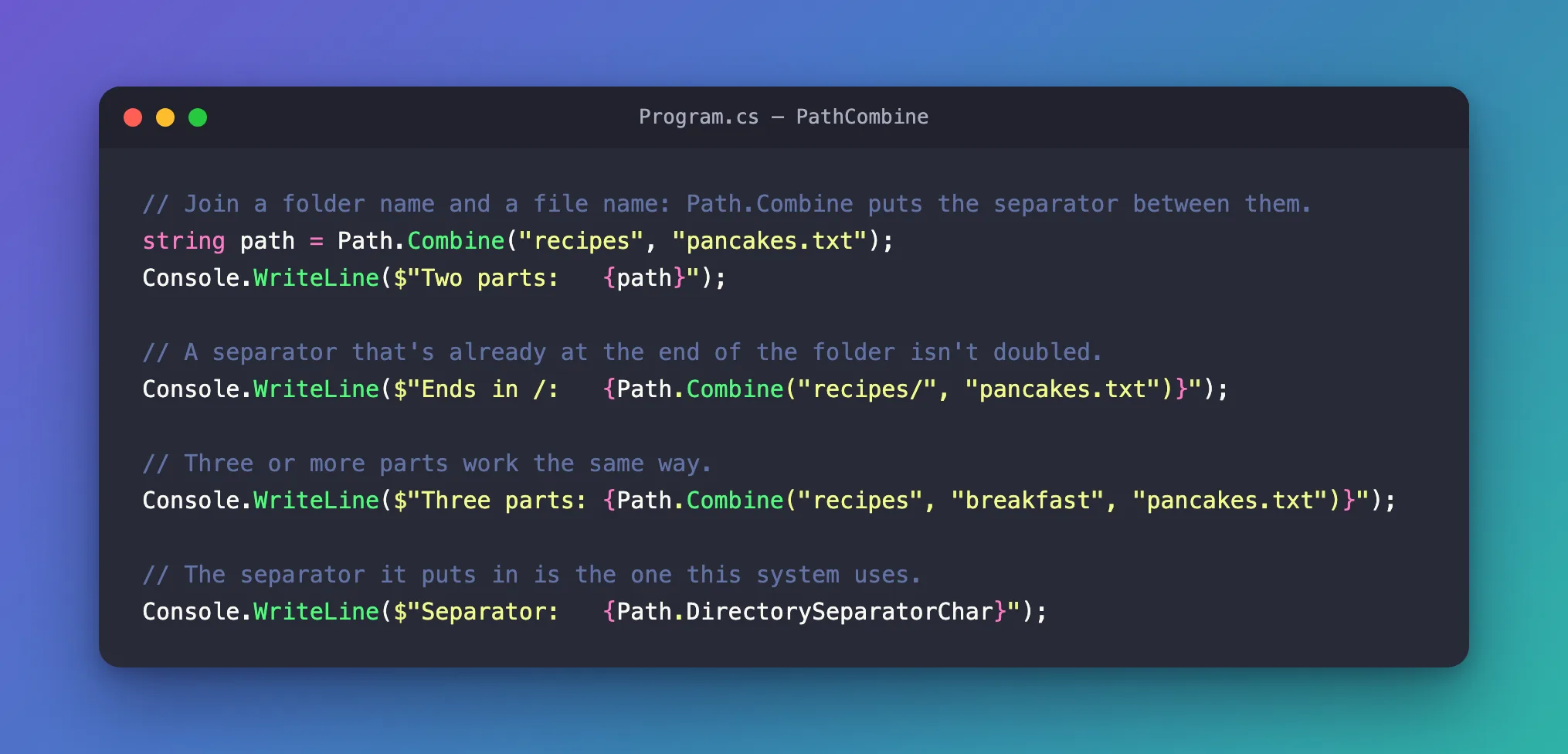
// Join a folder name and a file name: Path.Combine puts the separator between them.
string path = Path.Combine("recipes", "pancakes.txt");
Console.WriteLine($"Two parts:   {path}");

// A separator that's already at the end of the folder isn't doubled.
Console.WriteLine($"Ends in /:   {Path.Combine("recipes/", "pancakes.txt")}");

// Three or more parts work the same way.
Console.WriteLine($"Three parts: {Path.Combine("recipes", "breakfast", "pancakes.txt")}");

// The separator it puts in is the one this system uses.
Console.WriteLine($"Separator:   {Path.DirectorySeparatorChar}");
Common Mistakes
| Mistake | What happens | Do this instead |
|---|---|---|
A second part that starts with / | Path.Combine("recipes", "/pancakes.txt") returned /pancakes.txt, and the folder was gone. The reference: If path2 contains an absolute path, this method returns path2. | Leave the leading / off. Path.Join("recipes", "/pancakes.txt") keeps the folder: it gave recipes/pancakes.txt |
| Typing a Windows backslash into a part | On macOS, Path.Combine("recipes\\breakfast", "pancakes.txt") gave recipes\breakfast/pancakes.txt: the backslash stayed part of the name. The reference: This issue arises in hard-coded paths that use the Windows backslash ("\") character, which is not recognized as a path separator on Unix-based systems. | Pass each name as its own part, as in Path.Combine("recipes", "breakfast", "pancakes.txt") |
Passing null as a part | The build warned warning CS8604: Possible null reference argument for parameter 'path2' in 'string Path.Combine(string path1, string path2)'., and the run stopped with Unhandled exception. System.ArgumentNullException: Value cannot be null. (Parameter 'path2') | Check a name that comes from a setting or a user before you combine it |
FAQ
Does Path.Combine create the folder or check that the file exists?
No. After Path.Combine("recipes", "pancakes.txt"), Directory.Exists("recipes") and File.Exists("recipes/pancakes.txt") both returned False. Create the folder yourself with Directory.CreateDirectory when you need it.
Which separator does it use on Windows?
The backslash. This example ran on macOS, where Path.DirectorySeparatorChar printed /. Microsoft's reference shows the Windows result of its own example: When you combine 'c:\temp' and 'subdir\file.txt', the result is: 'c:\temp\subdir\file.txt'.
Should I use Path.Combine or Path.Join?
For relative parts, they gave the same paths: both turned recipes, breakfast and pancakes.txt into recipes/breakfast/pancakes.txt. They differ when a later part starts with a separator, as the first mistake above shows. For names a user types, the reference warns about Combine: This method assumes that the first argument is an absolute path and that the following argument or arguments are relative paths. If this is not the case, and particularly if any subsequent arguments are strings input by the user, call the Join or TryJoin method instead.
Conclusion
Path.Combine(folder, fileName) joins names into a path with the separator of the system it runs on, and adds none when the folder already ends with one. Keep every part after the first relative, pass each name as its own part, and use Path.Join for names a user types.
Additional Resources
- Path.Combine — every overload and how rooted parts are handled.
- Path.Join — joining without dropping earlier parts.
- Path.DirectorySeparatorChar — the separator on Windows and Unix.
